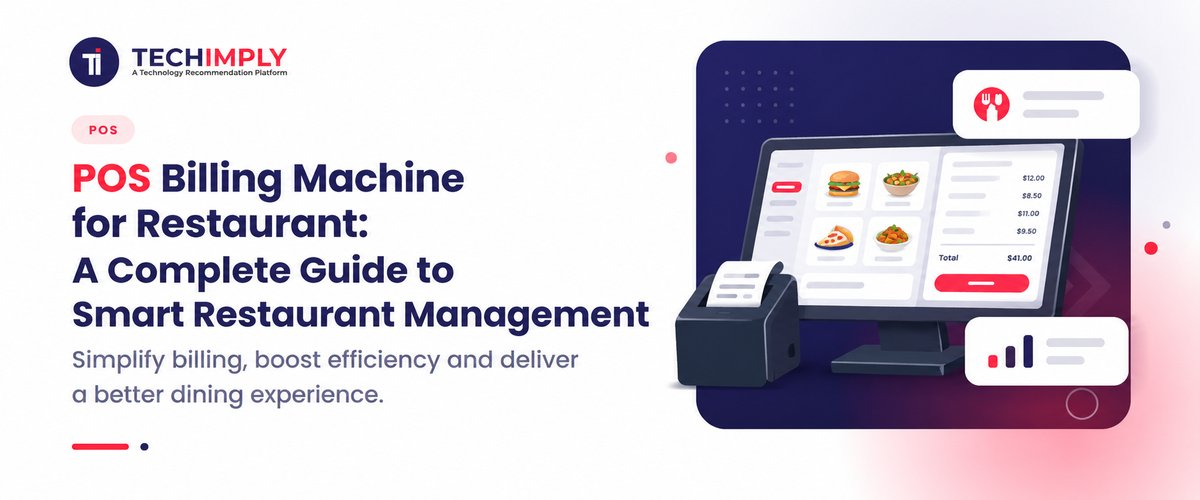
In the fast-paced modern food and beverage industry, manual billing books and standalone cash drawers have become obsolete. A high-performing POS billing machine serves as the digital core of any successful food establishment, seamlessly unifying front-of-house customer service with back-of-house kitchen workflows. Whether you manage a cozy neighborhood coffee shop, a high-volume quick-service restaurant (QSR), a fine-dining room, or a bustling cloud kitchen, implementing a reliable restaurant billing machine is vital for long-term profitability.
Modern point-of-sale setups do much more than simply print paper receipts. They accelerate checkout queues, automate kitchen order routing, track volatile food inventory down to the gram, and capture multi-channel digital payments effortlessly.
This comprehensive guide explores everything you need to know to choose the right hardware and software. We will cover core machine types, price influencing factors, software capabilities, vendor options, and actionable buyer checklists to help you streamline your operations.
What Is a POS Billing Machine and How Does It Work?
What is a POS bill machine?
A pos bill machine is an integrated hardware device or a terminal connected to specialized software designed to record sales transactions, calculate applicable taxes, manage item catalogs, and print physical or digital receipts. Unlike traditional cash registers that merely hold cash and log numerical totals, modern terminals run advanced operating systems capable of managing entire hospitality ecosystems.
How a POS machine for billing processes orders and payments
The transaction lifecycle follows a structured digital workflow:
- Order Capture: The server or cashier selects menu items, categories, or modifiers (e.g., extra cheese, less spicy) via a touchscreen or handheld device.
- Tax & Discount Application: The system automatically calculates service charges, state taxes, GST, and promotional discounts based on pre-configured rules.
- Kitchen Routing: Simultaneously, Kitchen Order Tickets (KOTs) are transmitted digitally to display screens or thermal printers in the kitchen.
- Billing & Settlement: A finalized bill is generated, and the customer settles the total via cash, UPI, credit/debit card, or mobile wallets.
- Data Recording: The transaction updates real-time inventory counts, logs staff sales performance, and records financial entries in the backend database.
Difference between a billing machine and a complete POS system
While a basic electronic cash register or standalone thermal billing machine handles simple print-and-pay tasks, a complete POS billing machine and software ecosystem integrates deeper layers. Standalone machines suit small static stalls, whereas fully integrated POS systems incorporate cloud databases, multi-terminal syncing, CRM modules, recipe management, and third-party delivery aggregator integrations (like Zomato or Swiggy).
Why Does Your Restaurant Need a Modern Restaurant Billing Machine?
Faster billing and reduced checkout errors
Manual order writing often leads to miscalculations, lost tickets, and long queues during peak rush hours. A modern restaurant billing machine eliminates human math errors, speeds up transaction times by up to 50%, and keeps checkout counters moving smoothly.
Kitchen order tickets and table management
In hospitality, speed dictates customer satisfaction. Dedicated restaurant software routes food orders directly to designated prep stations (bar, grill, tandoor), eliminating physical running errors. Table management features let staff monitor occupied tables, track course pacing, and split bills instantly.
Inventory control, sales reports and GST-ready records
Modern machines track inventory depletion automatically with every sale. When a plate of butter chicken is billed, the system deducts chicken, butter, and cream quantities from stock. Furthermore, automated GST-compliant reports simplify tax filing and financial auditing.
Better customer experience and staff productivity
Streamlined operations translate directly into shorter wait times and accurate orders. Digital loyalty programs and automated SMS/WhatsApp receipts elevate the guest experience while empowering management with transparent staff performance metrics.
Types of POS Billing Machines for Restaurants
Touchscreen POS terminals
These are robust, stationary all-in-one desktop units featuring large capacitive touch displays (typically 15 inches) with integrated or companion thermal receipt printers. They are ideal for high-volume billing counters in fine-dining restaurants and bustling bakeries.
Android handheld billing machines
Compact, battery-operated, and lightweight, these portable devices come with built-in thermal printers and 5-inch to 6-inch touch screens. They are heavily favored by waiters for mobile tableside ordering and line-busting during peak hours.
Tablet-based POS systems
Utilizing iPads or Android tablets mounted on secure stands or paired with Bluetooth printers, these systems offer sleek aesthetics and intuitive interfaces, making them popular among modern cafes and boutique eateries.
Portable POS and integrated payment devices
Pocket-sized smart devices that combine magnetic stripe, chip card, NFC contactless tapping, and QR code scanning capabilities into a single handheld unit. Perfect for food trucks, delivery fleets, and pop-up kiosks.
POS Billing Machine Price in India: What Should You Expect?
Factors that affect POS billing machine price
The overall pos billing machine price varies widely based on form factor, processing power, build quality, brand reputation, and whether software is bundled. Basic handheld units cost significantly less than multi-screen terminal setups with cash drawers and customer-facing displays.
Hardware, software and installation costs
- Handheld Android POS Devices: Typically range from INR 12,000 to INR 22,000, often inclusive of basic billing applications.
- Desktop Touchscreen POS Terminals (Standalone/All-in-One): Range from INR 30,000 to INR 65,000 depending on screen size and processor specs.
- Software Subscriptions: Cloud-based billing software generally costs between INR 10,000 to INR 30,000 annually, depending on multi-outlet capabilities.
Analogics POS machine price: what to check before buying
Industrial brands like Analogics provide ruggedized handheld and mobile terminals widely used across government and commercial sectors. When evaluating an analogics pos machine price (typically ranging between INR 30,000 to INR 40,000 for advanced Android terminals), verify whether the price includes software customization, thermal roll bundles, warranty extensions, and dedicated technical support.
Hidden and recurring expenses to consider
Buyers must factor in hidden costs such as payment gateway transaction MDR (Merchant Discount Rates), annual software maintenance charges (AMC), thermal paper roll replenishment, and cloud data backup fees.
How to Choose the Best Billing Machine for Restaurant Operations
Billing speed, ease of use and reliability
A complicated interface slows down staff training and delays service. Choose systems with clean, icon-driven user interfaces that require minimal clicks to complete a transaction.
Thermal printer, kitchen printer and connectivity
Ensure the machine supports high-speed thermal printing (58mm or 80mm width) and features robust connectivity options including Wi-Fi, Bluetooth, Ethernet, and 4G SIM slots to prevent downtime during internet outages.
GST billing, offline functionality and data backup
Your hardware and software must support seamless GST invoicing with customizable tax splits. Additionally, offline data caching ensures billing continues uninterrupted even if local internet connectivity drops.
Warranty, training and after-sales service
Always purchase from vendors offering comprehensive on-site warranties, remote troubleshooting, and initial staff training programs to protect your investment.
Buyer's Quick Checklist:
- Matches your daily transaction volume and peak hour load.
- Supports multi-printer routing (Cashier + Bar + Kitchen).
- Offers reliable local offline sync capabilities.
- Complies fully with local GST and tax reporting norms.
POS Billing Software for Restaurant: Essential Features
Table management, KOT and split billing
Advanced POS billing software allows visual floor plan tracking, real-time KOT status updates, and effortless bill splitting by item, seat, or equal proportions.
Inventory, menu and ingredient tracking
Comprehensive stock management alerts management when inventory items reach low thresholds, preventing kitchen stockouts during active service hours.
GST invoices, discounts and sales analytics
Automated invoice generation coupled with robust reporting dashboards highlights top-selling menu items, peak operational hours, and net profit margins.
Online ordering and delivery integrations
Centralize third-party aggregator orders (Zomato, Swiggy, magicpin) directly onto your main billing screen to eliminate manual tablet juggling.
Best POS Billing Software in India: How to Compare Your Options
|
Software/Brand |
Core Hardware Compatibility |
Key Features |
Ideal Business Type |
|
OrderSeva Express POS |
Handheld & Android Terminals |
Bundled hardware/software, rapid setup |
Cafes & Quick-Service Outlets |
|
Paytm POS Solutions |
Soundbox, Android POS, Smart EDC |
Integrated digital payments, inventory tracking |
Retail & Food Kiosks |
|
Shreyans POS |
Touch Terminals & Handheld Units |
Out-of-box integration, offline mode |
Restaurants & Multi-outlet Chains |
|
Prezotech POS |
Touchscreen Terminals |
High-definition display, robust billing |
Dine-in Restaurants & Bakeries |
When searching for the best pos billing software in india, look for platforms that integrate smoothly with payment hardware like a paytm billing machine or standard Android terminals while offering scalable multi-location reporting.
Free POS Billing Software vs Paid Plans
What free POS billing software can offer
Freemium or open-source free pos billing software packages offer basic receipt printing, simple item catalogs, and standalone cash tracking without upfront software licensing fees.
Limitations, upgrades and support costs
Free tiers often impose strict transaction limits, restrict user accounts, exclude cloud backups, lack multi-printer KOT support, and offer little to no customer service. Growing establishments quickly outgrow these limitations, necessitating upgrades to paid subscriptions for reliable uptime and advanced features.
Restaurant POS vs Retail Shop Billing Machine
Key differences in features and workflows
While a standard retail shop billing machine prioritizes barcode scanning, stock keeping units (SKUs), and customer loyalty points, a restaurant POS focuses entirely on table layouts, recipe modifiers, KOT kitchen routing, and rapid course alterations.
When a retail POS can work for a food business
A retail-style billing terminal can suffice for static food counters such as packaged sweet shops, ice cream parlors, or juice bars where items are pre-packaged, barcode-labeled, and do not require custom kitchen preparation notes.
Conclusion: Choose the Right POS Billing Machine for Your Restaurant
Selecting the ideal POS billing machine requires careful balancing of your restaurant's format, budget, daily transaction volume, and long-term expansion plans. By investing in reliable hardware and robust software, you reduce operational friction, eliminate order errors, and create a smoother experience for your guests and staff. Assess your requirements today, compare verified configurations, and choose a scalable platform to accelerate your restaurant's growth.