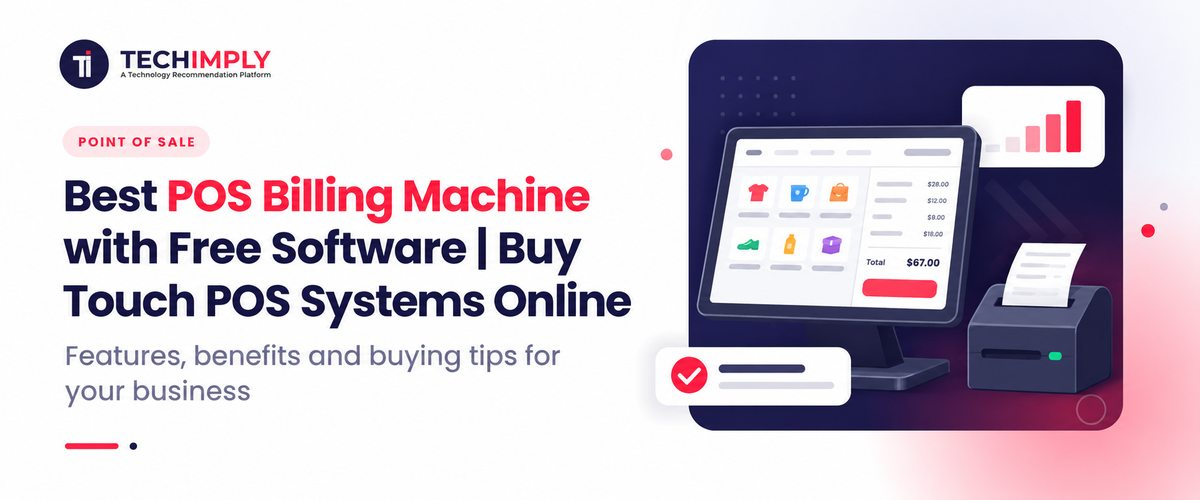
A modern POS billing machine has completely transformed how commercial transactions take place across retail counters, grocery stores, and food service outlets. Moving far beyond simple numerical printing, today's hardware solutions integrate seamlessly with advanced software to manage entire storefronts. Businesses are rapidly replacing traditional, limited billing machines with intelligent POS systems that offer powerful capabilities right at the counter.
At the heart of this retail evolution is the integration of touchscreen hardware, robust POS software, and dynamic inventory and reporting modules. However, the ideal setup varies significantly depending on your vertical what works for a fast-paced restaurant differs from the needs of a high-volume retail outlet or a neighborhood general store. Additionally, many modern hardware options now ship alongside software offerings or companion apps, giving merchants an affordable path forward.
Explore POS billing machines and choose a system according to business requirements.
What Is a POS Billing Machine?
A POS billing machine is a specialized hardware device paired with point of sale software to create bills, process sales, manage product catalogs, and maintain thorough transaction records.
Understanding the ecosystem requires looking at how different terms compare:
- POS billing machine: Often refers to an all-in-one terminal or compact unit dedicated to printing bills and recording immediate sales data.
- POS machine for billing: A broader description for hardware units such as Android or Windows terminals handling daily checkout tasks.
- POS system: The complete combination of touch hardware, software, barcode scanners, and payment integration platforms.
- Traditional billing machine: An older, standalone electronic cash register with rigid memory limits and zero inventory tracking capabilities.
POS Solution Comparison
|
Solution |
Main Purpose |
Typical Use |
|
Billing machine |
Basic billing |
Small shops |
|
POS billing machine |
Billing + business management |
Retail |
|
POS system |
Complete sales operation |
Retail, restaurants, supermarkets |
|
Touch POS |
Touchscreen-based POS operation |
Restaurants, counters, retail |
What Is a POS System? POS System Meaning Explained
The POS-poss full form stands for Point of Sale. A POS system is the central digital hub where customer transactions occur, inventory is updated, and sales data is compiled.
What is a POS system in retail?
In a retail store, a POS system speeds up checkouts using barcode scanners, instantly deducts items from stock databases, prints GST-compliant invoices, and compiles daily sales logs.
What is a POS system in a restaurant?
In food service, a POS system handles table management, order tracking, kitchen display system (KDS) integration, item modifiers, and split-bill processing.
How Does a POS Billing Machine Work?
Operating a modern point of sale machine is streamlined to ensure minimum wait times at the counter:
- Select product via barcode scanner or touchscreen catalog.
- Add items to the digital cart.
- Calculate the total bill dynamically.
- Apply applicable taxes (such as GST) and seasonal discounts.
- Accept payment via cash, card, or UPI QR code.
- Print or digitally share the receipt.
- Update live inventory automatically.
- Generate day-end financial and stock reports.
Best POS Billing Machine for Different Businesses
POS Billing Machine for Retail Shops
Retailers benefit heavily from units featuring rapid barcode scanning, automated inventory tracking, GST-compliant invoicing, customer relationship management (CRM), and deep sales analytics.
Billing Machine for Shop
Whether outfitting a grocery store, clothing boutique, electronics shop, or pharmacy, a reliable billing machine for shop environments ensures fast checkouts, accurate stock management, and seamless end-of-day reconciliation.
Touch Screen Billing Machine for Restaurant
A touch screen billing machine for restaurant setups requires specialized features like visual table layouts, kitchen order ticket (KOT) routing, fast menu modifications, and multi-mode payment handling.
POS for Supermarkets
Supermarkets demand heavy-duty multi-counter support, continuous barcode scanning, deep stock tracking across warehouses, and secure user-permission management.
Touch Screen POS Machine: Features to Look For
When evaluating a touch screen POS machine, look closely at the underlying hardware and software combination:
- Touchscreen display: Capacitive or resistive panels with high responsiveness.
- Processor and RAM: Sufficient processing speed to run database queries without lag.
- Storage: SSD storage for rapid data retrieval.
- Peripheral compatibility: Built-in or external receipt printer and barcode scanner ports.
- Cash drawer connectivity: RJ12 trigger ports for secure cash management.
- Connectivity: Integrated Wi-Fi, LAN, and Bluetooth.
- Software compatibility: Seamless support for cloud or local database systems.
POS System Features That Matter Before Buying
Essential POS Features
- Fast billing and checkout workflows.
- Real-time inventory control.
- GST-compliant invoicing.
- Universal barcode support.
- Detailed sales and tax reporting.
- Customer database and loyalty tracking.
- Multiple payment options (UPI, cards, cash).
- Employee role and permission management.
- Flexible discount management.
- Automatic cloud and local data backups.
- Multi-counter support.
- Table management for food businesses.
Is Free POS Software Really Free?
Many hardware vendors package companion applications or introductory software tiers at zero license cost. When looking for free options, verify whether the software includes core features without hidden subscription fees, device caps, or locked reporting tools.
POS Billing Machine Price: How Much Does a POS System Cost?
The pos billing machine price varies based on screen sizing, hardware specifications, integrated printers, and software complexity.
Price Comparison Overview
|
POS Solution |
Suitable For |
Main Cost Factors |
|
Basic billing machine |
Small shops |
Hardware + basic software |
|
Touch POS |
Retail counters |
Touch hardware + software |
|
Restaurant POS |
Restaurants/cafés |
Hardware + restaurant software |
|
Multi-counter POS |
Larger stores |
Multiple terminals + software |
|
Complete POS setup |
Retail chains |
Hardware + software + support |
Note: Always verify whether quoted prices include applicable taxes, installation support, and peripheral accessories.
POS Billing Machine vs Traditional Billing Machine
|
Feature |
Traditional Billing Machine |
POS System |
|
Billing |
Yes |
Yes |
|
Inventory |
Limited/varies |
Yes |
|
Sales reports |
Limited |
Yes |
|
Touchscreen |
Usually limited |
Available |
|
Customer management |
Limited |
Yes |
|
Barcode integration |
Varies |
Yes |
|
Restaurant features |
Limited |
Available |
|
Business analytics |
Limited |
Yes |
How to Choose the Best POS Billing Machine
- Business type: Match the hardware to retail, food service, or wholesale needs.
- Billing volume: Ensure processing speeds match peak-hour customer traffic.
- Hardware requirements: Decide between mobile, compact, or dual-screen touch terminals.
- Software features: Prioritize inventory, reporting, and tax workflows.
- Total POS system price: Balance initial capital investment against long-term utility.
- Scalability: Verify if additional terminals can join the network later.
- Support and warranty: Protect your investment with reliable vendor backing.
Why Buy a Touch POS System Online?
Buying a touch POS system online gives business owners transparent access to detailed product specifications, software overviews, customer reviews, and competitive pricing structures. Online marketplaces simplify comparing bundle kits including thermal printers, barcode scanners, and cash drawers delivered directly with warranty coverage and installation assistance.


.png "6 Key Considerations for Secure Remote Access to Employees")