


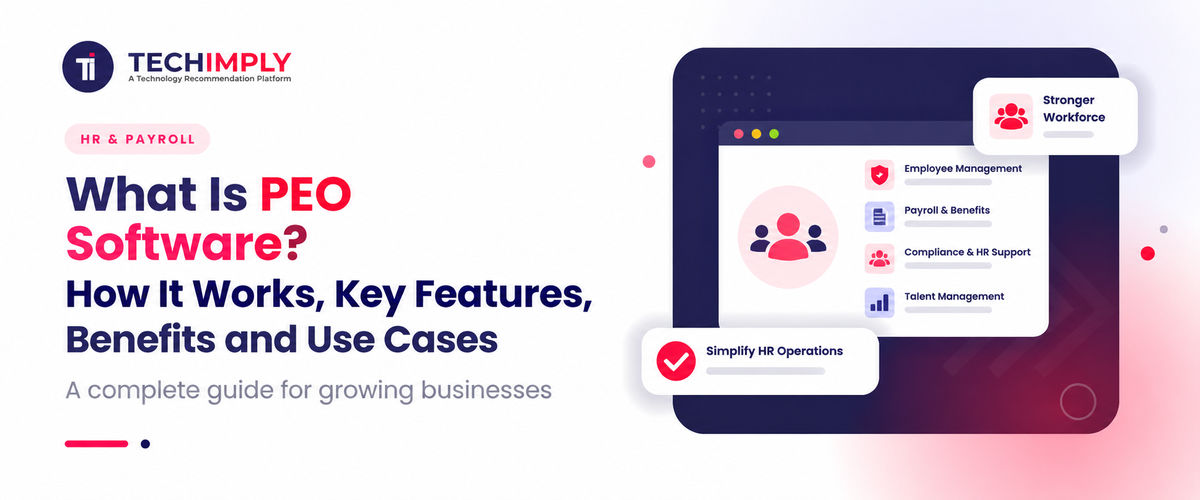
Hiring the tenth employee can feel easier than paying the tenth employee correctly. Payroll dates sit in one calendar, benefit forms arrive by email and leave balances live in somebody’s spreadsheet. A professional employer organization can take on much of that administration. Its software gives the company and its staff a shared place to do the work.
People use the name PEO software for two related products. Sometimes they mean the portal supplied to a PEO client. At other times they mean the larger, multi-company system used inside the PEO to run payroll, benefits, compliance work and records. The technology supports the service in both cases. Software alone, however, does not create a PEO relationship.

Looking for PEO Software?
Check out Techimply's List of the Best PEO Software in India for your business.
This distinction matters. Buying an HR application does not automatically create co-employment, transfer payroll tax responsibilities, or provide access to a PEO’s benefit plans and HR specialists. This guide explains what PEO software does, how the service and technology work together, where the model is useful, and what a business should examine before signing an agreement.
What Is PEO Software?
PEO software is a digital platform used to deliver and manage services provided through a professional employer organization. It brings employee records, payroll processing, benefits administration, onboarding, compliance workflows and reporting into a shared system for the client company, its workers and the PEO team.
For the client, the platform can resemble an HR information system: managers add hires and view payroll, while employees access pay, tax and benefit details. The PEO’s own multi-client system also separates each company’s data, rules, tax accounts and service records.
PEO software sits inside an outsourced operating model. Automation takes care of repeatable steps; people still investigate exceptions, interpret rules and answer HR or compliance questions covered by the agreement.
Understanding the PEO and Co-Employment Model
A PEO is a company that enters into a service agreement with a client business and performs defined employment-related administrative functions. In the United States, the relationship is usually described as co-employment. Responsibilities are allocated between the client and the PEO rather than the PEO simply replacing the business as employer in every respect.
The client still runs the business. Its managers direct the work, choose business goals, make hiring decisions and deal with performance and culture. The PEO’s side of the line may include payroll, employment tax administration, benefit plans, workers’ compensation support and agreed HR duties.
The legal and tax position depends on the contract, jurisdiction and provider status. The US Internal Revenue Service notes that an employer can remain responsible in many outsourced payroll arrangements. A Certified Professional Employer Organization, or CPEO, has met statutory requirements and receives specific federal tax treatment for qualifying worksite employees. Verify the allocation instead of assuming every contract is alike.
Co-employment also differs from an employer of record arrangement. Businesses comparing these models may also evaluate Employer of Record (EOR) Software for managing workers where the client lacks a suitable entity. A PEO usually works beside an existing employer, and rules vary internationally, so buyers should ask the provider to define the local model.
How PEO Software Works Step by Step
1. The business selects a PEO and defines the service scope
The process begins with due diligence and a service agreement. The parties identify which services the PEO will deliver, how fees are calculated, which employment responsibilities remain with the client and how data will be handled.
The agreement should cover payroll funding, benefits, workers’ compensation, tax administration, HR support, reporting, service levels, liability, termination and data return. PEO software can display tasks and records, but the contract determines the actual relationship.
2. Company and employee data are onboarded
The client supplies company details, work locations, tax information, bank instructions, compensation, deductions, employee records and historical payroll data. The PEO configures earning codes, pay schedules, benefits, policies and permissions.
Incorrect tax jurisdictions, opening balances or deductions can affect pay and filings. Implementation should include data validation, parallel payroll testing and a cutover plan.
Employees are invited to the PEO software portal to verify personal details, complete forms, choose benefits and provide payment information. Access should use strong authentication and role-based permissions because the system contains sensitive identity, compensation and benefit data.
3. The co-employment relationship becomes operational
Once the agreement and setup take effect, the client and PEO perform their assigned roles. A manager may enter a new hire or compensation change, the PEO may validate required information, and the platform records the approval trail.
The software should show whether a task is waiting for the employee, client manager or PEO specialist. Without clear ownership, outsourcing creates another email chain.
4. Payroll is collected, calculated and funded
For each cycle, the client submits hours, salary changes, bonuses, leave, and other inputs. Functions commonly found in Payroll Software apply configured earnings, deductions, and taxes before producing a payroll preview for review.
After approval and funding, employees are paid and the relevant payroll records are generated. Depending on the arrangement, the PEO may handle tax deposits and filings. The platform makes pay statements, reports, and year-end documents available to authorized users.
Reliable payroll processing needs controls for late changes, off-cycle pay, reversals, and funding, plus a record of changes and approvals.
5. Benefits are administered through the platform
Eligible employees can review plans, enrol, add dependants, and report qualifying life events. Benefits Administration Software can apply eligibility rules and send the required enrollment data to carriers or benefits administrators.
Benefit access varies by provider, location and workforce. Compare the actual plan network, employee cost, renewal history and service process instead of relying on a promise of “better benefits.”
6. HR and compliance workflows continue throughout employment
The platform supports onboarding, policy acknowledgements, leave records, incident documentation, required notices and offboarding. A PEO’s specialists may advise on HR practices and help the client understand changing HR compliance requirements within the service agreement.
Reminders and templates do not make every decision legally correct. The client still needs accurate inputs, timely action and professional advice for complex matters.
7. Employees and managers use self-service
A useful self-service portal answers routine questions before an employee has to send an email. Pay statements, tax forms, benefit details and profile updates are available directly. Managers can approve time or pull a team report without opening a service ticket for every request.
The portal needs to work well on a phone and for people using accessibility tools. Treat a bank-account change differently from a home-address edit: ask for stronger verification and send an alert.
Key Features of PEO Software
Core employee records
The platform stores identity, job, compensation, location and status information. Effective-dated records show what was true at a particular time, not only today.
Payroll processing and tax administration
PEO software supports gross-to-net calculation, multiple earning types, deductions, garnishments, direct deposit, tax forms and payroll reports. Multi-location employers need correct treatment of state, local or other jurisdictional rules.
A preview, variance report and approval workflow should expose unusual changes before funds are released.
Benefits administration
Benefits administration covers eligibility, enrolment, life events, deductions and carrier exchange. Useful software shows employee and employer costs and confirms downstream acceptance.
Onboarding and offboarding
Digital onboarding supported by Employee Onboarding Software collects forms, acknowledgements, bank details and benefit choices. Offboarding triggers final pay, notices, access removal and record-retention tasks.
Time, attendance and leave
Time & Attendance Software may be built in or integrated, but approved hours must flow to payroll with clear handling of overtime and exceptions.
Compliance support and alerts
The system tracks locations, forms, acknowledgements and deadlines to support HR compliance. Alerts should state what is missing, who owns it and when it is due.
Employee self-service and mobile access
Employees should complete common tasks without seeing data outside their role. Mobile access must preserve security and accessibility.
Reporting and analytics
Reports cover payroll cost, headcount, turnover, benefits and compliance. Exports let finance and operations continue their own analysis.
Integrations
Integrations may connect accounting, recruiting, timekeeping and benefits. Ask whether each is real-time, scheduled or file-based and which system owns the data.
Security and administration
PEO software should protect sensitive data with encryption, multi-factor authentication, role-based access, audit logs, secure transfer and incident procedures. Clients need regular access reviews.
Benefits of PEO Software
One place for routine HR administration
A shared platform reduces repeated entry and replaces hard-to-control email attachments and spreadsheets.
Less administrative pressure on a small team
PEO software and service staff give a small team coverage when its usual administrator is unavailable.
Access to specialised support
A PEO can provide specialists a small company would not hire individually, while the platform keeps each request and its records together.
More consistent employee experience
Structured onboarding, dependable pay information and self-service create a more consistent employee experience.
Better records and reporting
Approval histories and reports make payroll changes easier to explain, provided the inputs and configuration are accurate.
Potential access to broader benefit options
The relationship may offer a smaller employer broader benefit options, but availability and price must be checked in the actual proposal.
Common Use Cases
A fast-growing company may adopt PEO software when one administrator can no longer handle onboarding, payroll and benefit questions. A multi-state employer may use it for work-location records and related payroll processes. Seasonal businesses can standardise repeated onboarding and offboarding, while a professional-services firm may improve benefits administration and employee self-service but keep performance and culture internally. Even a company with an HR leader can outsource routine administration so that person can focus on workforce planning and employee relations.
PEO Software Compared With Other HR Options
An HRIS is primarily a software system for managing employee information and HR workflows. The client operates it and retains responsibility for the processes unless separate services are purchased.
A payroll service calculates wages and may assist with tax filing, but it does not necessarily provide co-employment, benefits or broad HR support.
An administrative services organization, or ASO, can deliver outsourced payroll and HR administration without the same co-employment structure associated with a PEO.
An employer of record is commonly used to employ workers where the client does not have a suitable legal entity. It becomes the legal employer for those workers under the local arrangement, while the client directs their day-to-day work.
PEO software sits inside the PEO service model. It may resemble an HRIS on screen, but the contract, shared responsibilities and services around it make the overall offering different.
Limitations and Risks to Consider
PEO fees may be per employee, a percentage of payroll or a mix of service and benefit costs. Ask for a complete sample invoice because percentage pricing rises with compensation.
The client may have less choice over benefit plans, payroll timing or configuration than it would with separate vendors. A provider that fits 25 employees may restrict a company of 300.
Service quality matters as much as the interface. Meet the service team and request clear escalation paths and response expectations.
Know which records can be exported, in what format and for how long after termination. A PEO change affects payroll, benefits and historical reporting, so plan the exit during the original evaluation.
The client cannot outsource judgment. Managers still direct work, provide timely information and make careful employment decisions.
How to Choose PEO Software and a PEO Provider
Evaluate the service and software together. List the problems to solve, such as multi-state payroll, benefit access, compliance workload or limited internal capacity.
Confirm the provider’s legal entity, financial stability, insurance, jurisdictions and relevant certification. In the United States, verify CPEO status directly through the IRS.
Use realistic tasks in the demonstration: add a worker, correct payroll, process a life event, run a labour-cost report and show the mobile employee view. Ask what happens when a workflow fails.
Review security, administrator roles, audit logs, integrations, exports, incident notification, and continuity. Confirm who can change bank details and how the change is verified.
Compare service fees, benefits, workers’ compensation, implementation, off-cycle pay, integrations, and termination support. Separate one-time and recurring costs.
Speak with clients of similar size, industry, and geography; an unrelated reference proves little about your likely service.
Review the agreement with qualified legal and tax advisers. Identify responsibility for payroll funds, filings, claims, benefits, and notices; the platform should make that allocation visible.
Implementation Best Practices
Assign an internal owner who can confirm decisions, gather data, and resolve exceptions.
- Before migration, validate names, tax identifiers, locations, pay, deductions, leave, and year-to-date totals. Retain an approved transfer record.
- Run a parallel payroll when practical and investigate every difference in gross pay, taxable wages, deductions, and net pay.
- Document payroll cutoffs, funding, benefit events, and escalation contacts. Train users on their common workflows.
- After launch, track payroll corrections, response time, questions, and integration errors. Review access and service regularly instead of waiting for renewal.
Conclusion
PEO software is the technology layer that connects a business, its employees and a professional employer organization. It can centralise payroll processing, benefits administration, records, employee self-service and compliance workflows, while the PEO’s specialists perform the services defined in the agreement.
The main value comes from the combination of platform and operating support. The main risk comes from assuming the platform or the PEO has taken responsibility for more than the contract and law actually provide.
A strong choice begins with clear business needs, careful review of the co-employment arrangement, realistic software testing and full cost analysis. When responsibilities are understood and implementation is controlled, PEO software can give a growing company a more dependable HR foundation without requiring it to build every administrative capability on its own.


.png "10 Best Employee Monitoring Software to Boost Productivity")


