


In software development teams that need to work fast, sprint planning usually turns into futile discussions, impractical speed expectations, last-minute scheduling, and issues waiting to be resolved. The best way to avoid all these problems in your team is to use Jira, which will help create the backlog that your team can work with. Besides improving backlog management, sprint objectives should also be clear, as well as backlog size indicators. You can prepare your team for the sprint at zero cost if you use the right Jira workflow.
What is Jira for Sprint Planning, and how does it work?
Jira is better described as a tool that helps the agile teams achieve their objectives in converting complex project concepts into executable plans. In particular, Jira helps scrum masters, product owners, and engineers to create product backlogs and evaluate complexity in Story Points as well as to break their work into the previously determined phases called sprints. Instead of the traditional way of using sticky notes and using just an Excel spreadsheet, Jira offers a much more comprehensive tool for assessment of project work.
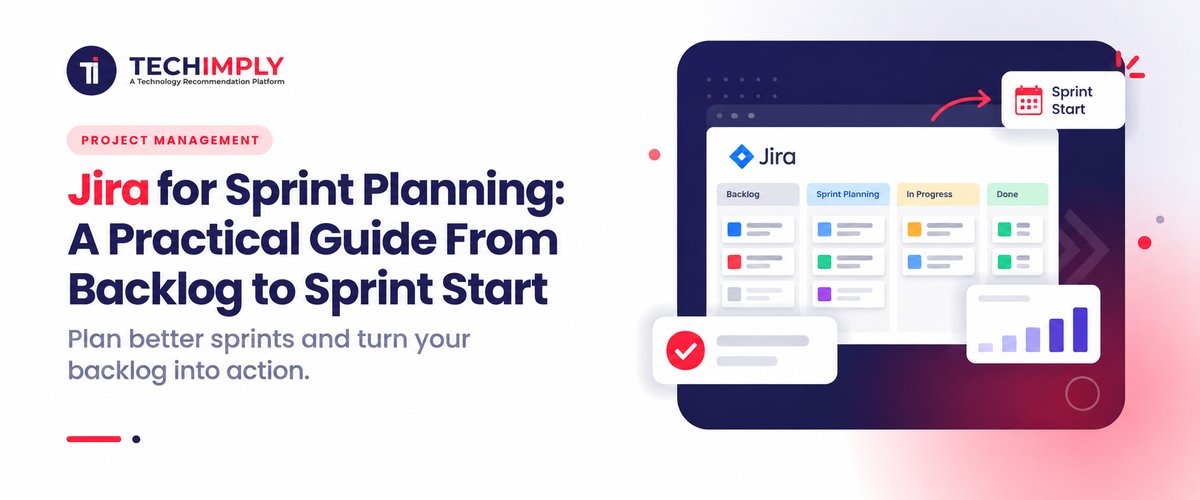
The work is accomplished through the combination of Jira functions with the help of its board feature. In the beginning, the task management team is expected to process information from the backlog consisting of prioritized user stories by breaking them down into small pieces and assigning story points in order to determine the level of complexity. By clicking on the Start Sprint, the group makes changes to the table, activating the current version of the system and starting automatic tracking of the required data.
Do You Know?
Jira was launched in 2002 by the Australian company Atlassian as a bug and issue tracking software for programmers way before Agile methodology became a standard in the industry. Jira is not a shortened form of other name but actually derives from the Japanese word. It is important to note that Atlassian development team used to call their bug tracking system Gojira as a reference to the competing program Bugzilla and then dropped the first part of the word.
Why does Sprint Planning matter for your Team's Success?
In India’s rapidly changing tech environment, where tech companies’ development teams have to unite the needs for rapid growth, strict client SLAs, and changing priorities on behalf of clients, Sprint Planning appears to be a necessary buffer against burnout. Without Sprint Planning, numerous developers will have to adapt to the reactive model of work that implies that they will have to do impossible tasks in accordance with the rigid deadlines given by the upper management rather than the technological capabilities of their teams.
Sprint Planning goes beyond managing work. It has the power to enable predictable delivery, which is key for Indian technology companies seeking to gain credibility in the global payroll market. In case you happen to be working with a start-up firm in Bengaluru of preparing for a Series B funding or a large IT service provider doing business with enterprise clients right across the world, failure to meet sprint objectives could result in loss of credibility or increased expenses. By estimating the story points, refining the acceptance criteria and discovering any area of uncertainty about potential dependencies, a team can turn a messy project channel into a clear roadmap that stakeholders can absolutely depend on.
Sprint Planning is crucial in helping retain engineers and keep their spirits high in the competitive tech labor market of India. Developers are happy when they understand the reasoning behind their tasks, feel responsible for their estimates, and have a clear Sprint Goal. This eliminates the existing crunch culture and introduces a sustainable pace where accomplishments are celebrated biweekly.

Pro-tip
Control sprint results by limiting the work of the team to no more than 80% of its full capacity. This way the team will have enough space for urgent live-release bugs and operational overhead that may come unexpectedly. impose a strictly followed no raw stories policy, which will allow developers to take on only those items that have been ready as per the team’s definition of ready. Ultimately, engineering leads, rather than business ones should be given the power to define story points and estimate technical workload.
How do you prepare your Backlog before a Sprint Starts?
A well-prepared backlog will avoid marathon sprint planning sessions full of discussions. When the programmer receives a well-prepared backlog, they can use the available material to execute the upcoming tasks before starting the sprint.
- Hold Backlog Refinement Meeting: Before the sprint planning day, hold a backlog refinement meeting in order to discuss the backlog items, prioritize them and ensure that everything is clear.
- Maintaining the Definition of Ready: Make sure that the chosen sprint tasks are 100% ready. A workable story should have a problem already identified, and the scope of work defined, along with an established wireframe or API contract.
- Use 3-Amigos concept for Story Review: Hold the meeting between the Product Owner, Lead Developer, and QA specialist to verify that the tasks are on the right path.
- Split Overly Complex Epics: Determine huge monolithic user stories and divide them into smaller moving chunks. Ideally, stories should take no more than two–three days to address in order to minimize the risk of not accomplishing tasks during the sprint.
- Assign Relative Story Point Estimates: Utilize tools such as Planning Poker or T-shirt sizing during the refinement to obtain the first estimations for the stories. Make sure that the developers but not managers form the estimations.
- Audit and Map External Dependencies: Identify blocking dependencies as soon as possible (like third-party Api access, client sign-offs, etc.) and add to the stories all that lead to unresolved issues.
- Structure the Priority Order Ruthlessly: Classify all items in the top part of the backlog according to business value, stakeholders’ needs, and sequence of works to be performed. The list of issues to be performed in the first one to two sprints should be strictly prioritized so that the team knows what stories to take first.
- Leave some capacity for Technical Debt and Bugs: Include fixed percent of capacity for giving way to the non-functional requirements, bug fixing, and other tasks connected with the functional requirements.
How do you Prioritize Backlog items in Jira?
- Make Use of Native Drag-and-Drop Ranking Feature: Take advantage of the drag-and-drop feature when managing the Backlog in Jira, allowing the users to rank stories according to their priority with the most important projects moved up to the top of the list. After that, they will see the ranking of tasks in Jira.
- Define Rules for Utilizing Priority Field: Define how teams will be able to use the built-in priority values in Jira (the values include Highest, High, Medium, Low, Very Low). You can form certain criteria for any of the levels so that team members don’t mark new requests as the Highest priority.
- Use Filtering by Epics and Components: Assign various user stories to certain Epics or Components (e.g. UI, Database, Backend). Filter the backlog with this data to act on critical architecture issues in advance of other functionalities.
- Employ Labels for High Risk Blockers: Label the tasks in Jira according to the type of uncertainty they generate (TechDebt, Security, ClientBlocker, etc.) and use the created tags during the planning process.
- Set Automation Rules: Create the triggers which will change the priorities of the tasks automatically when the situation requires it. For instance, you can create one rule that would raise the priority of the task if some critical bug stays too long in the backlog (more than 48 hours).
How do you Set up and Start a Sprint in Jira?
1. Create a Sprint Container: Criteria: get access to the Jira Board
- Open the backlog view of your Jira Software project and click on Create Sprint option in the upper part of the backlog.
- This will result in creation of a new sprint container that will appear above the backlog.
2. Set Sprint Details and Goals:
- Click on the Three Dots on the right side of the new sprint container and select Edit Sprint. Complete the required fields
- Pick a clear naming convention (e.g. Sprint 24 –Checkout Flow).
- Specify duration of the iteration (the standard duration is two weeks).
- State a goal that is functional in nature (e.g. Set up integration with the payment gateway).
3. Fill the Sprint from the Backlog:
- You can simply drag and drop the user stories that you had already prioritized and estimated before into the new sprint container. While you add the user stories, just ensure that you keep track of the Sprint Commitment as it is given at the top of the container.
- Make sure that the total story points conform match to the velocity of the team based on the history and the available capacity of the team.
- Make certain that every user story collected matches the Definition of Ready as expected by your team.
What are the most Common Sprint Planning mistakes to Avoid?
- Exceeding the Capacity: Putting into the sprint a great deal of story points, i.e. based on the mathematical hypothetically considered availability, without having considered the previous velocity, buffer time for unforeseen interruptions, or sick leaves.
- Planning without a specific Sprint Goal: Filling the sprint with random collection of unrelated user stories instead of establishing a well-defined and universally accepted goal.
- Pulling raw tasks into the Sprint: Ignoring strict backlog refinement and introducing the tasks for which there are no established definitions of done, and wireframes, and API contracts.
- Overlooking Dependencies and Blockers: Neglecting to identify milestones that involve different teams or partners before the sprint begins, resulting in significant work becoming delayed in the course of the project.
- Letting Management Set Estimates: Allowing product managers to decide how many story points should be assigned to a task or for stakeholders to introduce excessive work into the sprint, thus undermining the dev team’s estimate of capacity.
- Ignoring Bugs and Technical Debt: Allocating entire project resources only for new features ignoring other important activities like maintaining, improving, fixing bugs, etc.
Conclusion
Good sprint planning allows teams to convert unmanageable backlogs into well-thought-out backlog items. In practice, if a clear plan is implemented and followed, the development teams will be able to successfully execute the project. Since the workflow of engineers and project teams needs specific tools, it is important to be guided through the process of finding and planning the best software.



 (1).png "6 Powerful Features to Make a Successful Handyman App")


