While many people want to run their own business, not everyone quite grasps how difficult it can be, especially when it comes to dealing with money. It’s enough to pay an incorrect amount of money to employees just once, and the entire business may go awry.
However, it doesn’t have to be that tough. With robust payroll software, you can simplify the intricate process of employee payment compensation and make sure that your team always gets paid on time.
In this guide, we’ll cover different aspects of payroll and tell you how to develop robust payroll software so you can lead the pack! Let’s dig in.
How Does Payroll Software Work?
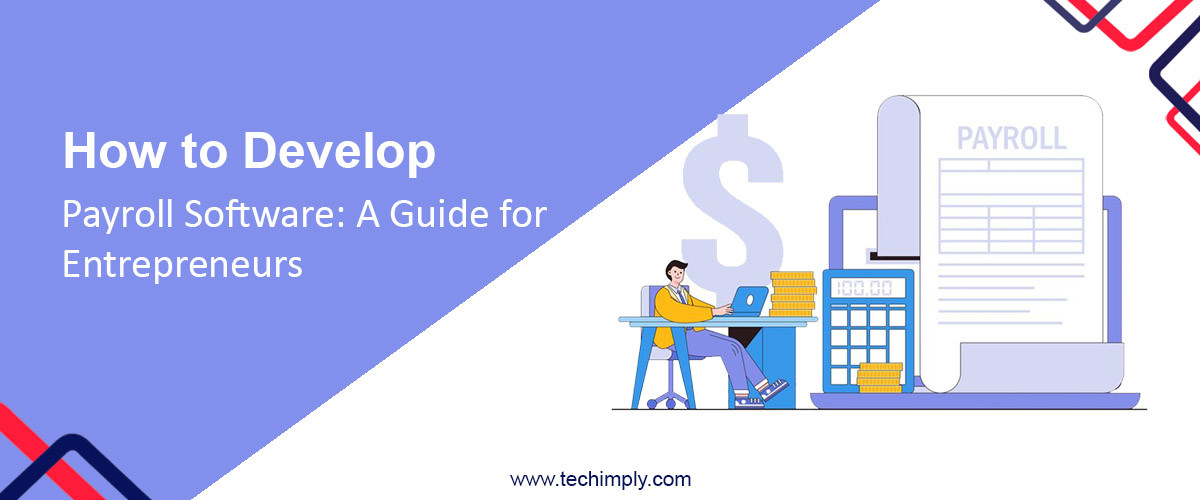
The working principle of the payroll software is quite simple. Once the employer enters the information about their chosen pay structure and payment schedule, the system takes care of the rest, automatically generating paychecks or electronic payments based on the input data. As a result, you can be sure that your employees receive their money on time and without errors.
Besides handling payslips, payroll software can generate various tax forms, including W-2 Wage & Tax Statement, Form 940, Form 941, Form 943, W-3, and others. This ensures that you always have the needed form readily available, making tax reporting one less concern on your plate.
The Benefits Of Using Payroll Software For Businesses
Why use payroll software instead of traditional manual methods for payroll processing, you may ask? There are quite a few compelling reasons, which can make any business reconsider their approach. Here they are:
-
Accuracy: First and foremost, payroll software minimizes the risk of human errors in calculations, which quite often creep into payroll processes.
-
Time savings: Automating payroll processes saves time, allowing HR and finance teams to focus on strategic tasks rather than routine administrative work.
-
Compliance: Payroll software helps firms stay compliant with tax laws, labor regulations, and reporting requirements, reducing the risk of costly penalties.
-
Data management: It centralizes employee data, making it easier to access and update employee records, track leaves, and manage benefits.
-
Enhanced employee engagement: As an added benefit, it gives employers confidence in their regular pay, encouraging them to put their best efforts into achieving success.
Key Features and Functionalities of Modern Payroll Software
While payroll software solutions aren’t the same, there are certain features that most of them share. These are the features necessary for efficient and effective payroll management. Let’s look at them more closely:
- Employee self-service portals for accessing pay stubs and tax information;
- Integration with time and attendance management software for accurate time tracking;
- Tax compliance tools that automatically calculate and withhold taxes, and create W2 forms;
- Customizable reporting for in-depth insights into payroll expenses;
- Direct deposit and mobile payment options for employee convenience.
Advanced Features
Now, let’s delve into some of the advanced features that you might consider incorporating into your payroll to make it stand out.
-
Multi-Currency support: For businesses that operate internationally, adding multi-currency support can be a significant advantage. With this feature, your employees will receive their pay in their preferred currency no matter which country they live in.
-
Garnishment management: Payroll software can help manage wage garnishments by automating calculations and payments to debtors, ensuring compliance with legal requirements, and reducing administrative burdens on your team.
-
Employee benefits administration: Expand your software’s capabilities by incorporating benefits management. This feature allows you to track and manage employee benefits such as health insurance, retirement plans, vacation, and so on.
-
Analytics and predictive insights: Advanced payroll software can provide predictive analytics, helping businesses forecast labor costs and identify trends in employee compensation. Furthermore, integrating machine learning to reduce false positives in data analysis is becoming increasingly crucial. Leveraging machine learning algorithms, businesses can enhance the accuracy of their predictions and ensure more reliable payroll management.
-
Advanced security measures: To enhance data security further, consider implementing biometric authentication, two-factor authentication, or other advanced security measures to protect sensitive payroll information from unauthorized access.
-
Machine learning and AI: Integrating ML and AI can help your payroll software predict anomalies or potential errors, improving accuracy and reducing the risk of payroll-related issues.
-
Employee performance metrics: Linking payroll data to employee performance metrics allows for more informed compensation decisions. You can reward high-performing employees or identify areas for improvement.
-
Custom workflows: Depending on your business’s unique processes and approval hierarchies, custom workflows can help tailor your payroll software to best align with your needs.
-
Mobile app: This feature is optional, but it can greatly improve the usability of the software by allowing employees to access their payroll information from their smartphones.
-
Expense reimbursement: If your business includes expense reimbursement as part of employee compensation, consider integrating an expense management module into your payroll software for efficient tracking and reimbursement.
Payroll Software: Cloud-Based Vs. On-Premise
When choosing payroll software to integrate into your workflow, you’ll need to choose between two options:
- Cloud-based platform;
- On-premise solution.
Which one to choose mainly comes down to how much time and money you’re ready to invest in hosting it. Cloud-based solutions, for example, are cheaper to run and maintain. They are provided by third-party vendors and allow you to get started easily and quickly.
The only downside is that when using cloud-based platforms, you have no control over the data storage. However, most SMBs choose cloud integrations for their convenience and ease of use. If you too decide to use a cloud-based solution, make sure that your provider has robust security in place to prevent unauthorized access to sensitive data.
On-premise solutions, on the other hand, can be quite costly. First of all, you’ll need to pay licensing fees to run your own server. In addition, if you’re not tech-savvy, you’ll have to invest in hiring a team of IT specialists to help you with running the software, which will add substantially to the total bill.
On the plus side, running on-premise solutions gives you total control over how and where your data is stored. Additionally, you don’t need to pay any recurring fees as is the case with cloud platforms based on a subscription model.
Other Features to Consider When Making a Choice
Aside from choosing between cloud-based and on-premise solutions, it’s important to pay attention to other features that may be of importance to your specific business’s needs. For example, some platforms are tailored to fit the needs of specific industries, while others contain a more generalized mix of features.
With this in mind, when looking for a payroll solution, pay attention to the features that are relevant to your business area. For example, if you are in the agricultural business, opt for a solution that enables you to keep track of seasonal workers’ records. Besides, you should ensure that it doesn’t charge you for employees who don’t work for a certain period of time.
If you’re in the restaurant business, you need to choose a platform that can handle frequent employee turnover. On top of that, the restaurant business often employs both full-time and part-time teams, which will require additional flexibility in managing payroll.
For the construction business that involves close-knit collaboration between contractors and subcontractors, a system must understand all the nuances associated with tax and legal requirements. It’d also not hurt to have a feature that allows you to track your expenses across different divisions.
Other than that, you should consider how long the company has been in the market and if it’s made a good name for itself. Take the time to search for testimonials and reviews that can tell you a lot about the quality of the software. Make sure the vendor you choose also has practical experience in your field. This will help make integration a lot easier Multi-Country Payroll Software.
If you opt for a cloud-based platform, it’s important to find out if they have robust customer service. Ideally, they should also provide some training to make it easier for newcomers to get started, but even if they don’t, it’s essential they have a team to reach out to in case you have questions.
Last but not least, ask the provider if they offer a free trial version. Many companies do, which allows you to test the payroll solution in your real business environment before committing to a purchase.
Conclusion
To sum things up, having payroll software is beneficial for businesses across all industries, whether you have a fleet of trucks, your own construction project, hairdresser, or a cafe down the road. It’s your guarantee that you never pay behind schedule and can stay compliant with tax requirements.
More importantly, it’s an important investment that can free up your finance and HR departments, allowing them to concentrate on higher-priority tasks instead of mundane administrative work.
So, whether you choose to put together a custom payroll solution and run it on your own server along with your IT team or use an off-the-shelf cloud-based solution, you’ll be taking a big step toward optimizing your business operations. Hopefully, with the tips and insights we’ve shared, you’ll know exactly where to start and what to look at.