Customer data scattered across spreadsheets, personal emails, WhatsApp chats, and disconnected tools creates chaos for modern enterprises. Leads slip through the cracks, follow-ups happen far too late, and sales teams completely lack real-time visibility into where a buyer stands along their journey. As organizations scale, maintaining consistent, meaningful customer engagement becomes an uphill battle.
To overcome these roadblocks, modern organizations rely on CRM software—a centralized system engineered to streamline customer relationships, optimize sales activities, and manage interactions from a single source of truth. By leveraging what is CRM software, businesses can harness specialized CRM software benefits to track every touchpoint, automate repetitive manual tasks, and systematically accelerate top-line revenue growth across competitive Indian markets.
What Is CRM Software?
CRM Software Full Form and Meaning
The crm software full form is Customer Relationship Management. In practical business terms, customer relationship management CRM softwares are specialized digital platforms designed to manage every single interaction a company has with its current and prospective buyers.
What is crm software at its core? It serves as a unified digital repository that tracks customer data, logs communications, automates administrative sales pipelines, and monitors service histories. About crm software, it fundamentally transforms how teams operate by replacing chaotic manual records with secure, accessible cloud databases.
What Does CRM Software Do?
Understanding what does crm software do requires looking at its day-to-day operational capabilities. What is crm software used for spans multiple departments, but its primary use of crm software centers on organizing workflows and driving accountability. Core functions include:
- Contact and Customer-Data Management: Storing names, company sizes, phone numbers, and physical addresses securely.
- Lead Management: Capturing prospective buyers from varied digital and offline inbound channels.
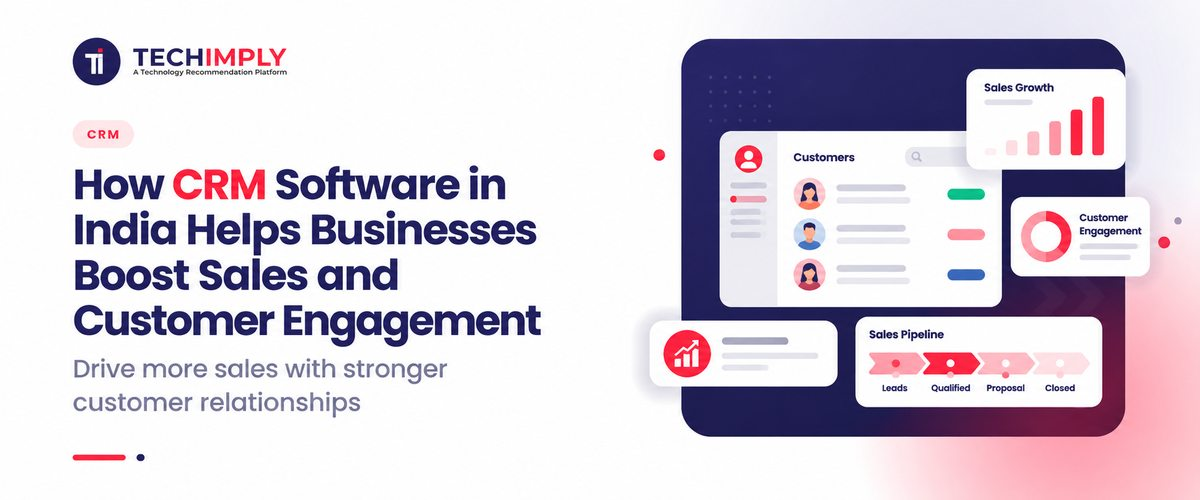
- Sales Pipeline Tracking: Visualizing active deals moving through distinct pipeline stages.
- Follow-Ups and Reminders: Automating alerts so reps never miss an important client call or meeting.
- Customer Communication History: Logging emails, phone transcripts, WhatsApp messages, and meeting notes in one timeline.
- Reporting and Analytics: Generating executive dashboards to forecast revenue and evaluate rep performance.
- Automation: Triggering welcome emails, assignment rules, and task creation without manual data entry.
- Customer Support Management: Resolving post-purchase issues, managing ticketing queues, and tracking service level agreements (SLAs).
How Does CRM Software Help Businesses Increase Sales?
Captures and Organizes Leads
Modern organizations generate inquiries from multiple digital sources, including corporate websites, landing pages, social media ads, WhatsApp business accounts, and inbound phone calls. Without a centralized system, these leads remain fragmented. CRM software automatically aggregates inbound leads from every source, eliminating manual copy-pasting, routing them instantly to appropriate sales reps based on pre-defined rules, and ensuring zero leads get lost.
Improves Lead Follow-Up
Speed-to-lead dictates conversion success in fast-moving commercial ecosystems. Platforms equipped with task automation send instant reminders to sales reps when a prospective client registers interest. Automated workflows trigger immediate acknowledgment emails or WhatsApp texts, while sales-stage tracking ensures reps follow standardized, repeatable cadences that drastically reduce drop-off rates.
Gives Sales Teams a Clear Pipeline
Pipeline visibility is essential for forecasting. A robust platform gives management and reps a clear visual board of all active opportunities. Teams can effortlessly track deals moving from Lead Generation to Qualification, Proposal Sent, Negotiation, and finally Conversion. This transparency exposes bottlenecks, highlights stalled deals, and empowers leaders to unblock negotiations before opportunities turn cold.
Helps Sales Teams Prioritize Opportunities
Not all leads carry identical value. Advanced platforms help reps prioritize daily tasks by analyzing historical customer data, deal values, recent engagement activity, and pipeline status. Reps can instantly identify high-intent prospects who recently visited pricing pages or opened proposals, allowing them to allocate their limited time toward deals most likely to close.
Enables Data-Driven Sales Decisions
Gut-feel decision-making often leads to missed sales targets. Executives utilize built-in dashboards, conversion-rate metrics, and historical performance reports to pinpoint precisely where deals fall through. Managers review individual rep performance, win-loss ratios, and projected revenue timelines, making strategic adjustments based on actual data rather than assumptions.
How CRM Software Improves Customer Engagement
Creates a 360-Degree Customer View
True Customer Engagement begins when every internal team member shares a complete, unhindered view of the buyer. When a customer calls support or talks to a sales rep, both individuals instantly see past purchases, open support tickets, recent email threads, and active contracts. This eliminates frustrating back-and-forth communication and shows clients that the business truly understands their history.
Enables Personalized Communication
Generic mass marketing no longer drives conversion. Modern platforms leverage customer behavior data to fuel hyper-personalized communication. Businesses can segment audiences based on industry, past purchases, or geographic location to deliver:
- Personalized email newsletters addressing specific pain points
- Relevant product or service bundle offers
- Timely follow-up messages after product demonstrations
- Automated subscription renewal reminders
- Tailored cross-sell and upsell recommendations
Provides Consistent Customer Experiences
As businesses scale and hire more client-facing staff, maintaining service quality becomes difficult. A shared ecosystem ensures that whether a client interacts with a junior sales development rep, a senior account manager, or a support technician, the tone, context, and brand messaging remain uniform and professional.
Supports Faster Customer Service
Customer retention relies heavily on post-purchase support speed. Integrating service modules into your daily operations allows agents to resolve complaints faster. By instantly pulling up product ownership histories and previous complaint logs, support staff diagnose issues rapidly, boosting satisfaction and long-term customer loyalty.
What Are the Benefits of CRM Software for Businesses in India?
Evaluating crm software benefits reveals how these platforms transform operational efficiency. Key advantages include:
- Better lead management and zero dropped inquiries
- Higher sales-team productivity through automation
- Faster follow-ups that improve conversion rates
- Centralized customer information accessible anywhere
- Improved Customer Engagement across multiple channels
- Better sales forecasting and revenue predictability
- Automated repetitive administrative tasks
- Improved collaboration between sales, marketing, and support teams
- More personalized, targeted customer communication
- Better executive visibility into overall business performance
These benefits carry exceptional weight for businesses operating in India. The country's economic landscape features fast-growing SMBs, agile startups, highly distributed field sales teams, multi-location retail chains, and high-volume service providers. Indian enterprises managing complex, multi-channel sales cycles spanning phone calls, WhatsApp, email, and marketplace inquiries rely heavily on these platforms to keep operations unified and scalable.
Types of CRM Software
Understanding types of crm software helps organizations select the right architecture for their unique operational model:
Operational CRM
Focused on streamlining customer-facing business processes. It automates sales pipelines, marketing campaign execution, and customer service ticketing to ensure efficient day-to-day operations.
Analytical CRM
Designed to process vast amounts of customer data. It provides deep business intelligence, trend analysis, customer segmentation, and predictive sales forecasting to guide long-term strategy.
Collaborative CRM
Ensures seamless sharing of customer information across disparate departments, ensuring sales, marketing, technical support, and billing teams operate on the exact same page.
Industry-Specific CRM
Custom-built platforms tailored to specific verticals like real estate, education, healthcare, financial services, and retail, featuring specialized workflows and terminology.
Additionally, deployment models vary:
- Cloud CRM: Hosted on secure remote servers, accessible via web browsers or mobile apps with zero local IT maintenance.
- On-Premise CRM: Installed locally on corporate hardware, giving enterprises total control over data security and infrastructure.
- Small-Business CRM: Lightweight, affordable, easy-to-deploy options designed for lean teams.
- Enterprise CRM: Highly robust, scalable, and customizable ecosystems built for large corporations with complex operational hierarchies.
What Is CRM Software Used For? Key Business Use Cases
Pinpointing what is crm software used for highlights its versatility across multiple business functions:
- Lead Management: Capturing, scoring, and routing inbound inquiries automatically.
- Contact Management: Maintaining a single, searchable database of clients and vendors.
- Sales Pipeline Management: Tracking active deals from initial touchpoint to final payment.
- Marketing Automation: Launching email campaigns, tracking clicks, and nurturing cold leads.
- Customer Service: Managing helpdesk tickets, tracking issue resolutions, and monitoring SLAs.
- Follow-Up Management: Setting automated task reminders for client outreach.
- Communication Tracking: Recording emails, notes, calls, and WhatsApp interactions.
- Sales Reporting: Generating real-time individual and team performance metrics.
- Customer Retention: Tracking renewal dates, satisfaction scores, and feedback.
- Team Collaboration: Assigning tasks and sharing internal notes regarding specific accounts.
CRM Software Examples in Real Life
To visualize crm software examples in real life, examine how different industries execute daily workflows:
- Real Estate: Inbound web enquiry arrives → system logs property preferences → automated reminder triggers site visit scheduling → sales rep follows up with pricing brochures → final booking logged in database.
- B2B Sales: Organic website enquiry captured → lead qualified by sales development rep → product demo scheduled → custom proposal sent → negotiation managed → contract signed and handed to account management.
- Education: Student course inquiry received → automated counselling call assigned → application tracking initiated → fee payment processed → post-admission onboarding engagement automated.
CRM Software Examples: How Businesses Use CRM in Practice
Global and regional platforms illustrate how organizations deploy example of crm software ecosystems:
- Salesforce: Enterprise-grade ecosystem utilized by large corporations for complex custom workflows and heavy data analytics.
- HubSpot CRM: Widely adopted for inbound marketing, sales, and service hubs with intuitive user interfaces.
- Zoho CRM: Popular among Indian SMBs for its comprehensive feature set, affordability, and extensive third-party integration capabilities.
- Odoo CRM: Integrated modular ERP-CRM approach suited for businesses wanting unified accounting, inventory, and sales tracking.
- CRATIO CRM: A specialized platform popular for handling high-volume lead distribution, real estate sales tracking, and telecalling operations in emerging markets.
CRATIO CRM Software
CRATIO CRM software is an agile platform designed to solve operational challenges for fast-growing sales organizations. Key capabilities include automated lead distribution, robust call-center tracking, and intuitive visual pipelines.
By organizing inbound queries from websites, social media, and marketplaces, it empowers sales reps to maintain rapid follow-up cadences. It supports customer engagement by tracking communication touchpoints across phone and email, ensuring no deal is forgotten. CRATIO is particularly well-suited for businesses managing high lead volumes, real estate firms, educational institutions, and distributed sales teams looking for straightforward deployment without enterprise bloat.
Why Companies Outgrow Basic CRM Software
Every growing business eventually faces a stage why companies outgrow basic crm software. While simple contact managers resolve initial disorganization, scaling enterprises quickly hit structural ceilings.
Causes Companies Outgrow Basic CRM Software
- Increasing Lead Volumes: Basic tools choke when processing thousands of daily inbound leads.
- Larger Sales Teams: Expanded hierarchies require granular role-based access control and advanced permission settings.
- Complex Sales Pipelines: Multi-tiered enterprise sales cycles need multi-stage pipeline customization.
- Multiple Sales Channels: Managing omnichannel interactions (WhatsApp, Instagram, email, voice) exceeds basic tool capabilities.
- Growing Customer Databases: Systems slow down under heavy data loads without robust cloud infrastructure.
- Need for Advanced Automation: Basic reminders must evolve into complex multi-branch automated workflows.
- Limited Reporting: Basic spreadsheets and basic tools lack predictive analytics and deep custom reporting.
- Poor Integrations: Basic systems fail to sync smoothly with enterprise ERPs, accounting software, and custom applications.
- Lack of Customization: Inability to add custom fields or adapt modules to unique industry workflows.
- Disconnected Marketing and Sales: Siloed data prevents seamless handoffs from marketing generation to sales closure.
Why Do Companies Struggle to Get Value From CRM Software?
Purchasing a license does not guarantee success. Many organizations find that companies struggle to get value from crm software due to specific operational missteps:
- Poor Implementation: Deploying a complex platform without mapping existing business processes first.
- Lack of Employee Adoption: Reps refusing to log data, preferring personal sticky notes and spreadsheets.
- Incomplete Customer Data: Inputting dirty, inaccurate, or duplicate information that ruins reporting integrity.
- Too Many Manual Processes: Failing to configure automated workflows, forcing employees to perform redundant data entry.
- Poor Integration: Selecting tools that do not talk to existing marketing platforms, accounting software, or telephony systems.
- Lack of Training: Rolling out software without conducting comprehensive, ongoing staff training workshops.
- Mismatch in Requirements: Purchasing an over-engineered or under-powered platform that fails to match actual business needs.
- Unclear Goals: Implementing software without defining measurable key performance indicators (KPIs).
How to Use CRM Software Effectively
Maximizing return on investment requires a structured implementation framework. Organizations learning how to use crm software successfully follow these steps:
- Define Goals: Establish clear sales, revenue, and customer-engagement objectives.
- Select the Right Tool: Evaluate software based on team size, budget, and integration needs.
- Clean and Import Data: Audit existing spreadsheets and import clean, deduplicated customer records.
- Configure Workflows: Set up custom sales pipelines, automated lead routing, and task reminders.
- Train Employees: Conduct mandatory hands-on training sessions for all sales, marketing, and support staff.
- Monitor Adoption and KPIs: Track daily user login rates, pipeline velocity, and conversion metrics to ensure continuous optimization.
CRM Software Integrations: Connecting SEO, Marketing and Sales Data
Modern revenue generation requires seamless alignment between search engine optimization, digital marketing campaigns, and sales pipelines. When organic search traffic or paid ads generate interest, website forms, landing page submissions, and marketing automation tools must sync instantly with the central system. This pipeline ensures that marketing teams can track which specific SEO campaigns or keywords actually generated closed-won revenue rather than just vanity metrics.
Common Challenges Connecting SEO Tools With CRM Software
Organizations attempting to unify search marketing with sales data frequently encounter challenges connecting SEO tools with CRM software:
- Inconsistent Data Fields: Discrepancies between website form fields and database attributes causing import failures.
- Attribution Tracking Gaps: Difficulty tracing a closed sale back to the initial organic search keyword or blog post.
- Duplicate Leads: Multiple form submissions from the same user creating redundant database entries.
- API Limitations: Third-party platform restrictions preventing real-time data synchronization.
- Privacy and Compliance: Navigating data privacy regulations while tracking user behavior across web analytics and sales systems.
Odoo CRM Software vs Other CRM Approaches
When evaluating platform architectures, businesses often explore Odoo crm software alongside standalone competitors. Odoo is an open-source, modular enterprise resource planning ecosystem where CRM acts as one integrated component alongside invoicing, inventory, manufacturing, and website building.
When businesses consider an integrated ERP-CRM approach like Odoo, they gain the advantage of complete operational continuity—where a closed sales deal immediately triggers inventory allocation and accounting invoices without needing third-party middleware connectors. However, businesses with purely sales-centric needs often opt for dedicated standalone solutions that offer deeper, out-of-the-box sales automation and lighter implementation overheads. Evaluating factors such as budget, internal IT resources, and long-term expansion goals remains vital before making a final commitment.
How to Choose CRM Software for Your Business in India
Selecting the ideal platform requires a structured evaluation checklist tailored to the realities of the Indian market:
- Business Size: Match the platform complexity to your current headcount and growth projections.
- Number of Users: Calculate licensing costs per user seat.
- Lead Volume: Ensure the system handles high-frequency inbound inquiries without lagging.
- Sales-Process Complexity: Verify whether the tool supports multi-stage pipelines and custom deal stages.
- Required Integrations: Confirm native or API connectivity with email, WhatsApp, telephony, and accounting tools.
- Automation Requirements: Look for robust workflow builders to eliminate manual data entry.
- Reporting Capabilities: Check for real-time executive dashboards and custom analytics.
- Mobile Access: Ensure reliable iOS and Android apps for field sales representatives.
- Customization: Verify flexibility in adding custom data fields and modifying layouts.
- Data Security: Ensure compliance with data protection laws and secure cloud storage.
- Scalability: Choose software that scales seamlessly as your enterprise expands.
- Pricing & Total Cost of Ownership: Factor in hidden implementation, training, and upgrade expenses.
- Local Support: Prioritize vendors offering responsive customer support and onboarding assistance in your time zone.