The most important thing as a small business owner is invoicing, or getting paid, but invoicing is a tedious task that is usually subject to error. What would it be like to live in a world where invoices would write themselves and financial records would be available anywhere. This is the reality of cloud-based invoicing.

Looking for Billing and Invoicing Software?
Check out Techimply's List of Best Billing and Invoicing Software in India for your business.
This guide will demystify the understanding of cloud-based invoicing, its advantages and consider the leading cloud-based invoicing software. You will also get to know how an effective cloud-based billing system can transform your business, enhance cash flow, and make your business expand.
What Is Cloud Based Invoicing?
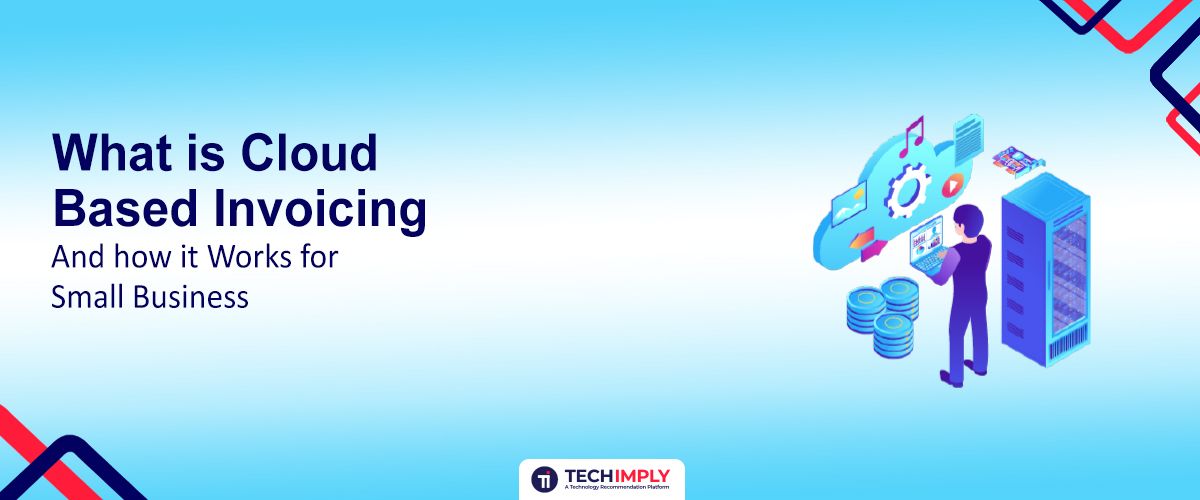
Cloud-based invoicing This is the ability to create, transmit, and administer invoices on computers through a hosted software application instead of using the local computer. As opposed to using the paper invoices or desktop-based software where you are bound to one machine, an invoice system in the cloud uses the internet to store all your invoicing information on remote servers.
To understand readily, take it like this just as you go online and check your email or online banking via a web browser or mobile app cloud-based invoicing software lets you take care of your billing at any device, location, at any time so long as you have an internet connection. This paradigm shift means:
-
No software installation: You simply log in via a web browser.
-
Automatic updates: The provider handles all maintenance and upgrades.
-
Centralized data: All your invoices, customer information, payment records and reports are stored securely one place.
-
Real-time access: View your financial health as it happens.
Top Benefits Of Cloud-Based Invoicing For Small Businesses
In the case of small businesses, migration to cloud-based billing platform would not be a simple upgrade; it will be a strategic benefit. The gains are reflected in all areas of your financial management which affects directly your bottom line and peace of mind.
-
Accessibility And Flexibility
Being able to control your invoicing can be considered one of the most revolutionizing benefits. Being at the office of a client or having a cup of coffee in a coffee shop or handling your business at home, you will always have your complete cloud-based invoice system on the fingertips.
-
Work from Anywhere: Issue invoice, check payment status send reminder from or your smartphone, tablet or laptop.
-
Multi-User Access: Give easy access to team members or accountant, advance seamless collaboration regardless of physical location.
You will always have your complete cloud-based invoice system at your fingertips. Here’s how one small business owner described their experience with cloud invoicing— highlighting exactly how it saves time and improves payment tracking.

2. Cost-Effectiveness
Conventional invoicing systems have not only unseen costs but also tally fast. Invoice solutions on the cloud save these costs in a drastic manner.
-
Eliminate Printing & Postage: No more paper, envelopes, stamps, or trips to the post office.
-
Reduced Software Costs: Usually subscription based, you don't have to do this hefty upfront software purchases, maintenance fee, and hardware upgrades.
-
Fewer Administrative Hours: Automation means expense less time on manual tasks, release valuable employee hours for more information productive work.
3. Enhanced Accuracy & Reduced Errors
Any human data entry is a source of errors. A mistake can lead to late payment, inconvenient communication with customers or even money variances.
-
Automated Calculations: Prices, taxes, and totals are calculated automatically, virtually eliminating mathematical errors.
-
Standardized Templates: Pre-designed, professional templates ensure stability and reduce the chance of missing crucial information.
-
Client Data Management: Store customer information securely, fill in information automatically in invoices and reduce manual entry.
4. Data Security And Backup
Security is a significant issue to a business. Cloud-based billing solutions that are accepted by reputable organizations have better protection than data stored in one device.
-
Encryption and Firewalls: Data is typically encrypted and protected by robust security measures.
-
Automatic Backups: Your financial records are automatically backed up to secure servers to protect against hardware failure, theft or natural disasters.
-
Disaster Recovery: In case of an emergency, your data can be restored quickly, ensuring business continuity.
5. Improved Cash Flow Management
Profits received within the right time are essential to the survival of a small business. Invoice processing based on the clouds makes this process much faster.
-
Faster Invoice Creation & Delivery: Invoices can be created and sent electronically in minutes, reaching customers immediately.
-
Online Payment Options: Integrate with payment gateways (e.g., Stripe, PayPal) to offer clients convenient ways to pay instantly online.
-
Automated Reminders: Schedule automated follow-up emails for overdue invoices, taking the awkwardness and manual effort out of collections.
6. Simplified Tax Management
Tax season can be a nightmare. Cloud invoicing simplifies it by keeping your records organized and accessible.
-
Organized Records: All invoice, expense and payment data is stored in one place, making it easy to generate reports for tax purposes.
-
Categorization: Many platforms allow classification of income and expenses, making tax preparation more streamlined.
-
Integration with Accounting Software: Integrate seamlessly with popular accounting platforms for a holistic view of your financial situation.
Looking for GST Billing Software?
Check out Techimply's List of Best GST Billing Software in India for your business.
Cloud-Based Invoicing Features To Look For In 2025
It can be difficult to pick the optimal cloud invoicing software when there are numerous ones at the market. In order to make a sound decision, it is essential to know the features, which will really help you to benefit your small business in the short and long term.
1. Core Features
1.1 User-Friendly Interface
In case the software is complex, you will not use it. Seek an easy-to-use and clear design that can enable the easy creation and management of invoices even by people who may not have accounting experience. An easy user interface is time saving and less frustrating.
1.2 Automated Invoicing
This aspect is important in efficiency. It involves a professional and branded invoice templates, the option to generate a new invoice with saved client and product information in a flash, and the automatic invoices delivery through email through the platform.
1.3 Recurring Billing
This is necessary when you have subscriptions, retainer and continuous service contracts. The new software will need to generate and dispatch invoices automatically (such as monthly or quarterly), effectively reducing manual labor to a minimum.
1.4 Robust Tracking And Reporting
You need more than just sent invoices; you need insights. This includes easy payment tracking to see which invoices are paid or overdue instantly, and the ability to generate financial reports on sales and outstanding balances to keep track of your business's financial health.
2. Advance Features
2.1 Collaboration And Team Management
This is central in case billing or project assignments are done by more than one person. It enables you to give various access levels (such as an admin or sales) to the members of the team and enables services based businesses to directly track billable time within the invoicing system.
2.2 Client Portal
It is a safe and committed internet environment to your clients. They would be able to see their invoices and payment history with ease, direct payments, and contact your team regarding individual bills, which would significantly enhance their experience.
2.3 Self-Service Options
Going beyond a simple client portal, some systems offer options for clients to manage their own accounts, such as updating their payment details, or changing their subscription levels independently.
2.4 Inventory Management Integration
To companies that deal with tangible goods, this is a critical feature. Combining it with inventory control will maintain a balance between stock levels of merchandise as every invoice is generated, preventing over selling an item by mistake, and it will smooth out operations.

Editor's Note:
It is tempting to move to the section that talks about the free one, but bear in mind that your business depends on your invoicing system. Look at your needs in the long and long-term scalability. On occasion, you can save a million man hours and a major headache in the future by spending only a few dollars every month.
Best Cloud Based Invoicing Software In 2025
1. Zoho Invoice - Smart, Simple, And Secure Cloud Invoicing For Growing Businesses
Zoho Invoice is an easy to use invoicing solutions application that enables small and medium businesses to create, send and manage invoices at any place. It automates repetitive billing processes and ensures accuracy and at the same time upholds compliance it is ideal to businesses with many clients and recurring bills.
Key Features:
-
Customizable invoice templates
-
Automated payment reminders
-
Multi-currency and multilingual support
-
Expense tracking and time-based billing
-
Detailed reports and analytics
Pros:
-
Intuitive dashboard and easy navigation
-
Excellent integration with other Zoho apps
Cons:
-
Limited scalability for large enterprises
-
Fewer advanced accounting features
Pricing: Free for all users with full access to invoicing features.
2. Quickbooks Online - Powerful Online Invoicing With Real-Time Accounting Built For Small Businesses
QuickBooks Online is a full-fleet cloud-based accounting and invoicing system, which assists a small business to handle billing, expenses, and financial reports all in a single location. It allows you to issue invoices, monitor payments and cash flow in an easy way regardless of the device. QuickBooks keeps your business money in order and clear with real-time accounting, inbuilt tax tools, and strong integrations.
Key Features:
-
Real-time expense and cash flow tracking
-
Custom invoice creation and scheduling
-
Integration with banks and payment gateways
-
Mobile app for on-the-go billing
-
Automated tax calculations
Pros:
-
All-in-one platform for billing and accounting
-
Strong customer support and training resources
Cons:
-
Subscription costs can be high for startups
-
Slight learning curve for beginners
Pricing: Starts at ₹499/month with tiered plans based on features.
3. FreshBooks - Hassle-Free Cloud Invoicing Software For Small Teams
FreshBooks is an easy to use billing, tracking and expense management tool, designed with intuitive design that is ideal among freelancers and small groups. It pays attention to automation and transparency to the clients. It has its in-built time-tracking and project management tools which make it particularly useful to service based business with several clients.
Key Features:
-
Automatic late payment reminders
-
Time and expense tracking
-
Professional invoice templates
-
Recurring billing options
-
Online payments via credit card or bank transfer
Pros:
-
Clean, beginner-friendly interface
-
Excellent mobile experience
Cons:
-
Limited advanced reporting
-
Integrations are fewer compared to competitors
Pricing: Starts at ₹750/month with a 30-day free trial.
4. Square Invoices - Free Cloud Based Invoicing Software To Get Paid Faster From Anywhere
Square Invoices is a free and easy mean of allowing the small business to create, send and monitor invoices online as well as receiving payments immediately on the part of consumers. It gives you the ability to take online payments, trace your transactions, and even make repeat billing, all on your phone or your laptop. Simple and fast Square is a perfect fit to those who are very fastidious, require rapid and dependable settlement with minimal set up requirements.
Key Features:
-
Ready-to-use invoice templates
-
Online payment integration
-
Recurring billing setup
-
Real-time invoice tracking
-
Automatic reminders for overdue payments
Pros:
-
Free plan available
-
Easy setup and use, even for beginners
Cons:
-
Limited customization options
-
Transaction fees for online payments
Pricing: Free plan available; transaction fees apply per payment.
5. Invoice Ninja - Open-Source Cloud Based Invoice Software For Smart Billing Solutions
Invoice Ninja is a customizable, open-source invoicing solution that permits small organizations to securely process invoicing, costs, and payments within the cloud, at the same time as imparting superior automation, patron portals, and real-time insights that make it a effective device among developers, freelancers, and tech-savvy entrepreneurs.
Key Features:
-
Customizable invoices and quotes
-
Multiple payment gateway options
-
Client portal for payments
-
Expense and time tracking
-
Advanced reporting dashboard
Pros:
-
Open-source and self-hosting options
-
Strong automation features
Cons:
-
Setup can be technical for beginners
-
Limited customer support on the free plan
Pricing: Free basic plan available; paid plans start at $10/month for advanced features.
Quick Tip:
Just don't look the upfront cost. Consider transaction fees, cost of integration, and the value of the time you save (or lose) because the software's ease of use and automation capabilities.
Tips For Choosing The Right Cloud Invoicing Software
Choosing the most suitable cloud based invoicing software is a business move that can make a great difference in the efficiency and growth of your business. This is how to make the right choice in order to find the right fit.
1. Evaluate Your Specific Needs
Start with an internal audit of your current invoicing process and future goals.
1.1 Business Size And Type
A freelancer's needs differ vastly from a small agency or a product-based e-commerce store. Do you send a few invoices a month or hundreds?
1.2 Transaction Volume And Complexity
How many invoices do you send? Are they single charges or multifaceted projects containing a number of line items, recurring charges, and varied tax rates?
1.3 Key Features Required
Based on section 3, which core and advanced features are non-negotiable for your operations? Make a checklist.
2. Research And Compare Features
2.1 Ease Of Use
Sign up for free trials. What is the speed at which you can produce and transmit an invoice? Is the interface intuitive? This is essential towards adoption and long-term satisfaction.
2.2 Automation Capabilities
Not just regular recurring invoices but can it automate payment reminders, late fees or can it be integrated with time tracking?
2.3 Security And Data Protection
Check security measures of the vendor (encryption, data backups, compliance certifications). The financial information is the backbone of your business.
3. Implement And Optimize
The journey doesn't end with selection; successful implementation is key.
3.1 Sign Up And Onboard
Exploit onboarding materials, documentation, and support. There is nothing to be afraid of asking a question.
3.2 Import Data
Move over client details, product/service catalogues and unpaid invoices. The majority of the platforms include CSV import options to ease this.
3.3 Monitor And Optimize
Regularly review reports. Is your cash flow improving? Do you have less time on invoicing? Collect feedback on any members of the team on the system and make necessary alterations on your processes. The finest software will develop with your business.
Conclusion
Paper-based billing is out of the picture. To small businesses that live in the digital age, cloud-based invoice is no luxury, but a necessity.
With the adoption of a powerful cloud-based invoicing software, you will enjoy unmatched accessibility, cut on costs and increase cash flow by a wide margin. You may go with a free cloud-based invoicing solution or a full cloud based billing system, but it is all aimed at simplifying the processes.
The future of payment is internet-based. It translates to improved security, increased speed and increase in profits of your small business. Take a wise decision and establish it properly and make your business really fly!
Suggested Read:
- 10 Features of Billing and Invoicing Software That Simplify Your Workday
- 7 Billing and Invoicing Software Every Professional Needs to Know
- What’s the difference between Billing and Invoicing Software?
- Why Do Startups and SMEs Need GST Software? Best Tools Revealed
- Why Does Your Business Need Complete GST Software?
- GST Software For Return Filing: 6 Ways It Simplifies GST Compliance