


 0.0
0.0



Check How Modjo can help to automate Indian Business. Techimply provide their list of features, pricing, Free demo and Comparison with the best alternative
View ProfileBest Remote Work Software
Best Remote work software empowers teams to collaborate, communicate, and manage tasks seamlessly from anywhere. Featuring tools for video conferencing, project management, file sharing, and secure access, it boosts productivity and ensures smooth workflows for remote teams. Discover the best remote work software on Techimply to optimize your work-from-home or hybrid work environment. Find the best software features, pricing, free demo, and trial to select the best remote work software for your organization.

Researched and Written by
Divyesh Sureja
List of 20 Top Remote Work Software For Your Business - Get Free Demo, Pricing & Reviews
Filter


Suppeco is a collaborative relationship platform trusted by industry leaders and allows businesses to drive a limitless array of focused opportunities for value creation, innovation, and growth. Suppeco offers a...
View Profile
Starting From:
$ 40000.00
FREE TRIAL

Check How Moconavi can help to automate Indian Business. Techimply provide their list of features, pricing, Free demo and Comparison with the best alternative
View Profile
FREE TRIAL

Check How MeetFox can help to automate Indian Business. Techimply provide their list of features, pricing, Free demo and Comparison with the best alternative
View Profile
FREE TRIAL

Check How GoodAccess can help to automate Indian Business. Techimply provide their list of features, pricing, Free demo and Comparison with the best alternative
View Profile
FREE TRIAL

Check How VIRNECT Remote can help to automate Indian Business. Techimply provide their list of features, pricing, Free demo and Comparison with the best alternative
View Profile
Check How Malwarebytes for Business can help to automate Indian Business. Techimply provide their list of features, pricing, Free demo and Comparison with the best alternative
View Profile
Starting From:
$ 69.99
FREE TRIAL

Check How TaskCheck can help to automate Indian Business. Techimply provide their list of features, pricing, Free demo and Comparison with the best alternative
View Profile
Check How Shieldoo can help to automate Indian Business. Techimply provide their list of features, pricing, Free demo and Comparison with the best alternative
View Profile
Starting From:
$ 9.00
FREE TRIAL

Check How Juicer can help to automate Indian Business. Techimply provide their list of features, pricing, Free demo and Comparison with the best alternative
View Profile
FREE TRIAL

Check How Paymo can help to automate Indian Business. Techimply provide their list of features, pricing, Free demo and Comparison with the best alternative
View Profile
FREE TRIAL

Check How uShare.to can help to automate Indian Business. Techimply provide their list of features, pricing, Free demo and Comparison with the best alternative
View Profile
Starting From:
$ 7.00
FREE TRIAL

Check How Synchronos can help to automate Indian Business. Techimply provide their list of features, pricing, Free demo and Comparison with the best alternative
View Profile
Check How OriHimeBiz can help to automate Indian Business. Techimply provide their list of features, pricing, Free demo and Comparison with the best alternative
View Profile
Check How JPlatform can help to automate Indian Business. Techimply provide their list of features, pricing, Free demo and Comparison with the best alternative
View Profile
FREE TRIAL

Check How Olema can help to automate Indian Business. Techimply provide their list of features, pricing, Free demo and Comparison with the best alternative
View Profile
Starting From:
$ 12.00
FREE TRIAL

Check How Workwize can help to automate Indian Business. Techimply provide their list of features, pricing, Free demo and Comparison with the best alternative
View Profile
Check How Street can help to automate Indian Business. Techimply provide their list of features, pricing, Free demo and Comparison with the best alternative
View Profile
Since the first product release in 1996, JDi Data has developed modern answers for experts within the insurance, chance, and legal communities. Today, we continue to disrupt the marketplace with...
View Profile
Starting From:
$ 30.00
FREE TRIAL

Check How Tandem Virtual Collaboration can help to automate Indian Business. Techimply provide their list of features, pricing, Free demo and Comparison with the best alternative
View Profile
Page Last Updated On September 14, 2026
Find the Best Remote Work Software in India
The right software can make a bigger difference than one can imagine. Having the right tools aids in clear communication and data sharing making it valuable for a team’s productivity and connectivity.
The number of options available in India makes it confusing to make the best choice. This is where the guide steps in. We have gathered the top remote work software with their features, pricing, and how they help a business operate seamlessly.
The right tools for freelancers, large companies, or startups can help them increase efficiency and optimize workflows. Give this a go so together we can optimize your remote work needs.
1. What is Remote Work Software?
Remote jobs make up over 15% of the entire opportunities in the U.S. This statistic is enough to mark the importance of remote work software. Remote work software allows teams to collaborate and manage tasks from multiple sites simultaneously. It employs video conferencing, cloud storage, project management, and cybersecurity tools to complete workflows while ensuring data security.
Companies utilize remote work software for performance tracking and team engagement. It enables employees to automate tasks and attend meetings while working from any location. Remote work solutions work with all business applications, allowing them to serve all industries without hassle. Companies improve communication while boosting workflow and security with mobile access and cloud features in a distributed workforce environment - thanks to remote work management software!
2. Key Features of Remote Work Tools
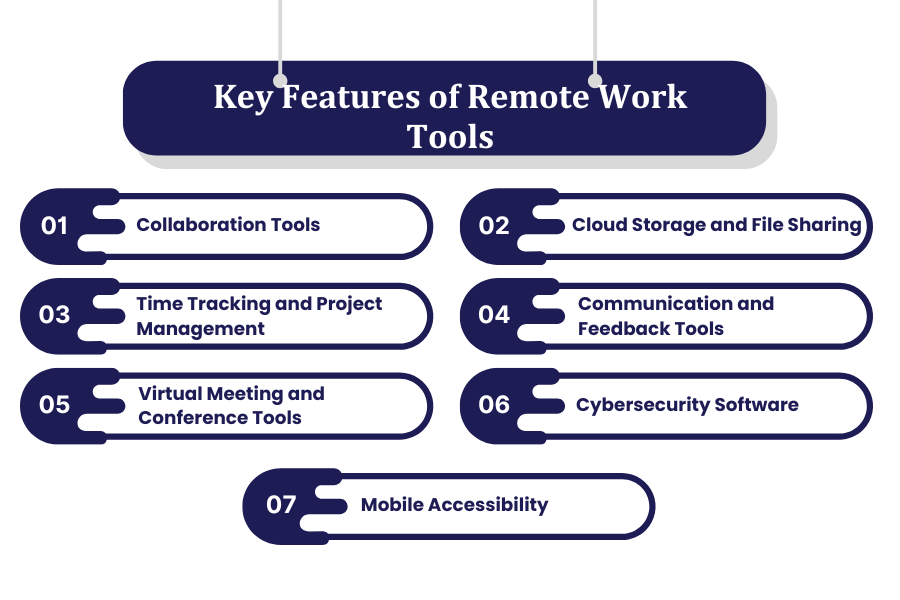
1. Collaboration Tools
Remote work solutions consist of shared workspaces, document editing tools, and task management software that enable teams to collaborate in real time, monitor progress, and stay organized despite not being in the same geographical location.
2. Cloud Storage and File Sharing
Cloud-based storage solutions with added security allow employees to store, access, and share documents from any site ensuring convenient collaboration while reducing dependency on local storage devices.
3. Time Tracking and Project Management
Remote work systems have time tracking tools to help monitor employee productivity while project management software enables teams to assign tasks, set deadlines, and monitor project completion activities.
4. Communication and Feedback Tools
Messaging systems and feedback systems facilitate communication among remote team members, promoting transparency, idea-sharing, and continuous improvement in performance. You can also use cloud communication platforms if your team wants to ensure a fantastic collaboration.
5. Virtual Meeting and Conference Tools
Remote teams employ video conferencing and webinar platforms for virtual meetings, training, collaboration with screen sharing, and real-time communication.
6. Cybersecurity Software
Security tools such as VPNs, encryption, and other access controls ensure sensitive business information is securely protected while allowing remote employees to work without compromising business networks and information.
7. Mobile Accessibility
The ability of remote work software to operate with mobile devices permits employees to access documents and manage work with smartphones and tablets, thereby enhancing productivity while traveling.
3. Different Types of Remote Work Software
1. Freelancing
Remote work software encompasses project tracking, time tracking, and client communication features, and freelancers make full use. Trello, Upwork, and Slack let freelancers store and complete projects and get paid regardless of their location.
2. Joining the Gig Economy
Fiverr, TaskRabbit, and Uber are popular platforms for gig workers to source short-term tasks and receive payment. With remote work technologies; task coordination and payment processes can be completed instantaneously, allowing businesses to capitalize on freelance talent.
3. Work From Home
Employees working from home require document-sharing and virtual meeting software. Having access to Zoom, Asana, and Google Drive makes it easy for employees to communicate and be productive while working from home or remote offices.
4. Hybrid
Hybrid work software accommodates employees who work from the office and employees who work from home. Ensuring effective communication, collaboration, as well as project continuity between remote teams and in-office staff is accomplished using cloud-based scheduling and virtual meeting software.
5. Remote Friendly
Remote friendly businesses equip employees with relevant digital tools to support flexible work arrangements. Tools used include Microsoft teams for communication, Dropbox for document collaboration, and VPNs for providing secure remote access.
6. Fully Remote
Companies who operate remotely rely entirely on technology to carry out all their business operations. From AI project management and cybersecurity to cloud-based Slack, Notion, and Zoom; team communication and operations are managed seamlessly without the need for a physical office.
4. Best Remote Work Tools
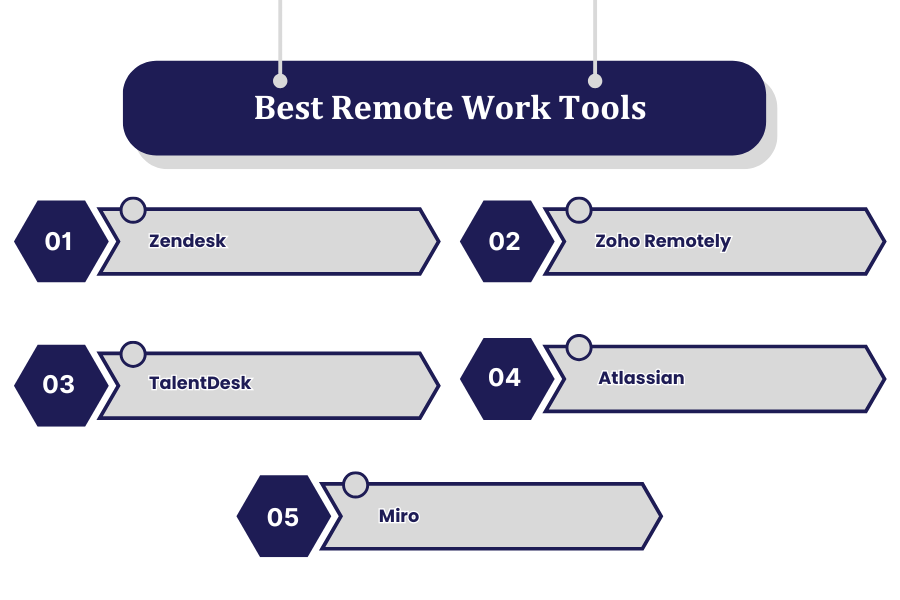
1. Zendesk
Zendesk is the remote work software in India, and a comprehensive customer service and support system that enables remote teams to automate workflows, and manage tickets and customer communication using AI. It incorporates live chat features, email support, and AI automation which is useful for businesses wanting to improve customer interactions and support during remote operations.
Features:
- Customer support is enhanced with AI chatbots and ticketing systems.
- Multi-channel email, chat, and social media communication integration.
- Automation of business workflows to optimize customer service processes.
- Support and customer interaction performance reporting, along with advanced analytics.
- Creation of knowledge bases for self-service customer support to optimize operational costs.
Pricing:
- Starts from 19 dollars for every agent for a month.
- Offers advanced automation and analytics for higher tier plans.
- Custom AI tools integrated with CRM systems come with enterprise level plans.
Pros:
- Assists seamless customer support and ticket management for businesses of all sizes.
- Real-time engagement and multi-platform support is made possible through integration with various communication channels.
- Response automation reduces manual workload for support agents, increasing efficiency drastically.
- Provides powerful reporting capabilities for tracking customer satisfaction and service efficacy.
Cons:
- It Is costly for small businesses with a few agents, making adoption difficult for most startups.
- More higher tier plans are needed to access advanced features, which some businesses may find troublesome.
- Options for customization may lead to having many users not being fully trained to utilize them.
2. Zoho Remotely
Zoho Remotely is an all in one suite of remote work tools with features such as project management, and team collaboration. It enables businesses to manage projects and communication more efficiently and helps ensure secure document sharing. It’s ideal for companies looking for a single solution that improves productivity and coordination during remote working.
Features:
- Remote collaboration, project management, and communication for cloud-based suite services.
- Includes Zoho Projects, Zoho Meeting, and Zoho Assist for remote teamwork.
- Secure file sharing and virtual workspace integration to streamline workflow.
- Automation capabilities and scheduling of tasks is designed for greater productivity of remote teams.
- Monitoring of employee performance and tracking their time increases productivity.
Pricing:
- Paid plans start from $3 monthly per user after the limited free trial period.
- Customized enterprise plans have flexible pricing dependent on the organizational requirements.
Pros:
- All tools required for remote work are bundled into one software, minimizing the constant need of subscribing to different applications.
- Lower priced remote work solutions for small and medium scale enterprises are very budget friendly.
- Tight security and power access management guarantees sensitive data is protected from unauthorized information leak.
- Adoption for teams is easier due to simplified intuition interface and user design.
Cons:
- Some new users will need training for parts of the software due to its complexity.
- Customization features are limited which decrease the scale at which large businesses can use the software.
- Time required to properly set up some third party app integration could be lengthy.
3. TalentDesk
TalentDesk is an online platform for managing freelancers and contractors that centralizes payment, project tracking, and collaboration. Automated invoicing and talent onboarding is possible helping businesses manage remote workers. A useful platform for companies with distributed teams needing streamlined workflows and improved workflows and payment processes.
Features:
- Centralized payroll processing for freelancer and remote team management.
- Automated invoicing, contracts, and payment processor for remote employees.
- Remote workforce efficiency and project progress tracking collaboration tools.
- Freelance talent management is made easy with AI powered talent matching for businesses.
- Global remote teams compliance management for tax and legal regulation purposes.
Pricing:
- Set according to your team’s size and specifications, allowing for great adaptability.
- Volume-based pricing options available for large enterprises with extensive remote teams.
Pros:
- Reduces administrative burden of managing freelancers and global payroll.
- Guarantees payments for remote workers through automated invoicing.
- User friendly platform for managing remote teams, projects and contractors.
- Enables tax compliance and management for international teams.
Cons:
- Not ideal for small businesses as it has budget constraints.
- Requires data entry since there are few integrations with other project management software.
- Advanced reporting tools are only available in higher-tier plans.
4. Atlassian
This one is a project management, software development, and collaboration tools bundle that includes Jira and Confluence. It allows remote teams to manage tasks, document, and work on projects in a more streamlined manner. It’s the best for agile teams and companies requiring more advanced tools to improve overall efficiency.
Features:
- Includes Jira, Confluence, and Trello, which are productivity tools for agile teams and task tracking.
- It offers documentation and agile project management.
- Integration with the development and collaboration platforms is done with greater ease.
- Dashboards and reporting tools are available more greatly for project analysis.
- It also has automated resource management work features to improve productivity.
Pricing:
- Offers free plans with general functionalities for small teams.
- Over premium plans starting from $5 a user per month, improved automation and collaboration tools are available.
- Enterprise plans are provided with high security and compliance features on request for specific pricing.
Pros:
- Represents a full set tool for project and team collaboration which is useful to businesses.
- Offers easy resource expansion from small team to enterprise, which is good for organizational growth.
- Great integration with software development tools GitHub or Bitbucket.
- Customizable workflow automation gives great freedom to enhance efficiency by reducing manual work.
Cons:
- Some tools are more technical and require expertise to set and integrate, making onboarding difficult.
- Smaller teams with tighter budgets would find paid plans difficult which is unfortunate.
- For a new user, multiple features can be overwhelming and their interface is more complex.
5. Miro
Miro is a remote brainstorming and collaboration platform that integrates a visual whiteboard to facilitate teamwork and project visualization with diagrammatic representation. It makes virtual meetings more engaging through the creation of complex diagrams and workflows. Also suitable for teams that require a highly customizable remote working environment.
Features:
- Excellent for remote teams with virtual collaboration and whiteboarding tools.
- Has inbuilt templates for agile planning and UX design as well as workflow mapping.
- Simultaneous collaboration with video conferences and comments.
- Slack, Microsoft Teams, Zoom, and other tools can be integrated for cross-platform communication.
- Automated workflow visualization and smart diagramming powered by AI.
Pricing:
- Offers free basic plans for personal use. Comes with limited features.
- Paid plans commence from $8 per user per month and enhance collaboration features.
- Advanced security and compliance tools in enterprise plans are available upon intimation.
Pros:
- Great for creative teams that require visual collaboration since they enable brainstorming in an unstructured way.
- Has simplified adoptions through interactive templates offering an intuitive user interface.
- Distributed teams can benefit from smooth workflow due to tools for real-time communication and brainstorming.
- Productivity is boosted with integration from several remote work tools.
Cons:
- Smaller teams have restricted access due to the steep pricing of pro features.
- Might not cater to some sectors that require conventional project management systems that have defined processes.
- Can lose performance when a large number of collaborators are involved on large or complicated boards.
5. Future Trends in Remote Work Software
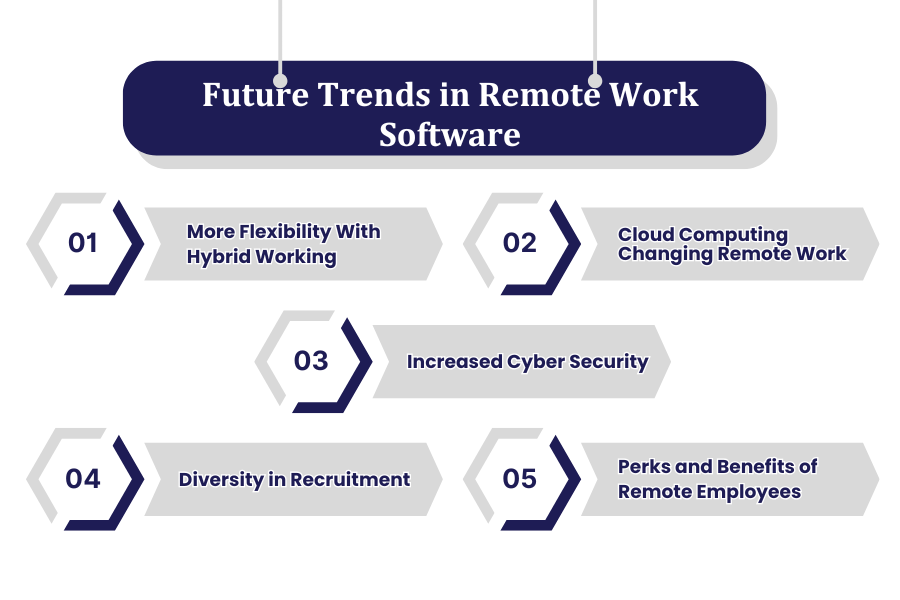
1. More Flexibility With Hybrid Working
The fusion between in-office and remote working will be supported by new remote working software development which will aid the shifts from the office environment to the home set up. Advanced scheduling, collaboration, and cloud tools will offer greater remote work flexibility and productivity for team members that are located in a different region.
2. Cloud Computing Changing Remote Work
The expansion of cloud computing facilities will bring with it numerous solutions such as real time data circulation and remote working. While businesses already utilize cloud systems for efficient and rapid file, virtual desktop and data center, buzzword, sharing and even rely less on the physical office construct and infrastructure.
3. Increased Cyber Security
As more people work remotely, there will be growth in AI powered threat identification, VPNs, and biometric authentication miles ahead of where we are now. Cyber attacks are proving to be a large threat and so businesses have had to focus more on information security, secure access control, and privacy compliance management at minimum. You can also use biometric attendance software to efficiently manage your workforce.
4. Diversity in Recruitment
These features will also give companies the ability to recruit a greater variety of people. Opening the business to AI driven recruitment tools, remote interview systems, and hiring based on skills (not certificates).
5. Perks and Benefits of Remote Employees
The company will enhance the remote working experience by offering better perks such as home office stipends, wellness initiatives, and flexible working hours. To improve retention; mental health assistance, virtual team building, and digital reward centers will be the focus of employee engagement initiatives.
6. Conclusion
Remote work software, with advanced capabilities such as cloud storage, project management, and cybersecurity, enhances collaboration and security for teams that are geographically dispersed. Remote work tools are likely to continue evolving in this digital transformation era with the increase in hybrid working and global hiring to ensure efficient communication and flexibility.
Frequently Asked Questions (FAQs)
Which Software is Used for Remote Connection?
Popular tools include TeamViewer, AnyDesk, Microsoft Remote Desktop, and Chrome Remote Desktop
Can I Use Remote Access Software On Mobile Devices?
Yes, many remote access tools assist Android and iOS apps, enabling users to govern computers, proportion files, and manage obligations without delay from their smartphones or capsules for more advantageous mobility.
How do I Access My Work Computer From Home?
Enable remote desktop on your work PC, set up permissions, and connect using a remote desktop app or software from your home device
Is It Possible To Customize Permissions In Remote Access Software?
Yes, administrators can assign unique get admission to degrees, restrict report sharing, or limit positive capabilities for one-of-a-kind users, ensuring stable and controlled remote sessions.
What Features Should I Look For In Remote Access Software?
When deciding on remote access software, prioritize security features, ease of use, multi-tool compatibility, overall performance speed, and customer support. These make sure a reliable and safe remote connection experience across various devices and networks.
Which is better, TeamViewer or AnyDesk?
Both are secure, TeamViewer offers advanced management and broad compatibility, while AnyDesk excels in performance on weak connections and has a customizable interface.
Best Remote Work Software for Every Business
Best Remote Work Software in the Following Countries
Best Remote Work Software in the Following States
Best Remote Work Software in the Following Cities
Best Remote Work Software in the Following Industries


