Xender

By Xender

0.0
Rating out of 5 Based on 0 reviews

What is Xender?

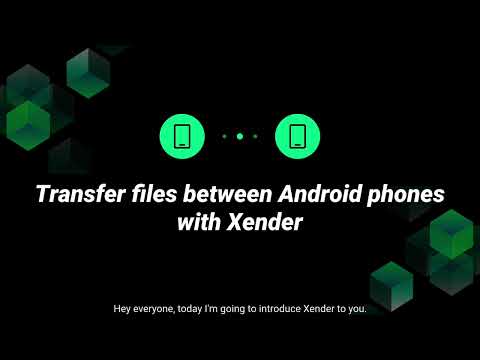
Xender is a powerful, cross-platform file sharing app trusted by over 2 billion users worldwide. Designed for lightning-fast transfers, it enables users to send and receive files—including photos, videos, music, documents, and even apps—between Android, iOS, Windows, Mac, and KaiOS devices without cables, Bluetooth, or mobile data. Files can be shared in any format and size, with transfer speeds reaching up to 40MB per second. Xender's unique advantage is its WiFi Direct technology, ensuring offline, secure transfers anywhere-even without an internet connection. With its simple interface and steady performance, xender download has become an essential tool for personal and professional file exchanges, supporting users in over 30 languages globally.

Pricing of Xender

Basic

USD 0.00
USD 0.00

null

Buy Now

Key Features of Xender

Key Features:
  • Storage Management
  • Unlimited Downloads
  • Easily Share And Uploads
  • Organize With Ease
  • File Recovery
  • Task Management
  • User Management
  • File Management
  • File Transfer

Key Specification

Other Categories: File Sharing Software
Deployment: Cloud Hosted,Hybrid,On Premise,Any
Customer Support: Live Chat
Languages Support: English

Who uses Xender

StartUps
StartUps
SMEs
SMEs
Agencies
Agencies

Company Details

Company Name: Xender
Headquarter: Guangdong China
Social Media:

Xender Description

Why Choose Xender?

Xender stands out because it offers superfast transfers without internet or cables. Unlike cloud-based apps, it doesn’t require login or data consumption. With cross-platform compatibility, batch file transfers, and a completely free download option, Xender is more versatile and cost-effective than many alternatives.

Who Is Xender For?

Xender is ideal for:

  • Students who share notes, projects, or media files.

  • Professionals transferring work files quickly.

  • Families sending photos, videos, and apps between devices.

  • Anyone who wants a free and fast alternative to Bluetooth or email attachments.

How to Use Xender

Using xander is simple:

  1. Download and Install Xender APK (latest version from the official site or app store).

  2. Open the App on both devices.

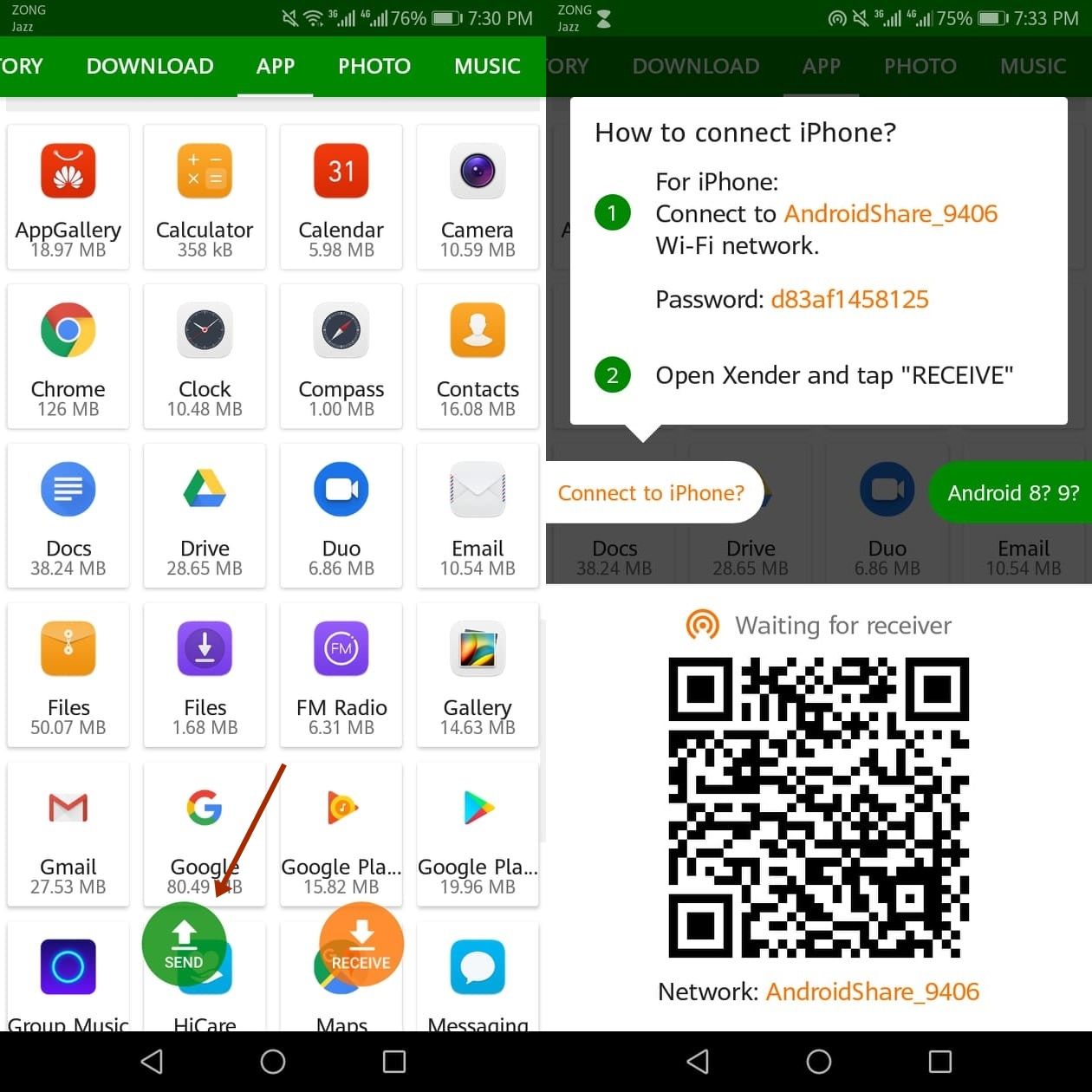
  3. Tap “Send” on the sender’s device and “Receive” on the receiver’s device.

  4. Connect via QR code or Wi-Fi hotspot.

  5. Select files and transfer them instantly.

Top Features of Xender

  1. High-Speed Transfers – Share files 200x faster than Bluetooth.

  2. Cross-Platform Sharing – Works on Android, iOS, Windows, and Mac.

  3. No Internet Required – Uses Wi-Fi Direct instead of mobile data.

  4. Batch File Sharing – Send multiple files or folders in one go.

  5. App Sharing – Transfer installed apps with friends easily.

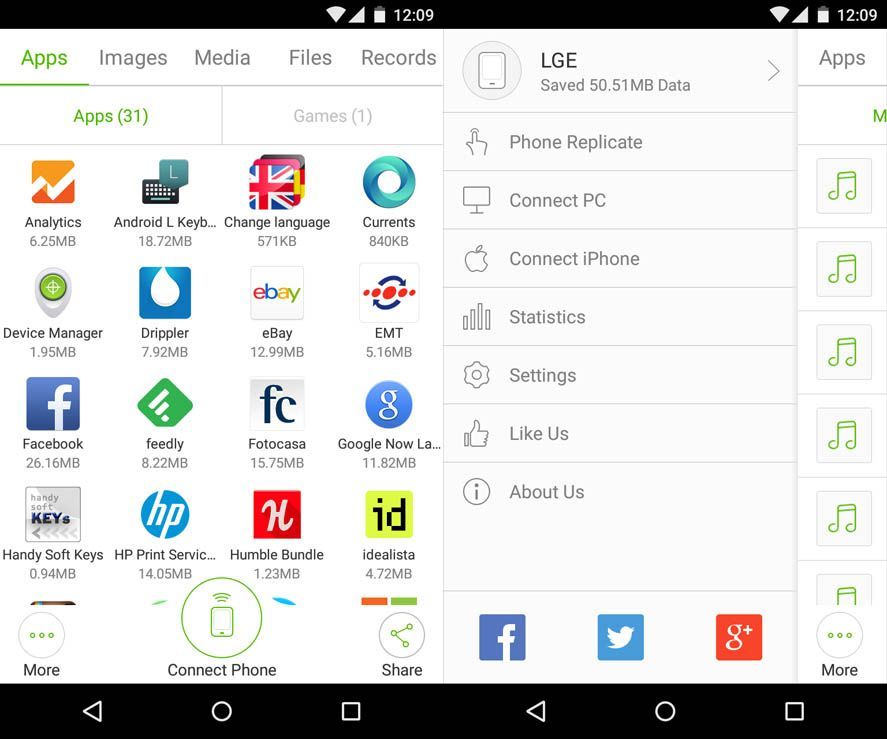
  6. Built-in File Manager – Organize, view, and delete files directly.

  7. User-Friendly Interface – Simple design for quick navigation.

Key Benefits of Using Xender

  1. Saves Data – No need for internet or cables.

  2. Time-Efficient – Large files transfer within seconds.

  3. Cross-Device Flexibility – Works seamlessly across platforms.

  4. Free to Use – No subscription or hidden fees.

  5. Preserves File Quality – Original size and quality remain intact.

  6. Easy Installation – Quick xender app download available.

  7. Reliable Security – Safe transfers without cloud storage risks.

Demo and Pricing

  • Demo: xender apk free download and use. You can try it instantly by installing the Xender APK latest version or downloading it from the app store.

  • Pricing: Xender is 100% free with no premium plans or hidden charges.

Alternative

MASV

The Fastest File Transfer for Media

0.0
Rating out of 5 Based on 0 reviews

Wrike

One platform to streamline all workflows

4.2
Rating out of 5 Based on 10 reviews

Atera

All-in-one IT management with built-in AI agents

0.0
Rating out of 5 Based on 0 reviews

Xender Video/Screenshots

User Reviews

no-reviews
Share your experience! Be the very first reviewer. Write a Review

Frequently Asked Questions (FAQs)

The user group of Xender are as follows :

  • Startups
  • SMEs
  • Agencies

Xender has 1 plans,

  • Basic USD 0.00 null

Xender is not allowing Free Trial.

The key featuers of Xender are as follows :

  • Storage Management
  • Unlimited Downloads
  • Easily Share And Uploads
  • Organize With Ease
  • File Recovery
  • Task Management
  • User Management
  • File Management
  • File Transfer

Xender pricing model : Yearly,Monthly,Onetime(Perpetual License)

Xender is Cloud Hosted,Hybrid,On Premise,Any Software.

Xender offers Live Chat support.

Xender provides Video Guides for the software training.