Workboard

Get Aligned. Drive Results.

0.0
Rating out of 5 Based on 0 reviews

What is Workboard?

Workboard is a strategic execution platform designed to help organizations align goals, drive accountability, and accelerate results. It offers a digital framework for setting, tracking, and achieving OKRs (Objectives and Key Results), making strategy execution transparent and actionable across all levels. Workboard combines real-time dashboards, collaboration tools, and performance metrics in one platform, allowing leaders to monitor progress and make data-driven decisions. It integrates easily with existing enterprise tools like Microsoft Teams, Jira, and Slack, ensuring seamless workflow adoption. Workboard is used by strategy, operations, and transformation teams in large enterprises to close the gap between strategy and execution effectively.

Pricing of Workboard

no-pricing
For get detailed pricing as per your requirements.

Key Features of Workboard

Key Features:
  • Goal Management
  • Onboarding Tools
  • Confidence Levels
  • Individual OKR
  • Team OKR
  • Weight Assignment
  • Strategic Alignment
  • KPI Management
  • Reporting (Analytics)
  • Progress Tracking
  • Alerts
  • Feedback Management
  • Predefined Templates
  • Strategic Planning
  • Dashboard
  • Access Control
  • HRIS Integration
  • File Sharing
  • Single Sign-On (SSO)

Key Specification

Other Categories: OKR Software Task Management Software Productivity Bots Software
Deployment: Cloud Hosted
Customer Support: Online (Ticket)
Customization: No
Languages Support: English

Who uses Workboard

SMEs
SMEs
Enterprises
Enterprises

Company Details

Company Name: Workboard
Headquarter: Redwood city, California United States
Social Media:

Workboard Description

Why Choose Workboard?

Workboard stands out for its ability to make strategy execution measurable and continuous. Its robust OKR framework not only aligns teams with company goals but also improves transparency and accountability at every level. With automation, real-time insights, and weekly status reports, leaders can focus on what matters most while ensuring teams stay aligned and productive. The platform helps eliminate manual tracking through dynamic dashboards and smart integrations. Workboard is also trusted by Fortune 500 companies for its ability to scale across departments and functions, making it a strategic choice for companies looking to grow with purpose.

Benefits of Workboard:

  • Strategic Alignment: Ensures everyone’s efforts support company objectives.
  • Increased Accountability: Assigns clear ownership of goals and key results.
  • Real-Time Visibility: Live dashboards track progress continuously.
  • Improved Agility: Enables quick pivots based on real-time data.
  • Collaboration-Ready: Integrates with Slack, Teams, and other tools.
  • Executive Insight: Provides leadership with strategic performance views.
  • Outcome Focused: Moves beyond task tracking to results measurement.
  • Faster Execution: Reduces the time from idea to impact.

How to Use Workboard?

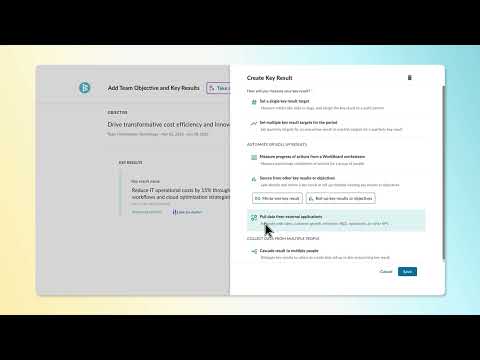
Using Workboard begins with defining strategic objectives and breaking them into measurable key results. These OKRs are assigned to teams and individuals, promoting ownership and alignment. Users can update progress weekly using status reports, which feed into dashboards that give managers a real-time view of performance. The platform also allows setting up action items, meetings, and follow-ups within the system to keep work contextualized and organized. Integrations with tools like Jira and Microsoft Teams streamline work further. Workboard’s analytics features help track execution trends and guide performance reviews. Overall, it transforms strategy into weekly execution habits.

Features of Workboard:

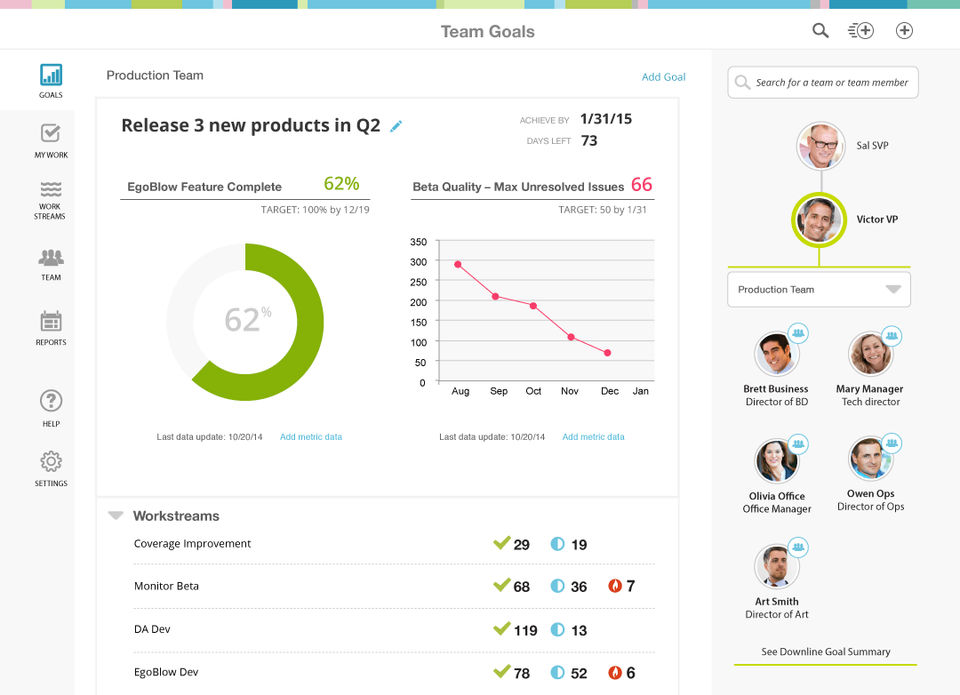
  • OKR Management: Build, assign, and track objectives and key results.
  • Automated Status Reports: Weekly updates without manual input.
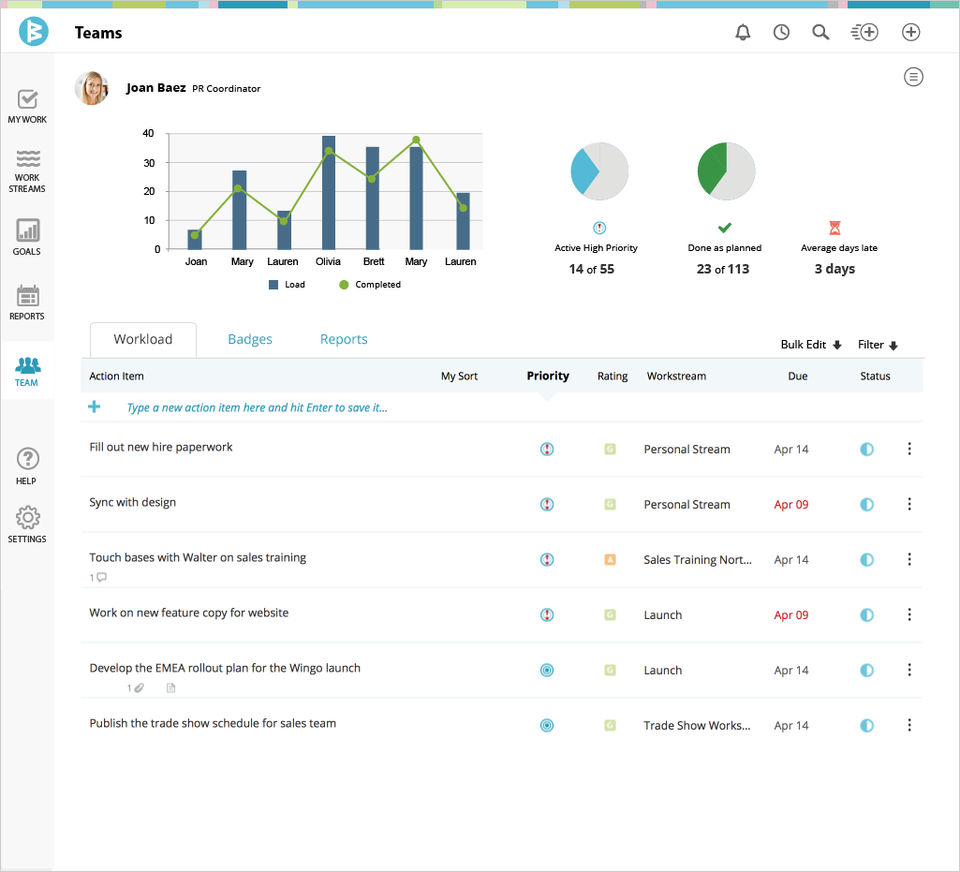
  • Visual Dashboards: Live performance tracking across teams and goals.
  • Action Item Tracking: Assign and monitor tasks aligned with goals.
  • Meeting Integration: Run efficient goal-focused meetings.
  • Enterprise Integration: Works with Microsoft Teams, Slack, Jira, and more.
  • Strategy Maps: Visualize goal alignment and interdependencies.
  • Data-Driven Insights: Use analytics to optimize execution patterns.

What Makes Workboard Different?

Workboard uniquely focuses on closing the strategy-execution gap. While many best task management software solutions focus on tracking to-dos and projects, Workboard centers on strategic outcomes, using OKRs as its backbone. Its weekly business review automation, built-in meeting functionality, and live dashboards create a cadence of accountability and action. Unlike generic project or task management tools, Workboard is purpose-built for enterprise strategy teams, supporting cross-functional goal alignment and real-time insights at scale. It’s designed not only to track goals but also to build the habits and culture necessary for consistent execution. Workboard’s client success team also plays a strategic advisory role, enhancing its value beyond software.

Who Can Benefit from Workboard?

Workboard is ideal for executive leaders, transformation teams, strategy officers, and department heads responsible for delivering organizational results. It’s advantageous in large enterprises managing complex goals across multiple departments. Teams focusing on digital transformation, strategic planning, and operational excellence benefit from Workboard’s alignment and visibility. It’s also valuable for project managers, OKR champions, and HR leaders who drive performance initiatives. Whether aligning global teams or accelerating business outcomes, any organization looking to improve strategic execution and accountability will gain from using Workboard.

Is Workboard Easy to Use?

Yes, Workboard is designed with usability in mind. Its clean interface, guided OKR creation, and drag-and-drop dashboards make it intuitive even for first-time users. Onboarding is supported with in-app tutorials, templates, and help articles. Weekly progress reporting is simplified through automated reminders and integrations, minimizing manual effort. Admins and leaders get powerful tools to manage teams, run meetings, and generate reports without steep learning curves. While robust, the platform avoids clutter and maintains focus on strategy execution. Overall, Workboard offers a user-friendly experience while still delivering enterprise-level power and control.

What Support Does Workboard Offer?

Workboard provides comprehensive support to ensure smooth adoption and usage. Users can access:

  • Live onboarding assistance
  • Email and chat support
  • Help center with articles, guides, and FAQs
  • Strategic coaching for OKR implementation
  • Customer success teams for enterprise clients
  • Webinars and training sessions
  • Quarterly business reviews and health checks

Support is both technical and strategic, helping organizations not just use the platform, but use it effectively for measurable business results. The proactive approach ensures Workboard evolves alongside your company’s goals.

Alternative

monday.com

Made for work, designed to love

3.9
Rating out of 5 Based on 10 reviews

Wrike

One platform to streamline all workflows

4.2
Rating out of 5 Based on 10 reviews

Lattice

Join 5,000+ forward-thinking teams using Lattice’s HR and AI tools to manage people, pay, and performance — all on one trusted platform.

0.0
Rating out of 5 Based on 0 reviews

Workboard Video/Screenshots

Workboard Key Clients
User Reviews

no-reviews
Share your experience! Be the very first reviewer. Write a Review

Frequently Asked Questions (FAQs)

The user group of Workboard are as follows :

  • SMEs
  • Enterprises

Workboard has 0 plans.

Workboard is not allowing Free Trial.

Workboard pricing model : Onetime(Perpetual License)

Workboard is Online Software.

No

Workboard offers Online (Ticket) support.

Workboard provides Help Guides,Video Guides,Blogs for the software training.