TrackingTime

By Tracking Time

0.0
Rating out of 5 Based on 0 reviews

What is TrackingTime?

TrackingTime is a cloud-based time tracking and productivity management software designed for teams, freelancers, and businesses of all sizes. It helps users track work hours, manage tasks, monitor productivity, and generate accurate timesheets in real time.

Pricing of TrackingTime

starter

USD 3.75
USD 0.00

/Month

Buy Now
  • Unlimited tasks projects and clients
  • Task management and project views
  • Project and task estimates
  • Team collaboration and file sharing
  • AutoTrack
  • Work schedules
  • Online and scheduled reporting
  • Export to CSV
  • Excel and PDF

Pro

USD 5.75
USD 0.00

/Month

Buy Now
  • Custom fields
  • Historical costs & rates
  • Google Calendar & Outlook integrations
  • User roles and project access
  • Invoicing & billing rates and billing hours
  • Public holidays
  • Time cards and Timesheet audits
  • Time off management

Business

USD 10
USD 0.00

/Month

Buy Now
  • SSO with Azure AD
  • SSO with Google
  • Priority Support
  • Concierge onboarding and training
  • Audit logs
  • Guaranteed Uptime SLA 99.9%
  • Volume discounts for large teams
  • Custom GDPR Data Processing Addendum

Key Features of TrackingTime

Key Features:
  • Collaboration Tools
  • Reporting/Analytics

Key Specification

Other Categories: Project Management Software Leave Management Software Task Management Software Time & Attendance Software
Deployment: Cloud Hosted,Hybrid,On Premise,Any
Customer Support: Phone,Email,Live Chat
Customization: Yes
Languages Support: English

Who uses TrackingTime

StartUps
StartUps
SMEs
SMEs
Agencies
Agencies
Enterprises
Enterprises

Company Details

Company Name: Tracking Time
Headquarter: Argentina
Social Media:

TrackingTime Description

Why Choose TrackingTime?

TrackingTime stands out for its simplicity, accuracy, and seamless integrations, making it an ideal choice for modern teams. Whether you manage a remote workforce, an agency, or a growing business, TrackingTime provides full visibility into team performance without micromanagement.

The platform offers real-time tracking, automatic reporting, and productivity insights, allowing managers to make data-driven decisions. Its intuitive interface ensures that both technical and non-technical users can start tracking time effortlessly, reducing manual errors and improving transparency across the organization.

Benefits of TrackingTime

  • Real-Time Time Tracking: Track work hours live with one-click timers

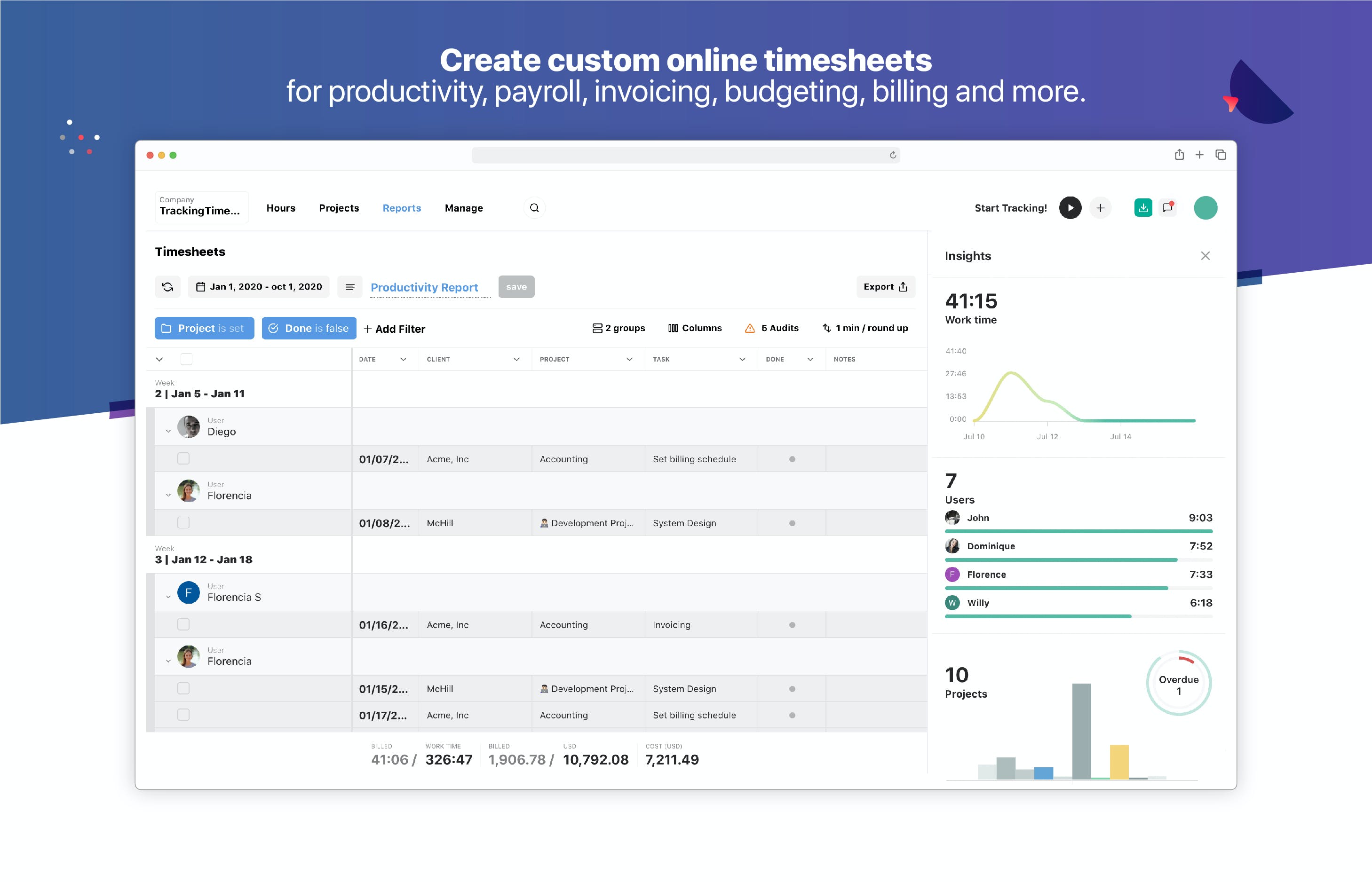
  • Accurate Timesheets: Automatically generated timesheets for payroll and billing

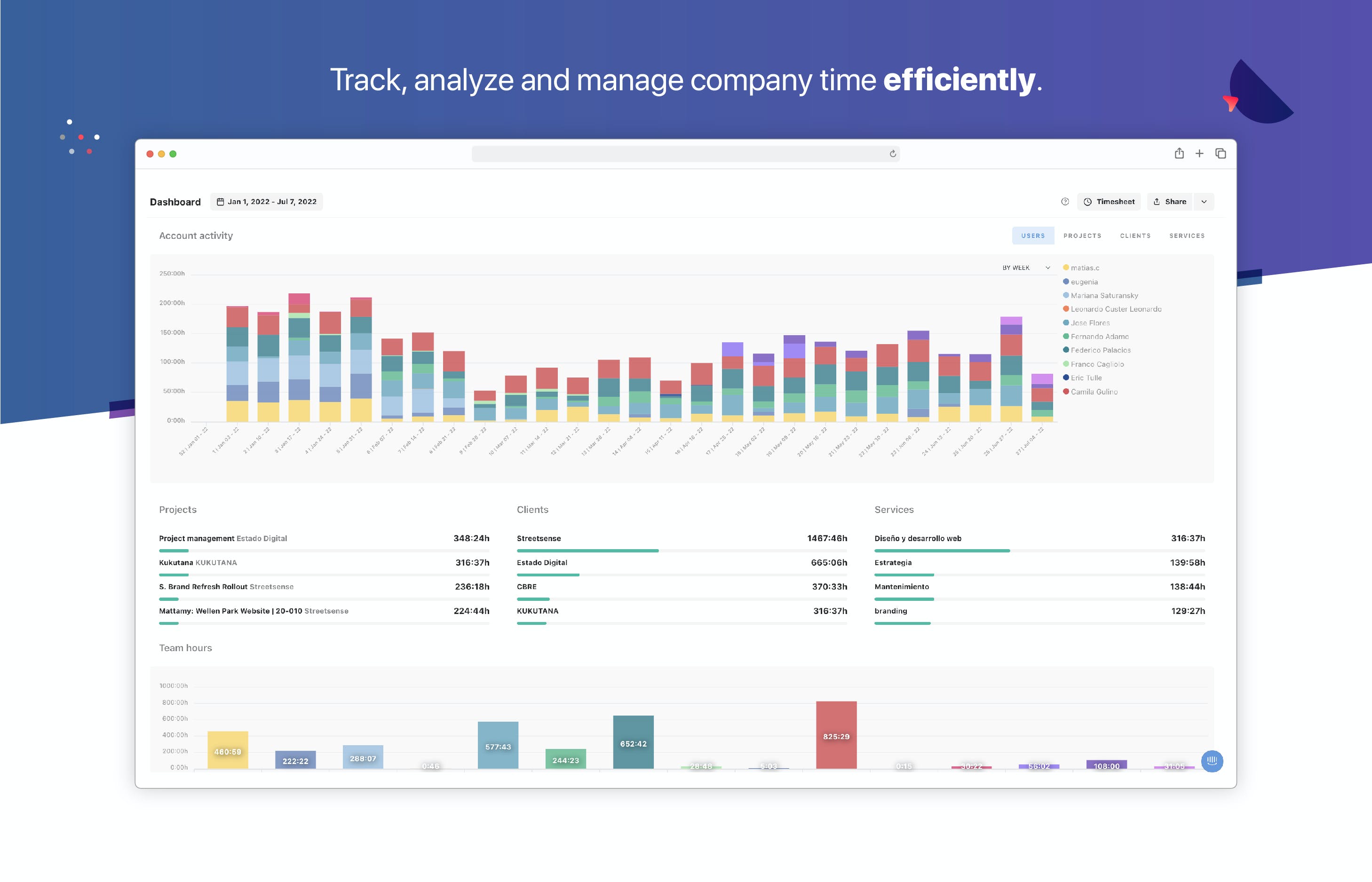
  • Productivity Insights: Analyze how time is spent across tasks and projects

  • Project Management Support: Monitor project progress and deadlines easily

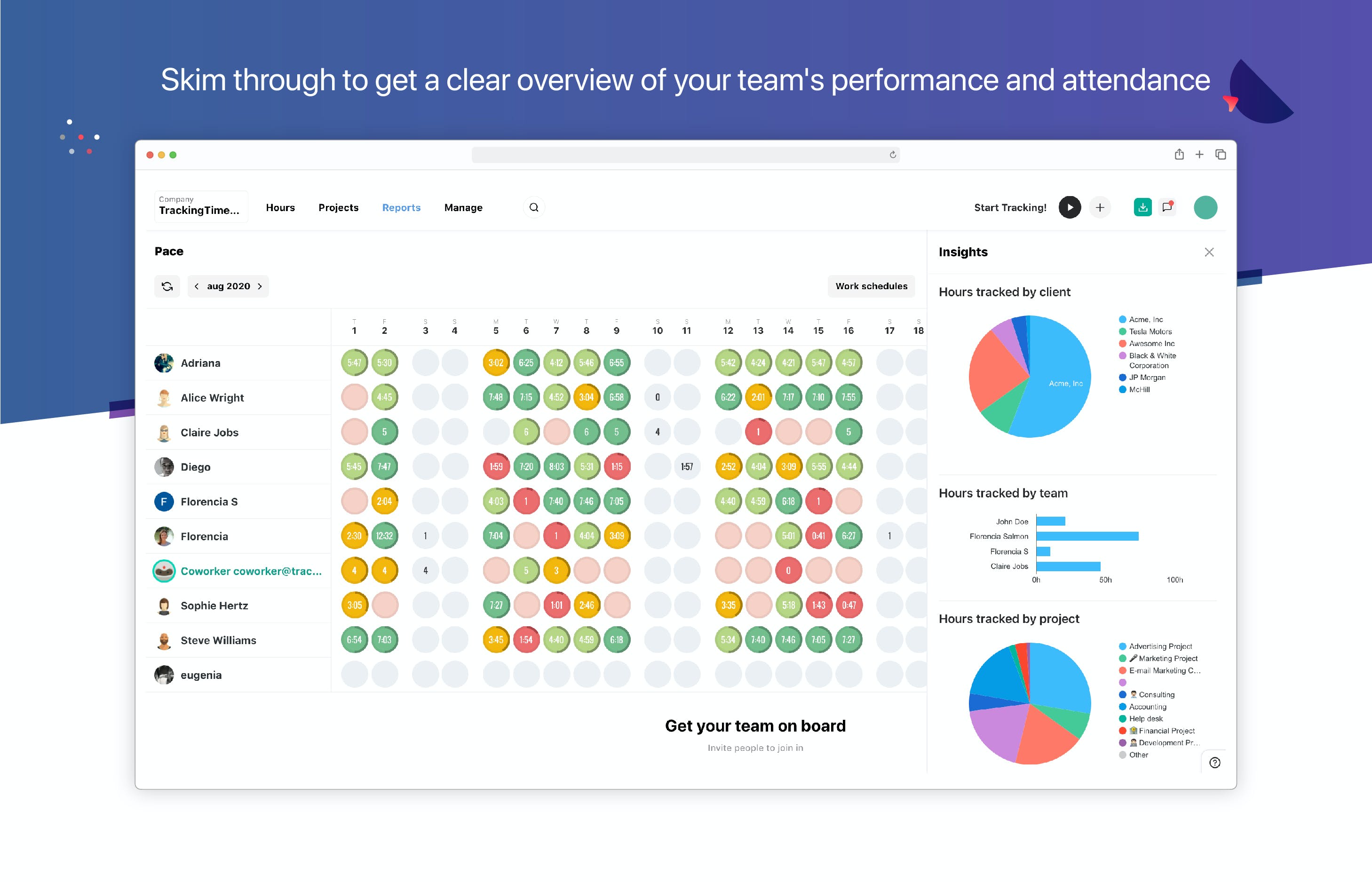
  • Team Performance Visibility: Understand individual and team-level efficiency

  • Remote Work Friendly: Ideal for distributed and hybrid teams

  • Multi-Device Access: Use TrackingTime on desktop, web, or mobile

  • Easy Integrations: Works with popular tools like Asana, Trello, Slack, and more

How to Use TrackingTime

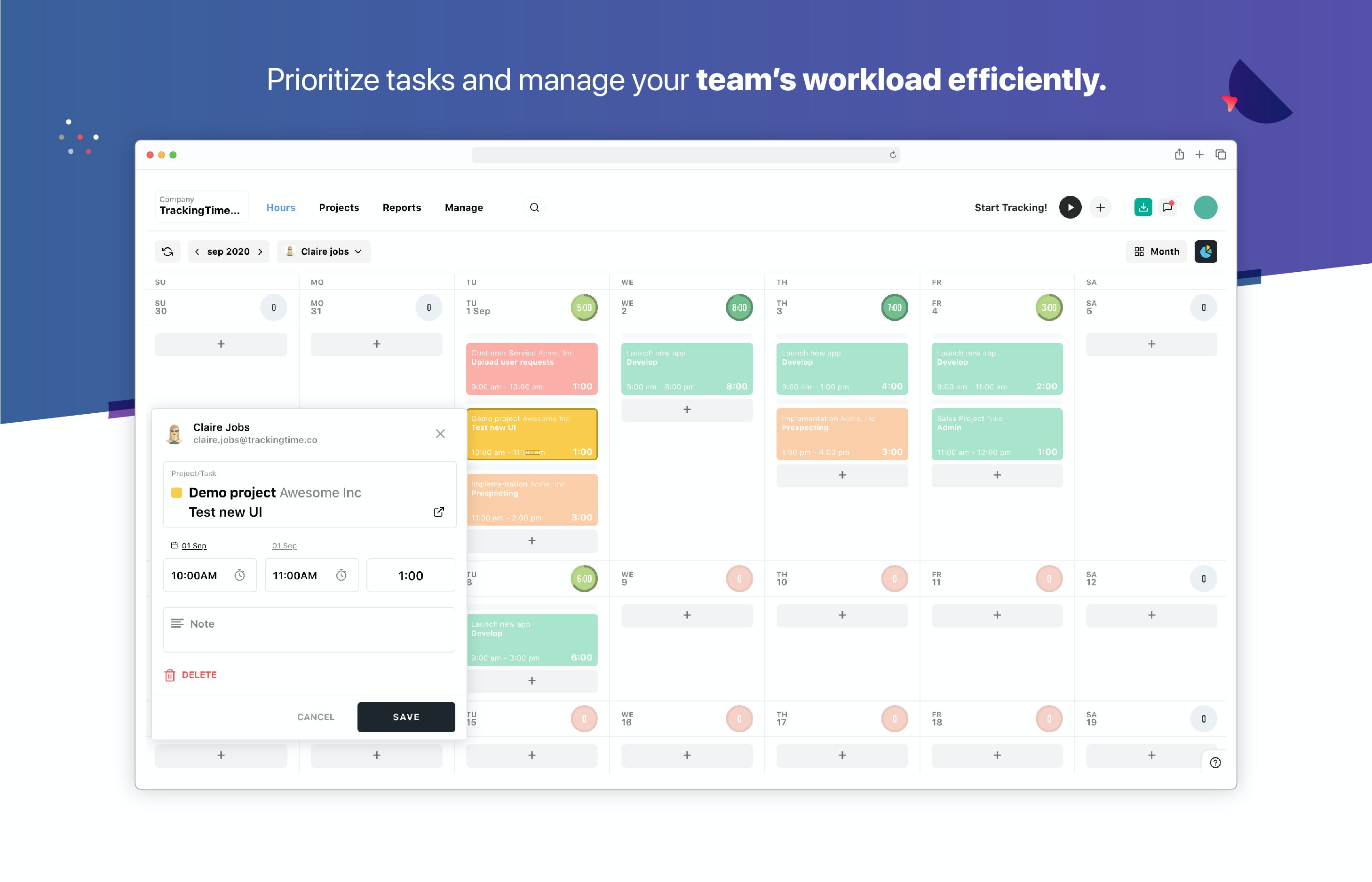
To start using TrackingTime, sign up on the official website and choose a suitable plan. Once logged in, you can create projects, assign tasks, and invite team members.

Users can start tracking time manually or using automated timers while working on tasks. Managers can view real-time dashboards, activity summaries, and detailed reports to monitor productivity and project status. Timesheets can be exported for payroll, invoicing, or client billing. For guidance, users can explore built-in tutorials and the help center.

Features of TrackingTime

  • Automatic Time Tracking: Track work hours with minimal manual input

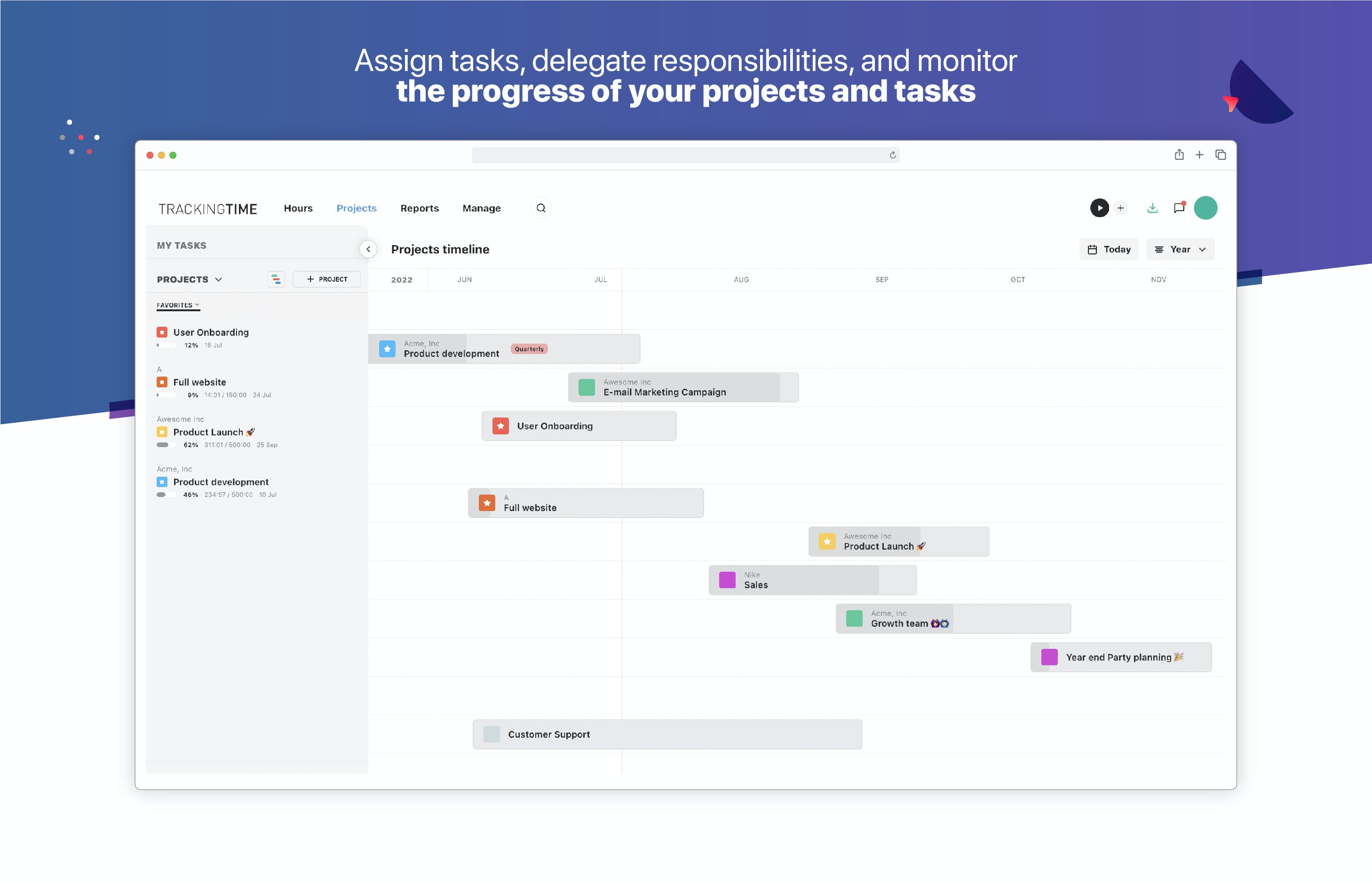
  • Task & Project Tracking: Assign and monitor tasks across teams

  • Timesheet Management: Exportable and customizable timesheets

  • Detailed Reports: Insights on productivity, attendance, and project time

  • Team Dashboard: Real-time overview of team activity

  • Integrations: Connect with project management and collaboration tools

  • Mobile App Access: Track time and productivity on the go

  • User-Friendly Interface: Easy setup and quick adoption

TrackingTime Demo

You can explore TrackingTime with a live demo by contacting Techimply. The demo helps you understand how the TrackingTime software works, explore key features, and see how it fits your business needs before subscribing.

TrackingTime Pricing

TrackingTime offers flexible pricing plans suitable for freelancers, small teams, and enterprises. For detailed pricing information and plan comparisons, contact Techimply. Their team will help you choose the best plan based on your team size and requirements.

Alternative

AFAS Software

One solution for your entire organization

4.3
Rating out of 5 Based on 20 reviews

Quickbase

Meet Quickbase AI! The future of dynamic work is now

4.0
Rating out of 5 Based on 10 reviews

ClickUp

By ClickUp

0.0
Rating out of 5 Based on 0 reviews

TrackingTime Video/Screenshots

User Reviews

no-reviews
Share your experience! Be the very first reviewer. Write a Review

Frequently Asked Questions (FAQs)

The user group of TrackingTime are as follows :

  • Startups
  • SMEs
  • Agencies
  • Enterprises

TrackingTime has 3 plans,

  • starter USD 3.75 /Month
  • Pro USD 5.75 /Month
  • Business USD 10 /Month

TrackingTime is allowed 0 Days Free Trial.

The key featuers of TrackingTime are as follows :

  • Collaboration Tools
  • Reporting/Analytics

TrackingTime pricing model : Yearly,Monthly,Onetime(Perpetual License)

TrackingTime is Cloud Hosted,Hybrid,On Premise,Any Software.

Yes

TrackingTime offers Phone,Email,Live Chat support.

TrackingTime provides Help Guides,Blogs for the software training.