Teachmint

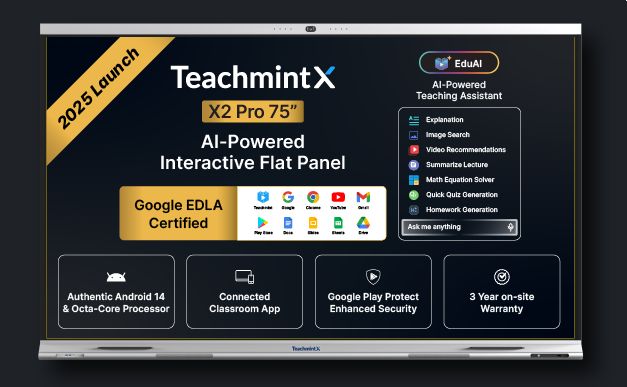
Google EDLA Certified AI-Powered Connected Classroom Device

0.0
Rating out of 5 Based on 0 reviews

What is Teachmint ?

Teachmint is a complete virtual teaching platform that allows teachers to manipulate lessons, students, and studying content correctly. It provides a digital school room surroundings where teachers can deliver stay lectures, conduct assessments, and song pupil progress. Teachmint login offers both teacher and pupil portals, making it easy to have interaction and collaborate remotely. Institutions can use Teachmint to streamline administrative tasks including attendance, rate series, and timetable management. The platform is designed to reduce the weight of guide operations at the same time as ensuring that educational first-rate is maintained. With teachmint login as pupil, freshmen can without difficulty get right of entry to lessons, assignments, and study fabric. Teachmint for windows 10 enhances accessibility for customers who decide on desktop answers, complementing its cell app for a fully flexible getting to know enjoy.

Pricing of Teachmint

Advanced

INR -0.01
INR 0.00

Buy Now
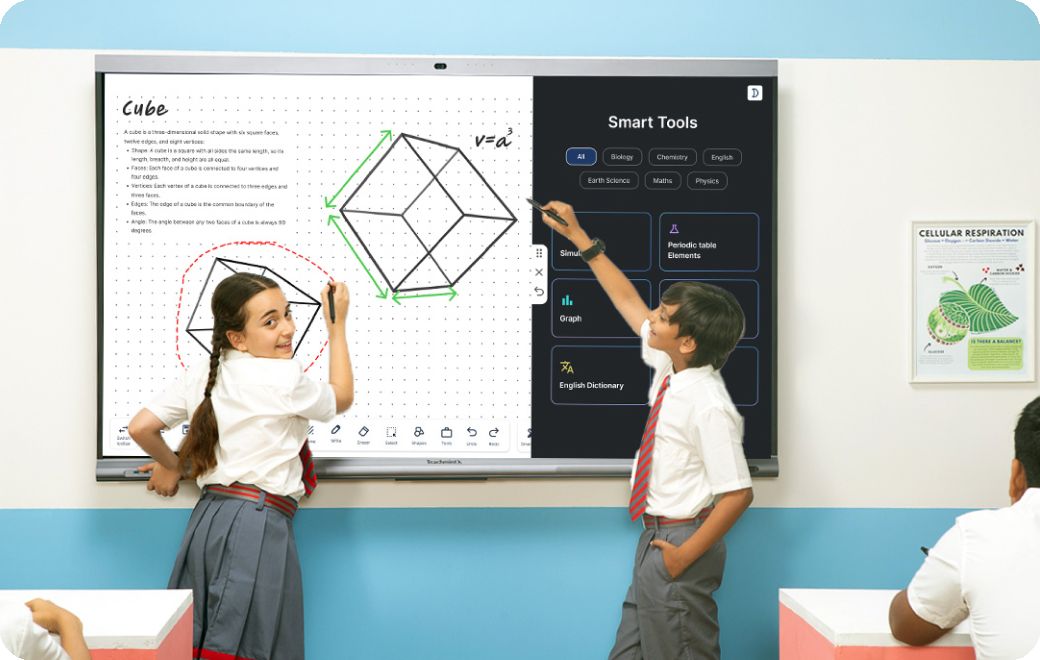
  • Digital Whiteboard
  • EduAI
  • Next-Gen Hardware
  • Classroom App
  • Digital Whiteboard
  • Next-Gen Hardware
  • Classroom App

Pro

INR -0.01
INR 0.00

Buy Now
  • EduAI

Key Specification

Other Categories: Whiteboard Software For Mac Whiteboard Software For PC Whiteboard Software
Deployment: Hybrid
Customer Support: Email,Business Hours
Customization: Yes
Languages Support: Arabic, Bengali/Bangla, English, French, Hindi, Malay, Tamil

Who uses Teachmint

Personal
Personal
Enterprises
Enterprises

Company Details

Company Name: Teachmint
Headquarter: Bangalore, Karnataka India
Social Media:

Teachmint Description

Why choose Teachmint?

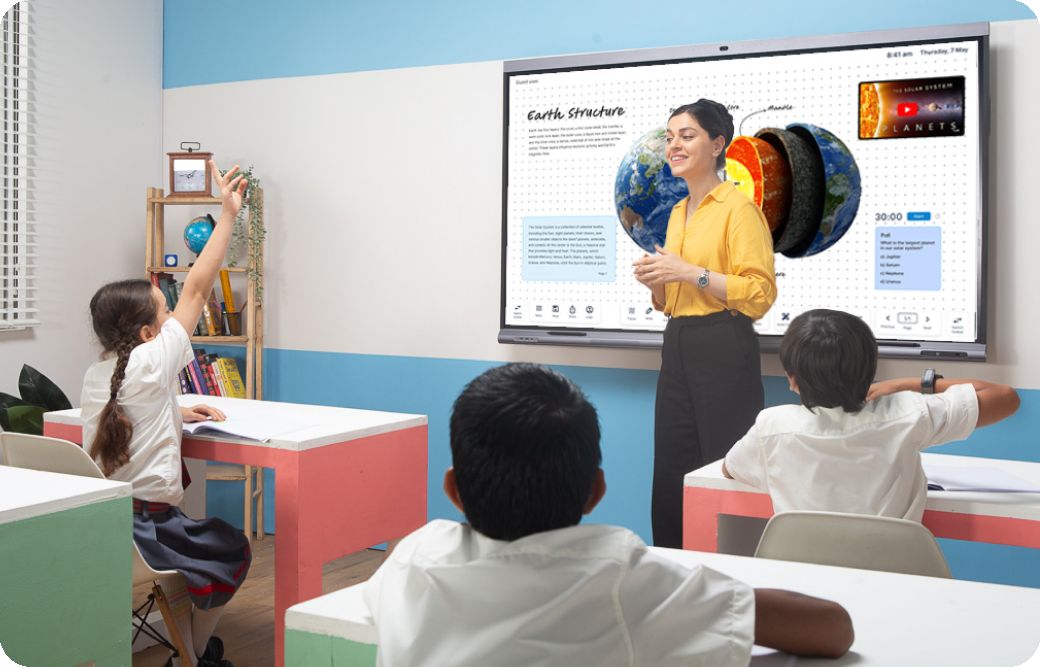
Teachmint is a great desire for educators and institutions as it gives a fully virtual and integrated study room enjoy that simplifies coaching and gaining knowledge of. It lets in instructors to conduct stay video lessons, control assignments, take attendance, and track scholar development, all from a unmarried platform. The platform supports actual-time interplay among instructors and college students via functions like chat, polls, and quizzes, which decorate engagement and information. Its compatibility with more than one devices, inclusive of the Teachmint app down load for windows 10, ensures accessibility for both teachers and college students every time, anywhere. Institutions gain from streamlined administrative tools for fee management, timetable scheduling, and notifications, decreasing the burden of manual operations. Less expensive pricing plans make it accessible to a extensive range of users, from person educators to large schools and training facilities. Additionally, at ease login through teachmint login and dependable cloud-primarily based infrastructure ensure statistics safety and smooth operation. Superb Teachmint reviews constantly highlight its consumer-pleasant interface, efficiency, and capacity to convert the coaching-gaining knowledge of manner into a extra prepared, interactive, and effective revel in.

Benefitss of Teachmint:

  • Allows on-line teaching, allowing educators to attain students anywhere within the international.
  • Simplifies classroom management via integrating attendance, assignments, and progress tracking.
  • Enhances student engagement with interactive tools like polls, quizzes, and stay classes.
  • Saves time and decreases administrative workload for instructors and establishments.
  • Gives scalable answers suitable for small education classes to big schools.
  • Offers a centralized platform where instructors can keep and proportion look at substances with students.
  • Permits college students to get admission to lessons every time through teachmint login as pupil or the teachmint app download for windows 10.
  • Improves the overall learning experience through making training extra organized, interactive, and accessible.
  • Nice Teachmint evaluations emphasize progressed learning effects and the platform’s ease of use.

How to Use Teachmint?

To apply Teachmint, begin by means of developing an account on teachmint.Com as either a trainer or a pupil. Teachers can create training, upload have a look at cloth, and schedule live periods in keeping with their timetable. As soon as a class is created, college students can be part of through teachmint login as pupil or via the Teachmint app download for home windows 10. Teachers can take attendance, conduct stay quizzes, and assign homework at once on the platform. The system additionally lets in sending notifications to students and dad and mom approximately upcoming lessons or bulletins. Using teachmint for home windows 10 ensures a easy computer experience, allowing teachers to control multiple classes simultaneously. Students can get entry to recorded classes, publish assignments, and screen their progress through the years. The platform additionally lets in direct interplay via chat features, imparting on the spot rationalization on doubts. Administrators can use Teachmint to manage multiple instructors and classes, generate reports, and hold a entire record of scholar performance.

Features of Teachmint:

  • Stay video training with interactive equipment like polls and quizzes.
  • Attendance management with computerized tracking and reporting.
  • Assignment and homework management, along with submission and grading.
  • Charge management and automatic reminders for college students and dad and mom.
  • Timetable introduction and class scheduling for instructors and institutions.
  • Student progress tracking with particular performance analytics.
  • Like minded with cellular gadgets, drugs, and computer systems, together with teachmint for windows 10.
  • Comfy login for instructors and college students via teachmint login.
  • Storage and sharing of observe materials in the cloud.
  • Notifications and bulletins to ensure well timed communication with college students.

Teachmint Demo & Pricing: 

 The platform offers a demo surroundings where educators and students can discover functions including stay lessons, venture submissions, and attendance management to apprehend its functionality. Teachmint offers various pricing plans tailored for character educators, small education facilities, and large institutions. The plans are designed to be lower priced whilst imparting get entry to to the total suite of coaching gear.

Alternative

ClickUp

By ClickUp

0.0
Rating out of 5 Based on 0 reviews

Miro

By Miro

0.0
Rating out of 5 Based on 0 reviews

Mural

By Mural

0.0
Rating out of 5 Based on 0 reviews

Teachmint Video/Screenshots

User Reviews

no-reviews
Share your experience! Be the very first reviewer. Write a Review

Frequently Asked Questions (FAQs)

The user group of Teachmint are as follows :

  • Personals
  • Enterprises

Teachmint has 2 plans,

  • Advanced INR -0.01
  • Pro INR -0.01

Teachmint is allowed 0 Days Free Trial.

Teachmint pricing model : Yearly,Monthly

Teachmint is Hybrid Software.

Yes

Teachmint offers Email,Business Hours support.