STOPzilla AntiVirus

By STOPzilla

0.0
Rating out of 5 Based on 0 reviews

What is STOPzilla AntiVirus?

STOPzilla AntiVirus is a cybersecurity software solution designed to protect computers from malware, viruses, spyware, and other online threats. Known for its lightweight performance and real-time protection, it is developed to ensure proactive defense without slowing down system operations. STOPzilla combines antivirus and anti-spyware technologies to offer layered protection, detecting threats before they can cause harm. It’s suitable for both home and small business users looking for an efficient, easy-to-use tool to secure digital environments. Its automatic updates ensure that the software remains effective against emerging threats, making it a reliable choice in today's digital landscape.

Pricing of STOPzilla AntiVirus

Basic

USD 39.95
USD 0.00

Per Year

Buy Now

Key Features of STOPzilla AntiVirus

Key Features:
  • Threat Response

Key Specification

Other Categories: AntiVirus Software Network Security Software Internet Security Software
Deployment: Cloud Hosted,Hybrid,On Premise,Any
Customer Support: Phone,Email,Live Chat
Languages Support: English

Who uses STOPzilla AntiVirus

StartUps

StartUps
SMEs
SMEs
Agencies
Agencies
Enterprises
Enterprises

Company Details

Company Name: STOPzilla
Headquarter: United States
Social Media:

STOPzilla AntiVirus Description

Why Choose STOPzilla AntiVirus?

STOPzilla AntiVirus stands out for its strong commitment to proactive threat detection and system efficiency. Unlike many antivirus programs that can slow down your device, STOPzilla is optimized for performance, offering robust protection without compromising speed. It uses advanced threat detection technology, which includes behavior analysis and heuristic scanning to identify and neutralize threats in real time. Users benefit from an intuitive interface, fast scan speeds, and real-time updates. Moreover, the software has been independently tested for high detection rates against both known and unknown threats. If you’re seeking an antivirus solution that is both effective and lightweight, STOPzilla makes a compelling case. It is especially appealing for users who need ongoing protection without dealing with bloated software or complex settings.

Benefits of STOPzilla AntiVirus

STOPzilla AntiVirus delivers a range of benefits for users who prioritize cybersecurity and performance. First, it offers real-time threat protection, ensuring your system is continuously safeguarded. The software uses dual engines to detect both viruses and spyware, improving overall protection. Its lightweight design minimizes system resource usage, making it ideal for older or less powerful computers. Another key benefit is automatic updates, which keep the virus definitions current without user intervention. STOPzilla also features quick and deep scan modes, allowing users to tailor their security checks to their needs. Its user-friendly interface makes it easy for beginners, while advanced settings appeal to tech-savvy users. Together, these features ensure both casual and experienced users enjoy seamless, comprehensive protection.

How to Use STOPzilla AntiVirus

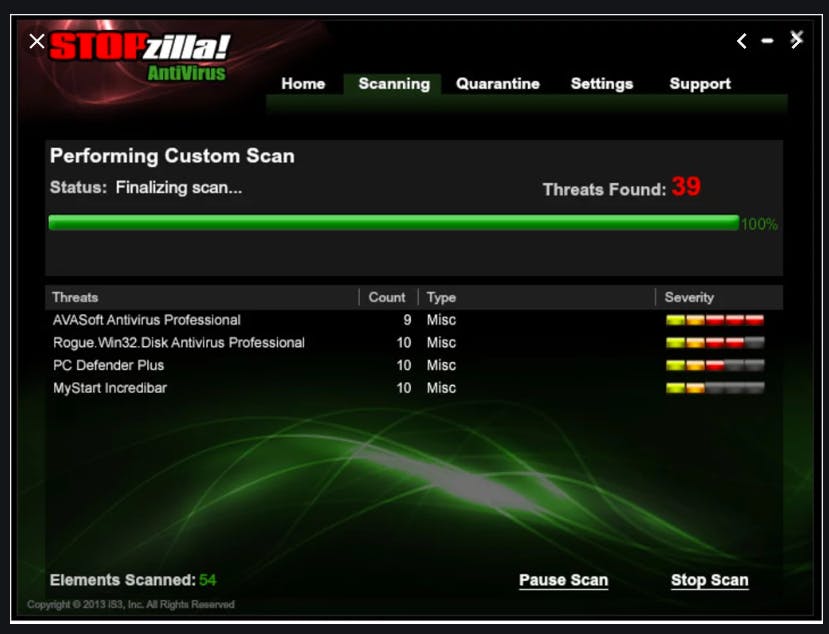
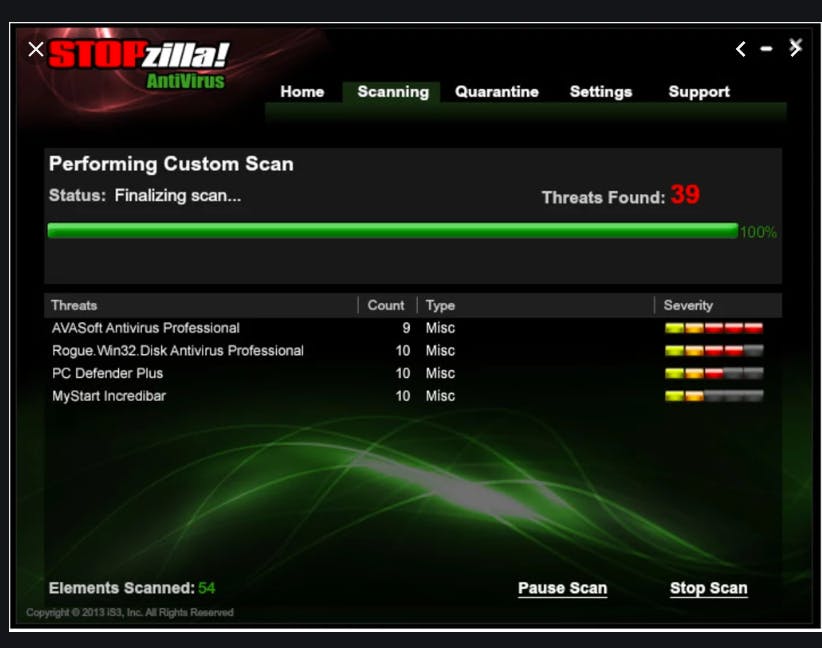
Using STOPzilla AntiVirus is straightforward, even for beginners. After downloading and installing the software, users can initiate a quick scan or deep scan of their system to detect existing threats. The dashboard is intuitive, offering clearly labeled sections for scanning, updating, and configuring preferences. Once installed, the antivirus runs quietly in the background, offering real-time protection. Users can schedule automatic scans or perform them manually at their convenience. The software automatically downloads and installs virus definition updates, ensuring your protection is always current. STOPzilla also offers custom scan options, allowing users to target specific folders or drives. If threats are found, STOPzilla provides details and recommended actions such as quarantine or deletion. For ease of use, all alerts and actions are presented in plain language, avoiding technical jargon.

Features of STOPzilla AntiVirus

STOPzilla AntiVirus offers a comprehensive suite of features tailored to modern security needs. Key features include:

  • Real-Time Threat Detection: Actively scans for malware, spyware, and viruses as they attempt to enter your system.

  • Dual-Engine Protection: Combines antivirus and anti-spyware engines for layered defense.

  • Customizable Scans: Quick, deep, or custom scans allow flexibility depending on your security needs.

  • Automatic Updates: Ensures the latest virus definitions and patches are always applied.

  • Resource Efficiency: Minimal impact on system performance even during scans.

  • Scheduled Scanning: Allows users to automate scans at preferred times.

  • Quarantine & Threat Logs: Isolates detected threats and maintains a history for review.

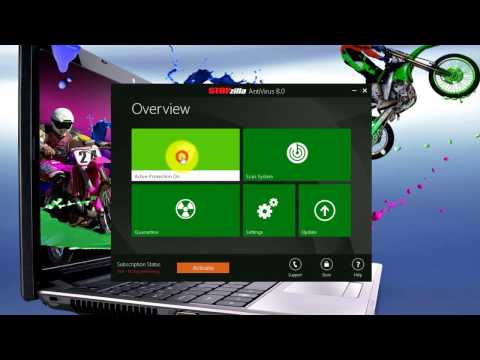
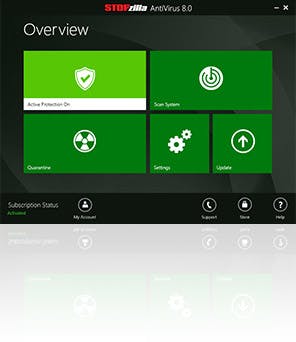
  • Intuitive Dashboard: Easy navigation and configuration, suitable for all user levels.

These features make STOPzilla both powerful and accessible.

What Makes STOPzilla AntiVirus Different?

STOPzilla AntiVirus differentiates itself through a balance of high-level security and low system impact. Unlike many traditional antivirus tools, STOPzilla is optimized to work efficiently on low-resource systems, making it ideal for users with older computers. It also uniquely integrates both antivirus and anti-spyware engines, providing more comprehensive protection. Another standout is its user-centric interface—designed for ease of use without sacrificing advanced configuration options. STOPzilla emphasizes proactive protection, identifying threats before they cause harm rather than just responding after the fact. Its regular automatic updates and fast scanning engine further enhance user experience. The combination of speed, simplicity, and strong defense mechanisms makes it an excellent choice for users who want a dependable, lightweight security solution.

Who Can Benefit from STOPzilla AntiVirus?

STOPzilla AntiVirus is a versatile security solution suitable for a wide range of users. Home users benefit from its ease of use and powerful protection against phishing, spyware, and viruses. Small business owners will appreciate its efficient performance and low system impact, especially in environments where multiple devices must be secured without sacrificing speed. It’s also ideal for students, remote workers, and freelancers who handle sensitive data or perform online transactions. Additionally, users with older PCs or laptops can take advantage of its lightweight footprint, ensuring strong protection without hardware upgrades. For those with limited technical knowledge, STOPzilla’s intuitive design and automated features reduce the complexity typically associated with antivirus software. Essentially, anyone seeking reliable, resource-friendly security can benefit from STOPzilla.

Is STOPzilla AntiVirus Easy to Use?

Yes, STOPzilla AntiVirus is designed with usability as a priority. From installation to ongoing use, the software guides users through each step with a clean and intuitive interface. Upon installation, users are prompted to run an initial scan and update their virus definitions. The main dashboard provides easy access to scan options, settings, threat logs, and updates. Users can initiate a scan with just one click and schedule future scans at regular intervals. The software displays real-time notifications in simple language, so even non-technical users can take appropriate action. Advanced users can explore deeper configuration settings, but general users will find the default options sufficient for effective protection. This user-centric approach ensures STOPzilla is accessible to all, whether you’re a casual home user or a tech-savvy professional.

What Support Does STOPzilla AntiVirus Offer?

STOPzilla AntiVirus provides solid support options to assist users with setup, troubleshooting, and ongoing use. The company offers email and live chat support, with responsive agents trained to handle both technical and general queries. A detailed online knowledge base is also available, containing guides, FAQs, and tutorials covering common issues and usage tips. For more complex problems, STOPzilla’s support team can provide remote assistance, helping users diagnose and resolve issues directly. Software updates and patches are automatically pushed, reducing the need for manual intervention. Additionally, users receive alerts and explanations when potential threats are found, along with recommended actions. The support system is geared toward ensuring that users feel confident and secure while using the product, with help available every step of the way.

Alternative

NordVPN

The most advanced VPN. And much more

0.0
Rating out of 5 Based on 0 reviews

Tenable.io

Tenable One Exposure Management Platform

0.0
Rating out of 5 Based on 0 reviews

ManageEngine Endpoint Central

Effortless IT management, enhanced endpoint security

0.0
Rating out of 5 Based on 0 reviews

STOPzilla AntiVirus Video/Screenshots
User Reviews

no-reviews
Share your experience! Be the very first reviewer. Write a Review

Frequently Asked Questions (FAQs)

The user group of STOPzilla AntiVirus are as follows :

  • Startups
  • SMEs
  • Agencies
  • Enterprises

STOPzilla AntiVirus has 1 plans,

  • Basic USD 39.95 Per Year

STOPzilla AntiVirus is allowed 0 Days Free Trial.

The key featuers of STOPzilla AntiVirus are as follows :

  • Threat Response

STOPzilla AntiVirus pricing model : Yearly,Monthly,Onetime(Perpetual License)

STOPzilla AntiVirus is Cloud Hosted,Hybrid,On Premise,Any Software.

STOPzilla AntiVirus offers Phone,Email,Live Chat support.

STOPzilla AntiVirus provides Blogs for the software training.