Spiceworks Network Monitor

By Spiceworks Network Monitor

0.0
Rating out of 5 Based on 0 reviews

What is Software?

(100 words) Software is a collection of programs, data, and instructions that tell a computer how to work. It enables users to perform specific tasks, from simple calculations to complex operations such as data analysis and network monitoring. Software can be categorized into system software, which manages hardware and core functions, and application software, which performs user-oriented tasks. Examples include word processors, web browsers, and network monitoring tools. Software is essential for enabling interaction between users and computers, automating processes, improving productivity, and solving real-world problems efficiently in both personal and professional environments.

Pricing of Spiceworks Network Monitor

Core

USD 0.00
USD 0.00

Free Up to 5 Seats

Buy Now
  • Employee Seats (1-5 Seats)
  • Ticketing
  • Incident Tracking
  • Alerts
  • Reporting
  • Unlimited End Users
  • End User Portal
  • Create and Sort by Custom Attributes
  • Multi Factor Authentication
  • Ad Free

Premium

USD 6.00
USD 0.00

Per Seat Per Month

Buy Now
  • Employee Seats Unlimited Seats
  • Ticketing
  • Incident Tracking
  • Alerts
  • Reporting
  • Unlimited End Users
  • End User Portal
  • Create and Sort by Custom Attributes
  • Multi Factor Authentication
  • Ad Free
  • Tasklists
  • Bulk Actions

Key Features of Spiceworks Network Monitor

Key Features:
  • Web Traffic Reporting
  • Uptime Monitoring
  • SLA Monitoring
  • Server Monitoring
  • Real Time Analytics
  • IP Address Monitoring
  • Internet Usage Monitoring
  • Diagnostic Tools
  • Baseline Manager
  • Bandwidth Monitoring
  • Resource Management

Key Specification

Other Categories: Network Monitoring Software Free Network Monitoring Software
Deployment: Cloud Hosted
Customer Support: Online (Ticket)
Customization: No
Languages Support: English

Who uses Spiceworks Network Monitor

SMEs

SMEs
Enterprises
Enterprises

Company Details

Company Name: Spiceworks Network Monitor
Headquarter: Austin, Texas United States
Social Media:

Spiceworks Network Monitor Description

Why Choose Spiceworks Network Monitor?

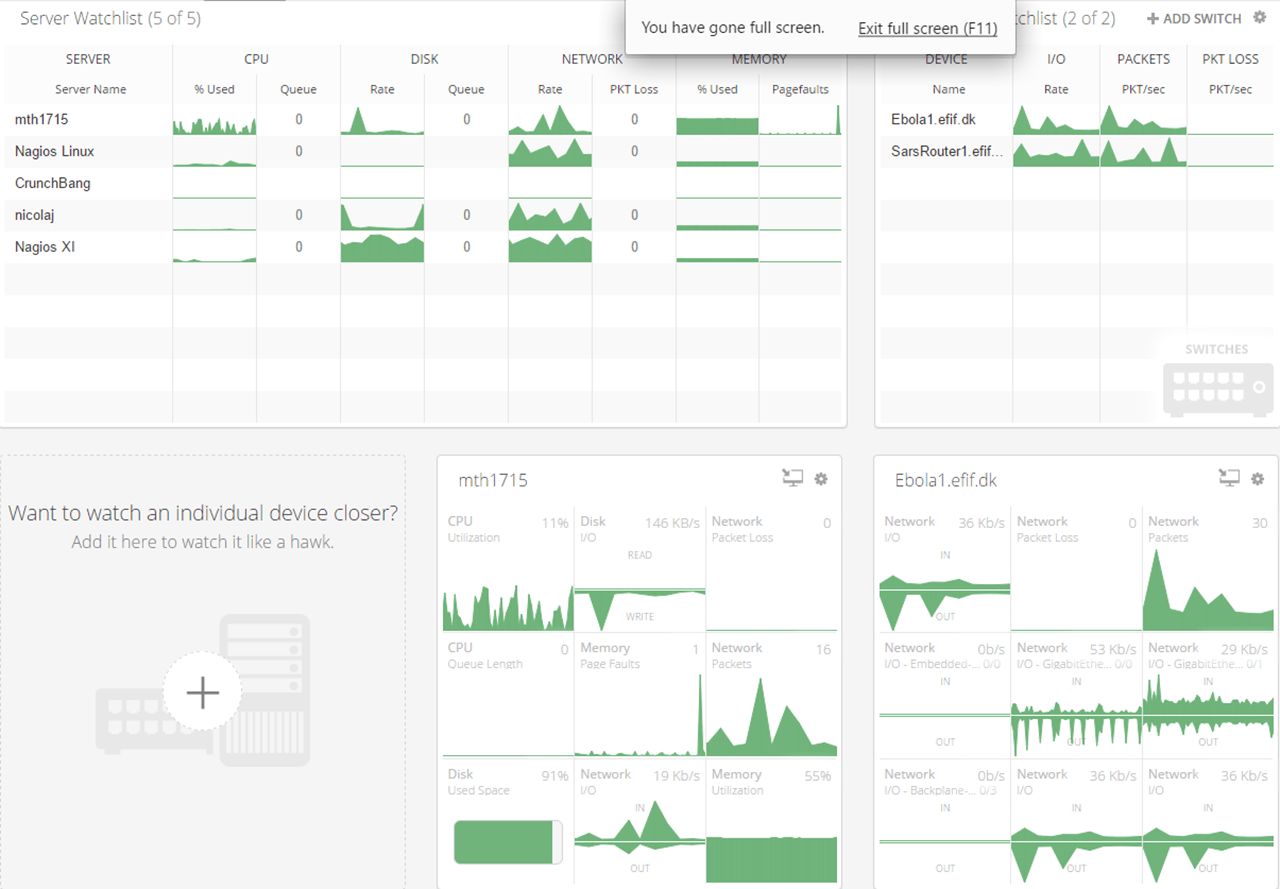
Spiceworks Network Monitor is a free, real-time network monitoring tool designed to help IT professionals track the health and performance of their network devices and servers. It offers an intuitive interface and detailed insights without the burden of expensive licenses or complex configurations. Unlike other solutions, Spiceworks emphasizes simplicity and community support, making it ideal for small to medium-sized businesses. With its ability to monitor CPU, memory, disk activity, and bandwidth usage, it ensures your network runs smoothly. It also includes instant alerts that help IT teams detect issues before they affect operations. If you're seeking a cost-effective yet powerful tool, Spiceworks is a smart choice.


Benefits of Spiceworks Network Monitor

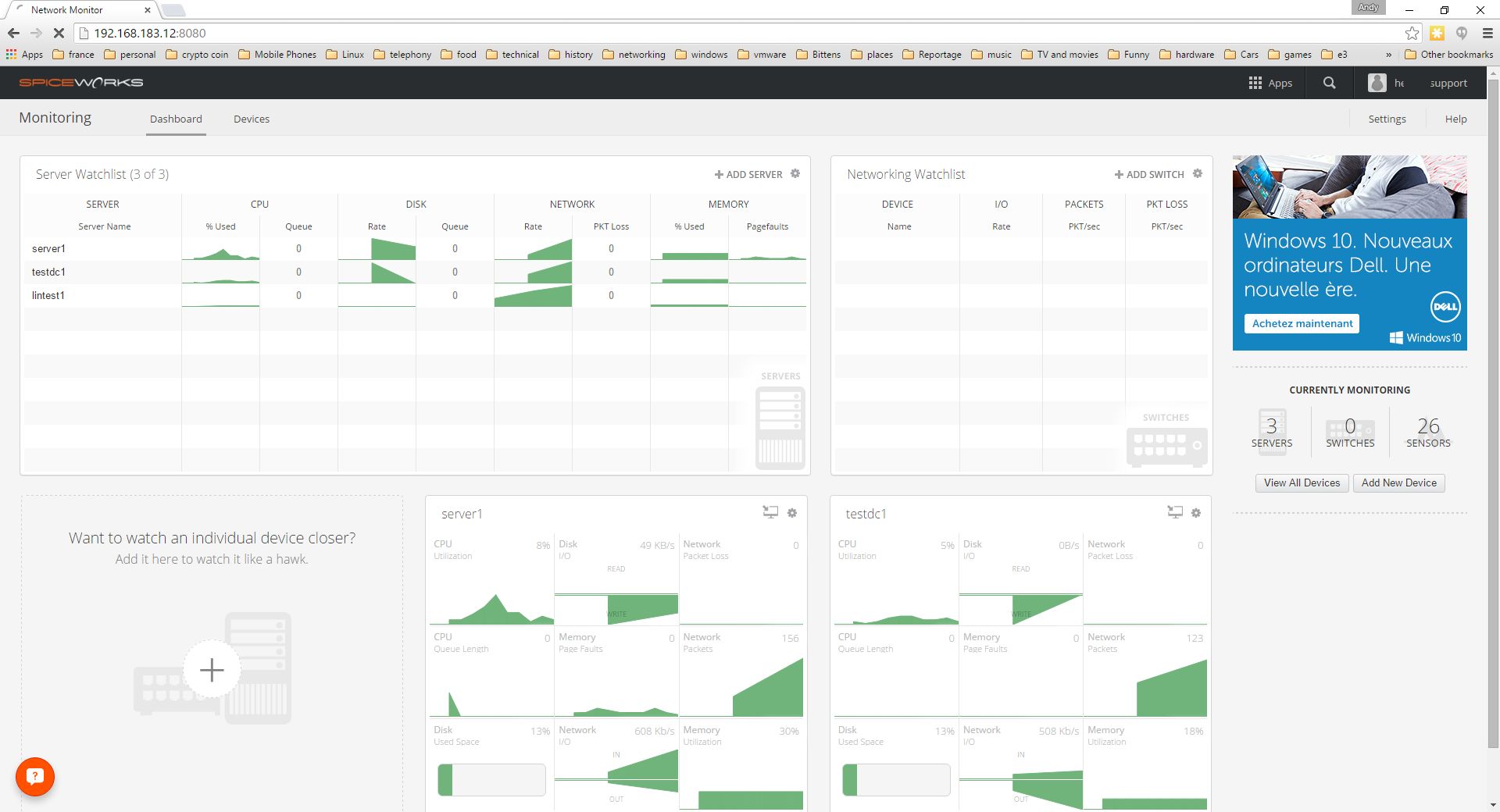
Spiceworks Network Monitor offers several benefits, especially for small and mid-sized IT teams. It allows you to monitor network performance in real-time, helping detect and address issues before they escalate. The software is completely free, which makes it highly accessible for budget-conscious organizations. It provides customizable alerts to ensure you're notified about potential problems instantly. The user-friendly dashboard makes it easy to track critical metrics like CPU usage, disk space, and memory. With its lightweight installation and minimal system resource use, it doesn’t slow down your environment. Additionally, the strong Spiceworks community offers excellent peer support and troubleshooting advice, enhancing its usability even more.


How to Use Spiceworks Network Monitor

Using Spiceworks Network Monitor is straightforward. Start by downloading the free software from the Spiceworks website. Install it on a Windows machine connected to your network. Once installed, the software automatically scans and detects network devices. You can then manually add or edit devices if needed. Customize which parameters to monitor—such as CPU, memory, disk usage, and network traffic. Set up alert thresholds to get real-time notifications via email or on the dashboard when performance dips. Use the dashboard to monitor the health of your servers and devices at a glance. Historical data helps with trend analysis, enabling you to anticipate issues before they arise. Regular use helps optimize network performance and prevent outages.


Features of Spiceworks Network Monitor

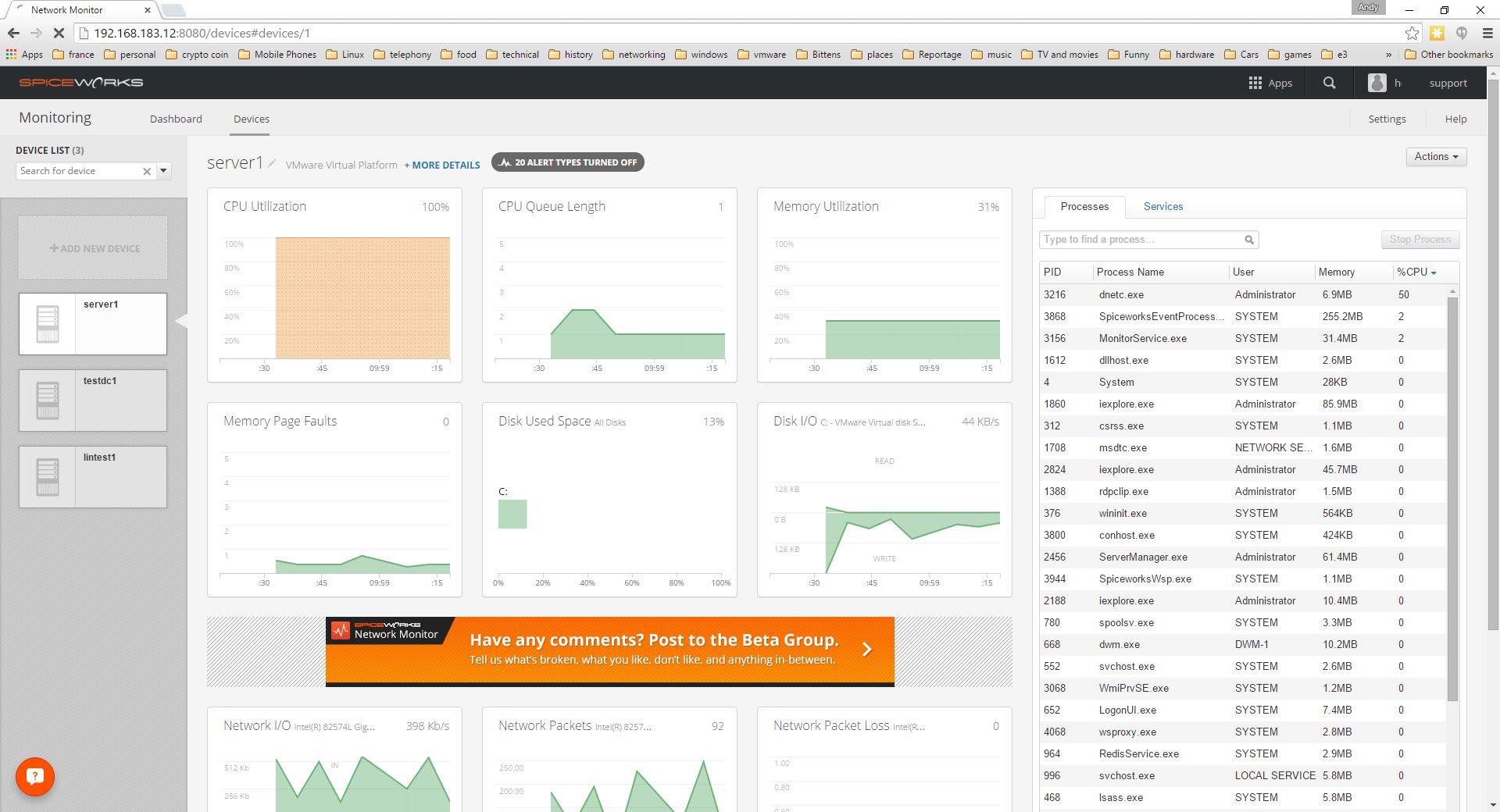
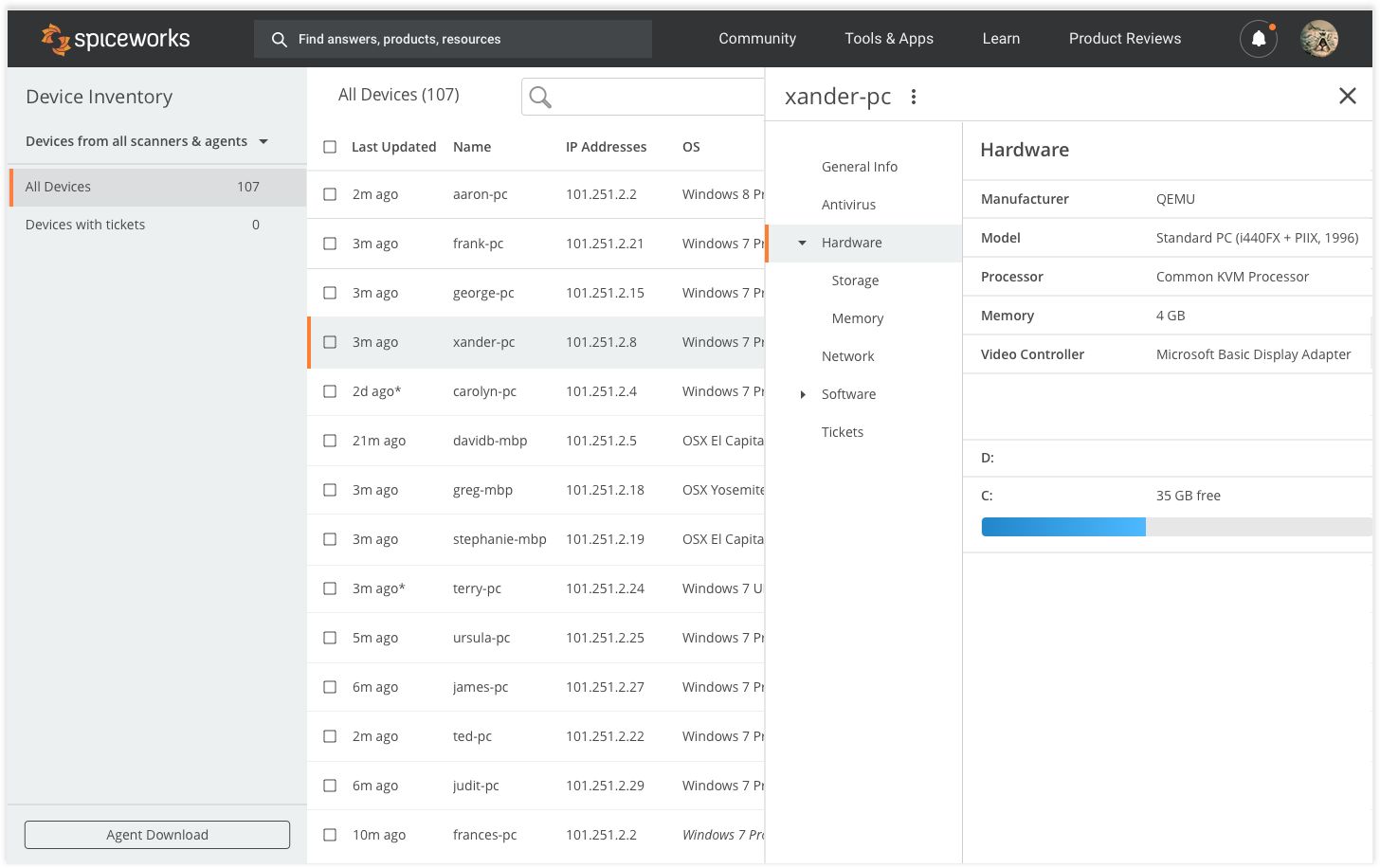
Spiceworks Network Monitor offers a comprehensive set of features tailored to IT professionals. Its core functionality includes real-time monitoring of network devices, servers, and workstations. You can track vital metrics such as CPU load, memory usage, disk activity, and bandwidth consumption. Custom alerts notify you immediately if any device crosses a performance threshold. The user-friendly dashboard offers a visual overview of your network’s health, with color-coded statuses for quick diagnostics. Device autodiscovery simplifies setup, while historical data tracking allows for performance trend analysis. It supports monitoring via SNMP and WMI protocols, and can handle hundreds of devices with minimal resource usage. Best of all, it’s completely free and doesn’t lock features behind paywalls.


What Makes Spiceworks Network Monitor Different?

Spiceworks Network Monitor stands out due to its simplicity, affordability, and active user community. Unlike many network monitoring tools that require expensive licenses or steep learning curves, Spiceworks offers a completely free solution without compromising core functionality. It delivers essential monitoring capabilities like real-time alerts, performance dashboards, and trend reporting, all with an intuitive interface. Another unique aspect is its strong community support—users can share insights, solve problems, and collaborate through the Spiceworks forums. Moreover, it’s designed with small and mid-sized businesses in mind, ensuring lightweight operation and easy deployment. With no hidden fees and a focus on practical features, it’s a compelling choice for businesses that need effective network monitoring without the overhead.


Who Can Benefit from Spiceworks Network Monitor?

Spiceworks Network Monitor is ideal for IT professionals in small to mid-sized businesses who need an effective and budget-friendly way to manage network performance. System administrators can use it to proactively monitor server health and minimize downtime. Managed Service Providers (MSPs) benefit from its multi-device tracking and real-time alerts to support their clients’ infrastructure. Educational institutions, non-profits, and startups with limited IT budgets also find great value in its free model. Even larger organizations can use it for departmental-level monitoring or as a supplementary tool. Its ease of use means that even less-experienced IT staff can deploy and manage it effectively. Overall, anyone needing to keep an eye on network devices and servers can benefit from Spiceworks.


Is Spiceworks Network Monitor Easy to Use?

Yes, Spiceworks Network Monitor is designed with ease of use in mind. Its installation process is quick and requires no advanced configuration—simply download and install on a Windows machine. The user interface is clean and intuitive, offering a centralized dashboard where all monitored devices and metrics are clearly displayed. Device autodiscovery minimizes manual setup, and customizable alert settings ensure you stay informed without being overwhelmed. You don’t need to be a seasoned network engineer to navigate the system or interpret the data. Additionally, Spiceworks offers plenty of documentation, community support, and guides to help you make the most of the software. Its simplicity makes it accessible even to small IT teams or solo administrators.


What Support Does Spiceworks Network Monitor Offer?

Spiceworks Network Monitor offers robust support through multiple channels. While the tool itself is free, users benefit from a large, active community forum where IT professionals share solutions, scripts, and advice. This peer-to-peer support is one of the platform’s strengths. Spiceworks also provides comprehensive online documentation, including how-to guides, FAQs, and troubleshooting tips. For more direct help, users can submit support tickets through the Spiceworks Help Desk. Though premium-level support may not be offered for the free tool, the combination of community input and official resources ensures users can resolve most issues effectively. Additionally, Spiceworks regularly updates the software to fix bugs and improve functionality, keeping the tool reliable and up to date.

Alternative

Nagios XI

By Nagios XI

0.0
Rating out of 5 Based on 0 reviews

ManageEngine OpManager Plus

Achieve holistic IT infrastructure monitoring with OpManager Plus, an AI-powered full-stack observability solution.

0.0
Rating out of 5 Based on 0 reviews

Obkio

By Obkio

0.0
Rating out of 5 Based on 0 reviews

Spiceworks Network Monitor Video/Screenshots

User Reviews

no-reviews
Share your experience! Be the very first reviewer. Write a Review

Frequently Asked Questions (FAQs)

The user group of Spiceworks Network Monitor are as follows :

  • SMEs
  • Enterprises

Spiceworks Network Monitor has 2 plans,

  • Core USD 0.00 Free Up to 5 Seats
  • Premium USD 6.00 Per Seat Per Month

Spiceworks Network Monitor is not allowing Free Trial.

The key featuers of Spiceworks Network Monitor are as follows :

  • Web Traffic Reporting
  • Uptime Monitoring
  • SLA Monitoring
  • Server Monitoring
  • Real Time Analytics
  • IP Address Monitoring
  • Internet Usage Monitoring
  • Diagnostic Tools
  • Baseline Manager
  • Bandwidth Monitoring
  • Resource Management

Spiceworks Network Monitor pricing model : Onetime(Perpetual License)

Spiceworks Network Monitor is Online Software.

No

Spiceworks Network Monitor offers Online (Ticket) support.

Spiceworks Network Monitor provides Help Guides,Video Guides,Blogs for the software training.