Shotcut

Shotcut is a free, open source, cross-platform video editor.

0.0
Rating out of 5 Based on 0 reviews

What is Shotcut?

Shotcut is a free, open-source, and cross-platform video editor. It is known for its easy-to-use interface and strong features. This makes it a popular choice for beginners and experienced video creators. Unlike some other free editors, Shotcut doesn't impose watermarks or limitations on output, offering a truly unhindered editing experience. It supports many video, audio, and image formats. It also offers a non-linear editing workflow. This allows for flexible and creative changes to your media.

Pricing of Shotcut

no-pricing
For get detailed pricing as per your requirements.

Key Features of Shotcut

Key Features:
  • 3D Video Editing
  • Supports HD Resolution
  • Video Capture
  • Timeline Editing
  • Video Cropping
  • Video Trimming
  • Drag and Drop
  • 3-Point Editing
  • Keyframes
  • Chroma Key (Green Screen)
  • Text and Titles
  • Audio Mixing
  • Video and Audio Filters
  • Hardware Acceleration
  • Proxy Editing
  • Codec Independent
  • Resolution Support
  • Open Source
  • Blackmagic Design Support
  • File System Browser

Key Specification

Other Categories: Audio Conferencing Software Video Editing Software Video Editing Software For PC Audio Editing Software
Deployment: Cloud Hosted,Any
Customer Support: Phone,Email,Live Chat,Business Hours
Customization: Yes
Languages Support: Catalan, Chinese, Czech, Danish, Dutch, English, Finnish, French, German, Greek, Hungarian, Italian, Japanese, Polish, Portuguese, Russian, Spanish, Swedish, Turkish, Ukrainian

Who uses Shotcut

Personal
Personal
StartUps
StartUps
SMEs
SMEs
Agencies
Agencies
Enterprises
Enterprises

Company Details

Company Name: Shotcut
Headquarter: New York,
Social Media:

Shotcut Description

Why Choose Shotcut?

Shotcut stands out in the crowded field of video editors for several compelling reasons:

  • Completely Free and Open Source: No hidden costs, subscriptions, or watermarks. The open-source nature means a community of developers contributes to its continuous improvement and bug fixes.
  • Cross-Platform Compatibility: Whether you're on Windows, macOS, or Linux, Shotcut runs seamlessly across all major operating systems.
  • Wide Format Support: It supports many media formats. This means you usually don’t have to worry about compatibility issues with your footage.
  • Easy-to-Use Interface: Shotcut has many powerful features, but its interface is simple. This makes it easier for new users to start video editing.
  • Non-Linear Editing: This feature lets you arrange, cut, and combine clips in any order. It does not change the original source files, giving you great creative freedom.

Benefits of Shotcut

Here are some key benefits of using Shotcut for your video editing needs:

  • No cost involved, making it accessible to everyone.
  • Freedom from watermarks on your exported videos.
  • A diverse community providing support and development.
  • Runs on virtually any computer, regardless of its operating system.
  • Supports resolutions up to 4K & 8K, ideal for high-quality projects.
  • Rich set of filters and effects to enhance your videos.
  • Flexible and customizable interface.
  • Regular updates with new features and improvements.

How to Use Shotcut?

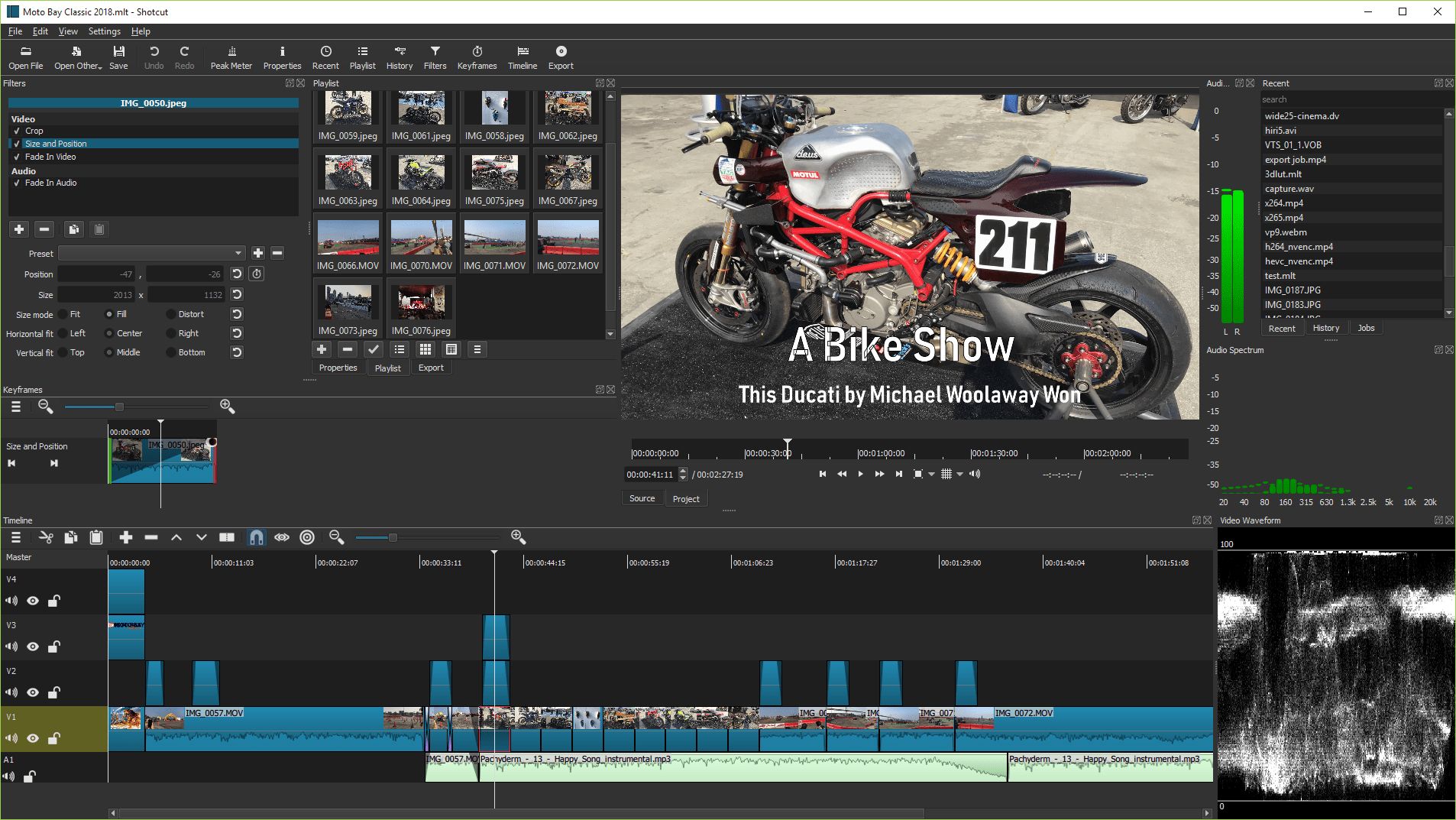
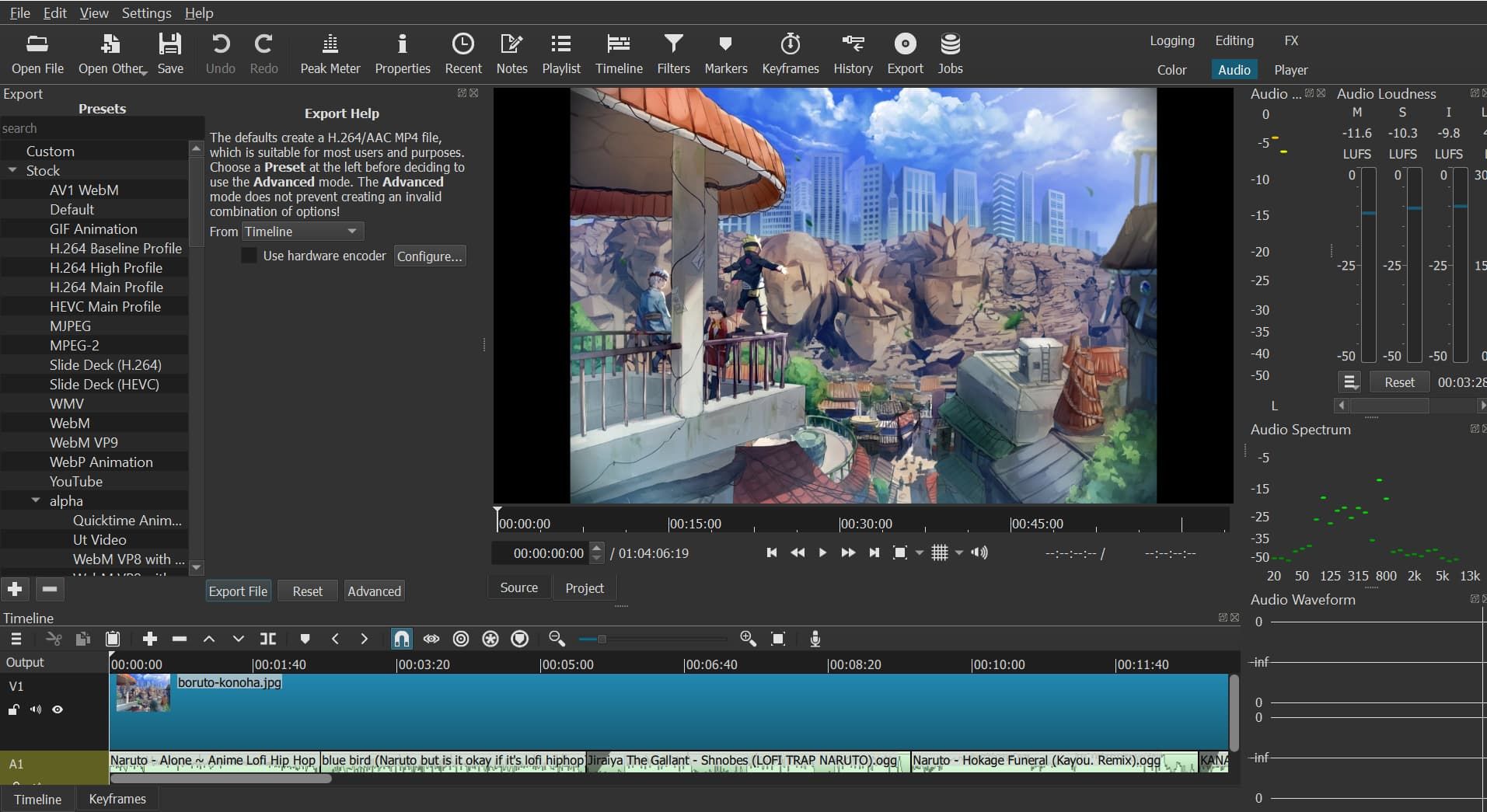
To use Shotcut, first download and install it. Launch the application, then create a new project. Import your media (videos, audio, images) into the "Playlist." Drag clips from the Playlist to the "Timeline" to arrange them. Edit your video on the timeline. You can trim, cut, and add transitions. You can also apply different video or audio filters, like color correction, text, and volume adjustments. Preview your project to check edits, and finally, export your video by choosing your desired format and quality settings.

Features of Shotcut

Shotcut boasts a comprehensive set of features that cater to various video editing requirements:

  • Wide Format Support: Native timeline editing with multi-format timelines, resolutions, and frame-rates within a project. Supports hundreds of audio and video formats via FFmpeg.
  • Device Support: Blackmagic Design SDI and HDMI for input and preview monitoring; webcam and audio capture.
  • Audio Features: Audio scopes show loudness, peak meter, waveform, and spectrum analyzer. There is volume control and many audio filters. These filters include balance, bass and treble, compressor, gain, high-pass, and low-pass.
  • Video Effects: There are many video filters and effects. These include color correction, grading with 3-way color wheels, and transitions like wipes and dissolves. Other effects are deinterlacing, blur, sharpen, chroma key, and overlays.
  • Non-Linear Editing: Multi-track timeline with thumbnails and waveforms, allowing for complex layering and compositing.
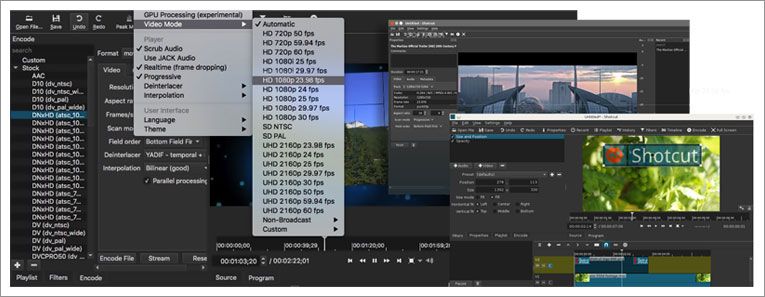
  • Interface: Customizable layout with dockable panels, zoomable timeline, and various UI themes.
  • Hardware Support: OpenGL GPU-based image processing and hardware encoding (H.264, H.265, VP8, VP9, etc.).
  • Keyframing: For animating filter parameters and other properties over time with easing functions.
  • Editing Tools: You can trim on the source clip player or timeline. Use options like ripple, cut, copy, paste, append, insert, overwrite, lift, and ripple delete.
  • Time Remapping: Adjust video speed (slow motion, fast motion) and reverse clips.

Alternative

Riverside

Create your best content yet.

0.0
Rating out of 5 Based on 0 reviews

Flocksy

Dedicated Creative Team · Zero Overhead

0.0
Rating out of 5 Based on 0 reviews

Promo.com

Your Creative Video CoPilot For Business Marketing Success

0.0
Rating out of 5 Based on 0 reviews

Shotcut Video/Screenshots

User Reviews

no-reviews
Share your experience! Be the very first reviewer. Write a Review

Frequently Asked Questions (FAQs)

The user group of Shotcut are as follows :

  • Personals
  • Startups
  • SMEs
  • Agencies
  • Enterprises

Shotcut has 0 plans.

Shotcut is allowed 0 Days Free Trial.

Shotcut is Cloud Hosted,Any Software.

Yes

Shotcut offers Phone,Email,Live Chat,Business Hours support.

Shotcut provides Help Guides,Video Guides,Blogs,Infographics for the software training.