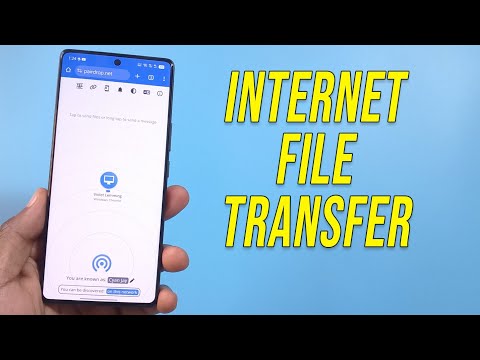
PairDrop

Transfer Files Cross-Platform

0.0
Rating out of 5 Based on 0 reviews

What is PairDrop?

PairDrop is a straightforward and safe platform for sharing files, enabling users to send files between devices connected to the same network or across the internet. It's designed to be hassle-free, with no installations, account creation, or complicated setup needed. Created as an open-source option to services such as AirDrop, PairDrop uses modern browser tech for direct transfers and smooth sharing.
 

Pricing of PairDrop

no-pricing
For get detailed pricing as per your requirements.

Key Features of PairDrop

Key Features:
  • File Transfer
  • File Sharing
  • Mobile Access

Key Specification

Other Categories: File Sharing Software
Deployment: Cloud Hosted,On Premise
Customer Support:
Customization: Yes
Languages Support: English

Who uses PairDrop

Personal
Personal
StartUps
StartUps
SMEs
SMEs
Agencies
Agencies
Enterprises
Enterprises

Company Details

Company Name: PairDrop
Headquarter: United States
Social Media:

PairDrop Description

Why Pick PairDrop?

PairDrop is a great choice instead of standard file-sharing because it's quick, private, and doesn't need an internet connection for local sharing. It’s great for professionals, students, developers, or anyone who frequently transfers files between devices. Whether you're sharing photos, PDFs, code snippets, or quick notes, PairDrop offers a smooth and secure experience without data ever touching the cloud.

Benefits of PairDrop

  • No Account Required: You can start sharing files without registering or logging in. It's immediate and simple.
  • Private and Secure: File transfers occur directly between devices, utilizing end-to-end encryption. Nothing is saved on servers.
  • Cross-Platform Support: Works on Windows, macOS, Linux, Android, and iOS through any modern browser like Chrome, Firefox, Safari, or Edge.
  • Fast and Lightweight: Simple interface designed to work even on slow or limited devices.
  • Internet-Free (Local Wi-Fi Mode): If both devices are on the same network, the internet isn’t even needed.
  • Open Source: Since it's open-source, it’s transparent, changeable, and trustworthy for tech-savvy users.
  • Works with QR Codes: Send files from your desktop to mobile just by scanning a QR code for fast transfers.

How to Use PairDrop

  • Open PairDrop on Your Devices: Go to the official PairDrop website on both the sender and receiver's browsers.
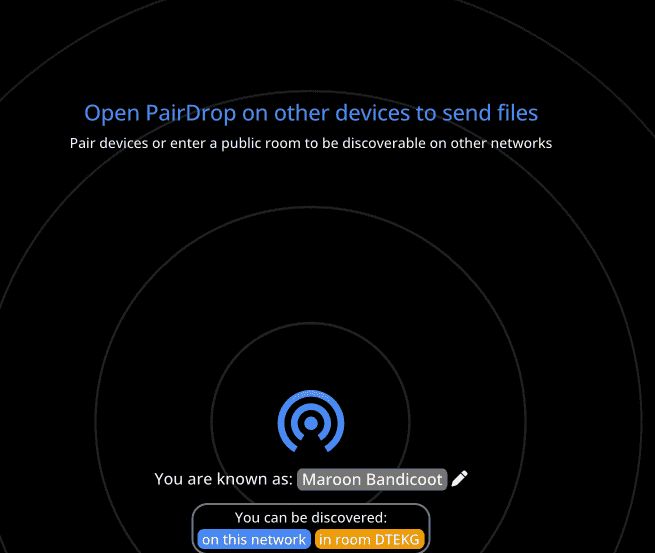
  • Detect Devices: Devices on the same network will automatically show up as discoverable.
  • Send Files or Messages: Click on the device you want to send files to and either drag/drop your file or type a quick message.
  • Accept on the Other Device: The receiver will get a prompt to accept the file or message.
  • Transfer Complete: The file is transferred directly—securely and instantly.

Features of PairDrop

  • Peer-to-Peer Transfers: No middleman—just device-to-device sharing for increased privacy.
  • Same-Network Discovery: Immediately finds nearby devices on the same Wi-Fi.
  • Remote Mode with Shared URL: Lets you send files over the internet by opening a shared room via a custom URL.
  • No Installation Needed: Fully browser-based; you don’t need to download anything.
  • Custom Device Names: Label your devices for easier identification during transfers.
  • Multi-Device Support: Send and receive files from multiple devices simultaneously.
  • Zero Server Storage: Files are not saved or cached on any server, protecting privacy.
  • QR Code Transfers: Perfect for sending files from PC to mobile without typing URLs.
  • User-Friendly Interface: Clean and minimal UI built for productivity and ease-of-use.

PairDrop Demo

PairDrop doesn't need a separate demo. Just visiting the site and opening it on two devices acts as a live demonstration. You can begin sharing files or messages right away, making it beginner-friendly and easy to use.

PairDrop Pricing

PairDrop is completely free to use. There are no hidden charges, no pro versions, and no premium tiers. You get full access to all features—whether you're an individual, a student, or a business professional.

PairDrop Reviews

Users often highlight PairDrop’s ease of use, fast file transfer speed, and strong focus on privacy. It's praised for being an “AirDrop for everyone,” especially by people working on Linux or using mixed device setups (e.g., Android + MacBook). Developers love its open-source nature, and casual users value its clutter-free experience. Overall, reviews emphasize its reliability, cross-platform support, and minimal setup as key benefits.

Alternative

MASV

The Fastest File Transfer for Media

0.0
Rating out of 5 Based on 0 reviews

Wrike

One platform to streamline all workflows

4.2
Rating out of 5 Based on 10 reviews

Atera

All-in-one IT management with built-in AI agents

0.0
Rating out of 5 Based on 0 reviews

PairDrop Video/Screenshots

User Reviews

no-reviews
Share your experience! Be the very first reviewer. Write a Review

Frequently Asked Questions (FAQs)

The user group of PairDrop are as follows :

  • Personals
  • Startups
  • SMEs
  • Agencies
  • Enterprises

PairDrop has 0 plans.

PairDrop is not allowing Free Trial.

PairDrop is Cloud Hosted,On Premise Software.

Yes