Myklassroom

MyKlassroom, the social learning platform

0.0
Rating out of 5 Based on 0 reviews

What is MyKlassroom?

MyKlassroom is an online, cloud-based learning space meant to connect standard classroom teaching with contemporary digital education. Created to improve knowledge accessibility, MyKlassroom gives tools for interactive learning, communication, tasks, evaluations, and ongoing feedback between teachers and pupils. Often sought using myklassroom com login, the platform simplifies the way students and teachers participate in online learning, fitting for higher education, coaching centers, or school settings.

Pricing of Myklassroom

no-pricing
For get detailed pricing as per your requirements.

Key Features of Myklassroom

Key Features:
  • Lesson Planning

Key Specification

Other Categories: Education Software Learning Management System (LMS) Software
Deployment: Cloud Hosted
Customer Support: Online (Ticket)
Customization: No
Languages Support: English

Who uses Myklassroom

SMEs
SMEs
Enterprises
Enterprises

Company Details

Company Name: Myklassroom
Headquarter: Tamil Nadu India
Social Media:

Myklassroom Description

Why Choose MyKlassroom?

In today's quickly changing educational scene, traditional learning ways sometimes don’t keep students engaged. MyKlassroom is designed to make learning more tailored, collaborative, and readily available—especially for schools shifting to hybrid or completely online educational formats.

It's more than just an LMS (Learning Management System); it’s a full digital academic environment where lessons, assessments, feedback, and peer work come together in an easy-to-use interface.

Whether you are an educator trying to follow student progress or a student getting course materials anywhere, MyKlassroom improves learning with smart features created to meet real educational needs.

Benefits of MyKlassroom

  • Easy Login and Access: Pupils and instructors can go to myklassroom com login quickly to connect with their personalized area and start learning.
  • Virtual Classroom Control: Set and handle online lessons, projects, and quizzes in an organized manner.
  • Instant Feedback: Teachers can provide timely responses on student work, supporting constant growth.
  • Collaborative Learning: Built-in forums, messaging, and peer contact allow for group learning even in distance learning set-ups.
  • Customizable Interface: Institutions can brand and set up MyKlassroom to fit their academic structure and look.
  • Content Delivery: Teachers can upload course materials, videos, PDFs, and links for instant access.
  • Performance Tracking: Students and teachers can follow academic success with visual dashboards, attendance logs, and test results.
  • Anytime, Anywhere Learning: Fully web-based and mobile-friendly, ensuring learning continues beyond actual classrooms.

How to Use MyKlassroom

  • Visit the MyKlassroom Website: Go to the official site to begin.
  • Use the Login Area: Go to myklassroom com login and enter your details to go into your personalized learning space.
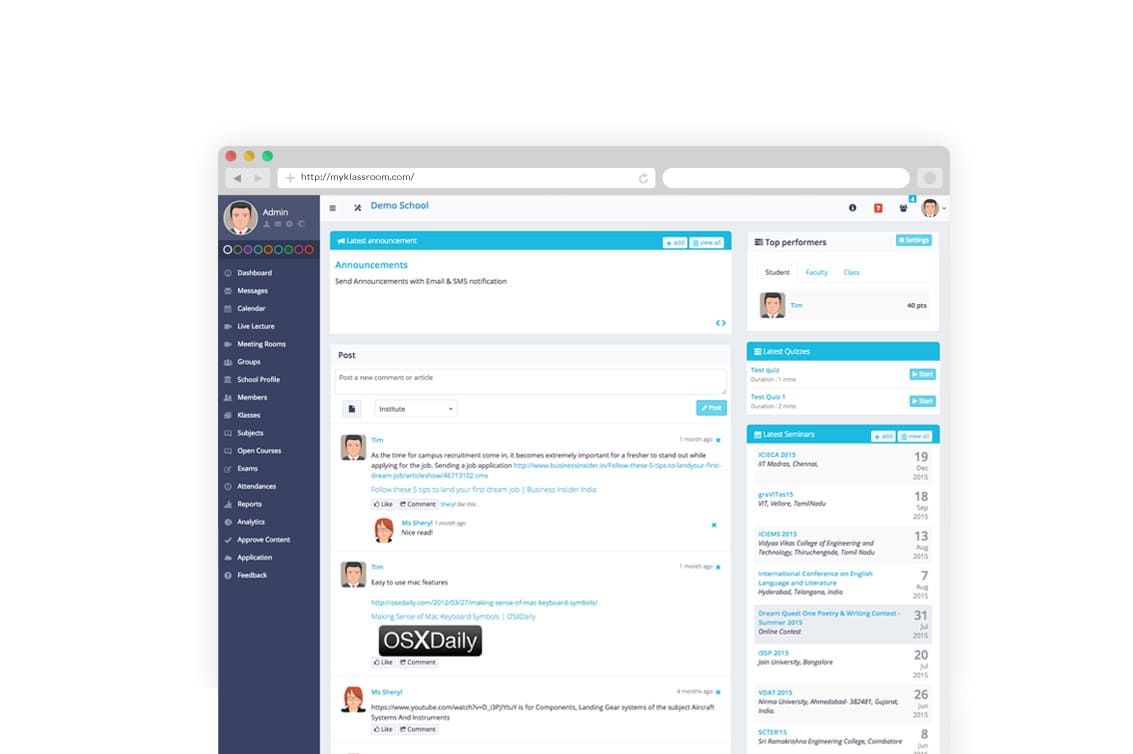
  • Explore the Dashboard: Students and teachers can locate their classes, schedules, and tasks right after login.
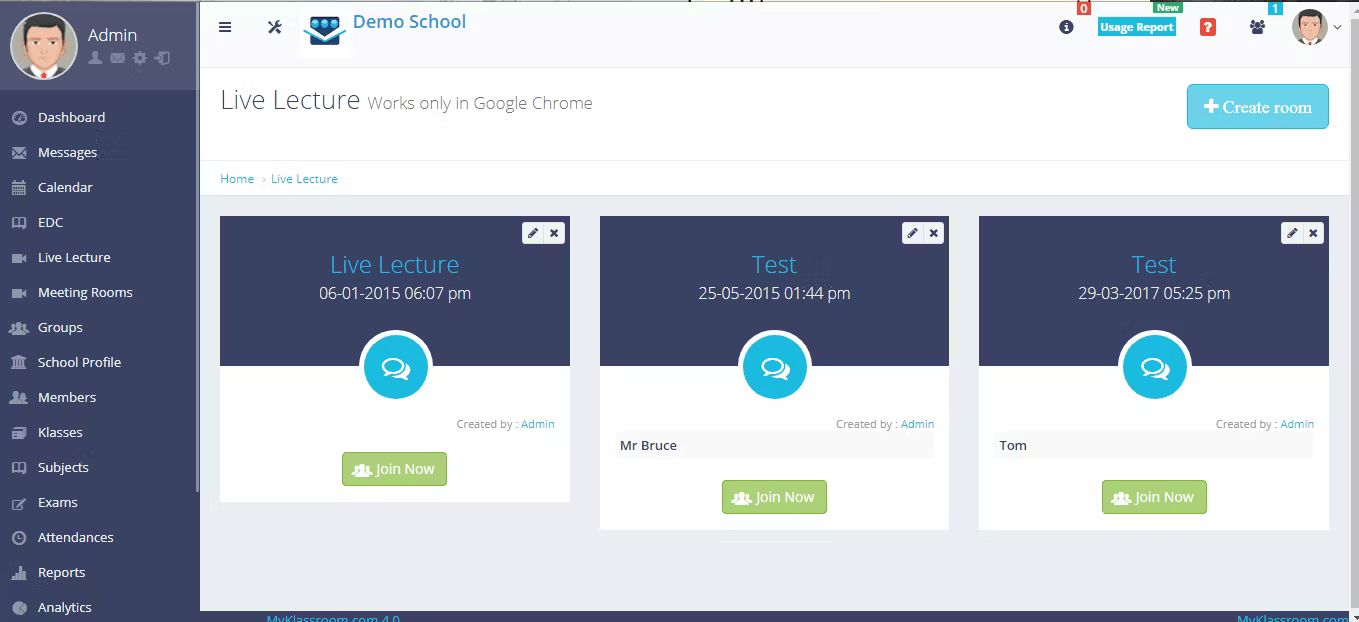
  • Attend Online Sessions: Join live or pre-recorded classes from the faculty.
  • Finish Assignments: Submit homework and projects right through the platform.
  • Track Your Progress: Use analytics and grades to see your performance and areas for improvement.
  • Interact with Peers and Teachers: Ask questions, join discussions, or send messages with the built-in communication tools.

Features of MyKlassroom

  • Secure login area at myklassroom com login
  • Course material uploads (PDFs, videos, links)
  • Project and quiz scheduling
  • Digital gradebook and success analytics
  • Student-teacher discussion boards
  • Attendance tracking
  • Live class hosting and recording
  • Mobile-compatible interface
  • Cloud storage and data backup
  • Multi-role access (students, instructors, admins)

MyKlassroom Demo

Institutions and teachers often receive a tutorial of MyKlassroom’s interface upon starting. The platform's demo includes showing the student and teacher dashboards, class scheduling, content sharing tools, and analytics. It's a hands-on way to see how smoothly MyKlassroom blends into educational operations.

MyKlassroom Pricing

Pricing for MyKlassroom may vary depending on the size of the institution, user count, and feature requirements. Usually offered as subscriptions for educational institutions, it covers:

  • Basic Plan: For smaller coaching centers or schools needing key features.
  • Advanced Plan: Includes full analytics, custom branding, and support for bigger student populations.
  • Enterprise/Education Institution Plans: Custom quotes for colleges, universities, or organizations with specific technical and academic needs.

The platform gives flexible pricing, making it suited for both small schools and large universities.

MyKlassroom Reviews

Users often praise MyKlassroom for its user-friendliness, simple interface, and flexibility in academic management. Educators find the feedback and grading tools helpful for keeping students responsible, while students appreciate centralized access to materials, quizzes, and schedules.

It’s specifically recommended for schools looking to modernize without overwhelming their faculty or students. The simple dashboard and streamlined login system decrease the need for tech training, making the change to digital learning easy.
 

Alternative

Deel

Scale globally with velocity and ease

4.7
Rating out of 5 Based on 33 reviews

Trainual

Get everyone aligned on how work gets done.

0.0
Rating out of 5 Based on 0 reviews

Absorb LMS

By Absorb

0.0
Rating out of 5 Based on 0 reviews

Myklassroom Video/Screenshots

User Reviews

no-reviews
Share your experience! Be the very first reviewer. Write a Review

Frequently Asked Questions (FAQs)

The user group of Myklassroom are as follows :

  • SMEs
  • Enterprises

Myklassroom has 0 plans.

Myklassroom is not allowing Free Trial.

Myklassroom pricing model : Onetime(Perpetual License)

Myklassroom is Online Software.

No

Myklassroom offers Online (Ticket) support.

Myklassroom provides Help Guides,Video Guides,Blogs for the software training.