
InDown

InDown

Instagram Video Download

0.0
Rating out of 5 Based on 0 reviews

What is InDown?

InDown is a simple and reliable platform designed for downloading videos and media content from social platforms. It provides a fast, user-friendly way to save videos for offline use without requiring complicated tools or technical knowledge. Whether it’s short clips, stories, or longer videos, InDown focuses on making the downloading process smooth, secure, and accessible to everyone.

Pricing of InDown

no-pricing
For get detailed pricing as per your requirements.

Key Features of InDown

Key Features:
  • Download VR Videos
  • Schedule Downloads
  • High Download Speed
  • HD/4K Quality Download
  • Easy Video Search
  • Download TikTok GIF
  • Download
  • High Quality Downloads
  • Built In Video Converter
  • Secure Downloads
  • User Friendly Interface
  • Fast Download Speed

Key Specification

Other Categories: Video Management Software Social Media Advertising Tools
Deployment: Cloud Hosted,Hybrid,Any
Customer Support: Phone,Email,Live Chat
Customization: No
Languages Support: Arabic, Bengali/Bangla, Dutch, English, French, German, Hindi, Hungarian, Indonesian, Italian, Japanese, Korean, Polish, Portuguese, Russian, Spanish, Thai, Turkish, Ukrainian

Who uses InDown

Personal
Personal
Agencies
Agencies
Enterprises
Enterprises

Company Details

Company Name: InDown
Headquarter: California United States
Social Media:

InDown Description

Why Choose InDown?

For users who want a safe and efficient method to download social media videos, InDown offers a clean and straightforward solution. Unlike many tools that are filled with ads or limitations, InDown ensures speed, clarity, and privacy while downloading. It’s suitable for both personal users who want to save content for later and professionals who need easy access to media for creative or work purposes.

Benefits of InDown

  • Fast Downloads: Save videos quickly with minimal loading time.

  • No Technical Skills Required: Simple interface for anyone to use.

  • High-Quality Media: Retains the original resolution of videos.

  • Cross-Platform Access: Works smoothly across devices and browsers.

  • Secure and Private: Keeps downloads safe without exposing personal data.

  • No Watermark Option: Allows saving videos without unnecessary branding.

  • Free to Use: Core features are available without extra charges.

How to Use InDown

The process is simple and requires no installation:

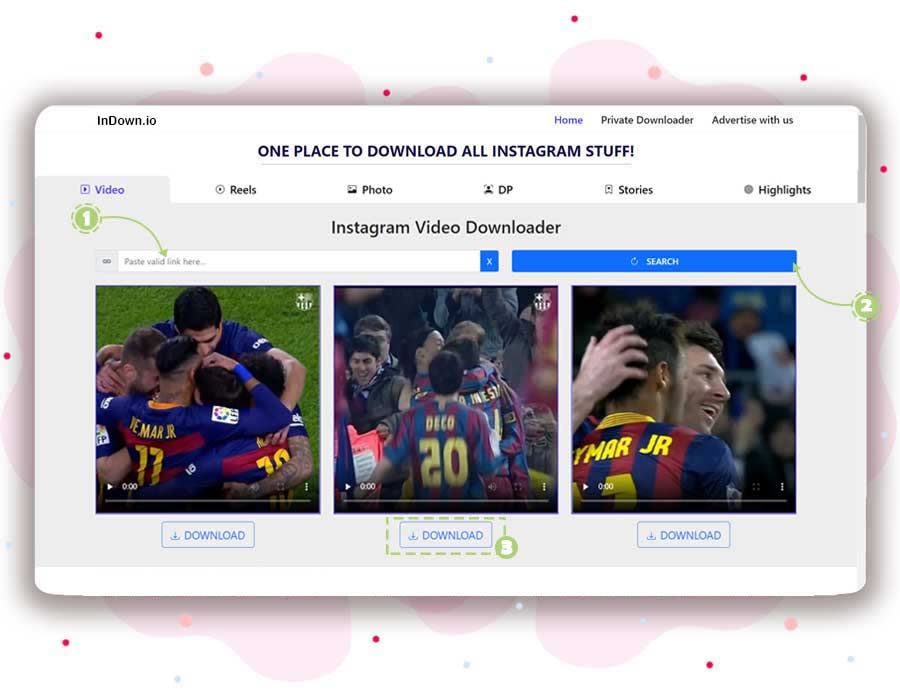
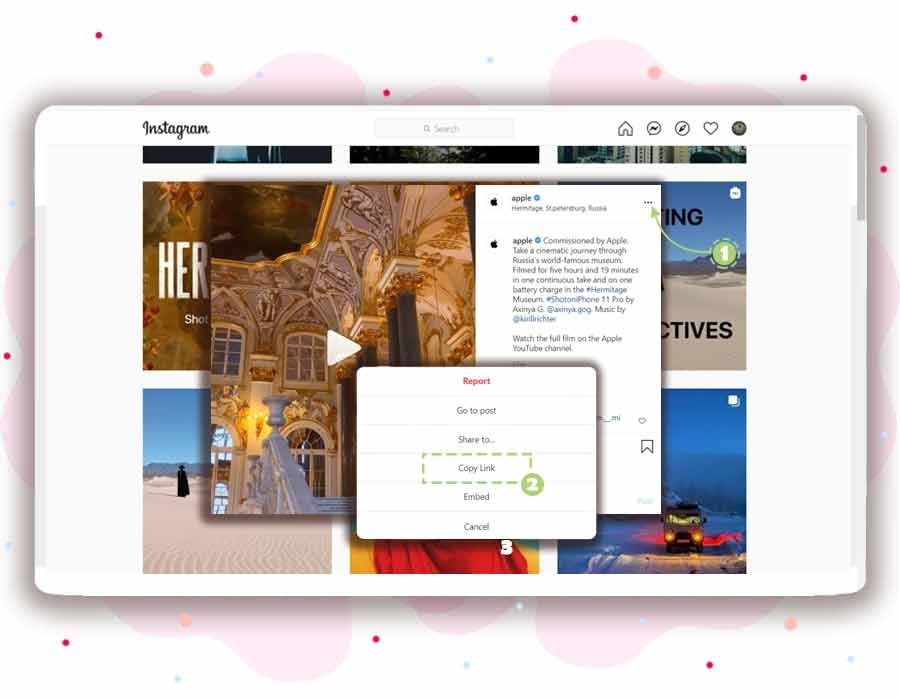
  1. Copy the video link from your preferred social media platform.

  2. Paste the link into the InDown input box.

  3. Choose the quality or format (if available).

  4. Click download, and the video will be saved to your device.

Features of InDown

  • Web-Based Tool: No need to install heavy applications.

  • Simple Interface: Clean design for quick navigation.

  • Cross-Browser Compatibility: Works with all major web browsers.

  • Video Format Options: Offers flexibility in saving content.

  • Instant Processing: Minimal wait times before download.

  • Multi-Platform Content Support: Compatible with popular social media platforms.

  • Free Access: Users can download without paying.

InDown Demo

There’s no need for a live demonstration—InDown is ready to use instantly after installation. Once you complete the setup, you can immediately start downloading or managing files through its intuitive interface without requiring additional configuration.

InDown Pricing

InDown is completely free to use. There are no hidden fees, premium tiers, or subscriptions required. All core downloading features are available at no cost, making it accessible for casual users and professionals alike.

InDown Reviews

Users appreciate InDown for its simplicity, speed, and reliability. Many reviews highlight the fact that it avoids unnecessary complexity and delivers exactly what’s promised: smooth video downloads. While advanced features like bulk downloads may be missing, most users consider it a go-to solution for quick, hassle-free media saving.

Alternative

hireflix

The most effi|one-way video interview software

0.0
Rating out of 5 Based on 0 reviews

Promo.com

Your Creative Video CoPilot For Business Marketing Success

0.0
Rating out of 5 Based on 0 reviews

InVideo

Create publish-worthy videos on day one

0.0
Rating out of 5 Based on 0 reviews

InDown Video/Screenshots

User Reviews

no-reviews
Share your experience! Be the very first reviewer. Write a Review

Frequently Asked Questions (FAQs)

The user group of InDown are as follows :

  • Personals
  • Agencies
  • Enterprises

InDown has 0 plans.

InDown is not allowing Free Trial.

InDown pricing model : Transaction

InDown is Cloud Hosted,Hybrid,Any Software.

No

InDown offers Phone,Email,Live Chat support.

InDown provides Help Guides,Video Guides for the software training.