


 0.0
0.0
What is GitLab?
GitLab is a strong DevOps and source code management platform that helps teams work together effectively on software development projects. It offers a complete CI/CD pipeline in one application. This allows developers to plan, create, verify, package, and deploy code smoothly. Whether you want to download GitLab, use the GitLab app, or install GitLab, it provides a complete solution for managing your entire software lifecycle in one place.
Pricing of GitLab
- Source Code Management & CI/CD
- 5 licensed users
- 400 compute minutes per month
- 10 GiB storage
- Everything from Free plus
- AI Chat in the IDE
- AI Code Suggestions in the IDE
- Release Controls
- Team Project Management
- SLA Management
- Priority Support
- 10000 compute minutes per month
- Unlimited licensed users
- Everything from Premium plus
- Application Security Testing
- Software Supply Chain Security
- Vulnerability Management
- Strategic Portfolio Management
- Value Stream Management
- Compliance and Governance
- 50000 compute minutes per month
- Unlimited guest users
Key Features of GitLab
Key Features:
Key Specification
| Other Categories: | Project Management Software Bug Fixing software Bug Tracking Software Application Development Software IT Service Management (ITSM) Software DevOps Tools Repository Management Software |
|---|---|
| Deployment: | Cloud Hosted,Hybrid,On Premise |
| Customer Support: | Email,Live Chat |
| Customization: | Yes |
| Languages Support: | English |
Who uses GitLab

StartUps

SMEs

Enterprises
Company Details
| Company Name: | GitLab |
|---|---|
| Headquarter: | San Francisco, California United States |
| Social Media: |
GitLab Description
Most Popular Software


Alternative


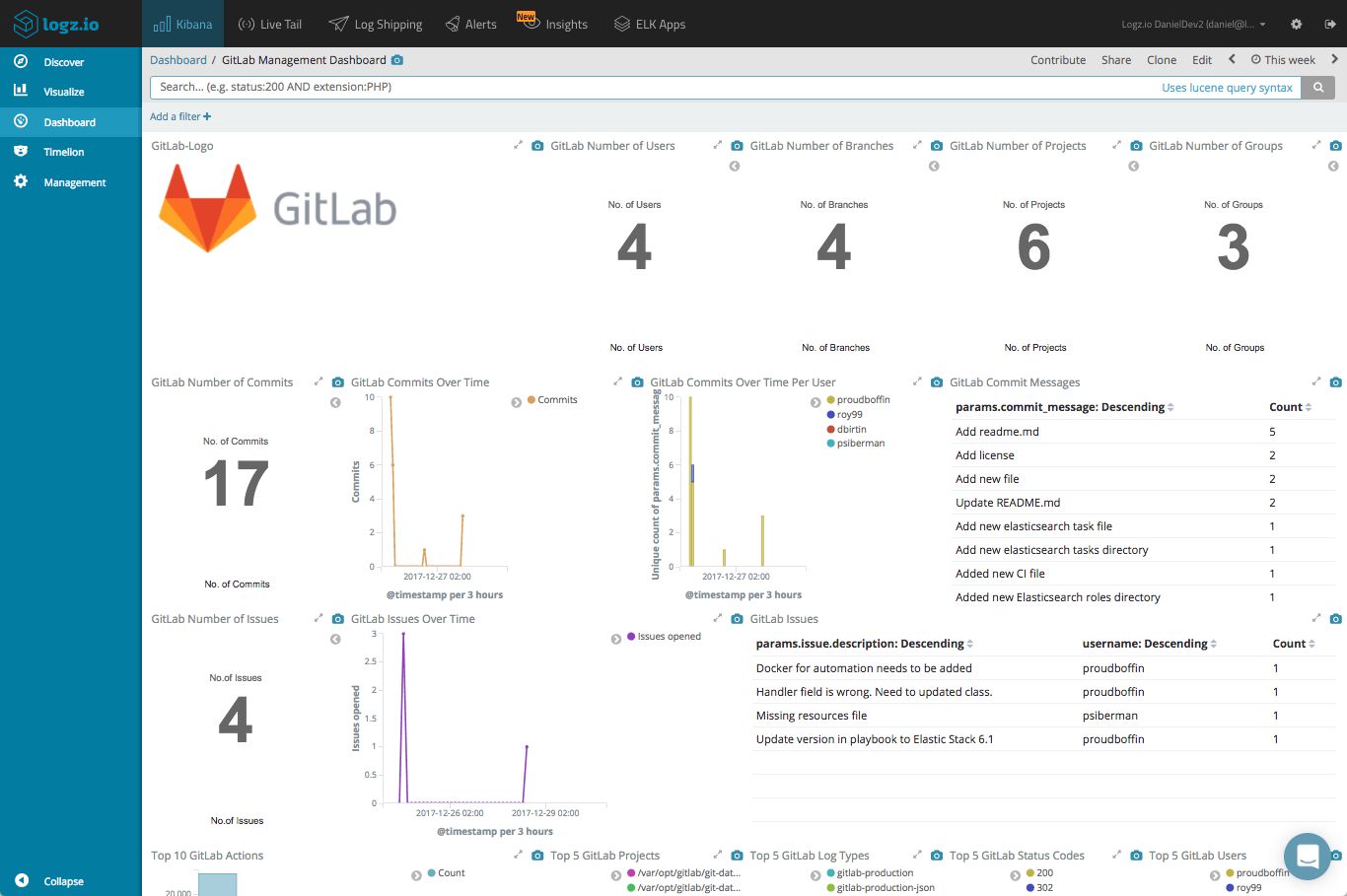
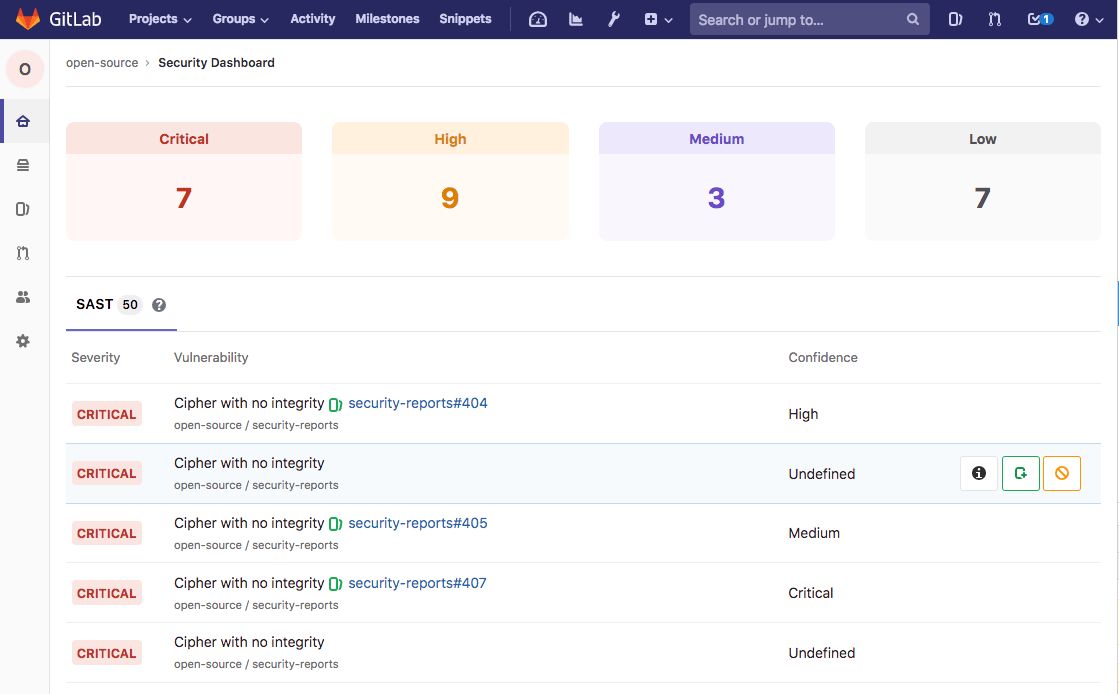
GitLab Video/Screenshots

GitLab Key Clients



User Reviews

Frequently Asked Questions (FAQs)
The user group of GitLab are as follows :
- Startups
- SMEs
- Enterprises
GitLab has 3 plans,
- Free USD 0 Free
- Premium USD 29 per user/month
- Ultimate USD 0 Contact Us
GitLab is not allowing Free Trial.
The key featuers of GitLab are as follows :
- Integrated Git & CI/CD
GitLab pricing model : Monthly,Transaction
GitLab is Cloud Hosted,Hybrid,On Premise Software.
Yes
GitLab offers Email,Live Chat support.
GitLab provides Help Guides,Blogs,Infographics,Case Studies,Whitepapers for the software training.


