Free Cam

0.0
Rating out of 5 Based on 0 reviews

what is Free Cam?
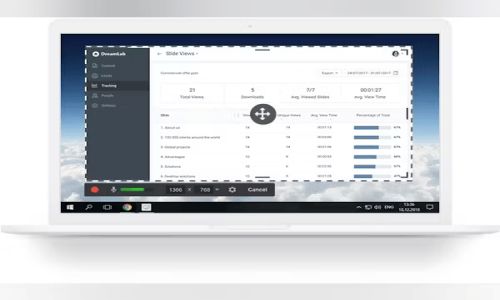
Free Cam is an easy-to-use screen recording and video editing software designed for creating high-quality screencasts and tutorials. It allows users to record the entire screen, a specific window, or a selected area, along with system audio and microphone input. The software includes built-in editing tools for trimming videos, removing background noise, and enhancing audio. With no time limits, watermarks, or ads, Cam is ideal for educators, trainers, and professionals who want a simple solution for creating and sharing video content, including direct YouTube uploads in HD quality.

Pricing of Free Cam

no-pricing
For get detailed pricing as per your requirements.

Key Specification

Other Categories: Video Conferencing Software For Mac Video Conferencing Software For PC Video Conferencing Software For Free Video Conferencing Software
Deployment: On Premise,Any
Customer Support: Email,Online (Ticket)
Customization: No
Languages Support: English

Who uses Free Cam

Personal
Personal
StartUps
StartUps
SMEs
SMEs
Agencies
Agencies
Enterprises
Enterprises

Company Details

Company Name: Free Cam
Headquarter: Virginia United States
Social Media:

Free Cam Description

What is Free Cam?
Free Cam is a screen recording and video editing software tailored for creating professional screencasts, tutorials, and presentations. It enables users to capture full-screen activities, specific windows, or custom areas with audio from the system or microphone. The software includes built-in tools for trimming clips, removing background noise, and applying audio effects. Videos can be exported in HD quality and shared directly on platforms like YouTube. Free Cam is best known for its intuitive interface and smooth user experience, making it suitable for both beginners and professionals.

Why Choose Free Cam?

  • Offers a seamless screen recording experience without time limits or watermarks

  • Allows capturing system sound and microphone input simultaneously

  • Includes a built-in editor for basic video and audio adjustments, so there's no need for third-party tools

  • Supports HD video export and direct YouTube sharing for quick distribution

  • Ideal for creating tutorials, training videos, and walkthroughs with clear visuals and clean audio

  • Simple UI helps new users get started quickly, while still offering enough features for experienced users

  • Provides reliable performance with minimal system requirements

Benefits of Free Cam

  • High-Quality Output: Produces clear and professional-looking videos in HD

  • No Watermarks or Ads: Offers clean recordings ready for sharing or publishing

  • Audio Editing Tools: Remove background noise and enhance voice clarity easily

  • Custom Recording Area: Focus on specific parts of the screen for precise demonstrations

  • Direct Upload to YouTube: Share content instantly without needing to switch platforms

  • Lightweight and Fast: Doesn’t slow down your computer while recording

  • Time-Efficient Workflow: Combine screen recording and editing in one tool

How to Use Free Cam

  • Download and install the software from the official website

  • Launch Free Cam and click “New Recording”

  • Select the area of the screen you wish to record

  • Choose audio sources (system sound, microphone, or both)

  • Click the record button to begin, and stop when finished

  • Edit the video within the same interface—trim, delete segments, or adjust audio

  • Save the video in WMV format or upload it directly to YouTube

  • The entire process is streamlined and ideal for quick project turnarounds

Features of Free Cam

  • Screen Recording: Capture full screen, windows, or custom areas

  • Audio Recording: Record system sounds and/or microphone input

  • Video Editing: Built-in tools for trimming and deleting unwanted sections

  • Noise Removal: Reduce or eliminate background noise from audio tracks

  • Audio Enhancements: Add fade-in/out effects or normalize volume

  • High-Definition Export: Save videos in HD format up to 720p

  • Direct Upload: Publish videos directly to YouTube from the software

  • User-Friendly Interface: Easy navigation and minimal learning curve

What Makes Free Cam Different?

  • Unlike many other screen recorders, Free Cam does not include watermarks or ads, even in the standard version

  • Offers a built-in video editor, reducing the need for external tools

  • Ensures quick exporting and uploading capabilities directly to YouTube

  • Focuses on simplicity without sacrificing essential features

  • Well-optimized to run on low to moderate system configurations

  • Offers clean audio with easy enhancement tools, making it great for voiceovers

  • Ideal choice for users looking for hassle-free screen recording and editing in one package

Who Can Benefit from Free Cam?

  • Educators creating e-learning materials and tutorials

  • Corporate trainers designing internal training videos

  • YouTubers and content creators making walkthroughs or commentary videos

  • Students who need to record lectures or create project demos

  • Software developers showcasing product features or tutorials

  • Freelancers and consultants preparing how-to guides for clients

  • Anyone needing an easy yet powerful way to record and edit screen content

Is Free Cam Easy to Use?

  • Absolutely, Free Cam is designed with a clean and minimal interface

  • Setup is simple—download, install, and start recording in minutes

  • Controls are straightforward with clear options for recording and editing

  • Ideal for beginners, yet versatile enough for advanced users

  • No steep learning curve—perfect for quick adoption in professional or casual settings

  • Built-in help guides and intuitive layout help users navigate easily

  • Requires minimal training or prior experience with video tools

What Support Does Free Cam Offer?

  • Offers online documentation and video tutorials for common tasks

  • Frequently updated blog and help section on the official website

  • Community forums and FAQs provide peer-driven support

  • Direct support may be limited but sufficient for resolving basic issues

  • Troubleshooting guides available for installation, audio setup, and editing

  • Help materials are accessible and easy to follow, even for new users

  • Designed to be stable and low-maintenance, reducing the need for frequent support

Alternative

AONMeetings

STAY TUNED WITH US

0.0
Rating out of 5 Based on 0 reviews

Google Workspace

The better way to work

0.0
Rating out of 5 Based on 0 reviews

ClickMeeting

Webinar software with 5-star supportEnjoyed by 15 millions users each year

0.0
Rating out of 5 Based on 0 reviews

Free Cam Video/Screenshots

User Reviews

no-reviews
Share your experience! Be the very first reviewer. Write a Review

Frequently Asked Questions (FAQs)

The user group of Free Cam are as follows :

  • Personals
  • Startups
  • SMEs
  • Agencies
  • Enterprises

Free Cam has 0 plans.

Free Cam is allowed 7 Days Free Trial.

Free Cam pricing model : Yearly,Monthly

Free Cam is On Premise,Any Software.

No

Free Cam offers Email,Online (Ticket) support.

Free Cam provides Help Guides for the software training.