DriveStrike

Data Protection

0.0
Rating out of 5 Based on 0 reviews

What is DriveStrike?

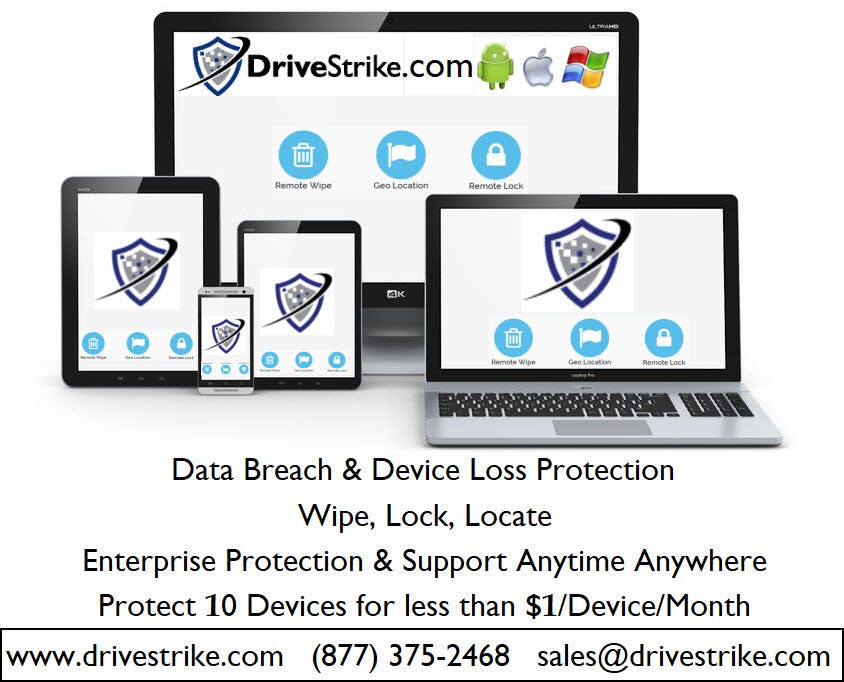
DriveStrike is a powerful remote data protection and device management solution that helps organizations safeguard sensitive data in the event of device loss, theft, or compromise. Designed for businesses, healthcare providers, educational institutions, and government agencies, DriveStrike allows users to remotely lock, locate, and wipe lost or stolen devices-whether it's a laptop, smartphone, or tablet. The platform supports Windows, macOS, Linux, Android, and iOS devices, helping ensure data compliance with regulations like HIPAA, GDPR, and CCPA. Simple to deploy and scale, DriveStrike provides peace of mind by preventing unauthorized data access and maintaining security across mobile and remote workforces.

Pricing of DriveStrike

no-pricing
For get detailed pricing as per your requirements.

Key Features of DriveStrike

Key Features:
  • Inventory Management
  • Compliance Tracking
  • Audit Management

Key Specification

Other Categories: Computer security software IT Asset Management Software Personal Data Removal tool
Deployment: Cloud Hosted,Hybrid,On Premise,Any
Customer Support: Phone,Email,Live Chat
Languages Support: English

Who uses DriveStrike

StartUps
StartUps
SMEs
SMEs
Agencies
Agencies
Enterprises
Enterprises

Company Details

Company Name: DriveStrike
Headquarter: Utah, United States
Social Media:

DriveStrike Description

Why Choose DriveStrike?

DriveStrike offers fast, reliable remote data protection for all devices. It’s ideal for businesses that prioritize security, compliance, and privacy. With one-click lock, wipe, and location tracking, DriveStrike helps prevent data breaches, ensures business continuity, and protects against insider threats, lost devices, or malicious attacks on endpoints.

Benefits of DriveStrik

  • Remotely lock or wipe lost/stolen devices

  • Track real-time device location

  • Prevent data breaches and leaks

  • Ensure regulatory compliance (HIPAA, GDPR, etc.)

  • Reduce risk from lost or misplaced devices

  • Simple cloud-based dashboard

How to Use DriveStrike

To use DriveStrike, create an account and install the agent on each device. From the cloud dashboard, you can instantly lock, locate, or wipe any connected device. In emergencies, trigger actions remotely to protect sensitive data. Admins can manage teams, view logs, and ensure data security in real time.

Features of DriveStrike 

  • Remote lock, wipe, and locate functions

  • Support for Windows, Mac, Linux, Android, and iOS

  • Real-time tracking and device status

  • Centralized cloud dashboard

  • Military-grade encryption

What Makes DriveStrike Different? 

DriveStrike stands out with its cross-platform support and lightning-fast remote actions. Unlike many competitors, it offers both data protection and device recovery in one lightweight solution. Its minimal resource usage, ease of deployment, and compliance readiness make it a go-to choice for secure device management and breach prevention.

Who Can Benefit from DriveStrike? 

DriveStrike is ideal for IT teams, business owners, healthcare providers, remote workers, schools, and government agencies. Anyone managing sensitive data across distributed devices can benefit—especially organizations needing to comply with data protection laws. It’s perfect for protecting intellectual property and maintaining privacy in a mobile-first, remote-work environment.

Is DriveStrike Easy to Use? 

Yes, DriveStrike is user-friendly with a clean, intuitive dashboard. Installing the agent takes minutes, and remote commands can be executed in one click. Even non-technical users can manage devices with ease, while IT admins appreciate the automation, logging, and centralized control it offers across large teams or networks.

What Support Does DriveStrike Offer? 

DriveStrike provides responsive customer support via email, chat, and phone. Their team offers personalized onboarding, detailed documentation, and video tutorials. Enterprise users can access priority support and tailored setup assistance. DriveStrike also updates regularly to stay compliant and compatible with evolving security and privacy standards worldwide.

Alternative

NordVPN

The most advanced VPN. And much more

0.0
Rating out of 5 Based on 0 reviews

name.com

Nail your name. Build your business.

0.0
Rating out of 5 Based on 0 reviews

Bitdefender Total Security

Your Total Digital Protection: Complete Security and Essential Privacy

0.0
Rating out of 5 Based on 0 reviews

DriveStrike Video/Screenshots

DriveStrike Key Clients

User Reviews

no-reviews
Share your experience! Be the very first reviewer. Write a Review

Frequently Asked Questions (FAQs)

The user group of DriveStrike are as follows :

  • Startups
  • SMEs
  • Agencies
  • Enterprises

DriveStrike has 0 plans.

DriveStrike is allowed 0 Days Free Trial.

DriveStrike pricing model : Yearly,Monthly,Onetime(Perpetual License)

DriveStrike is Cloud Hosted,Hybrid,On Premise,Any Software.

DriveStrike offers Phone,Email,Live Chat support.

DriveStrike provides Help Guides,Video Guides,Blogs for the software training.