DocuWare

By DocuWare

0.0
Rating out of 5 Based on 0 reviews

What is DocuWare?

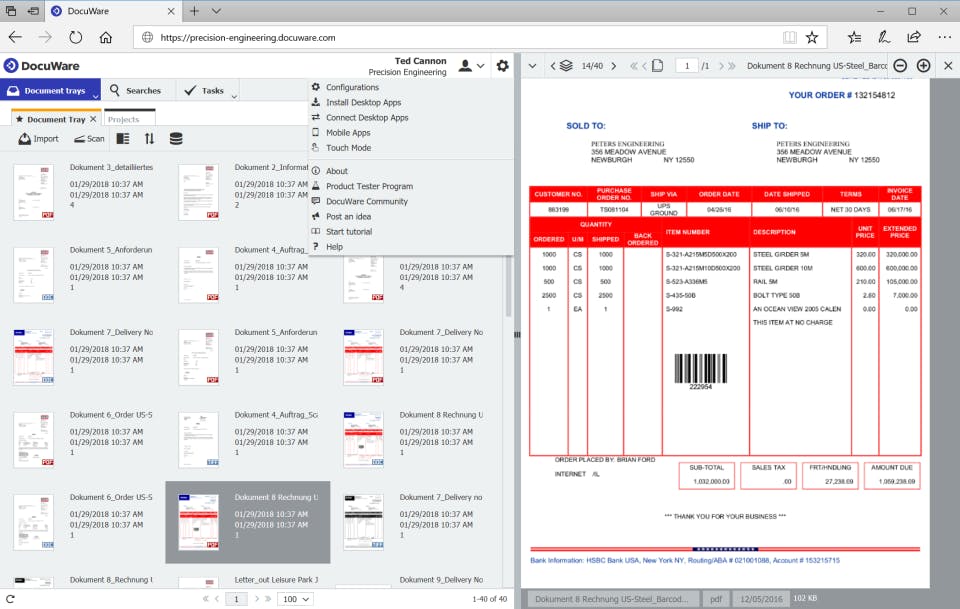
DocuWare is document management and workflow automation software that enables businesses to capture, process, and utilize their business information. It digitizes documents such as invoices, contracts, and employee files, indexes them using AI-based Intelligent Indexing and intelligent document processing, and routes them through automated workflows. DocuWare operates as a multitenant cloud service on Microsoft Azure, on-premises, or in a hybrid environment. It serves businesses of all sizes across industries, including manufacturing, healthcare, financial services, and government.

Pricing of DocuWare

no-pricing
For get detailed pricing as per your requirements.

Key Features of DocuWare

Key Features:
  • Collaboration Tools
  • Content Management
  • Search/Filter
  • Digital Asset Management
  • Access Controls/Permissions
  • Approval Process Control
  • Archiving & Retention
  • Document Management
  • Version Control
  • Workflow Management
  • Mobile Access
  • Electronic Signature
  • Information Governance

Key Specification

Other Categories: Document Management Software Content Management System & Software Enterprise Content Management Software Document Management Software For Mac Document Creation Software Document Workflow Software Document Control Software
Deployment: Cloud Hosted,Hybrid,On Premise,Any
Customer Support: Phone,Email,Live Chat
Languages Support: English

Who uses DocuWare

StartUps
StartUps
SMEs
SMEs
Agencies
Agencies
Enterprises
Enterprises

Company Details

Company Name: DocuWare
Headquarter: Fort Lauderdale, Florida United States
Social Media:

DocuWare Description

Why Choose DocuWare?

DocuWare helps businesses manage documents efficiently through centralized storage, intelligent data capture, and workflow automation. It reduces paperwork, simplifies approvals, and improves collaboration. With cloud and on-premises deployment options, it supports different business requirements while maintaining secure document access.

Benefits of DocuWare

  • Centralized Storage: Keeps documents organized in one place.

  • Time Savings: Reduces manual document handling.

  • Better Productivity: Automates repetitive tasks.

  • Improved Accuracy: Minimizes manual data entry errors.

  • Enhanced Security: Provides controlled document access.

  • Easy Retrieval: Makes searching for files faster.

  • Better Collaboration: Supports document sharing across teams.

How to Use DocuWare

  1. Create and configure your DocuWare environment.

  2. Add users and assign access permissions.

  3. Upload or scan business documents.

  4. Organize files using indexing and classification.

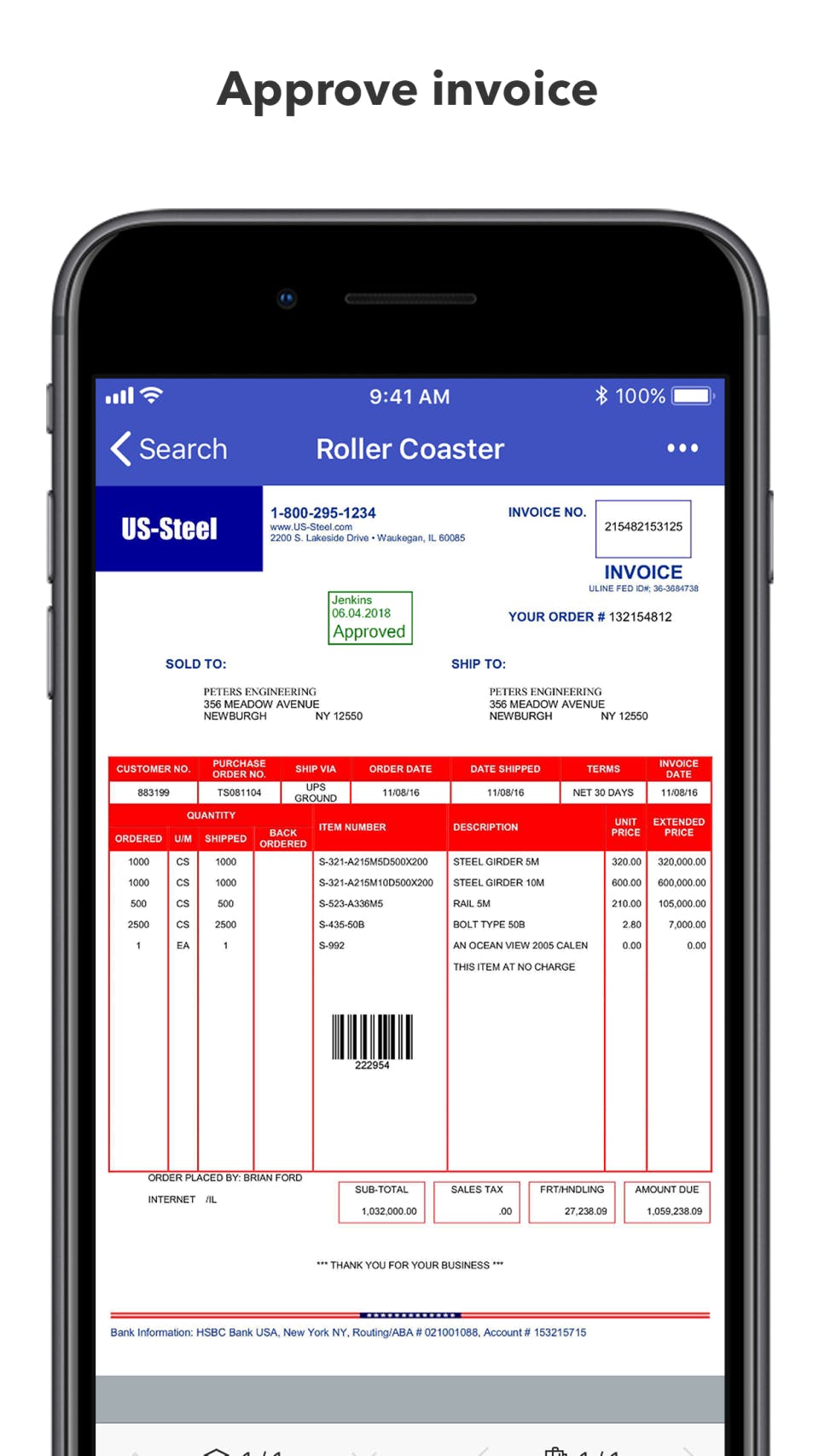
  5. Create automated approval workflows.

  6. Search, access, and manage documents.

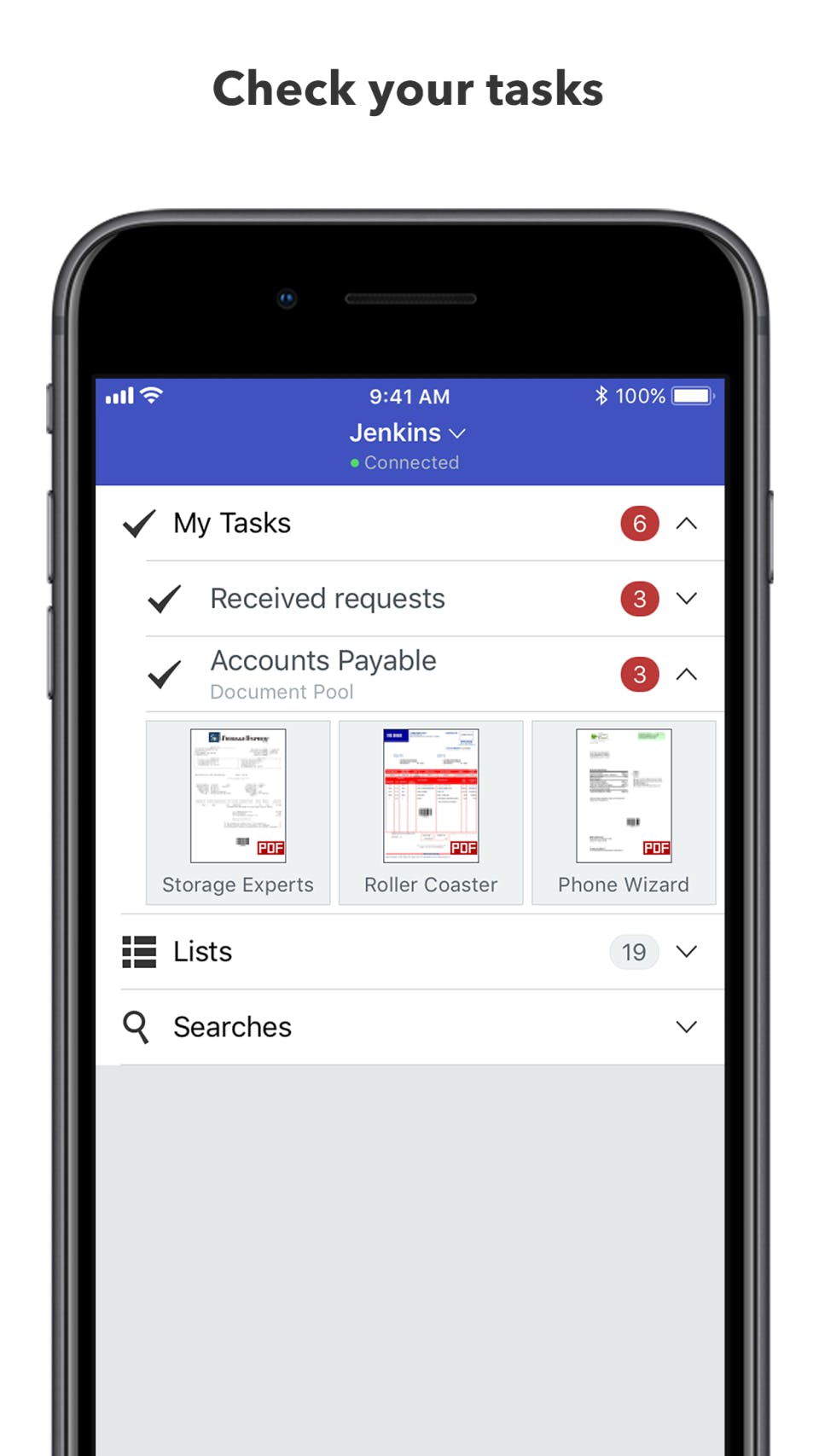
  7. Monitor tasks and workflow progress.

Features of DocuWare

  • Document Management: Stores and organizes digital files.

  • OCR Technology: Extracts text from scanned documents.

  • Workflow Automation: Automates approvals and tasks.

  • Intelligent Indexing: Classifies documents automatically.

  • Full-Text Search: Finds information quickly.

  • Document Versioning: Tracks document changes.

  • Access Controls: Manages user permissions.

  • Integrations: Connects with business applications.

What Makes DocuWare Different?

DocuWare combines document storage, intelligent data capture, and workflow automation in one platform. It helps businesses move beyond basic file storage by automating document-based processes. Its flexible deployment options, integration capabilities, and searchable digital repository make managing business information easier and more efficient.

Who Can Benefit from DocuWare?

  • Small Businesses: Reduce paperwork and administrative tasks.

  • Large Enterprises: Manage documents across departments.

  • Finance Teams: Automate invoice processing.

  • HR Departments: Organize employee records.

  • Legal Teams: Manage contracts and agreements.

  • Healthcare Organizations: Organize administrative documents.

  • Manufacturing Companies: Manage purchase orders and supplier records.

Is DocuWare Easy to Use?

Yes, DocuWare offers a user-friendly interface for storing, searching, and managing documents. Its centralized repository, full-text search, and automated workflows simplify everyday tasks. However, advanced configurations and integrations may require initial training or administrator assistance.

What Support Does DocuWare Offer?

DocuWare provides several support resources, including:

  • Technical Support: Assistance with product-related issues.

  • Knowledge Center: Product guides and documentation.

  • Authorized Partners: Implementation and configuration assistance.

  • Training Resources: Help for administrators and users.

  • Online Resources: Tutorials and product information.

  • Sales Support: Guidance on pricing and product selection.

Alternative

Riverside

Create your best content yet.

0.0
Rating out of 5 Based on 0 reviews

Castmagic

By Professionals Who Take Content Seriously

0.0
Rating out of 5 Based on 0 reviews

ScalaHosting

Fastest Hosting. Real Humans. Perfect Score.

0.0
Rating out of 5 Based on 0 reviews

DocuWare Video/Screenshots

DocuWare Key Clients
User Reviews

no-reviews
Share your experience! Be the very first reviewer. Write a Review

Frequently Asked Questions (FAQs)

The user group of DocuWare are as follows :

  • Startups
  • SMEs
  • Agencies
  • Enterprises

DocuWare has 0 plans.

DocuWare is allowed 0 Days Free Trial.

DocuWare pricing model : Yearly,Monthly,Onetime(Perpetual License)

DocuWare is Cloud Hosted,Hybrid,On Premise,Any Software.

DocuWare offers Phone,Email,Live Chat support.

DocuWare provides Help Guides,Video Guides,Blogs,Webinars,On-Site Training for the software training.