BuildNinja

Self-Hosted CI/CD platform

0.0
Rating out of 5 Based on 0 reviews

BuildNinja™ is a comprehensive Continuous Integration and Continuous Delivery (CI/CD) platform designed to automate the entire software development lifecycle, including building, testing, and deploying applications.

Pricing of BuildNinja

Solo Edition

INR Free Forever
INR 0.00

Buy Now
  • Up to 10 users
  • Unlimited build agents - Connect as many machines as you want
  • Execute up to 3 builds concurrently - Run 3 builds at the same time
  • Docker support included
  • 30-day build history
  • Up to 100 projects
  • Up to 100 configurations
  • Standard Email support
  • 1 SSO provider integration (choose: Microsoft
  • GitHub
  • GitLab
  • Bitbucket
  • or Google)

Shogun Edition

INR ₹17,499/month
INR 0.00

Buy Now
  • Ideal for: Enterprise organizations and growing teams who need unlimited scale without per-seat cost anxiety
  • Unlimited users - No per-seat costs as you grow
  • Unlimited projects - No artificial limits
  • Unlimited configurations - Scale without restrictions
  • Unlimited concurrent builds - Run as many builds simultaneously as your infrastructure supports
  • Unlimited build agents - Connect as many machines as you want
  • Perpetual build history - Complete audit trail forever
  • All 5 SSO providers - Microsoft
  • GitHub
  • GitLab
  • Bitbucket
  • and Google
  • Priority business support - Direct engineering team access

Key Features of BuildNinja

Key Features:
  • Integrated Git & CI/CD
  • Git Management
  • Continuous Integration

Key Specification

Other Categories: DevOps Tools
Deployment: On Premise
Customer Support: Email,Business Hours
Customization: No
Languages Support: English

Who uses BuildNinja

Personal
Personal
StartUps
StartUps
SMEs
SMEs
Agencies
Agencies

Company Details

Company Name: GrapeCity
Headquarter: Noida, Uttar Pradesh India
Social Media:

BuildNinja Description

BuildNinja is the most versatile and powerful enterprise CI/CD solution, seamlessly bridging traditional development processes with modern cloud-native workflows, all through an intuitive and unified user interface. It empowers DevOps teams of all sizes to efficiently build, test, and deploy applications across any infrastructure, from legacy servers to modern Kubernetes clusters, ensuring streamlined, consistent delivery at scale.

  • Automated Builds: Automatically triggers builds based on scheduled time and date.
  • Version Control Integration: Integrates with Git, GitHub, GitLab, Bitbucket, and others to automate build, test, and deployment workflows.
  • Artifact Management: Stores build outputs for future deployment or distribution.
  • Smart Caching: Reuses previously cloned repositories, dependencies, and build artifacts to minimize redundant downloads and reduce build time. Enhances overall performance and resource efficiency.
  • Containerized Deployment Support: Deploy and configure the server and agents on Kubernetes for scalable operations, or use Docker for local setups. Supports efficient, flexible infrastructure management.
  • Multi-Environment Support: Enables managing deployments across development, staging, and production environments by allowing you to configure environment-specific deployment logic, secrets, and conditions.
  • Cross-Platform Configuration: Enables seamless setup and configuration on Windows, Linux, and macOS, supporting a wide range of development environments.
  • Agent Management: Manage build agents with options to authorize, enable/disable, refresh, reset, and filter agents by OS or status.
  • Agent Requirements Configuration: Allows specifying agent capabilities in build configurations to ensure builds run on appropriate agents.
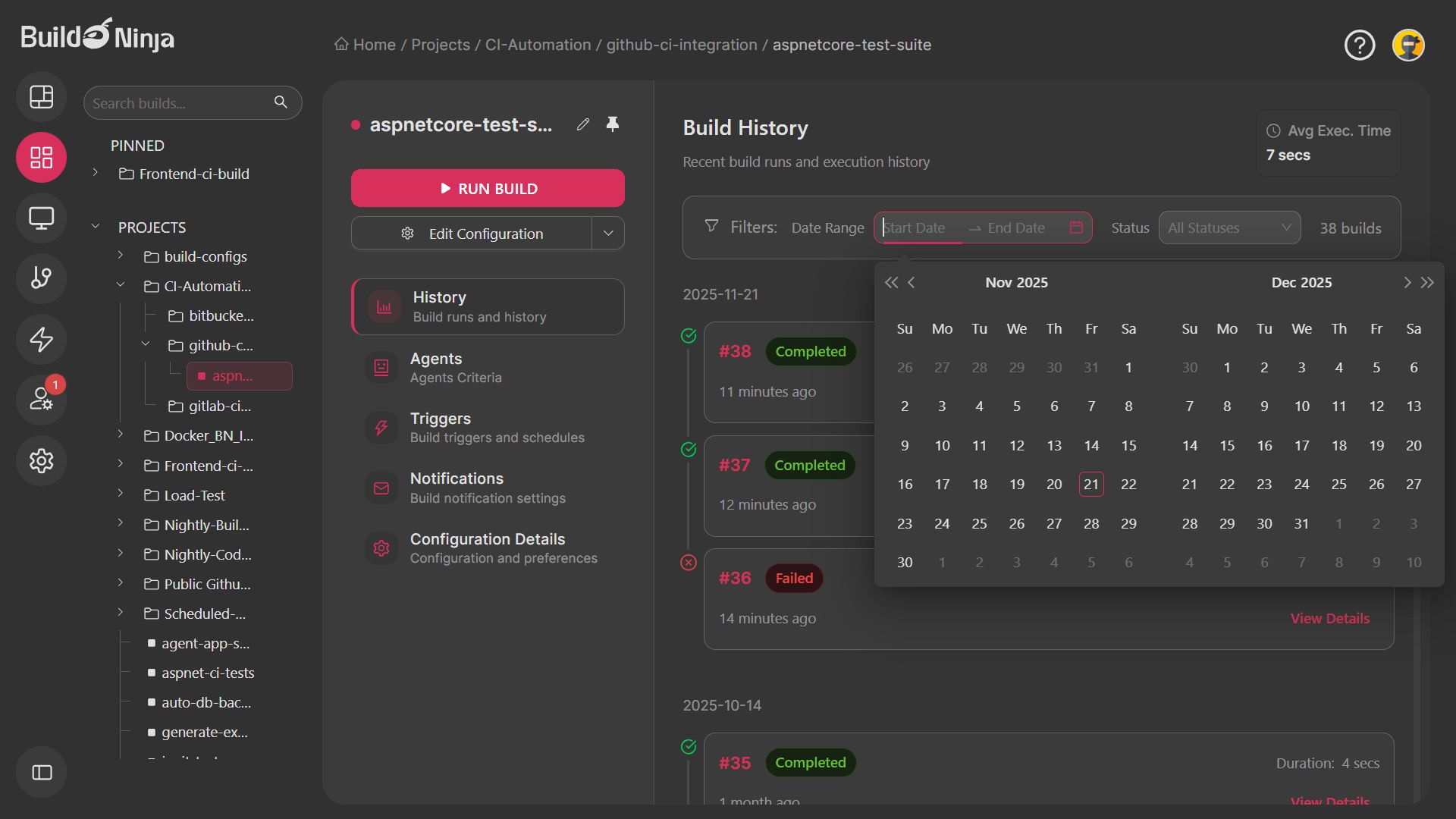
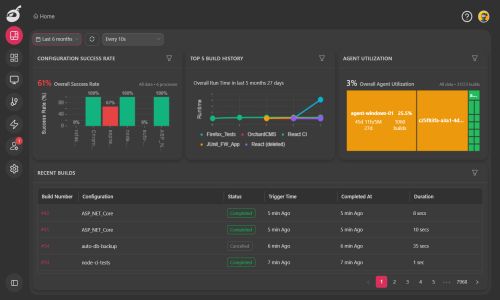
  • Interactive Dashboard: View and filter build metrics and recent builds with customizable time ranges and auto-refresh options.
  • Real-Time Logs & Reports: Provides live logs and dashboards for build and deployment monitoring.
  • Email Notification System: Automatically sends alerts for key events such as user registration, password resets, account blocks, registration approvals or rejections, build execution results, and agent disconnections. Supports SMTP configuration for reliable and flexible delivery.
  • Single Sign-On (SSO) Support: Supports multiple SSO providers for streamlined and secure user authentication.

Alternative

ManageEngine Site24x7

AI-powered monitoring for modern IT

5.0
Rating out of 5 Based on 1 reviews

Monday.com Dev

Empower your R&D teams to build better products

0.0
Rating out of 5 Based on 0 reviews

Atlassian Access

By Atlassian

0.0
Rating out of 5 Based on 0 reviews

BuildNinja Video/Screenshots

User Reviews

no-reviews
Share your experience! Be the very first reviewer. Write a Review

Frequently Asked Questions (FAQs)

The user group of BuildNinja are as follows :

  • Personals
  • Startups
  • SMEs
  • Agencies

BuildNinja has 2 plans,

  • Solo Edition INR Free Forever
  • Shogun Edition INR ₹17,499/month

BuildNinja is allowed 0 Days Free Trial.

The key featuers of BuildNinja are as follows :

  • Integrated Git & CI/CD
  • Git Management
  • Continuous Integration

BuildNinja pricing model : Yearly,Monthly,Onetime(Perpetual License),Transaction

BuildNinja is Offline Software.

No

BuildNinja offers Email,Business Hours support.

BuildNinja provides Help Guides,Video Guides,Blogs,Webinars,Infographics,Case Studies for the software training.