aTube Catcher

Download all your favorite videos!

0.0
Rating out of 5 Based on 0 reviews

What is aTube Catcher? 


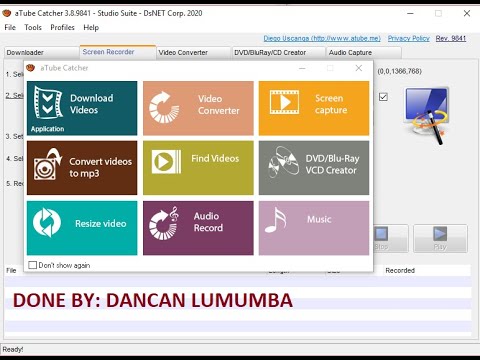
aTube Catcher is a free multimedia software designed to download videos, music, and other media from popular platforms such as YouTube, Vimeo, Dailymotion, and many others. Beyond downloading, it offers built-in tools to convert video and audio into multiple formats, making it compatible with mobile devices, PCs, and media players. The software also includes options for screen recording, DVD/Blu-ray burning, and audio capture. Known for its versatility and ease of use, aTube Catcher helps users save and organize online content for offline access. It is widely used by students, professionals, and casual users seeking reliable video downloading solutions.

Pricing of aTube Catcher

no-pricing
For get detailed pricing as per your requirements.

Key Specification

Other Categories: Video Management Software
Deployment: Cloud Hosted,Hybrid
Customer Support: Phone,Email
Languages Support: English

Who uses aTube Catcher

Personal
Personal

Company Details

Company Name: aTube Catcher
Headquarter: Mexico Mexico
Social Media:

aTube Catcher Description

Why Choose aTube Catcher?

Choosing aTube Catcher means opting for a feature-packed, all-in-one multimedia solution that simplifies the process of downloading and managing online content. Unlike many video downloaders, it doesn’t just stop at grabbing videos; it also allows users to convert files into multiple formats like MP4, AVI, MP3, MOV, and more. Its built-in screen recorder and DVD/Blu-ray burning features make it a versatile tool for both personal and professional use. The software supports batch downloading, saving you time when working with multiple files. Acting as a lightweight yet effective Video Management Software, it is easy to install and compatible with Windows systems, making it accessible for all users. Whether you’re a student who wants lectures offline, a creator saving resources, or a professional archiving media, aTube Catcher provides everything in one package.

Benefits of aTube Catcher 

  • Download videos from multiple online platforms.
  • Convert videos into various file formats for compatibility.
  • Save audio tracks directly in MP3 format.
  • Screen recording for tutorials, meetings, or streaming.
  • Burn media directly to DVD or Blu-ray.
  • Batch downloading for faster workflow.
  • Lightweight and easy-to-use interface.
  • Supports high-definition and low-bandwidth formats.
  • Helps users access content offline anytime.
  • 100% free, making it cost-effective for individuals and professionals.

How to Use aTube Catcher

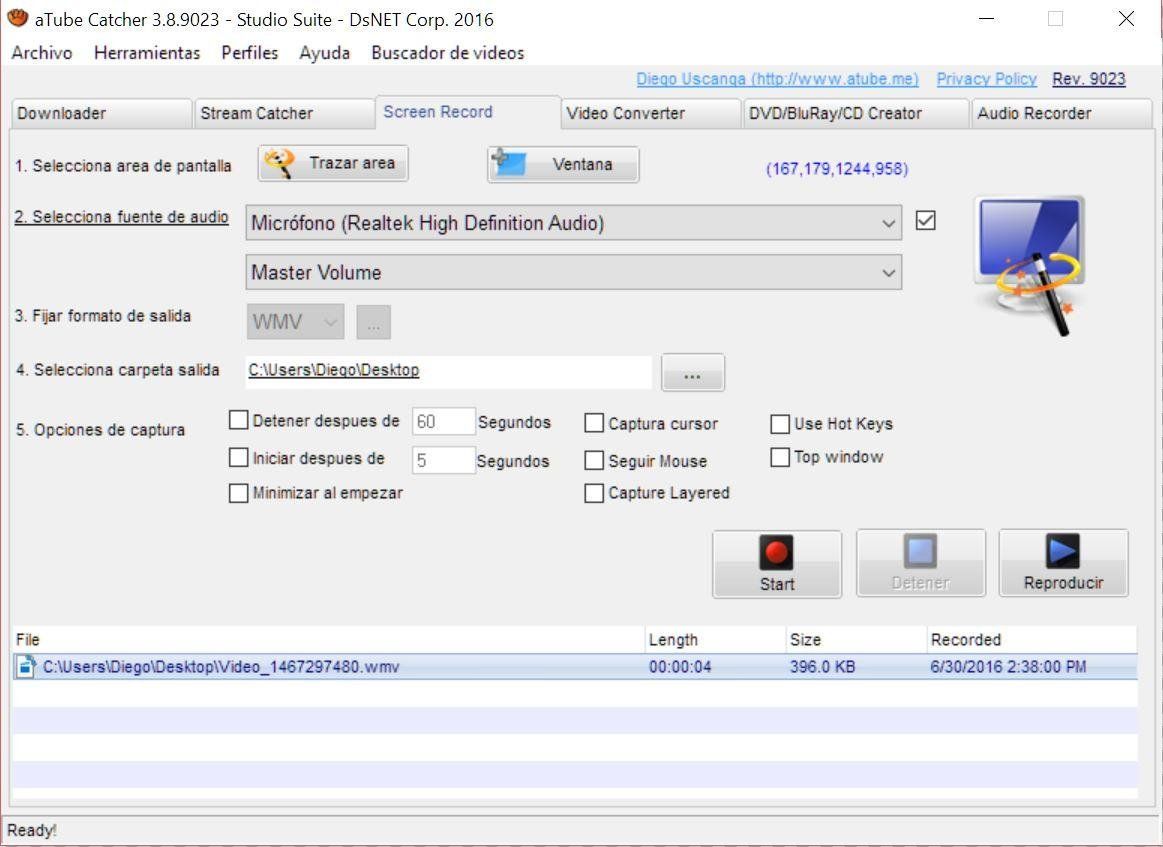
Using aTube Catcher is simple and beginner-friendly. Start by downloading and installing the software on your Windows PC. Once installed, copy the video link (URL) from platforms like YouTube or Vimeo and paste it into the software’s download field. Select your preferred format and resolution, then click the “Download” button to begin saving the file. For audio-only extraction, choose MP3 or other audio formats before downloading. The software also includes options for screen recording—just select the “Screen Capture” tool, adjust the recording area, and hit record. If you want to burn content to DVD or Blu-ray, insert a disc and use the built-in burning feature. With step-by-step prompts, the process is smooth even for beginners.

Features of aTube Catcher

  • Video Downloader – Save videos from YouTube, Vimeo, Dailymotion, and more.
  • Audio Extractor – Convert video into MP3 or other audio formats.
  • Format Converter – Supports multiple formats, including MP4, AVI, MOV, 3GP, and WMV.
  • Screen Recorder – Capture desktop activity for tutorials, gaming, or meetings.
  • Batch Downloading – Download multiple videos at once.
  • DVD/Blu-ray Burning – Burn videos to physical discs for backup or sharing.
  • Subtitles Support – Download videos with subtitles where available.
  • Customizable Output – Choose resolution, bitrate, and file size.
  • Lightweight Software – Works efficiently without slowing down the system.
  • Free to Use – No hidden charges or premium versions.

What Makes aTube Catcher Different?

aTube Catcher stands out because it combines downloading, converting, recording, and burning features into a single lightweight software package. While most video downloaders only let you save content, aTube Catcher goes further by offering screen capture tools, batch downloads, and built-in conversion to multiple formats. This means users don’t need to install multiple programs for different tasks. Another key differentiator is its free-to-use model, making professional-level features accessible without cost. Its ability to handle everything from MP3 audio extraction to DVD burning sets it apart from standard video downloaders. With its versatility, it appeals to both casual users and professionals seeking a complete multimedia toolkit.

 Who Can Benefit from aTube Catcher? 

aTube Catcher is suitable for a wide range of users. Students can use it to download online lectures and study materials for offline access. Content creators benefit from its ability to extract audio, download reference videos, and record screens for tutorials or gameplays. Professionals can use it to archive webinars, presentations, and training sessions. Music lovers enjoy converting videos to MP3 for playlists, while casual users appreciate its ability to save favorite videos for offline entertainment. Even businesses can leverage its screen recorder for training demonstrations. Since it’s free, reliable, and packed with features, it provides a cost-effective solution for anyone needing multimedia downloading and management capabilities.

Is aTube Catcher Easy to Use? 

Yes, aTube Catcher is designed with user-friendliness in mind. Its clean interface makes navigation simple even for beginners. To download a video, all you need to do is paste the link, select the format, and click download—no technical knowledge required. The software also provides guided steps for more advanced features like screen recording and DVD burning. Batch download options streamline the process further, saving time for heavy users. Advanced users can customize resolution, bitrate, and formats, while beginners can stick to default settings for quick results. Overall, the software balances simplicity with powerful features, making it suitable for all skill levels.

What Support Does aTube Catcher Offer? 

aTube Catcher provides user support primarily through its official website and online community forums. The website offers FAQs, tutorials, and step-by-step guides that help new users understand the software’s features. While it does not provide dedicated live chat or phone-based support, users can find solutions to common issues through documentation and community discussions. Regular updates ensure compatibility with online platforms and fix potential bugs. Additionally, online user communities and tech forums often share tips, tricks, and troubleshooting guides, making it easy to find solutions when needed. For a free software, the level of support offered is sufficient, especially considering its intuitive interface and self-explanatory features.

Alternative

hireflix

The most effi|one-way video interview software

0.0
Rating out of 5 Based on 0 reviews

Promo.com

Your Creative Video CoPilot For Business Marketing Success

0.0
Rating out of 5 Based on 0 reviews

InVideo

Create publish-worthy videos on day one

0.0
Rating out of 5 Based on 0 reviews

aTube Catcher Video/Screenshots

User Reviews

no-reviews
Share your experience! Be the very first reviewer. Write a Review

Frequently Asked Questions (FAQs)

The user group of aTube Catcher are as follows :

  • Personals

aTube Catcher has 0 plans.

aTube Catcher is allowed 0 Days Free Trial.

aTube Catcher is Cloud Hosted,Hybrid Software.

aTube Catcher offers Phone,Email support.