


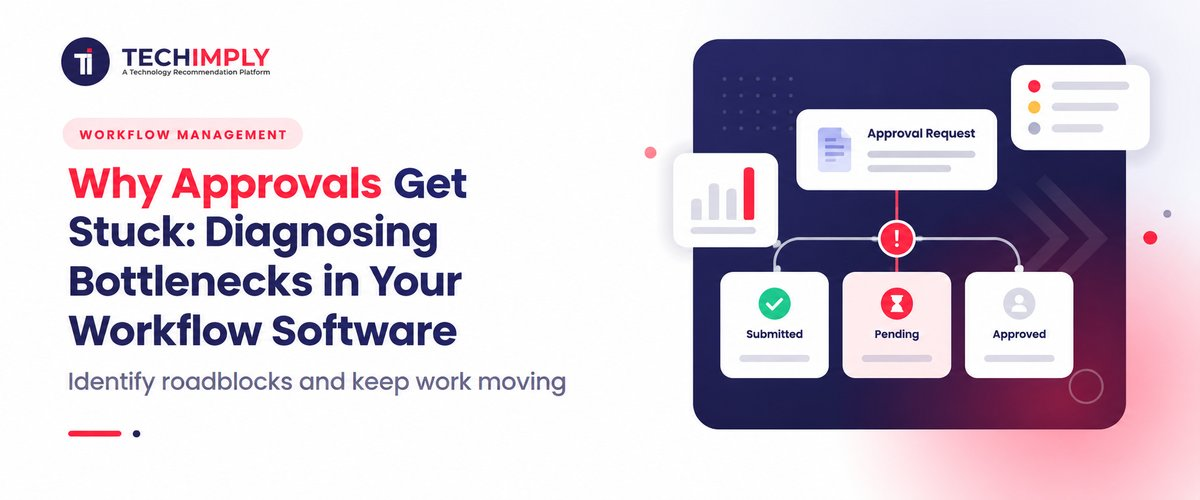
Many Indian companies try workflow tools to speed things up. Even so, approvals can still get stuck. Often it starts right at setup. Teams copy the old process into a new system. If the earlier steps were not clean, the new tool just carries that clutter forward. It does not fix the root issue. You can spot the delay in a few typical places. For example, reviews may depend on a long line of sign offs. One slow reviewer can hold up every next step. After that, some managers wait for a direct spoken go ahead before they act. Low turnout can make the outcome look strange fast. One early vote can push a choice ahead.
What is an Approval Bottleneck in a Workflow?
A request can get stuck and keep running on the same step. When that happens, the next steps sit idle. This shows up in many Indian companies. The cause is often outdated process rules that get pasted into newer tools. A simple cost can require five separate approvals. It can also get blocked by one senior worker. That person may be out, or tied up in one meeting after another. Sometimes they also rely on a quick phone yes first, then the system gets updated later.
This kind of slowdown can cause client due dates to slip. It can also push vendor payments out longer than planned. Over time, teams across operations get worn down and irritable. To fix this, companies need to move away from slow sign-off chains. They should use simpler routing, let certain requests clear on their own based on set limits, and set clear service timelines so work keeps moving.
Did you know?
Many Indian companies see a pattern: more than 60% of slow approvals come from a small group. Only 10% of the approvers keep routine, low-risk requests waiting. When teams add clear rule sets, things move faster. For example, expenses below ₹25,000 can be approved automatically. This kind of change clears much of the daily queue right away.
Why do Approvals keep getting Stuck in your Workflow Software?
A lot of companies in India bring in AI workflow apps to move faster. Still, many requests wait for days. Usually, the tools themselves are not the issue. The bigger problem is that the old way of running things gets copied into the system as if it were a set template. If a simple purchase order or a vendor deal needs four or five approvals to match how people sign things in real life, the app just reproduces the wait. It does not remove it.
Another big reason for these slowdowns is fear of acting without a clear green signal. In many teams, managers ignore system alerts until they hear back by phone. Sometimes they wait for a WhatsApp message. At other times they wait for a casual ok from a senior person. On top of that, authority is often not shared clearly. Even small spend, like a ₹10,000 repair, can need approval from the top. This turns a few busy executives into the block point, and the queue never really clears.
Suggested Read:
In practice the tool feels like a page of items you scroll through. Nothing moves forward on its own. When a manager is out, issues surface quickly. Work that changes hands gets tangled. There is no clear SLA that tells staff when an approval should finish. Even items marked low risk can still bring extra checks. With those rules in place, sign off becomes tough. In the end, people end up waiting. After that, the whole cycle slows and can even stop. the firm should review every sign off step. Routine requests should not pass through too many approval gates. Each item should reach the correct person the first time. The flow should flag when a due date might slip. Routine requests should move through without constant chasing.
What Causes Approvals to Slow Down or Stall?
Approvals stall when human habits, rigid, and poorly configured software collide. Here are the primary drivers:
- Every section needs sign off before it can move: That means one person owns the full run. If they are absent, or pulled into other meetings, the work slows right away.
- These checks Keep Showing up: They come back again and again, even for small stuff. If I have to buy something or pay a small bill, it still takes longer than it should.
- When an alert is sent, the timing Slips: The team sees the notice fast. But the next approval still does not begin right away. People sit while waiting on a short call, a quick reply, or a whatsApp business message. Work starts only after that note comes in.
- Support Coverage is not Strong: If there is no stand in reviewer, or if no extra time slots are set ahead of time, items pile up in the queue. Over days and weeks, the backlog grows. It just keeps growing.
- Some requests come in incomplete: A submission may lack required files, or it may omit key facts. In other cases, the numbers do not align. Then the reviewer returns it for changes. The sender has to correct it before the next step can happen.
What are the Warning signs your Approval process is Breaking Down?
This hits hard when money and growth are on the line. In India, timelines can change without much warning. That puts more pressure on everyone. Even trust with suppliers and buyers can turn fast. Because of that, a few issues keep coming back in the same way.
- One recurring issue is approvals made outside the official track: It can happen quickly. Instead of going through the proper steps, some teams use phone calls, WhatsApp messages, or a quick verbal ok. When people feel forced to skip the formal route just to hit dates, it often shows the official approval flow is not working as planned.
- Another common issue shows up at month end: Tasks that should run on a steady calendar, like paying vendors each month, launching campaigns on time, or finishing client agreements, get delayed for days. The moment the due date arrives, the push starts to get everything through right away.
- Delays also hit vendors and clients: Payment releases and contract sign-offs get slowed down again and again. If vendors complain about late payments or clients hesitate because onboarding drags, approval friction is usually the cause.
- Escalations become normal too: Even low-risk items get treated as urgent, or they keep getting pushed up to senior leaders. If overrides turn into the everyday way to handle basic work, the standard workflow is failing.
- You might also notice the quick approvals: Some managers clear a pile of items in a few seconds. They do not really read the paperwork or check what is going on. When approvals move that way, it often means the review step has stopped working as a review. It turns into a simple tick-the-box task.
- Rejections and returns also go up: Requests bounce back and forth between the submitter and the approver. This happens when required details are missing, the files do not match the required format, or the goal is hard to understand. That back-and-forth usually shows the process is not giving clear guidance to the people involved.
How do Stuck Aprovals hurt your Team and Business?
Team Impact
- Frustration and burnout: People end up spending a lot of time hunting for approval through email, calls, or chat. That time could have gone to work that matters more.
- Momentum slips and context fades: If the wait is long, attention drops. When the go-ahead finally comes, the team often has to re-check the details again. That slows delivery even more.
- Rules get worked around: With deadlines that feel too tight, some people start to avoid the formal path. They lean on casual okay notes or verbal promises instead of the proper steps. Over time, this weakens how the team follows its own controls.
Business impact
- Money and chances lost: When payment approvals slow down, vendor bills sit longer than they should. Client deals can stall too. Marketing work may start late. You can end up with penalties for late payments and lose deals that could have closed.
- External ties take a hit: Suppliers and vendors notice when onboarding drags or money processing lags. Clients feel the delay as friction. Over time, this can weaken trust and make your brand seem unreliable.
- Day to day work gets harder: Extra approval steps often turn into extra paperwork. Teams spend more hours chasing signatures and tracking status. This pushes up costs, yet the checks may not improve safety or quality.
How can you Fix and Prevent Approval Bottlenecks?
Approval slowdowns can be reduced and stopped when teams use smart routing, simpler steps, and clear backup coverage.
- Use auto approval for small, low risk items: Remove hand approvals for routine asks. For instance, let the system approve common expenses or purchase orders under ₹25,000 based on set rules.
- Add time based escalation: Turn on rules that watch for delays. If a person does not touch a request after about 24 to 48 hours, the request should move to a teammate or a manager.
- Turn on out of office delegation: Let a user pick a temporary delegate. When an executive is traveling, on leave, or unavailable, the delegate should get sign off power automatically.
- Use Dynamic Forms & Conditional Logic: Ensure submitters provide all mandatory information, attachments, and budget codes upfront. Preventing incomplete requests stops lengthy back-and-forth clarification cycles.
- Limit approvals: Aim for two or three approval stages. Add more checks crowded field only if the call is high risk or very high value.
- Run reviews in parallel: Send the task to Legal and Finance at the same time. Do not hold one group back while the other finishes.
- Keep approval simple for phones and inboxes: Allow reviewers to approve from email alerts or short mobile messages.

Pro-tip
If approvals slow things down, stop relying on long chains. Use routing that works on its own, set clear limits for when extra review is needed, and set who can step in when someone is not available. Also, handle idle items in a defined way, allow routine low-value requests to move through, and ask for the key details early in the process.
What key Software Features should you look for to Eliminate Approval Bottlenecks?
Check workflow software and pick tools that include these options:
1. SLA triggers that move work along
If a request sits too long, the system should escalate it or reroute it after a set time, like 24 hours.
2. Auto approvals based on rules
Low-risk items should be approved on their own. For example, routine buys under ₹25,000 should not need manual sign-off.
3. Multiple approvals at the same time
Requests should be reviewable by several teams in parallel. Legal, Finance, and HR can look at the same request at once, not one after another.
4. Forms that guide the user
Forms should ask for the right details upfront. They should also use conditional logic so people attach required files and avoid repeated clarification.
5. Approvals from a phone or by email
Busy leaders should be able to approve from email or messaging apps in one tap. They should not need to log in on a desktop to handle sign-offs.
Conclusion
Workflow tools can mask bottlenecks. The team ends up waiting. Costs rise because items move too late. Even relationships get strained with vendors and clients. When pace is high, you cannot pause. You need less friction, not more add-ons. So reduce the heavy parts of the system and automate how tasks are routed. You should also set firm boundaries so each step has one clear owner. If you want day to day work to run smoother, choose software that matches your team. Do not rush the shortlist. Review each option and see what it really handles. After that, cut down your list and decide with care. Techimply can support that. You can browse tools, compare them, and choose business software that keeps your workflows moving.



 (1)-min.jpg "Content Marketing for Digital Marketers: Tips and Tricks for Success")



