Work is no longer waiting until you arrive at office but it will be with you everywhere you go. Business is no longer confined within the office walls but with engineers working out a solution to a server failure at midnight to the finance teams, who at the airport lounge approve payments.
As time pass, the concept of the "office" has dissolved. We are no longer tethered to a physical desk. But how do we maintain productivity when our workforce is scattered across time zones?
The answer lies in one critical technology.

Looking for Remote Access Software?
Check out Techimply's List of Best Remote Access Software in India. for your business.
In this blog we shall deconstruct What is remote access, how it keeps the global economy moving and why your business will probably not be able to do without it.
What Is Remote Access And Why Is It Crucial For Businesses In 2025?
It is the capability to access devices, application, files and even complete business networks at any place through the internet.
But to truly understand remote access meaning, we have to look beyond just connecting. It is about control. When you initiate a remote login, you aren't just looking at files; you are effectively sitting in front of that remote machine, using its applications, processing power, and data as if you were in the room. Globally, about 48% of workers now operate remotely or in hybrid setups, a dramatic jump from pre-2020 levels.
Why the Urgency?
Remote access technology has become essential with the transition to the hybrid work patterns.
-
Globalization: Teams are distributed. A remote access system bridges the gap between a developer in London and a server in Tokyo.
-
Agility: Businesses need to react fast. Remote access technologies allow IT teams to fix issues instantly without travel time.
-
Business Continuity: In case of physical office closure (weather, health crisis, or maintenance), operations proceed without issues through secure remote access.
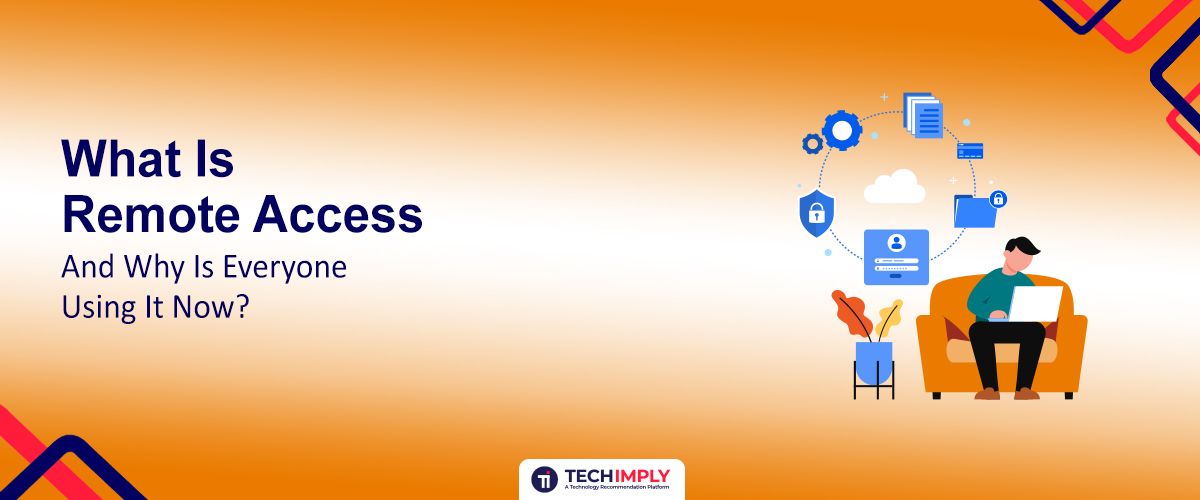
To make the idea even clearer, here’s a quick visual example of how businesses rely on remote access in real-world environments:

Did You Know?
With advances in technology, it is estimated that more than three out of five workers will be employed remotely at least five days a month. And without a strong remote connectivity, this change would cause a colossal productivity failure.
How Does Remote Access Work And Who Actually Needs It?
In case you are asking How does remote access work, consider it as a long, invisible cable that spans across the internet.
The process typically involves three main components:
-
The Host: The computer or server being accessed.
-
The Client: The device (laptop, tablet, phone) used to access the host.
-
The Protocol: The language the two devices use to talk to each other.
By launching a session, the client software makes a request to the remote access server or host. A secure tunnel is created after identity verification (typically done through a remote access code or credentials). The keystroke of your computer and the movement of your mouse are transmitted to the host and the images displayed to your screen are returned. This will result in a remote session implying that you are virtually present in the host machine.
Who Needs It?
Basically, if you need to be in two places at once, you need this technology.
-
IT Support Teams: To fix employee computers without leaving their desks.
-
Remote Workers: To access office files and specialized software.
-
System Administrators: To manage the remote access control of servers and infrastructure.
-
Travelers: To retrieve forgotten files from a home PC.
What Are The Types Of Remote Access, And Which One Is Right For You
Various types of remote access exist with each form designed to suit a specific business requirement. Let's simplify them:
1. Virtual Private Network (VPN)
What is a remote access vpn? It is the most common method for businesses. A VPN creates an encrypted tunnel between the user and the corporate network. It’s like driving your car through a private, underground tunnel rather than on the public highway. It protects data from prying eyes.
Ideal for:
-
Remote employees
-
Hybrid teams
-
Corporate network access
2. Remote Desktop Protocol (RDP)
RDP is a Microsoft proprietary protocol. It offers a graphical interface to a user to allow a connection to another computer via a network connection. RDP is used in case you have ever used Remote Desktop Connection on windows. What is remoting? In the Windows world, it is often synonymous with using RDP to control a machine.
Ideal for:
-
IT admins
-
Server maintenance
-
Technical support teams
3. Cloud-Based Remote Access
This is the contemporary easy to use method. Applications such as TeamViewer, AnyDesk, or Zoom use handshake services on cloud servers. They are usually the most appropriate remote access options to be used when giving immediate assistance since they do not need any complicated firewall settings and in most cases only a remote access code is all that is needed to match the devices.
Ideal for:
-
SaaS-based companies
-
Scalable businesses
-
BYOD environments
4. Direct Access
This is a feature in Windows Server that allows connectivity to corporate network resources without the need for traditional VPN connections. It provides an "always-on" experience for the user.
Ideal for:
-
Large enterprises
-
High-security environments
-
Continuous internal network access
What Are The Key Protocols For Remote Access And Why Do They Matter
Protocols define how remote access service works behind the scenes. Choosing the right one means better speed, security, and reliability.
-
Remote Desktop Protocol (RDP)
this is the standard for Windows. It is built for transmitting the visual desktop interface. However, raw RDP exposed to the internet is a security risk, so it is often wrapped inside a VPN.
-
Secure Shell (SSH)
SSH is the King to Linux and Unix administrators. It is a command-based protocol with secure remote access. It is so efficient in that it does not consume bandwidth in delivering graphical images, only text.
-
Virtual Private Network (Vpn) Protocols
1. Point-To-Point Tunneling Protocol (PPTP): One of the oldest protocols. It is fast and easy to set up but has known security vulnerabilities. It’s rarely used for sensitive data anymore.
2. Internet Protocol Security (IPsec): A robust suite of protocols that authenticates and encrypts packets of data. It is often used in "Site-to-Site" VPNs to connect two different office networks permanently.
3. SSL VPN (Secure Socket Layer Virtual Private Network): This uses the same encryption as your banking website (HTTPS). It allows remote access via a standard web browser, making it incredibly accessible for non-technical users.
-
Virtual Network Computing (VNC)
VNC is a platform-independent system. You can use VNC to control a Windows machine from a Mac, or a Linux machine from an iPhone. It sends pixel-based data, making it versatile but sometimes slower than RDP.
-
Point-To-Point Protocol (PPP)
A foundational protocol used to establish a direct connection between two nodes. While you might not use PPP directly today, it underlies many other connections.
-
Point-To-Point Protocol Over Ethernet (PPPoE)
This is used mainly by ISPs to provide internet connections to customers, encapsulating PPP frames inside Ethernet frames.
-
Serial Line Internet Protocol (SLIP)
An obsolete protocol that was used to connect a computer to the internet via a modem. It is the grandfather of modern connectivity but essentially extinct in 2025.
Quick Insight:
You might have heard about a type of remote access trojan (RAT). This is the dark side of the technology. A RAT is malware that gives a hacker administrative control over your computer. Always ensure you are using legitimate, updated remote access software to avoid these threats.
What Are The Benefits Of Remote Access?
Why are companies investing millions in remote access technology? The ROI is undeniable. Here are the primary benefits of remote access:
1. Enhanced Flexibility
Work is an activity, not a place. Employees can work from home, a hotel, or a train. This flexibility leads to higher job satisfaction and retention.
2. Increased Productivity
What is remote connectivity if not a time-saver? Waiting for a file to be emailed can take hours. Logging in to get it yourself takes seconds. Projects keep moving regardless of location.
3. Cost Savings
With a robust remote access system, companies can reduce office space (lower rent/utilities) and travel costs. IT support can fix a laptop in 5 minutes remotely, saving the cost of shipping the device or flying a technician out.
4. Improved Business Continuity
Disasters happen. Whether it is a pandemic or a power outage at headquarters, remote access service ensures that your data and applications remain available to employees working from safe locations.
5. Faster IT Support And Troubleshooting
For help desks, remote access is a superpower. Technicians can see exactly what the user sees, take control of the mouse, and fix the issue. How remote access works in this scenario transforms a 30-minute phone call description of a problem into a 2-minute fix.
6. Access To A Wider Talent Pool
When you aren't limited by geography, you can hire the best talent in the world, not just the best talent within a 20-mile radius of your office.
7. Improved Collaboration
Teams can share screens and control documents together in real-time. Whats remote access doing for collaboration? It’s turning solitary work into a team effort instantly.
8. Better Work-Life Balance
By eliminating commutes, employees gain hours back in their day. This balance reduces burnout and keeps teams energized.
9. Enhanced Security (When Properly Implemented)
This sounds counterintuitive, but centralized data storage accessed via secure remote access is safer than files saved on local laptops that can be lost or stolen. The data never leaves the secure server; only the image of the data is transmitted.
Pro-tip
Secure remote access is only as strong as its authentication. Always enable Multi-Factor Authentication (MFA). Even if a hacker steals a password, they cannot bypass the remote access control without that second factor (like a code on your phone).
Conclusion
Remote access is no longer a back-end network feature — it’s a business enabler. It connects teams across countries, empowers remote work, reduces cost and downtime, and ensures business keeps moving even when physical access isn’t possible.
As we move further into cloud-first operations, borderless hiring, and real-time IT management, organizations that leverage remote access technologies will scale faster, adapt smoother, and operate smarter.
The future belongs to businesses that are connected — not confined. And remote access is the gateway to that future.