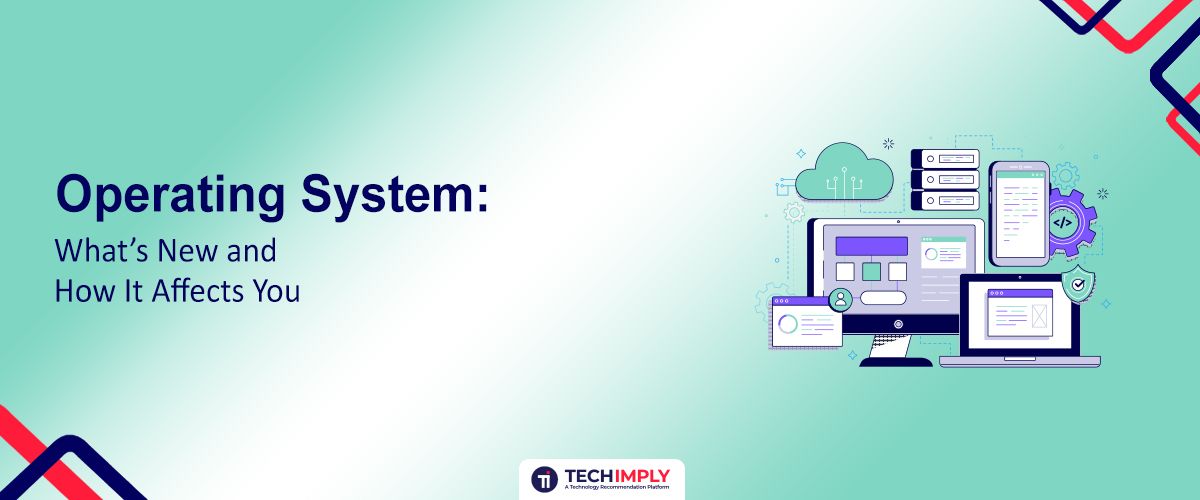
In the Digital world, the Operating system is the heart of every computing device. OS, meaning in Computer terminology, refers to the “Operating System” which is the software that manages all hardware and software resources. One of the early forms of Os was a disk operating system, which depended on the command line input to perform basic functions. Today, modern operating systems such as Windows, macOS, and Linux provide powerful graphic interfaces. The Full Form of OS is an operating system that puts a layer of software on top of the bare hardware and manages all system parts. So, we called it the file system in the Operating system.

Looking for the Operating System Software?
Check out Techimply's List Of Best Operating System Software in India for your business.
In this blog, we fly into the operating system, its most important features, basic roles, and generations of different types and find out what the future of the future operating desktop technology in the future.
What is an Operating System?
Operating System is a core software that manages the hardware and software resources of a computer system. The Basic Introduction to the Windows Operating System software acts as an interface between computer products and users, manages resources, and provides users with a platform to interact with computers. The OS, meaning Computer, refers to the system software that enables communication between the user and hardware.
Generally, There are 4 functions of the Operating System The primary functions of operating systems are to enable applications to interact with a computer’s hardware and manage a system’s hardware and software resources. Operating system fundamentals are essential for anyone pursuing an OS Course. Students often work on operating system projects to gain practical experience in concepts like process scheduling, memory management, and making a vital subject in computer science education; so basically it is course outcome operating systems.
Operating System Generations
The evolution of the Operating Systems (OS) has gone through several generations, each transforming how computers interact with users and hardware.
-
First Generation
In the first generation (1940s-50s), no OS task required manual setup. There were no digital computers. Calculating engines that used mechanical relays were built at that time and were popularly used.
-
Second Generation
As the technology advanced, the second generation introduced a batch processing system, which led to the development of computer systems that could have been produced and sold to customers.
-
Third Generation
The third generation brought multi-software and time-sharing, which played an important role in developing the operating system, which made the CPU at all times busy by performing different tasks at the same time on the same computer at the same time.
-
Fourth Generation
The fourth generation marked the arrival of personal computers and made operating systems more user-friendly and widely accessible.
-
Current Scenario
In 2025, the fifth-generation systems will include AI-powered systems, cloud-native and hybrid OS, and improved securities with zero trust models.
The Future of Operating Systems: Key Trends, What’s New and How it Affects You
The Future of Operating Systems (OS) is being shaped by technologies, shifting towards deeper integration with cloud services and supports, artificial intelligence Software (AI), Machine learning, and edge computing. Operating systems in 2025 are expected to integrate advanced encryption, secure boot processes, and real-time threat detection. The Latest trends in OS such as:
1. AI-Powered System Optimisation
It can understand and anticipate user needs more effectively. This leads to a more intuitive and efficient user experience, Where the system feels more like a personal assistant than a tool. It can analyze vast amounts of data quickly and provide insights. AI-powered systems are much faster than traditional methods.
2. Improved Security With Zero-Trust Models
New OS versions now follow zero trust models. This model focuses on the principle of “Never Trust, always verify”. Users are granted only the minimum level of access necessary to perform their tasks.
3. Cloud Native and Hybrid OS Platform
Nowadays, operating systems are cloud-integrated, it allows users to access the same environment across multiple devices. It also supports hybrid workspaces for remote and on-site collaboration.
4. Better Accessibility and Personalisation
OS developers are adding more customisation options like screen readers, voice control, and adaptive features. By implementing these features, websites, and apps can be more inclusive and user-friendly for extensive target groups.
Do you Know?
Os Kernel is the main part that manages communication between software and hardware?
How these changes affect you: Practical Implications
OS practical implementation involves creating programs that demonstrate key operating system concepts. It shows that the actual effect or result will be in everyday use or practice.
-
Smarter File Handling
One of the most noticeable improvements is the file system in Operating System. New file systems such as APEF, EXT4, and NTFS are designed to be faster and safer. The files are arranged in a hierarchical structure by directors and sub-guides, which allows for logical groups and easy navigation.
-
Enhanced Input /Output Efficiency
The Input-Output management in operating systems has been significantly upgraded. This directly affects how smoothly your keyword, mouse, printer, USB devices, and network functions.I/O scheduling algorithms determine the order in which I/O requests are processed, minimizing wait times and maximising throughput.
-
Stronger Security and Privacy
The operating system involves the implementation of security policies, access controls, authentication mechanisms, and cryptographic use to ensure privacy and integrity of the data. If you are working remotely or shopping online, today’s OS features offer better protection from cyber threats.
Looking for Work Operating System?
Check out Techimply's List of Work Operating Systems in India. for your business.
The Fundamental Role of OS in Computing
To manage computer resources and provide user interactions, operating systems complete many basic roles, including:
-
System Performance Monitoring
CPU uses continuous use, memory load and system log to maintain even performance. The Operating System plays a fundamental role in the world of computing by serving as the backbone that manages both hardware and software resources.
-
Job Plan
We expect modern computers to do many different things at once,e and we need some way to arbitrate between all the different programs running on the system, So determine the priority and order of performance, and make sure important tasks are done without the first delay.
-
Error Detection and Handling
The software or hardware detects errors during operation and implements measures to prevent a crash or loss of data. The OS provides generic interfaces to services. It acts as an intermediary between the user and the computer hardware.
-
User Account Management
Supports multiple user accounts with individual settings, and manages roles, permits and security levels. As a part of operating system fundamentals, it handles process scheduling and file system architecture.
-
Software Platform
The application acts as a platform for the application programs to run by offering important services and APIs.The OS provides generic interfaces to services. It acts as an intermediary between the user and the computer hardware.
Do You Know?
Operating system with multiple users allows many people to use a single computer at the same time?
Types Of Operating Systems
There are several types of operating systems, each designed to meet the specific requirements of different computer systems, including:
-
Batch Operating System
These operating systems automatically perform a group of jobs without user interaction. It organizes similar tasks into batches for efficient processing and quicker response times.
-
Time-sharing Operating Systems
It allows multiple users to access the OS simultaneously by sharing a time slice of CPU. It minimizes the ideal time of the processor. It reduces the chance of software duplication.
-
Real-time Operating Systems
Real-time operating system: Designed for systems that require immediate processing and response. It is used in important environments such as robotics and health care. It allows fast shifting from one task to another.
-
Distributed Operating Systems
Coordinates multiple computer systems to work as a single system. They allow remote working and a faster exchange of data among users.
-
Network Operating Systems
Network OS is installed on a server. Allow users to manage data, user groups and applications. This allows OS users to access and share files and devices.
-
Built-in Operating System
Light operating systems are used in built-in devices such as ATMs, washing machines and smart TVs.
You May Also Read- Different Types of Operating Systems to Know
What are the Functions of an Operating System?
You have already read about the operating system and its functions. Now learn about the details of the functions of Windows operating systems.
-
Process Management
Managing processes is an operating system's primary function. In order to guarantee appropriate CPU use and perform multiple tasks, it manages the establishment, time management system, and termination of processes.
-
Memory Management
The operating system controls memory utilisation and allocation of resources and keeps track of every character in the system's storage. This stops leaks of memory and assures the best effective usage of RAM.
-
File System Management
The operating system for Windows (OS) uses a systematic database of files to set up, maintain, access, and manage information stored on storage devices. It is a crucial component of its functions.
-
Input/Output Management
For effective functioning, input as well as output devices like the keyboard printers, and internet connections are overseen and coordinated by Input/Output Management in operating Systems.
-
Device Management
Device Management Controls and Coordinates hardware devices. The OS manages device drivers, device requests, and data transfers. The OS provides a standard interface for device interaction, ensuring compatibility and simplifying device management.
Conclusion
With the help of artificial intelligence (AI), cloud support, and improved customized services, operating systems (OS) will be more quickly smarter, and substantially more secure in 2025. They also make regular tasks easier and more profitable. Current operating systems are far from mere software; they are your sophisticated helper for a smooth digital existence as such.