The tendency of remote work provisions is that they expand quietly. It always starts with one employee asking to work from home, or a contractor joining from a different state, and soon the rest join.
As a result, sensitive company records start moving across company networks, home networks, and Wi-Fi at restaurants or airports. This changes the business security question and, more precisely, the ones related to VPN.
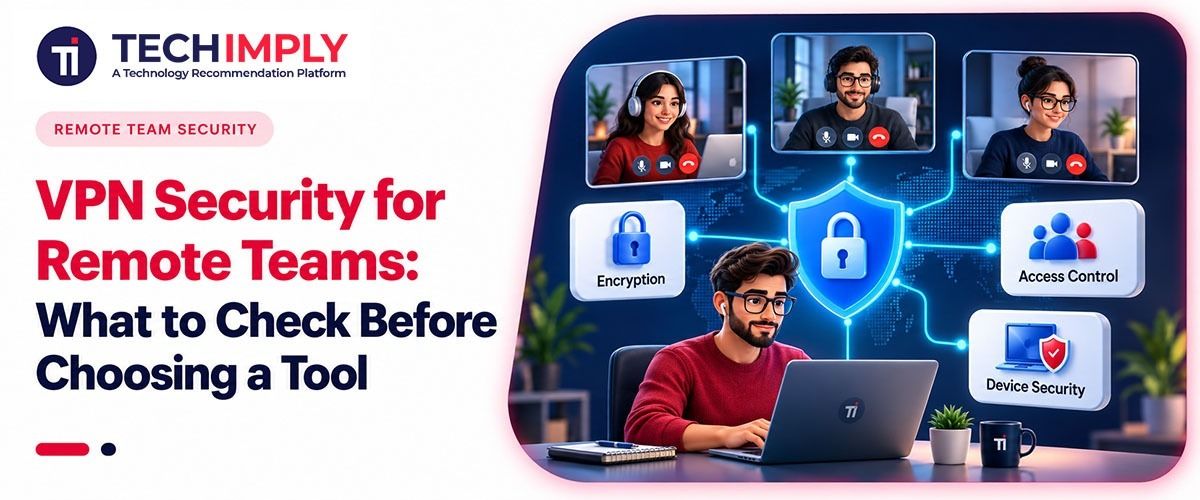
Therefore, choosing a VPN security solution for remote teams can’t be judged by server counts and download speeds alone. Access rules matter, and so does the company laptop sitting on someone’s kitchen table. Because the VPN is only one piece, and sometimes it isn’t the weakest one.
What To Check Before Buying VPN Security for Remote Teams
Purchasing a VPN solution for your business should not be a straightforward decision. It must be a careful consideration of the following pointers:
Begin With an Access Map
Before opening another comparison page, write down what remote employees can reach. Keep it plain like:
- Payroll and accounting platforms
- Shared drives containing client files
- Code repositories or staging servers
- Internal tools with administrator privileges
- Cloud apps already protected by single sign-on
This usually uncovers more than expected. A mid-sized company may find that temporary contractors still have access months after a project ended. Another team may discover that every VPN user enters the same network segment, regardless of role.
Price also belongs in the discussion. And using a legitimate NordVPN discount code could lower the subscription cost. However, before you get too excited, make sure to check plan details because a cheap license loses its appeal if administrators can’t remove sessions, separate user groups, or inspect suspicious access.
Pay Attention to Identity Controls
A VPN password can be copied, phished, reused, or left inside a former employee’s password manager. Now, multi-factor authentication adds an additional layer to this, even though it has a different method. In this context, authenticator apps and hardware security keys usually give administrators more confidence than plain text messages.
Account removal should be quick as well. Not “send a ticket and wait until Tuesday” quick. But someone with the right authority should be able to disable an account and end active sessions within minutes.
Then ask the uncomfortable question: does each person have access only to the systems required for the job? Often, the answer is no because the permissions grow during busy periods and rarely shrink afterwards. Fixing that takes staff time. There’s no clever button for it.
Don’t Ignore the Endpoint
An encrypted tunnel protects traffic while it moves. It doesn’t clean malware from a laptop or stop someone from copying files onto an unmanaged device.
So, check how the VPN behaves on the equipment your team actually uses, including older laptops. During that course, focus on:
- Automatic connection on public or unfamiliar networks
- A kill switch that blocks traffic after a dropped connection
- Support for current operating system versions
- DNS leak protection
- Central visibility into users, devices, and sessions
Also focus on split tunneling. It creates a genuine trade-off. Sending video calls outside the VPN may also reduce congestion and spare bandwidth. Yet selected traffic then follows a different route, outside the company tunnel. That may be acceptable for a small creative agency but for a business handling medical or financial information it may reach the opposite decision.
Run a Messy Pilot
Controlled demonstrations tell you very little because daily work is untidy.
So, give the trial to people in different roles. Ask them to join video calls, upload large files, open internal dashboards, and switch from home broadband to a phone hotspot. Then cut the connection midway through a task and watch what happens next.
- Does the VPN reconnect by itself?
- Is access restored without repeated login prompts?
- Does any traffic continue while the tunnel is down?
Also, test technical support during the pilot too. Send a real routing or authentication question because a polished sales response won’t help when eight employees can’t reach the accounting platform at 9:15 on Monday morning.
Read the Logging Policy
“No logs” can mean several things. The provider may avoid recording browsing activity while still retaining connection times, device details, or account events.
So, find out what’s collected, why it’s kept, how long it remains available, and who can retrieve it. More data can always help an investigation, but it can also create unnecessary privacy and retention burdens.
Now, companies operating across several regions may need separate legal review. This part isn’t always clean, particularly when employees travel or work from countries with different data rules.
Buy for the System You Actually Run
Strong VPN security for remote teams comes from matching the product to real working habits. Count the devices, review permissions, test weak connections, and assign someone to remove stale accounts and examine unusual activity.
The VPN protects a route into the business, but it can’t fix a careless access policy, an abandoned user account, or an unpatched laptop. Knowing that boundary makes the purchase much easier to defend in a budget meeting.