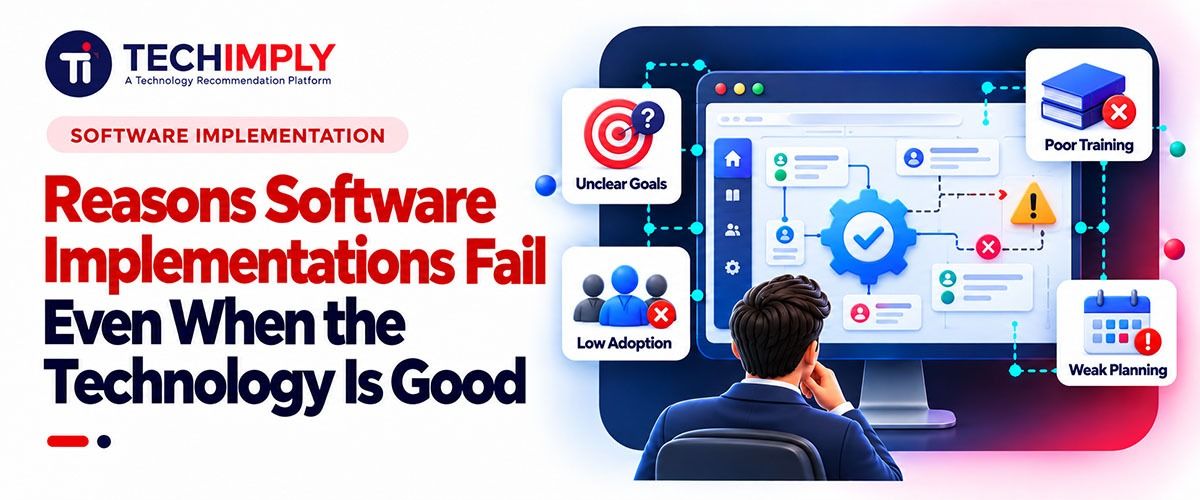
A company can choose a capable CRM, accounting platform, ERP system, project management suite, or automation tool and still struggle to get meaningful value from it.
The problem is often not the technology itself. It is what happens around the technology: unclear processes, weak ownership, poor data, rushed training, unrealistic expectations, or decisions made without enough input from the people who will actually use the system.
This distinction matters because replacing the software does not necessarily fix an implementation problem. In some cases, it simply moves the same weaknesses into another platform.
Successful implementation requires businesses to look beyond feature lists and product demonstrations. They need to understand how the software will fit into real workflows, how information will move between systems, who will be responsible for decisions, and what will happen after the initial launch.
Here are 10 reasons capable software implementations can still fail, along with practical ways businesses can reduce those risks.
1. The Business Problem Was Never Clearly Defined
One of the earliest mistakes happens before implementation even begins. A company decides it needs "better software," but that goal is too broad. What exactly needs to improve?
Perhaps sales teams are losing track of follow-ups. Finance staff is spending too much time reconciling information manually. Customer support teams cannot see previous interactions. Managers are working from spreadsheets because reports from different systems do not agree. Without defining the real problem, businesses may buy a technically impressive platform without knowing what success should look like.
Before choosing or implementing software, businesses should be able to answer several questions:
- What problem are we trying to solve?
- Which employees or customers experience that problem?
- How is the problem currently handled?
- What measurable improvement do we expect?
- Which parts of the existing process should remain unchanged?
2. Existing Processes Are Simply Copied Into the New System
Imagine a business where employees manually copy information between several spreadsheets, request approvals by email, and store documents in different folders. Installing a modern workflow platform but recreating all those steps inside it may make the process more digital without making it significantly better.
Software implementation provides an opportunity to examine whether existing workflows still make sense. Some steps may be unnecessary. Others may have been introduced years ago because an old system had technical limitations that no longer exist.
Teams should map important workflows before configuring the new platform. They can then separate steps into three groups:
- Steps that are genuinely necessary.
- Steps that can be simplified.
- Steps that can be removed or automated.
3. Too Few End Users Are Involved in the Decision
Software purchases are often led by executives, procurement teams, department heads, or IT specialists. Those groups have an important role, but they may not understand every detail of how employees perform daily tasks.
For example, management may be impressed by a CRM's reporting capabilities while sales representatives discover that recording a basic customer interaction requires several unnecessary steps. Finance leaders may like the dashboards offered by a platform while bookkeeping staff encounter problems with the way transactions must be categorised.
Small usability problems can become large implementation problems when repeated dozens or hundreds of times per day. That is why businesses should involve representative users before important configuration decisions are finalised.
4. Data Migration Is Treated as a Technical Transfer
Moving information from an old platform into a new one sounds straightforward. Export the data. Transform it. Import it. In reality, data migration often exposes problems that have accumulated for years.
Customer records may be duplicated. Product names may follow different conventions. Contact information may be incomplete. Old accounts may still be active. Different departments may use different definitions for the same field.
Moving all of that information into a new system does not clean it automatically. Businesses need to decide what should actually be migrated.
That process may involve:
- Removing duplicate records,
- Standardising formats,
- Archiving outdated information,
- Correcting incomplete fields,
- Mapping old categories to new ones,
- Validating opening balances and determining which historical information is genuinely necessary.
5. Businesses Underestimate the Need for Specialist Knowledge
Modern software is often marketed around ease of use, and many platforms genuinely have become easier to configure. Accounting software provides a useful example.
A business owner may be perfectly capable of navigating a cloud platform but still need help deciding how accounts should be structured, how historical information should be transferred, or how particular financial workflows should operate.
Australian companies using cloud accounting platforms may therefore combine software with professional assistance, such as Xero bookkeeping support for Australian businesses, when they need help aligning the system with practical bookkeeping processes.
A company implementing cybersecurity software may need security expertise. An ERP rollout may require specialists who understand inventory and supply-chain processes.
A CRM implementation may need someone who understands both the technical platform and the company's sales model. Software knowledge and business-process knowledge are related, but they are not the same thing.
6. Training Focuses on Buttons Instead of Workflows
Software training frequently explains how the system works without explaining how employees should use it in their actual jobs.
Employees learn where a menu is located, how to open a record, or how to generate a report.
Then they return to work and face a different question:
"What am I supposed to do when this situation happens?"
A sales employee may need to know what happens when a lead becomes a customer. An accounts team may need to understand how exceptions should be handled. A manager may need guidance on approving requests, reviewing dashboards, and correcting mistakes.
An administrator requires deeper knowledge than an occasional user. A department manager may need reporting and approval skills but not configuration knowledge. Trying to teach every employee everything usually creates information overload. Training should instead focus on the tasks each role needs to complete confidently.
7. The Rollout Tries to Change Too Much at Once
A business may introduce a new platform while redesigning workflows, changing reporting structures, moving historical data, connecting several integrations, introducing automation, and reorganising employee responsibilities.
Each change may be reasonable on its own. Together, however, they can create considerable complexity.
When something goes wrong, teams may struggle to identify the source.
Is the software configured incorrectly?
Is the integration broken?
Is the employee following the wrong process?
Was the data migrated incorrectly?
For example, a company could begin with one team, location, workflow, or customer segment before expanding the system. A pilot provides an opportunity to test assumptions under normal working conditions rather than relying entirely on demonstrations or test environments. Lessons from the first rollout can then improve later stages.
8. Integrations Are Considered Too Late
Most business software no longer operates alone.
A CRM may connect with email marketing, customer support, accounting, analytics, and payment platforms. An e-commerce platform may communicate with inventory systems, fulfilment providers, payment processors, and financial software.
A strong standalone application can therefore perform poorly inside a weak technology ecosystem.
Integration questions should be asked early:
- Which systems need to exchange information?
- Which platform should be the primary source for each type of data?
- How frequently should information synchronise?
- What happens if an integration fails?
- Which fields need to be mapped?
- Who is responsible for maintaining the connection?
9. Nobody Clearly Owns the Implementation After Launch
Implementation projects usually have visible leadership before launch. There are meetings, deadlines, project plans, testing sessions, and regular updates. Then the software goes live.
The project team gradually steps away, consultants complete their work, and responsibility becomes less clear. This is where many smaller problems begin to accumulate.
Employees create workarounds because nobody changes an inconvenient workflow. Duplicate fields appear. Permissions become outdated. Reports stop matching business needs. New employees receive different training from existing users.
A business system needs an owner after implementation. That person or team does not necessarily need to perform every technical task. Their responsibility is to maintain direction.
They should know:
- Who approves configuration changes?
- How do users report issues?
- How are new requirements evaluated?
- When permissions are reviewed?
- Who manages integrations?
10. Success Is Measured by Launch Rather Than Business Results
Getting software live feels like a significant milestone. It is, but it is not the final measure of success. A technically successful implementation can still produce poor business outcomes. Employees might avoid the system. Manual spreadsheets may continue to circulate.
Processes may take just as long as before. Managers may still lack reliable reporting. Customers may notice no improvement. Businesses should return to the goals that justified the software investment in the first place.
Depending on the project, useful measures might include:
- Time required to complete a process.
- Number of manual steps.
- Data error rates.
- User adoption.
- Support requests.
- Reporting accuracy.
- Customer response times.
- Processing costs.
Good Technology Still Needs Good Implementation
Software vendors continue to make business platforms more capable. Cloud infrastructure has simplified deployment, integrations have expanded what individual applications can do, and automation is reducing many repetitive tasks. Yet technology cannot decide how an organisation should operate.
A capable platform can support efficient processes, but it cannot compensate indefinitely for unclear ownership, inconsistent data, weak training, poor integrations, or unrealistic implementation plans.
The business problem is clearly understood. Users participate early. Data is treated carefully. Processes are reviewed rather than blindly copied. Training reflects real work. Responsibility continues after launch. And outcomes are measured against business objectives rather than simply whether the software was installed.
None of these steps are particularly glamorous. They rarely receive the attention given to AI features, dashboards, automation capabilities, or product demonstrations. But they often determine whether those features become useful in practice.
Conclusion
When good software fails to deliver, the immediate reaction is often to blame the platform. Sometimes the technology genuinely is unsuitable. In many other cases, however, the bigger problems lie in the decisions surrounding implementation.
Unclear goals, poorly designed workflows, weak data preparation, insufficient user involvement, inadequate training, rushed rollouts, neglected integrations, and a lack of post-launch ownership can undermine even highly capable software.
Businesses can reduce those risks by treating implementation as an operational change rather than simply an IT installation. The real question is not only whether the software works. It is whether the organisation has created the processes, knowledge, ownership, and working habits required to make the software work well for the people who depend on it.