A delivery manager at a mid-sized IT services firm runs into two separate problems most weeks. One is whether the current project will hit its deadline. The other is whether three developers are quietly overbooked across four different projects while two sit half idle. Different questions. Most teams only notice that once both problems land in the same month.
That's close to what people actually mean when they search resource management vs project management. These two phrases appear nearly identical within job descriptions and software advertising, yet they address distinct challenges rather than serving as rival iterations of a single issue. The following section details exactly what each concept encompasses, how the software constructed for them differs, and which option deserves priority based on your current team situation.
What Is Resource Management Software?
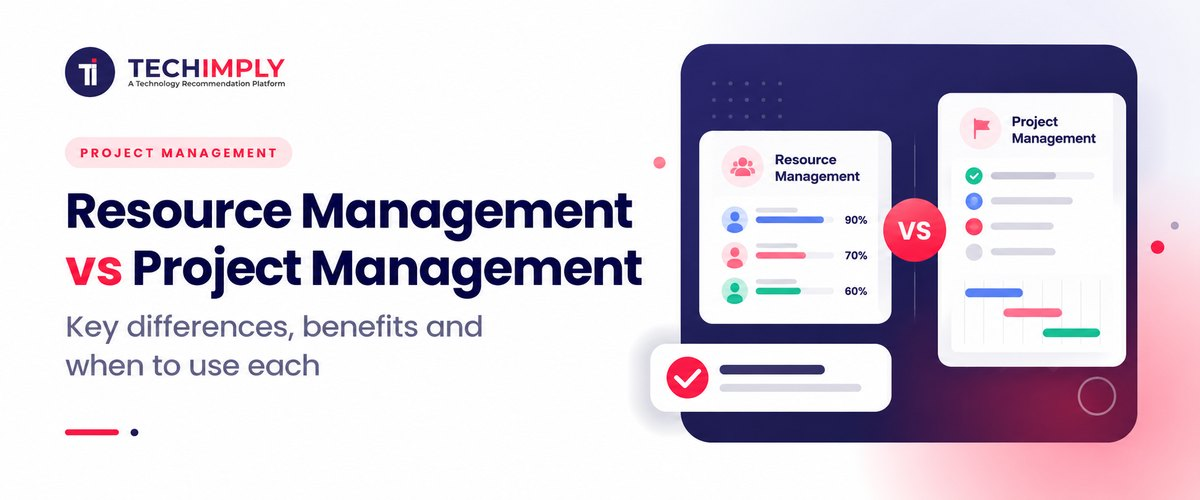
Resource management Software focuses on people rather than tasks. It asks who is available, who possesses necessary skills for specific work, and what total capacity remains across all concurrent projects simultaneously, not merely the current one.
A resource manager within sufficiently sized enterprises seldom attends to a solitary deadline independently. Their role involves verifying if the organization overall holds adequate numbers of appropriate personnel distributed among suitable initiatives, preventing silent exhaustion of staff members.
In reality, this frequently appears far less impressive than the name implies. Much resource handling involves spreadsheets or dashboards performing identical tasks, displaying who occupies slots over the following six weeks. The value isn't in the tool. It's in someone actually looking at that picture before a new project gets greenlit, not after.
What Is Project Management Software?
Project management Software remains within a single undertaking. Scope, time, cost, and work breakdown structure are all essential for the successful completion of a project. A project manager develops a schedule to accomplish this work, assigns responsibility, monitors progress against the calendar, and handles any uncertainties during that particular contract.
Nothing regarding project management, by itself, questions if the individual you recently allocated a task to is currently extended over two additional projects. That question sits outside its scope entirely, and that gap is the whole resource management vs project management conversation in one sentence.
Do You Know?
Several comparisons of these two functions frame the difference as altitude rather than importance: project management typically works at the level of a single project, resource management at the level of the organisation's full workload.
Resource Management vs Project Management: Where They Actually Diverge
The distinction between resource management plus project management is based on the specific problem each process intends to solve. A project manager queries what remains needed and if progress holds. A resource manager determines who might execute tasks without losing other duties.
This plays out in small decisions constantly. The project manager puts a task in next week's sprint. The question of whether the assigned person has room, considering all that he or she already has going on, is a whole other call and must be avoided. Skip it enough times and a team that looks fine on paper quietly burns out its best people.
This is really the core of resource management vs project management: neither function works particularly well on its own. Project plans built without any real resourcing check tend to run on hope rather than actual capacity. And resourcing done without reference to project timelines just produces nicely balanced workloads attached to work that's already slipping.
Resource Management Software vs Project Management Software
The software mirrors the split. Software programs such as Jira & Asana may operate in this manner, giving a series of tasks and the dependencies between them for each specific project. On the other hand, resource scheduling software sums up the total workload and the percentage of time that an employee spends on work for all projects on which they work.
|
Area |
Project management software |
Resource management software |
|
Main question answered |
What needs to happen next on this project |
Who is available and at what capacity |
|
View |
Single project, task-level |
Cross-project, organisation-level |
|
Typical features |
Task boards, Gantt charts, dependencies, milestones |
Capacity planning, utilisation rates, skill matching |
|
Primary user |
Project manager, team lead |
Resource manager, delivery head, PMO |
|
Time tracking role |
Logged against tasks within a project |
Rolled up to show utilisation across all projects |
That line has blurred lately. Many software tools for project management now include a basic view of employee workloads. And multiple applications for resource management have started to include specific details about individual tasks. The difference that exists between those systems is the level of detail provided. A project tool with a workload tab bolted on is rarely as good at cross-project capacity planning as something built around that one problem from day one.
Why IT Project Management Makes This Harder to Ignore
In the field of information technology, the difference between resource management and project management is a practical reality. It is common for a software developer to divide labor between client services, internal software, and technical support during a single seven-day period. Tracking tasks by themselves cannot reveal how those two senior engineers silently become bottlenecks on every task they handle.
Time tracking data earns its keep here beyond billing. Logged against a task, it tells a project manager whether an estimate held. Rolled up across every project someone is on, the same numbers tell a resource manager whether that person actually has room for new work. Same data. Different question depending on who's looking at it.
Managing a Project Portfolio Changes the Math
One project rarely forces a company to separate these two functions formally. A project portfolio, a dozen or more active engagements pulling from the same pool of people, usually does. At that scale, project-level planning can't answer whether the business should take on a new client next month.
That answer lives in resourcing data that no single project view contains. So, which projects get priority, which get delayed, where hiring truly happens- these choices rest nearer to resource management, even if the basic figures originate from project management software initially.
Resource Management vs Project Management for Small Businesses and Salesforce Teams
Project management for small businesses rarely needs a separate resourcing discipline at all. A handful of people, a couple of live projects, one project manager can hold the resourcing picture in their head without much trouble. Adding a formal resource management layer at that size tends to add process without adding real value.
Project management for Salesforce work sits somewhere in between, and it's one of the clearer small-scale examples of resource management vs project management in practice. These projects mix internal admins, external consultants, and developers across several client instances at once, which starts to look a lot like the IT project management problem even inside one functional area.
Ignore how those consultants are allocated across other clients, and the same overbooking issue larger IT teams run into shows up here too, usually sooner than expected. Firms doing project management for Salesforce across several clients at once tend to hit this earlier than they expect.
Deciding Which One to Prioritise First
Resource management vs project management isn't really a this-or-that choice. For most growing teams, the honest order is project management first. Resource management gets added once scale actually forces it.
One solitary undertaking lacking defined duties and schedules collapses irrespective of resource levels available. When firms manage multiple initiatives while identical individuals repeatedly appear overloaded across all areas, that indicates it is time to cease speculation and begin allocating resources officially.
- A few active projects and a small, steady group: managing projects alone likely suffices.
- Same individuals remain overbooked on multiple projects; it is now necessary to begin implementing resource management layers.
- Picking among initiatives has become routine dialogue rather than sporadic discussion: that moment when a genuine project portfolio perspective justifies itself.
- Prior to acquiring new items, examine your existing time-tracking records. They typically resolve many initial inquiries better than anticipated by most individuals.
Mistakes Teams Make With Both
The most common one: viewing resource allocation merely as a monthly spreadsheet task, severed from actual daily project planning rhythms. Once that sheet updates, the overbooking it aimed to prevent has typically already occurred.
The alternative moves the reverse way. Purchasing resource management software before the business possesses sufficient concurrent projects to warrant it. Three projects require no dedicated resourcing platform. They require a project manager who verifies capacity prior to assigning tasks, which a competent project management instrument with fundamental workload visibility already provides.

Pro-tip
Prior to purchasing dedicated resource management software, extract your current time tracking data covering the past quarter and manually examine utilization rates among your top three most active employees. Should the conclusion become clear immediately from this review, you might require enhanced reporting features within your present project management tool rather than adopting a new system entirely.
Conclusion
Resource management vs project management was never really a rivalry. Project management keeps one piece of work on track. Resource management keeps the people doing that work from being spread too thin across everything else going on. Most teams need the first from the start and grow into needing the second. Knowing which stage you're actually at matters more than picking a side.