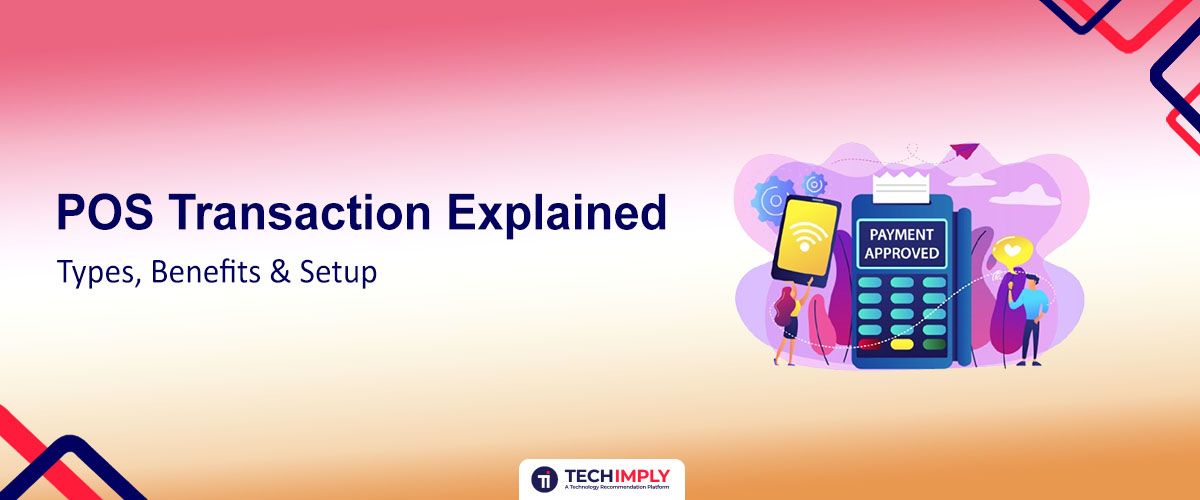
A POS transaction is the final step of the customer journey, where a sale is finalized, and payment is exchanged for goods or services. In the restaurant industry, this process is much more than just swiping a card; it is a sophisticated digital handshake between your business, the customer’s bank, and the payment networks. To handle these exchanges effectively, you must understand the underlying mechanics of payment processing and how your software manages different types of sales.

Looking for Restaurant POS software?
Check out Techimply's List of the Best Restaurant POS software in India for your business.
When a customer pays for their meal, a POS transaction triggers a complex sequence of data verification and fund transfers. This cycle involves multiple players, including your merchant account provider and the card-issuing bank, to ensure that the funds are legitimate and available. By mastering the nuances of your point-of-sale system, you can streamline your operations, reduce wait times, and provide a seamless checkout experience for every guest.
What is POS Transaction?
A Point of Sale (POS) transaction occurs the moment a customer makes a payment at your restaurant. Whether it is a quick tap of a smartphone at a counter or a traditional card dip at the table, the transaction represents the legal transfer of ownership and the settlement of a debt. In a modern restaurant environment, these transactions are rarely just about cash; they rely heavily on digital payment processing to move money securely and instantly.
Every POS transaction acts as a data point for your business. Beyond the transfer of money, the system records what was sold, who sold it, and when the sale happened. This data is then used to update your inventory levels and sales reports in real time. Because the stakes are high, maintaining high levels of transaction security is essential to protect your customers' sensitive financial information from potential breaches.
 Quick Tip:
Before signing a contract, ask for a statement analysis. A reputable processor will take your last three months of processing data and show you exactly how much you would have saved (or spent) using their specific fee structure.!
The Anatomy of a POS Transaction: How It Works
Understanding the technical journey of a dollar can help you troubleshoot issues and choose the right partners. Here is the step-by-step breakdown of how a standard digital payment moves through the ether.
Step 1: Transaction Initiation
The process begins when the server or cashier enters the order into the system. Once the total is confirmed, the customer presents their payment method. If they are paying in person, they will likely use a physical card or a mobile wallet. At this stage, the hardware reads the encrypted data from the chip or the NFC signal to begin the payment processing cycle.
Step 2: Authentication & Authorization
Once the data is captured, it is sent to a payment gateway. This gateway acts as a digital courier, carrying the request to the customer’s bank. The bank then checks for two things: Is the cardholder who they say they are (Authentication), and do they have enough money or credit to cover the bill (Authorization)? This happens in a matter of seconds.
Step 3: Approval and Capture
If the bank confirms the details, an approval code is sent back to your restaurant’s terminal. This doesn't mean the money is in your bank account yet; it simply means the bank has earmarked or blocked those funds for you. The system then captures the transaction, preparing it for the final move.
Step 4: Settlement and Reconciliation
At the end of the business day, your POS system sends a batch of all captured transactions to your merchant account. The funds are then transferred from the various issuing banks into your business account. Reconciliation is the final act, where you match your internal sales records with the actual deposits in your bank to ensure everything is accurate.
What are the Common Types of POS Transactions?
Different dining scenarios require different payment methods. Modern systems must handle a variety of inputs to keep the line moving.
In-Person (Card-Present) Transactions
A card-present transaction is generally considered the most secure and carries the lowest processing fees. These occur when the physical payment tool is interacted with by a local reader.
EMV Chip & PIN: The current gold standard for security. The customer inserts their card into the reader, and the Smart Chip creates a unique transaction code that cannot be reused.
NFC/Contactless: This includes Tap to Pay cards and mobile wallets like Apple Pay or Google Pay. It is incredibly fast and highly popular in quick-service environments.
Magstripe: The older method of swiping the magnetic stripe. While still available as a backup, it is being phased out because it is more vulnerable to skimming and fraud.
Online & Remote (Card-Not-Present) Transactions
Card-not-present (CNP) transactions occur when the customer is not physically at the terminal, such as when ordering online for delivery or taking a catering order over the phone. Because you cannot verify the physical card, these transactions often have higher fees to cover the increased risk of fraud.
Specialty Transactions
Sometimes, a standard swipe and go isn't enough for a restaurant's needs.
Split-Tender: When a group wants to pay one bill using multiple methods (e.g., half cash, half credit card).
Refunds & Reversals: Necessary for correcting order errors or handling customer complaints.
Pre-Authorizations: Common in bars or fine dining, where a hold is placed on a card to ensure the customer can pay the final tab after their meal.
Do You Know?
Even if a transaction is Approved on your screen, the money usually takes 24 to 48 hours to actually land in your bank account due to the batching process.
Key Benefits of Streamlining Your POS Transactions
Optimizing your POS transaction workflow isn't just about getting paid; it is about running a more professional and efficient business.
Enhance Security
Modern systems prioritize transaction security by using end-to-end encryption. This means that even if a hacker intercepted the data during the payment processing phase, they would only see a string of useless characters. Protecting your merchant account and customer data builds long-term trust.
Improved Cash Flow
When your system is configured correctly, settlements happen faster. Efficient batching ensures that the money you earned on a busy Friday night is available in your bank account by Monday morning, allowing you to pay vendors and staff without delay.
Error Reduction
Manual entry is the enemy of accuracy. Integrated systems pull the total directly from the digital menu to the payment terminal. This eliminates big errors where a staff member might accidentally charge $10 instead of $100.
Better Customer Experience
Nobody likes waiting ten minutes for a receipt to print or for a card to be declined because of a slow connection. Seamless payment processing ensures the final interaction the guest has with your restaurant is quick, professional, and hassle-free.
Setting Up Your System for Seamless POS Transactions
Building a reliable payment infrastructure requires a blend of the right hardware and a trustworthy financial partner. The India POS payment market is projected to witness a CAGR of 8.91% during the forecast period FY2025-FY2032, growing from USD 5.86 billion in 2023 to USD 11.60 billion in FY2032.
Choosing the Right Hardware
For a restaurant, you need more than just a tablet. Consider mobile terminals that allow Pay at Table functionality. Ensure your hardware supports EMV and NFC to cover all card-present scenarios. Ruggedized equipment is also a must to survive the spills and heat of a kitchen environment.
Setting a Payment Processor
Your processor is the bridge between your merchant account and the banking networks. Look for a partner that offers transparent pricing (Interchange-plus is usually best) and has a proven track record of high uptime. You don't want your system going down during the rush.
Software Configuration
Ensure your software is configured to handle your specific tax rates, tip prompts, and kitchen communication. A well-configured system will automatically prompt for a tip, which can significantly increase your staff's take-home pay without them having to ask.
Security Best Practices (PCI Compliance)
The Payment Card Industry Data Security Standard (PCI DSS) is a set of requirements designed to ensure that all companies that process, store, or transmit credit card information maintain a secure environment.
-
Use Encryption: Always use P2PE (Point-to-Point Encryption) to protect data from the moment of the tap.
-
Update Regularly: Software updates often include vital security patches. Never skip an update.
-
Network Segmentation: Keep your guest Wi-Fi on a separate network from your POS system. This prevents a customer’s phone from ever seeing your payment terminals.
-
Train Your Staff: Ensure your team knows how to spot skimmers or suspicious behavior at the terminal.
Pro Tip:
Always perform a daily visual check of your card readers to ensure no physical tampering or overlay devices have been attached by fraudsters.
Conclusion
Every POS transaction is a crucial part of your restaurant. By understanding the differences between card-present vs card-not-present and investing in robust transaction security, you protect both your revenue and your reputation. A well-oiled payment processing system doesn't just collect money; it provides the data and the speed necessary to grow your business. When your merchant account is integrated seamlessly with your restaurant POS software, you spend less time worrying about the how of getting paid and more time focusing on the who, your valued guests.
Related Reads
How to Keep Your Restaurant POS Software Secure from Cyber Threats
How Restaurant POS Software Can Help You Streamline Your Operations in the Current Scenario
4 Key Reasons You Require To Switch Your Restaurant POS Software | Techimply
7 Must-Ask Questions When Researching a Restaurant POS | Techimply