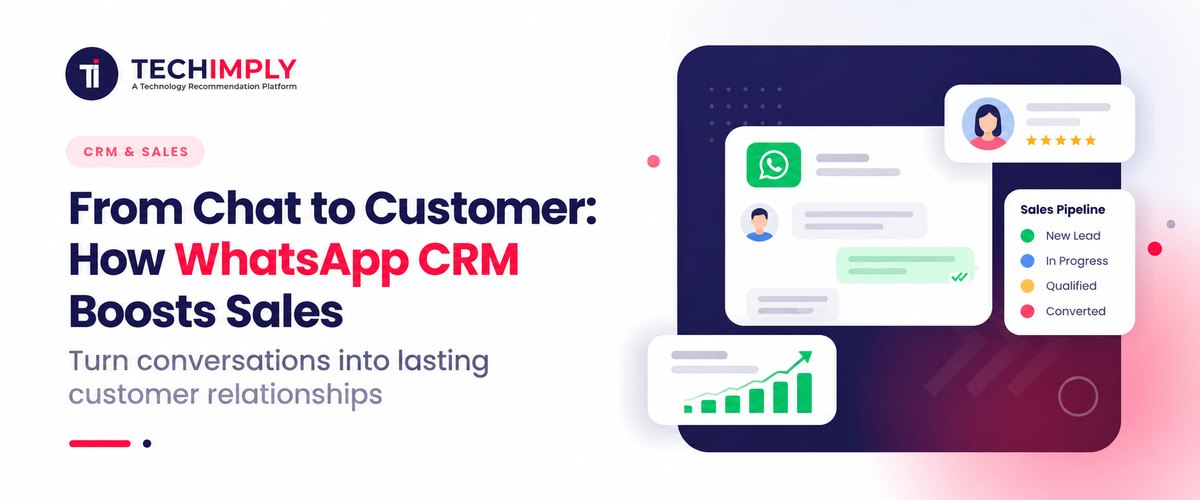
Customers are already talking to businesses on WhatsApp every single day. Yet, for many sales and support teams, those conversations remain trapped on individual mobile phones, buried inside personal accounts, or isolated from critical customer data. When leads fall through the cracks, follow-ups are forgotten, and managers lack real-time visibility, revenue suffers.
A WhatsApp CRM bridges this gap, bringing customer conversations, detailed contact records, sales pipelines, and automated follow-ups together into one unified dashboard.
What Is WhatsApp CRM?
WhatsApp CRM Explained Simply
A WhatsApp CRM (Customer Relationship Management system) is a software platform that integrates WhatsApp Business communication directly with customer data and sales pipelines. It allows businesses to capture leads, manage multi-agent conversations, automate follow-up workflows, and track prospects from their first message through to a closed deal.
How Does a WhatsApp CRM Work?
A WhatsApp CRM operates on a structured, automated data pipeline that ensures no lead is ever ignored:
- Contact Capture: Incoming chats instantly generate or update customer profiles inside the CRM database.
- Conversation History: All past interactions, media, and notes are archived for complete context.
- Lead Assignment: Conversations are dynamically routed to specific sales reps based on round-robin rules, geography, or product interest.
- Pipeline Management: Deals are organized visually by stage (e.g., Inquiry, Qualified, Proposal, Won).
- Automated Follow-ups: Trigger-based workflows send instant replies or reminders when a prospect stops responding.
WhatsApp Business vs. WhatsApp CRM
|
Feature |
WhatsApp Business (App/Standard) |
WhatsApp CRM |
|
Customer Messaging |
Yes |
Yes |
|
Shared Team Inbox |
Limited (Up to 4 linked devices) |
Advanced (Unlimited agents, role-based access) |
|
Lead Management |
Basic labels |
Advanced profiles, custom fields, and tagging |
|
Sales Pipeline |
No |
Visual, drag-and-drop pipelines |
|
Automation |
Basic away/greeting messages |
Multi-step workflows, drip campaigns, and AI chatbots |
|
Customer History |
Restricted to individual device chats |
Centralized cross-device database |
|
Reporting & Analytics |
Minimal |
Advanced conversion metrics, agent response tracking, and ROI analysis |
How Does WhatsApp CRM Boost Sales?
A WhatsApp CRM shifts WhatsApp from a basic communication channel into a predictable revenue engine by tightly linking conversations to financial outcomes.
- Respond to leads faster: Centralized notifications and shared team queues eliminate response delays, ensuring inquiries are answered while buyer intent is at its peak.
- Capture every WhatsApp lead: Incoming messages automatically create or update CRM records, eliminating manual data entry errors.
- Automate follow-ups: Automated triggers send instant welcome packets, reminder notifications for unresponsiveness, or re-engagement sequences for cold leads.
- Give sales teams complete customer context: Reps can review past messaging histories, previous purchases, open support tickets, and current pipeline stages instantly before replying.
- Prevent leads from falling through the cracks: Task assignment rules, automated task reminders, and visual pipelines ensure accountability across every representative.
- Personalize customer conversations: Segmentation features allow teams to group contacts by purchase history or behavior to run laser-focused messaging campaigns.
- Track conversations and conversions: Connect chat activity directly to closed revenue, mapping out which campaigns and messages drive the highest return on investment.
Key Features of a WhatsApp CRM
When evaluating WhatsApp CRM software, look for these core modules designed to maximize sales efficiency:
- Shared WhatsApp inbox: Enables multiple team members to manage chats from a single verified WhatsApp number with internal tagging and team notes.
- Contact and lead management: Consolidates profile fields, organization structures, and communication timelines into a single pane of glass.
- WhatsApp automation: Deploys no-code chatbot builders to handle FAQs, collect information, and qualify leads around the clock.
- Automated follow-ups: Maintains consistent touchpoints without manual agent tracking by triggering automated reminders based on prospect behavior.
- Lead assignment and routing: Automatically allocates incoming inbound inquiries to appropriate representatives to minimize friction.
- Customer segmentation: Filters target audiences based on custom variables for tailored broadcast campaigns.
- Sales pipeline management: Tracks deal progression visually to forecast monthly and quarterly revenue.
- WhatsApp templates: Utilizes Meta-approved message formats to securely initiate outreach or send notifications outside the standard 24-hour window.
- Analytics and reporting: Measures key performance indicators like first-response time, conversation-to-deal conversion rates, and agent workload.
- AI-powered conversations: Leverages generative AI agents and auto-translation tools to manage high-volume customer inquiries smoothly across multiple languages.
What Is WhatsApp CRM Integration?
WhatsApp CRM integration connects your WhatsApp Business communication infrastructure with your primary customer relationship management tool (such as HubSpot, Zoho, or Salesforce) via the official WhatsApp Business Platform/API. This synchronization allows all conversation threads, contact details, and conversion events to update in real time.
What Can You Integrate?
Modern platforms allow seamless data flow across multiple business touchpoints:
- E-commerce engines (Shopify, WooCommerce) for order status and cart recovery
- Lead generation forms and Meta Click-to-WhatsApp advertisements
- Customer support ticketing systems and marketing automation platforms
WhatsApp CRM Software vs. Traditional CRM
Traditional CRM software focuses on tracking email threads, phone logs, and long-cycle sales pipelines. WhatsApp CRM software, by contrast, injects fast-paced conversational messaging directly into those workflows.
|
Dimension |
Traditional CRM |
WhatsApp CRM Software |
|
Primary Interaction |
Email, phone calls, meetings |
Instant messaging, chat threads, media sharing |
|
Data Synchronization |
Manual logging or delayed sync |
Real-time chat history tracking |
|
Outreach Method |
Email campaigns, cold calling |
Instant messaging, automated workflows, and broadcasts |
|
Sales Pipeline |
Linear deal stages |
Pipeline paired with active chat context |
Who Needs WhatsApp CRM Software?
- E-commerce & D2C Brands: For automated order updates, shipping notifications, and cart recovery messaging.
- Real Estate Companies: To capture ad leads instantly, qualify buyers, and schedule property site visits.
- Education & Admissions: To guide prospective students through enrollment and document submission workflows.
- Healthcare & Financial Services: For secure appointment bookings, reminders, and patient or client follow-ups.
How to Choose the Best WhatsApp CRM
Selecting the best WhatsApp CRM requires evaluating software based on a structured operational checklist rather than marketing hype:
- WhatsApp Business API Support: Ensure the provider offers official Meta-partner API integration with Green Tick filing support.
- Shared Team Inbox: Look for robust multi-agent permission controls and collision detection.
- CRM and Contact Management: Check for custom field mapping and comprehensive contact timeline logs.
- Automation Capabilities: Verify whether the system uses simple rule-based triggers or advanced conversational AI workflows.
- Sales Pipeline: Ensure deals can be tracked visually through customizable pipelines.
- Native Integrations: Prioritize platforms that sync directly with your existing tech stack (e.g., Shopify, Zoho, HubSpot) without relying on complex third-party connectors.
- AI Capabilities: Look for integrated translation tools and smart automated agents.
- Security and Permissions: Verify compliance with data protection regulations and end-to-end encryption standards.
- Pricing and Scalability: Analyze whether pricing is structured per user seat or by message volume to protect margins as you grow.
Is There a WhatsApp CRM Free Option?
When exploring a WhatsApp CRM free tier, it is important to distinguish between free basic tools and advanced paid software. While standard WhatsApp Business apps are free to download, they lack multi-agent team inboxes, deep pipeline tracking, and sophisticated automation.
Some providers offer free introductory plans or trial periods for limited contact lists, but they typically restrict advanced features like API access, team collaboration seats, and detailed reporting.
The Decision Rule: If your business handles low message volumes with a single owner-operator, a basic app setup may suffice. However, if you run a growing sales team managing multiple conversations simultaneously, investing in a dedicated WhatsApp CRM is essential to maintain efficiency and brand reputation.
WhatsApp CRM Use Cases That Drive Sales
- Real Estate Enquiries: Meta Ad $\rightarrow$ WhatsApp Inquiry $\rightarrow$ Automated Qualification $\rightarrow$ Salesperson Assignment $\rightarrow$ Site Visit Booking $\rightarrow$ Closed Lease.
- E-commerce Conversions: Website Browse $\rightarrow$ Cart Abandonment $\rightarrow$ Automated WhatsApp Reminder $\rightarrow$ Discount Incentive $\rightarrow$ Checkout Completion.
- Education Admissions: Course Brochure Download $\rightarrow$ WhatsApp Greeting $\rightarrow$ Chatbot FAQ Handler $\rightarrow$ Counselor Handoff $\rightarrow$ Application Submission.
How to Set Up a WhatsApp CRM System
- Define your sales workflow: Map out your exact customer journey from initial inquiry to final payment.
- Choose your WhatsApp CRM tool: Select a platform that matches your team size, budget, and integration requirements.
- Connect WhatsApp Business/API: Register your phone number through an official Meta Business Partner.
- Import customer data: Synchronize existing contact lists and historical communication files into the new system.
- Create automated workflows: Set up welcome messages, routing rules, and response templates.
- Train your team and monitor results: Onboard sales reps, establish response SLAs, and review analytics dashboards weekly.
From WhatsApp Chat to Closed Deal
Adopting a WhatsApp CRM transforms how your business manages customer relationships:
- Before: Scattered mobile chats $\rightarrow$ missed leads $\rightarrow$ manual follow-ups $\rightarrow$ lost sales opportunities.
- After: Centralized dashboard $\rightarrow$ automated lead qualification $\rightarrow$ complete customer context $\rightarrow$ predictable conversions and long-term retention.