In today’s fast-paced digital business landscape, managing customer relationships through sticky notes, cluttered spreadsheets, and scattered email threads is a direct path to lost revenue. When leads slip through the cracks, communication histories fragment, and sales teams waste hours on manual data entry, growth stalls.
Enter online CRM software. Far more than just a digital address book, a modern cloud-based CRM acts as the central nerve center for your entire business. It captures leads from your website, automates tedious administrative tasks, tracks every customer interaction, and provides deep insights into your sales pipeline.
Whether you are a solo entrepreneur, a growing small business, or an expanding enterprise looking for solutions tailored to markets like India, understanding how cloud customer relationship management works is the first step toward scaling efficiently. This comprehensive guide breaks down everything you need to know about online CRM platforms, their core workflows, essential features, and how to choose the right system for your organization.
What Is Online CRM Software?
Definition Box
What is online CRM software? A cloud-based customer relationship management system that helps businesses manage customer data, leads, sales activities, communication, and workflows from a centralized platform accessible via any internet-enabled device.
What Makes a CRM "Online"?
Traditional customer relationship management tools historically required businesses to purchase physical server hardware, install complex software locally on office computers, and rely on internal IT staff for maintenance.
An online CRM (frequently referred to as cloud CRM or SaaS CRM) operates entirely in the cloud. The software, along with all your valuable business data, is hosted on secure remote servers managed by your CRM vendor. Because it lives in the cloud, all you need is a web browser or a mobile app to access it instantly.
Cloud CRM vs Traditional/On-Premise CRM
The shift from on-premise systems to cloud-based solutions has transformed how modern teams operate.
|
Factor |
Online CRM |
Traditional / On-Premise CRM |
|
Access |
Internet-enabled devices (anywhere, anytime) |
Usually office network or desktop dependent |
|
Updates |
Automatically handled by the provider in the cloud |
Often manually managed, requiring IT patches and downtime |
|
Collaboration |
Seamless across remote locations and hybrid teams |
More dependent on local server infrastructure and VPNs |
|
Maintenance |
Vendor-managed (security, backups, uptime) |
Business-managed (internal IT costs and hardware upkeep) |
|
Scalability |
Highly flexible; upgrade plans instantly with a click |
May require expensive server hardware changes and re-licensing |
How Customer Information Is Stored and Accessed
In a cloud CRM, customer data is encrypted and stored in secure cloud databases. Every time a salesperson updates a phone number, logs a call note, or moves a deal to a new pipeline stage, that data is synchronized instantly across the entire system.
Because the architecture is cloud-based, team members working remotely from home, traveling for client meetings, or operating out of regional branch offices see the exact same real-time information.
How Different Departments Use the Same Customer Record
A centralized customer record eliminates information silos by empowering multiple departments to view the complete history of a client:
- Marketing: Tracks which campaigns, forms, or ad sources generated a specific lead, measuring ROI accurately.
- Sales: Views past email correspondence, scheduled call notes, and deal sizes to tailor pitches and close deals faster.
- Customer Support: Accesses purchase histories and prior tickets immediately, resolving issues with full context without forcing the customer to repeat themselves.
How Does an Online CRM Work?
Understanding the day-to-day mechanics of a cloud CRM involves looking at the natural lifecycle of a buyer:
Lead Captured→Contact Created→Lead Qualified→Follow-Up→Deal→Customer→Retention
- Lead Captured: A potential customer interacts with your business (e.g., filling out a contact form on your website).
- Contact Created: The CRM automatically creates a structured contact profile without manual copy-pasting.
- Lead Qualified: The sales team evaluates the lead's fit and assigns a score based on behavior and criteria.
- Follow-Up: Automated reminders and task triggers ensure sales reps reach out promptly.
- Deal: The conversation advances into an active sales opportunity tracked through specific pipeline stages.
- Customer: The deal is marked won, converting the prospect into a paying customer.
- Retention: Ongoing support and automated marketing nurture the relationship for repeat business and upselling.
How Cloud CRM Platforms Improve Business Workflows
Transitioning to a cloud CRM fundamentally reshapes daily business operations. Let's examine how specific workflow improvements drive productivity and growth.
1. Centralize Customer Information
Scattered notes on sticky pads and decentralized spreadsheets create blind spots. A robust CRM centralizes:
- Contacts & Companies/Accounts: Individual decision-makers tied cleanly to their parent organizations.
- Previous Interactions & Emails: Two-way email syncing that logs every sent and received message automatically.
- Calls & Notes: Voice logs, meeting summaries, and timestamped internal comments.
- Deals & Tasks: Financial values attached to active sales pipelines alongside actionable to-do items.
By keeping everything in one place, teams eliminate information silos and eliminate the friction of asking colleagues for status updates.
2. Automate Repetitive Sales Tasks
Administrative busywork kills sales momentum. Modern platforms reduce manual workloads by automating:
- Follow-up reminders: Automatically notifying reps when it's time to call a warm prospect.
- Lead assignment: Routing incoming leads based on geographic territory, industry, or round-robin rules.
- Email notifications & workflow triggers: Sending automated welcome sequences or internal alerts when a lead changes status.
For instance, platforms like Zoho CRM highlight comprehensive workflow rules, automated lead routing, web forms, and robust reporting in their entry and free tiers, helping teams scale operations without expanding administrative headcount.
3. Improve Lead Management
Managing leads haphazardly results in missed opportunities. Cloud systems optimize the pipeline journey:
Capture→Qualification→Scoring→Assignment→Nurturing→Conversion
Through embedded web forms and API integrations, inbound traffic is captured instantly, scored against ideal customer profiles, assigned to the right agent, and nurtured automatically.
4. Streamline Sales Pipeline Management
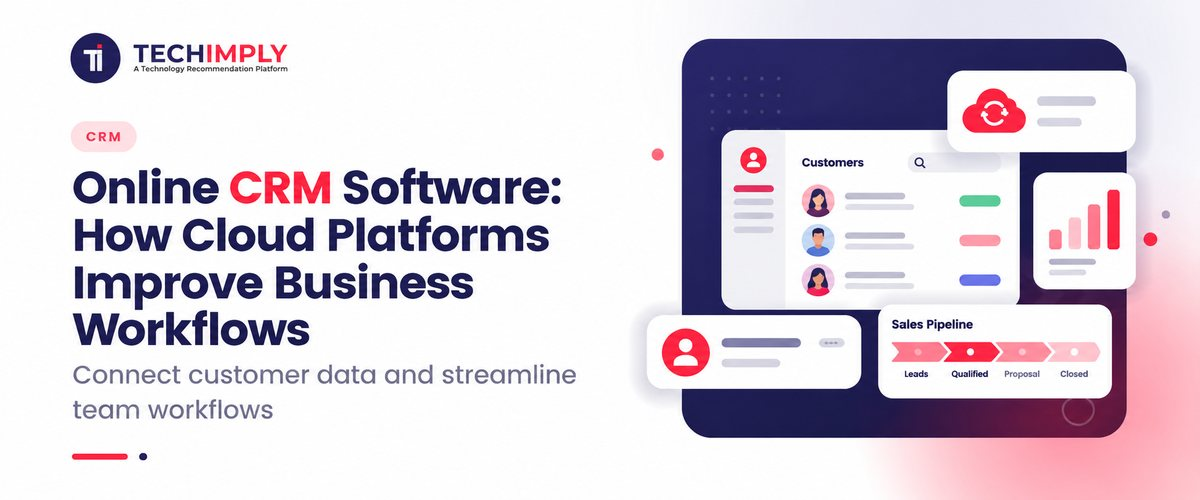
Visualizing your sales pipeline provides instant clarity on business health. Sales reps and managers can view deals moving across clearly defined stages: New Leads, Qualified Leads, Proposals, Negotiations, and Won/Lost Deals. This visual clarity helps forecast monthly revenue accurately and pinpoint bottlenecks in the sales cycle.
5. Improve Team Collaboration
When marketing, sales, and support operate from a shared customer record, handoffs become seamless. Marketing knows which leads converted into closed revenue, sales knows which support tickets are open for an active account, and support knows the contract terms negotiated by sales.
6. Make Reporting and Decision-Making Easier
Data-driven decision-making replaces guesswork. Built-in analytics generate instant visibility into:
- Sales volume and individual rep activity.
- Conversion rates across every pipeline stage.
- Total pipeline value and projected revenue.
- Top-performing lead sources.
- Emerging customer trends.
Key Features to Look for in Online CRM Tools
When evaluating online CRM tools, look beyond flashy marketing claims and focus on features that directly support efficient workflows.
Contact and Lead Management
Your CRM must effortlessly store, filter, and segment contact databases. Look for tools that automatically deduplicate contacts, track social profiles, and log interaction histories without manual hassle.
Sales Pipeline Management
A visual drag-and-drop pipeline interface is essential. It allows users to update deal stages instantly, attach documents, set expected close dates, and forecast cash flow.
Workflow Automation
Automation rules save countless hours. Look for visual workflow builders that trigger actions such as updating fields, creating tasks, or sending Slack notifications based on specific customer behaviors or time delays.
Email and Communication Tracking
Email integration is non-negotiable. The ability to sync Gmail or Outlook, track email opens and clicks, and use pre-saved email templates directly inside the CRM dramatically accelerates communication speed.
Reporting and Analytics
Customizable dashboards allow you to monitor KPIs at a glance. Look for real-time reporting on team activity, win/loss ratios, revenue forecasts, and conversion bottlenecks.
Integrations
As research from platforms like Zapier highlights, seamless integration capabilities are vital. Integration allows CRM data to move fluidly between web forms, email marketing platforms, accounting software, helpdesk tools, and messaging apps, eliminating repetitive multi-system data entry.
Mobile and Cloud Access
Sales happens on the go. Native mobile apps for iOS and Android ensure your team can log notes after a client meeting, check customer histories, or update deal statuses right from their smartphones.
Security and User Permissions
Protecting sensitive customer data is paramount. Ensure the platform offers robust security controls, multi-factor authentication (MFA), automated cloud backups, and granular role-based user permissions.
How Online CRM Software Helps Small Businesses
Adopting online CRM software for small business environments brings enterprise-grade efficiency to lean teams.
Reduce Manual Administrative Work
Small business owners and team members often wear multiple hats. Automation eliminates repetitive data entry, manual contact updates, and routine follow-up scheduling, freeing up hours every week for high-value revenue-generating tasks.
Keep Leads From Falling Through the Cracks
Without a system, verbal promises and sticky notes get forgotten. Automated reminders, task assignments, and structured pipeline stages ensure every single prospect receives consistent, timely attention.
Give Small Teams Better Visibility
Small teams rarely have dedicated sales operations managers. Built-in dashboards and visual pipelines provide instant clarity on team performance, making it easy to see who is overloaded and where deals stand.
Scale Without Rebuilding the Entire Workflow
As your business grows from 5 contacts to 50,000, cloud systems expand effortlessly. You can add users, upgrade storage, and introduce advanced automation workflows without ripping out your foundational processes.
Is Free Online CRM Software Enough for a Small Business?
Many growing organizations start by exploring free online CRM software. But what can you realistically expect from these plans, and when should you upgrade?
What Free CRM Plans Usually Include
Entry-level and free tiers typically offer:
- Core contact and lead management.
- Basic visual pipeline tracking.
- Standard task management and reminders.
- Basic reporting dashboards.
- Limited workflow automation and essential app integrations.
Research from platforms like Zapier notes that free offerings vary significantly across vendors regarding user limits, contact caps, automation rules, and advanced functionality.
What to Check Before Choosing a Free Plan
Before committing to any free tier, evaluate these critical operational limits:
- Number of users: Does the plan support your current team size?
- Contact/record limits: Will you hit a ceiling on stored customer profiles quickly?
- Storage space: Are there caps on document and attachment uploads?
- Automation limits: How many automated workflows or email triggers are allowed per month?
- Integrations: Can it connect with your email provider and accounting tools?
- Upgrade pricing: What will it cost when your business outgrows the free tier?
Note: Rather than searching for a single "best free online CRM software" universal winner, evaluate vendors against your specific team size, technical requirements, and growth trajectory.
Online CRM Software in India: What Businesses Should Consider
For businesses operating in or expanding into the Indian market, selecting online CRM software India deployments requires evaluating specific regional and operational factors.
Pricing and Scalability
Evaluate per-user subscription costs in local currency context, availability of attractive free tiers, and how pricing scales as your sales team expands across different regions.
Integrations With Existing Business Tools
Ensure the CRM integrates seamlessly with the software stack your team already relies on, including local email providers, payment gateways, accounting platforms, communication tools (like WhatsApp business APIs), and lead capture web forms.
Data Security and Access Control
Review vendor security compliance, data residency practices, role-based user permissions, multi-factor authentication, and reliable automated backup/recovery mechanisms.
Mobile and Remote Accessibility
With distributed sales reps traveling across major metros and Tier-2/Tier-3 cities, reliable mobile app performance and offline-sync capabilities are critical for field sales success.
Local Business Requirements
Depending on your operational footprint, look for platforms that handle multi-currency transactions, regional team territories, local customer communication workflows, and integration capabilities with tax/accounting frameworks where applicable.
Online CRM Workflow Example: From Lead to Customer
To illustrate how a cloud CRM operates in practice, consider this end-to-end scenario:
- Step 1: Lead Capture A prospective client visits your website and fills out a consultation request form.
- Step 2: Automatic CRM Entry The CRM instantly captures the form submission and creates a clean contact record.
- Step 3: Lead Assignment Using pre-set routing rules, the system assigns the lead immediately to the appropriate regional salesperson.
- Step 4: Follow-Up The assigned sales rep receives an automated task and reminder to connect with the prospect.
- Step 5: Deal Creation After an introductory call, the salesperson qualifies the prospect and converts the contact into an active deal in the pipeline.
- Step 6: Automated Updates As negotiations proceed, automated email sequences and internal notifications trigger based on pipeline stage movements.
- Step 7: Conversion The proposal is accepted, the deal is marked won, and the customer record seamlessly transitions into ongoing account management and support workflows.
How to Choose the Right Online CRM Software
Navigating the crowded CRM market can feel overwhelming. Follow this practical checklist to make the right choice:
- Define Your Business Goals: Are you trying to generate more leads, improve follow-up speeds, streamline sales pipelines, enhance customer support, or automate administrative work?
- Identify Required Features: Pay only for functionality your team will actively use. Avoid paying enterprise prices for features your small team doesn't need.
- Check Integration Options: Verify that the CRM integrates smoothly with your existing email, marketing, accounting, and communication tools.
- Evaluate Ease of Use: A feature-rich CRM is useless if employees find it too complex to adopt. Prioritize intuitive interfaces.
- Compare Free and Paid Plans: Look beyond initial free offerings to understand long-term cost structures as your database grows.
- Check Scalability and Security: Ensure the platform offers robust data protection, reliable uptime, and easy scalability for future growth.
Common Mistakes Businesses Make When Adopting a CRM
Avoiding common pitfalls ensures a smooth rollout and high user adoption:
- Choosing based only on price: Selecting a tool solely because it is free without checking feature limitations or scalability.
- Buying too many features: Overcomplicating deployment with unnecessary enterprise modules.
- Poor data migration: Importing messy, uncleaned spreadsheets into a new system.
- Not defining sales stages: Failing to map out clear pipeline stages before configuring the software.
- Failing to train employees: Expecting staff to adopt the tool without proper onboarding and guidance.
- Not automating repetitive tasks: Leaving workflows manual instead of leveraging automation triggers.
- Ignoring integrations: Forcing employees to manually copy-paste data between isolated systems.
- Not measuring CRM adoption: Failing to track whether sales reps are actively logging calls and updating deals.
Conclusion
Cloud CRM is far more than a digital address book. It serves as the foundational operating system through which modern businesses capture leads, manage customer relationships, automate repetitive work, monitor sales pipelines, and make data-driven decisions.
To take the next step, evaluate your current workflow, identify the repetitive administrative tasks that consume the most time, and look for an online CRM platform that can automate those processes while scaling smoothly with your business.
If you'd like, we can dive deeper into setting up your first automated lead-capture workflow or compare specific tier limits for your team size!