
Even though Postmark has been the platform of choice for many businesses (and it does tick a lot of boxes that a solid email provider should), there’ll be times when it just won’t cut it for you.
These situations can vary anywhere from requiring more advanced analytics tools to advanced integration options. Sometimes, you’ll want a backup email provider just in case. Better safe than sorry.
No matter which boxes you check, comparing features, prices, and scalability will leave you with a tool that best fits your business needs.
Let’s jump right in and find the best Postmark alternative available!
Quick Comparison Table
|
Provider |
Free Tier |
Pricing |
Key Features |
Deliverability Focus |
Setup Complexity |
Best Use Case |
|
Mailtrap |
150 emails/day |
$15 / $85 / $750 |
API, SMTP, analytics, sandbox testing, deliverability monitoring |
★★★★★ |
★★☆☆☆ |
Developers testing + reliable production sending |
|
SMTP.com |
No free tier |
$25 / $80 / $300 |
SMTP relay, analytics, dedicated IPs, 24/7 support |
★★★★☆ |
★★★☆☆ |
High-volume transactional + marketing |
|
Elastic Email |
Trial with limited features |
$29 / $49 |
Email API, SMTP, marketing automation, templates |
★★★☆☆ |
★★★☆☆ |
Budget-friendly marketing + transactional |
|
SMTP2GO |
1,000 emails/month |
$15 / $75 |
Global SMTP relay, bounce tracking, reporting, support |
★★★★☆ |
★★★☆☆ |
SMEs needing simple, reliable SMTP |
|
MailerSend |
3,000 emails |
$35/ $110 |
Email API, templates, inbound routing, analytics, SMS option |
★★★★☆ |
★★☆☆☆ |
Growing startups + multi-channel comms |
|
BirdEmail |
No free tier, pay-as-you-go |
Starting from $45 |
High-scale email API, deliverability tools, predictive analytics |
★★★★★ |
★★★★☆ |
Enterprises scaling to millions of emails |
What to Look for in Postmark Alternatives
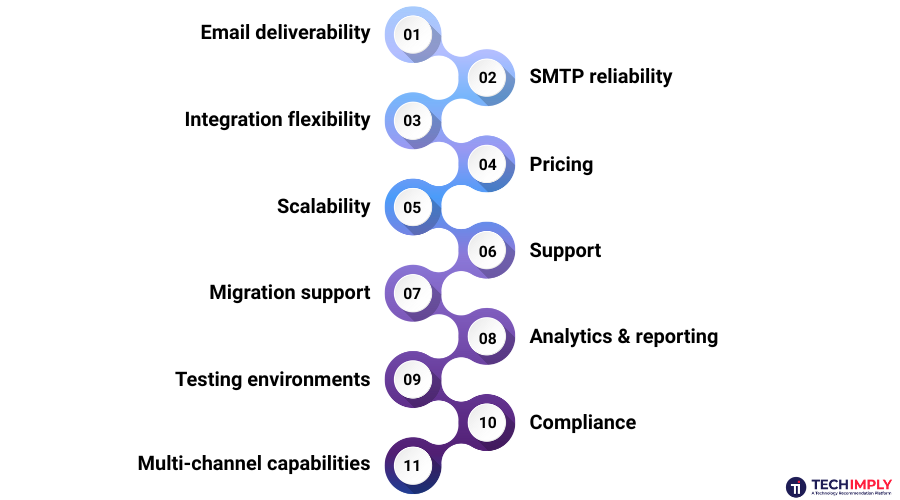
Before diving into each option, it’s important to define the criteria for a solid Postmark replacement. Different businesses focus on different things, but these categories cover the essentials.
-
Email deliverability - The whole point of using a professional service is ensuring your emails actually land in inboxes. Look for providers with a solid track record, dedicated IP options, and reputation management software.
-
SMTP reliability - Some companies prefer SMTP for simplicity. Check how providers deal with authentication, TLS and fallback routes
-
Integration flexibility - Think about the ease with which the service can plug into your stack, whether you’re using marketing platforms, CRMs, or custom backends.
-
Pricing - You’d be better off with a tool that has transparent pricing options. Especially if you’re sending out millions of emails per month. Some businesses prefer flat pricing plans, while others tend to choose pay-as-you-go options. It’s up to you.
-
Scalability - Hopefully, you are at a place (or will get there soon) where your monthly email needs are much higher than when you started. You should be looking for a provider that can handle such shifts without hiccups and losses in quality.
-
Support - Quick and helpful support is more than worth it. A provider that can jump in quickly and guide you through the solution of your problem is the way to go.
-
Migration support - A solid email provider will offer not just onboarding help, but also walkthroughs for your migration efforts. You need this process to be clean and efficient.
-
Analytics & reporting - Without advanced analytics, you’re doing nothing but taking wild guesses. Detailed reports, featuring clicks, open and delivery rates, bounces, and engagement, tell you exactly what your next step should be. After that, you just need to optimize your efforts.
-
Testing environments - Most top-notch providers nowadays offer sandboxing and staging environments to help you mitigate any issues during the development process. Making mistakes is not so scary when you get a second chance.
-
Compliance - Look for GDPR, HIPAA, SOC 2 and ISO certification if you’re in regulated industries..
-
Multi-channel capabilities - There are platforms that combine emails with SMS, in-app, or push notifications.
Top 6 Postmark Alternatives
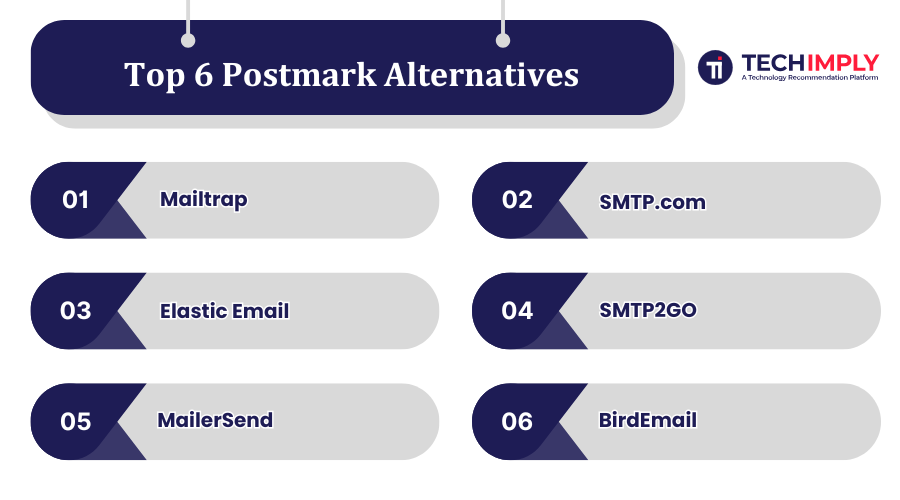
Let’s analyze each option in depth, highlighting strengths and weaknesses along with the best use cases.
1. Mailtrap – Best Postmark Alternative
Mailtrap is one of the Postmark competitors that has its origins in the developer community, and it’s primarily built for developer and product teams. And what do product companies need? High email sending volumes and exceptionally high deliverability.
Mailtrap has built its product around features that allow you to reach your prospects’ inboxes, like domain and IP warmups, or dedicated IP addresses. When it comes to scaling, Mailtrap’s infrastructure allows for a seamless transition to an increased sending volume without any glitches. And even if there are any hiccups, they have a 24/7 dedicated support, so you can get things sorted out immediately.
Pros
-
Quick scaling - Mailtrap allows you to scale up your efforts without encountering any delays, or hurting your deliverability scores.
-
High-quality analytics - You can use Mailtrap’s dashboards to track how well your emails are performing, deliverability rates, how many prospects bounced, how many unsubscribed.
-
More than reasonable free plan - Until you scale your processes and decide you’re happy with your choice, Mailtrap offers you up to 3,500 free emails sent.
-
Simple yet deep - Even if you’re not tech savvy, you’ll be able to find your way though various templates or dashboards, all without a steep learning curve. On the other hand, engineers will get theirs with a robust API access.
-
Educational resources - Mailtrap invests in documentation, guides, and API samples, making onboarding easier for new teams.
Cons
-
Mid-market pricing - If you’re just getting started, and looking to test things up a bit, you might want to find a cheaper option to explore.
An example use case of Mailtrap could be a small SaaS startup launching a new app. They can use Mailtrap’s sandbox to test all password reset and welcome email flows in staging, then switch seamlessly to production delivery once ready.
Pricing
MailTrap lets you create one user and generate up to 150 emails a day, while keeping three days of business logs. On the other hand, Basic, Business, and Enterprise plans will cost you $15, $85, and $750 a month, respectively.
2. SMTP.com
Having over 20 years in the market now, SMTP.com is one of the oldest transactional email service providers still standing today. Unlike newer API-first offerings, SMTP.com first had a reputation for uptime and SMTP relay, and added APIs and analytics as customers evolved.
Pros
-
Dedicated IPs - Ideal for teams who require total control over sending reputation.
-
Industry presence - Trusted by bigger clients in finance, healthcare and ecommerce for over two decades.
-
24/7 technical support -SLA-driven response times are offered on higher plans.
Cons
-
No free plan - Small businesses and startups can’t “try before they buy.”
-
Interface feels dated - Although usable, the dashboard is not as up to date as some newer competitors.
-
Fewer add-ons - No multi-channel add-ons like SMS or in-app messaging.
SMTP.com would make the most sense for medium-to-large businesses that have relatively predictable sending volumes and require confidence and control over their sender reputation.
Pricing
SMTP.com doesn’t offer a free plan. When it comes to subscriptions, the Essential plan (50,000 emails/month) is $25, the Starter (100,000 emails/month) is $80, and the Enterprise (500,000 emails/month) is $300.
3. Elastic Email
On a more affordable side, we have Elastic Email. But don’t be fooled by the price, you’ll still get lots of marketing tools such as a landing page creator and prospect segmentation along with advanced analytics.
It also allows you to scale your email marketing campaigns to millions if needed, via RESTful and SMTP relays provided.
Pros
-
Complete marketing automation -Comes with email templates, campaign builder and audience segmentation.
-
API + SMTP feature - Both developers and marketers will love this
-
Pay-as-you-go pricing - for irregular volumes of messages.
Cons
-
Deliverability isn’t best-in-class - You have to work harder on list cleaning and authentication
-
Limited customer support -Response times may take longer
-
Daily free plan limits - Prevents you from running tests on anything but small scale campaigns.
Elastic Email is practical for cash-strapped startups and small businesses that still want access to marketing automation features alongside transactional email.
Pricing
Elastic Email’s free plan lets you test out all the major features with limited sending before you decide on a purchase. Paid plans are $29 and $49.
4. SMTP2GO
SMTP2GO has been around the block for a long time, since 2006. And they’ve built their reputation on knowing which services are crucial to their users. They’re known for having their servers distributed worldwide, allowing them to keep their deliverability promises even during local outages. Also, developers find their API easy to use and implement.
Pros
-
Global infrastructure - Ensures low-latency delivery across continents.
-
Bounce and spam complaint tracking - Helps you maintain list hygiene.
-
Understandable API - Developers don’t have to strain themselves to use SMTP2GO’s API, eliminating all the frustration this process can bring.
-
Customer support praised by SMEs - Known for responsiveness.
Cons
-
It doesn’t offer as many advanced analytics or automation features.
-
More SMTP-first than API-first: Developers may prefer alternatives like Mailtrap or MailerSend.
Thus, it’s best for small to medium businesses that need a plug-and-play SMTP service without heavy technical overhead.
Pricing
SMTP2GO’s free plan allows you to test the platform by sending up to two hundred emails per day, or a thousand for a month. The Starter plan (10,000 emails/month) will cost $15, and the Professional plan (100,000 emails/month) will cost $75.
5. MailerSend
Developed by the same team that brought you MailerLite, MailerSend is made for modern developers and startups. It’s also one of the most flexible Postmark alternatives; it includes transactional email APIs as well as templates, support for inbound email routing, and even SMS functionality.
Pros
-
Clean user interface + powerful API - Good balance between ease of use and technical complexity.
-
Multi-channel support (email + SMS) - Uncommon in this tier.
-
Inbound routing - Ability to intercept incoming emails (useful for building apps).
Cons
-
Newer ecosystem - There are not as many third party tutorials and integrations.
-
Still growing - Some advanced features, such as granular analytics, are still being developed.
So, startups that need to be flexible and scalable across both transactional and marketing channels might want to look at MailerSend, with SMS as a potential next step.
Pricing
Their free (or “Hobby”) plan lets you test the waters with 3,000 emails. The Starter and Professional plans are $35 and $110, respectively.
6. BirdEmail
BirdEmail (formerly SparkPost) is one of the most enterprise-class email delivery services on the market. Famed for powering some of the largest email senders, it couples robust deliverability with predictive analytics that provides insights and decisions so companies can improve inbox placement and get more engagement.
Pros
-
Enterprise-grade - Processes billions of emails every month.
-
Predictive deliverability intelligence - Using tools for maximizing campaign efficiency.
-
Strong partner ecosystem - Works with your enterprise CRMs and marketing suites.
Cons
-
No free tier - Not the best choice for startups or small businesses.
-
High learning curve - Best for teams with technical expertise.
-
Higher baseline costs - Other brands have cheaper intro plans, while not absolutely pricing themselves out of the market.
Bird may work great for businesses that are all about deliverability, compliance, and scale in millions of messages.
Pricing
You can use BirdEmail to pay-as-you-go (email prices begin at $1.50 per 1,000) or request monthly targeted contacts ($45 for 3,000 contacts/30,000 messages.
Conclusion
The right Postmark alternative for you will depend on the size of your business, technical requirements, and budget. If you have product-oriented teams that need to engineer high-volume campaigns, Mailtrap is the one. If you’re trying to keep your costs low, then Elastic Email is what you need. Alternatively, if you’re after a no-nonsense SMTP relay for sending emails, then SMTP2GO is good in that regard.
At the end of the day, it all comes down to what your business looks like today and what you’ll need for the future. All of the factors we talked about should influence your decision, not just pricing.