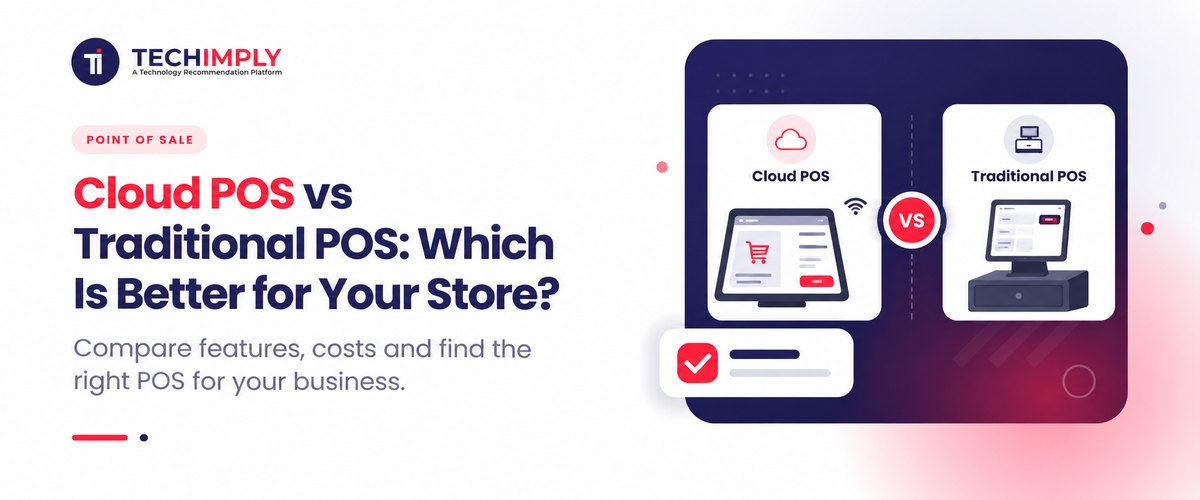
As India's retail sector transforms significantly owing to the increasing UPI adoption, automated multi-channel inventory management, and evolving GTS e-invoicing requirements, selecting the right POS (Point of Sale) system is very important for the effective functioning of a store. Traditional old-fashioned POS systems keep sales and inventory-related data stored locally on the computers, but modern POS solutions operate via the web, offering features of automatic updates and remote sales tracking.
What Is Point of Sale (POS)?
A Point of Sale or retail system is the nerve center of every modern retail operation in India. This is the hardware that actually processes payments made by customers, either at a counter or via a digital interface. The modern POS system installation combines components for billing purposes, such as bar code readers, POS terminals, and printers, to ensure that bills can be generated automatically and printed either using cash registers or through the use of applications designed for such purposes. The Indian retail sector relies heavily on the capabilities of the rarely if ever found specialized POS system that handles calculations and offers invoice generation compliant with GST rules.
Point-of-sale systems have become a vital part of the Indian business ecosystem, suitable for both small neighbourhood stores and large retail stores alike. Apart from processing payments through UPI, debit cards, or net banking systems, a reliable POS system is capable of monitoring inventory status in real time. Besides that, it is possible to track every transaction thanks to the functionality of a POS software device. This way, merchants can analyze their sales activities and enhance their business operations.
Did you know?
The business world of today relies not only on POS systems, but they also provide an automatic stock level update as soon as an item is scanned, thus keeping stock shortages at bay.
What Is the Main Difference Between Cloud POS and Traditional POS?
Conventional point-of-sale systems are based on physical servers situated in the store, but cloud point-of-sale solutions generate, save, and transmit data on remote servers over the Internet. For instance, in an Indian retail scenario, a traditional POS is limited to one desktop device at the billing section that collects data on the sales made, the stock present in the store, and the history of sales. In contrast, in a cloud POS, the information concerning the background operations of the shop is updated in real-time online, thereby notifying you constantly on your smartphone about the sales made, inventory stock management, and profit margin irrespective of your location.
In practical terms, the consequences of this architecture can be manifested in speed, price, and flexibility as far as the business is concerned. Traditional systems require large capital investments in hardware devices and annual maintenance contracts, and require manual changes whenever tax regulations change. Meanwhile, a cloud POS works on a subscription for a regular fee and does not require any additional hardware or maintenance.
How Do Setup Costs and Long-Term Expenses Compare?
-
Initial Capital Expenditures (CapEx)
Traditional POS systems require an initial capital expenditure of around ₹40,000 to ₹1,200,000+ per terminal for workstations, local servers, printers, custom-made barcode reading devices, and licensing fees for software that lasts forever. In addition to this, you also need to pay for installation and training of employees. Cloud-based POS solutions eliminate the high initial capital cost, involving only ₹10,000 to ₹25,000 in total cost.
-
Recurring Expenditures (OpEx)
With traditional POS systems, recurring costs include Annual Maintenance Charges (AMC), which are generally somewhere between 15% and 20% of the price of the software, apart from expenses directly related to software updates for GST software, backup of information, and charges for technical assistance. Cloud-based POS systems incur low cost on an ongoing basis in the form of subscription cost that ranges from ₹1,000 to ₹3,000 per store per month.
|
Expense Category |
Traditional POS |
Cloud POS |
|
Upfront Hardware & Software |
High (₹40,000 – ₹1,000,000+ per store) |
Low (₹10,000 – ₹25,000 per store) |
|
Software Pricing Model |
One-time permanent license fee |
Monthly/Annual subscription (₹1k – ₹3k/mo) |
|
Maintenance & Support |
Mandatory AMCs + technician visit fees |
Included in active subscription |
|
GST & System Updates |
Paid upgrades per update/version release |
Free over-the-air (OTA) automatic updates |
Which POS System Offers Better Data Security for Indian Retailers?
Cloud POS systems offer significantly better overall data security for Indian retailers compared to traditional POS systems, primarily because modern cloud providers assume the heavy burden of infrastructure protection, continuous compliance, and patch management.
- Maintaining PCI DSS 4.0 Compliance: Cloud-based POS systems automate the complex PCI DSS v4.0 network security requirements at the infrastructure level, unlike traditional POS systems where retailers must manually set up firewalls, manage local servers, and demonstrate compliance with requirements for every physical terminal.
- Tokenization and End-to-End Encryption: Cloud POS solutions use tokenized Primary Account Numbers (PANs) right at the point-of-sale device, making the process much more secure, since only encrypted tokenized numbers, as opposed to actual credit card numbers, are being sent over the network. Traditional systems store customers' card numbers directly on their local hard drives, allowing for the possibility of faulty memory scraping malware attacks to take place.
- Automated Patch Management: Cloud POS providers keep sending security and software upgrades wirelessly while keeping shops protected against zero-day vulnerabilities. Conventional POS systems mainly rely on outdated information operating systems that do not receive any updates, making them more exposed to cyberattacks.
- Protection Against Physical Theft and Local Disasters: A traditional Point of Sale system may be at risk of losing all customer and transactional data if a hardware terminal is stolen or destroyed in a break-in. Cloud POS systems entail no data storage. Thus, operations can resume from another physical device, preventing any loss of data.
- Zero Trust and MFA: Cloud POS systems are capable of implementing granular RBAC, SSO, and MFA, which allow protecting their administrative functions. In contrast, traditional systems may use shared PINs or passwords, making them vulnerable.
- Centralized Log Monitoring and Auditing: Cloud architectures utilize automated investigation and ongoing data collection that make it possible to easily detect any malicious activities. Traditional architectures rely on the manual collection of logs and carry out investigations through security audits instead.
How Do the Systems Perform During an Internet Outage?
Conventional Point of Sale Effectiveness
In contrast, since conventional POS systems rely on physical servers stationed at various venues, any instances of Wi-Fi being down will not affect businesses.
- Advantages: Cash registers, barcode scanning, inventory searches, and printing out of receipts function normally.
- Disadvantages: Multi-branch synchronization ceases until such time as the connection is restored, and card transactions will rely on either regular phone lines (dial-up) or payment terminals on the site with fail-safe SIM technology.
Cloud POS Performance
Modern cloud POS systems utilize Offline Caching Mode to deal with scenarios of internet failure:
- Advantages: Core business processes, such as adding products to the shopping basket, barcode scanning, applying discounts, and printing receipts, are not interrupted. All transaction data is safely kept offline on the device cache (IndexedDB or local storage). The moment the connection is re-established, the software seamlessly synchronizes the transactions in the background with the cloud database.
- Disadvantages: Such operations as instant UPI QR code payment authorization and immediate credit card processing can’t reach gateway servers, thus leaving no option other than the use of cash or the offline payment option. In addition, live multi-store stock synchronization is paused until the device gets connected again.
How Do They Handle Multi-Store Scaling and Remote Access?
- Cloud POS vs. Traditional POS: Cloud POS allows the linking of various business locations and stores all data in a single online database from where the clients can access their information. Traditional POS functions as an isolated data system with information being saved locally in a specific unit.
- Quick Expansion Process: The installation process of the new store only involves downloading the Cloud POS app and activating the license, while traditional methods require complicated setup of physical servers.
- Universal Access: Business owners with Cloud POS keep track of sales and hours of employee work easily through any operational device, while traditional POS offers limited access and requires tough technical adjustments.
- Instantaneous inter-branch stock transfers: With Cloud POS technology, store managers can always know how much stock the stores hold in total, thus enabling immediate inter-branch transfers or order delivery from any particular store. However, traditional POS requires managers to communicate with other branches by phone or use batch processing at the end of the day to reconcile stock data.
- Disciplined catalog and pricing updates: Cloud POS has made it possible for headquarters to control the price of the product, the promotional offers for the goods, and the existence of new items all in one single click for more than 100 physical stores. On the contrary, with traditional POS technology, masters have to make changes to the master product file manually at every branch.
- Integrated multi-branch Reporting System: With Cloud POS, all business reports are automatically consolidated in the multi-store dashboard. In contrast, the traditional POS requires business owners to collect each store report and compile them in a ledger or CSV file.

Pro-tip
Cloud POS technology is a good solution for fast-growing multi-location businesses as it relieves the company of complicated database connection and IT department costs.
Conclusion
The decision to go for either a Cloud POS or a traditional POS system depends on factors such as the size of the store, budget, and plans for expansion. Traditional POS solutions provide stability for stores without the need for any online presence, whereas Cloud POS solutions grant businesses the flexibility to minimize start-up costs, get automatic upgrades, and have access to a centralized management system for different store locations. To make your choice of POS systems suited to your needs, check out our expert advice, compare various features, and read customer reviews to find verified recommendations.