AI image generators can turn text prompts or reference photos into visuals for marketing, e-commerce, and social media. But image quality, styles, and editing options vary by tool. Here are five AI image generators worth considering in 2026, with a look at their features and best use cases.
1. Pollo AI
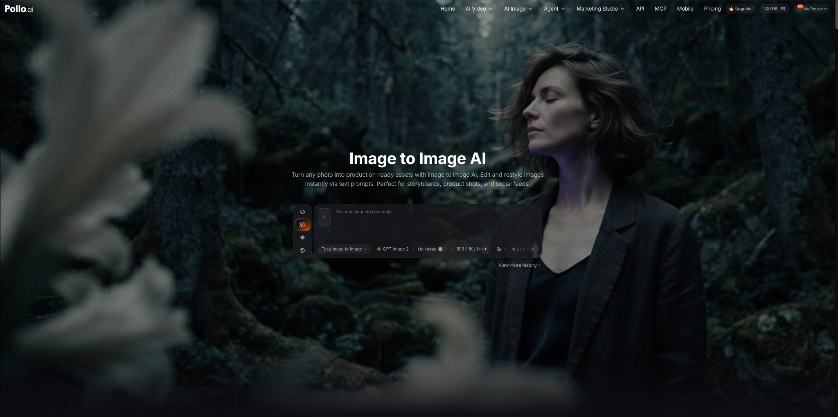
AI image generator from Pollo AI lets users transform existing images with AI by uploading a source image and describing the desired changes in a text prompt. It provides access to multiple image models, including GPT Image 2.5, Nano Banana 2, FLUX, Seedream, and other options, allowing users to restyle images, modify visual details, and create new variations without starting from scratch.
Beyond basic image generation, the platform supports image-to-image editing and offers more than 2,000 LoRAs for specialized styles. These options help users create a wide range of visuals, from anime illustrations and fantasy artwork to e-commerce product images and social media graphics. Users can also refine existing images with AI-powered editing tools rather than starting over.
Why Pollo AI Stands Out
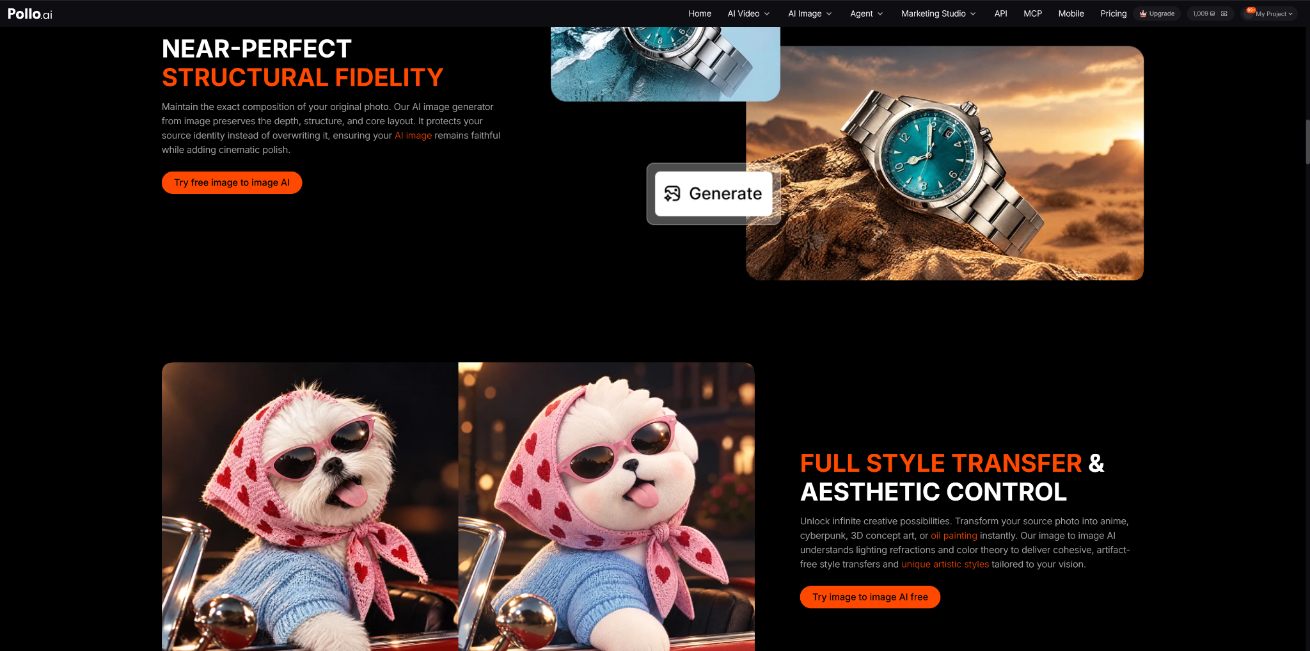
What sets Pollo AI apart as an AI image generator is its range of models and creative workflows in one place. Users can compare different outputs, experiment with styles, and edit images without constantly switching between separate tools.
For marketers and e-commerce sellers, this flexibility is useful for producing product visuals, ad creatives, and social media assets. The platform also includes video generation and other creative tools, making it easier to move from static images to video content when a campaign requires both.
2. Canva
Canva combines AI image generation with an online design editor, making it useful for businesses, marketers, educators, and creators who need ready-to-use visuals. Rather than focusing solely on image generation, it lets users create images and incorporate them directly into presentations, social media posts, advertisements, and other design projects. Its drag-and-drop editor, templates, and brand kits also make it accessible to people without advanced design skills. For everyday marketing work, Canva is a practical option for producing promotional graphics, product mockups, banners, and presentation visuals.
Why Canva Stands Out
Canva's main advantage is how easily it fits into an existing design workflow. Users can generate images, adjust layouts, remove backgrounds, add text, and apply brand colors without moving between separate applications. Designs can also be resized for different platforms, while collaboration features help teams work on shared projects. This makes Canva particularly useful for small businesses, e-commerce stores, and marketing teams that need consistent visuals on a regular basis. Users looking for detailed control over image generation may prefer a more specialized tool, but Canva works well when the goal is to create and publish finished designs efficiently.
3. Nano Banana 2
Nano Banana 2 is an AI image model designed for generating and editing images from text instructions and visual references. It can produce a range of outputs, from realistic scenes and product imagery to illustrations and stylized creative concepts. Users can also work with existing images to change visual details or explore different versions of an idea. These capabilities make the model useful for social media graphics, campaign concepts, character visuals, and other projects where creators need to develop or revise images without starting over each time.
Why Nano Banana 2 Stands Out
One of Nano Banana 2's strengths is its combination of image generation and editing. Instead of treating every request as a completely new image, users can build on reference material and describe the changes they want. This can be useful when developing several visuals around the same concept or adjusting an image to suit a different campaign. It is worth considering for creators who want flexibility across realistic and stylized imagery. As with other image models, however, the quality of the output depends on the prompt, source images, and complexity of the requested edits.
4. ChatGPT Image 2
ChatGPT offers a conversational approach to AI image generation. Users can describe an image in everyday language, review the result, and request changes through follow-up instructions. This removes much of the need to learn specialized prompting techniques before getting started. The tool can support a range of tasks, including illustrations, product concepts, storyboards, educational visuals, and marketing assets. It is especially useful when an idea is still taking shape and the user wants to explore different directions before settling on a final design.
Why ChatGPT Image 2 Stands Out
The conversational workflow makes image refinement straightforward. Users can ask for targeted changes to elements such as composition, lighting, objects, or background details rather than rewriting the entire request. This is useful for brainstorming and developing an image through several rounds of feedback. It can also help users who struggle to describe every visual detail in a single prompt. However, complex layouts, precise text placement, and highly specific visual requirements may still need additional revisions. For users who prefer to work through ideas in conversation, this approach can be more convenient than a traditional prompt-only interface.
5. Stable Diffusion
Stable Diffusion is an open-source image generation model known for its flexibility and customization options. It can run locally or be integrated into custom workflows, depending on the implementation and available hardware. Its ecosystem includes checkpoints, LoRAs, and extensions that let users adapt image generation to specific styles, subjects, and production needs. This makes it suitable for tasks such as concept art, character design, game assets, illustrations, and other projects where a standard image-generation workflow may not offer enough control.
Why Stable Diffusion Stands Out
Stable Diffusion gives experienced users more control over the generation process than many simplified online tools. Options such as ControlNet, inpainting, and outpainting can help guide composition, modify selected areas, or extend an existing image. Users can also experiment with different models and settings to achieve a particular look. The trade-off is a steeper learning curve: setting up the environment, choosing compatible models, and tuning generation settings can take time. Stable Diffusion is therefore a strong option for artists, developers, and technical users who value customization and control over a ready-made interface.
Conclusion
The best AI image generator depends on the type of work you need to do. Pollo AI brings multiple image models and creative tools into one platform, while Canva is convenient for producing finished designs and marketing materials. Nano Banana 2 offers image generation and editing from prompts and references, ChatGPT supports an interactive approach to creating and refining visuals, and Stable Diffusion gives technical users more control over their workflow. Comparing their editing options, customization levels, and fit with your existing process can help you choose the right tool for your projects.