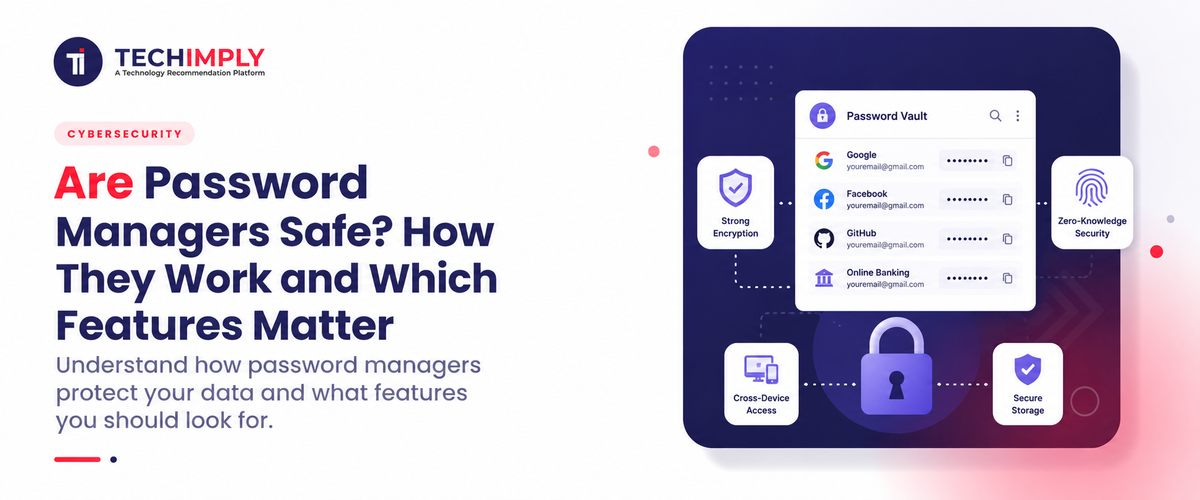
Are password managers safe? For most people, yes—provided the product is trustworthy and the main account is protected properly. The usual alternative is much worse: one memorable password reused for email, shopping, social media, and perhaps banking. A manager makes a unique login for every account practical. Keeping many credentials in one vault does create a valuable target. Strong encryption protects the contents, while a long master password and secure recovery guard the entrance. It is not an invincible system; it is a more manageable risk than widespread password reuse.

Looking for password management software?
Check out Techimply's List of the Best Password management Software in India for your business.
Written for Indian users, this guide explains how password managers work and examines cloud storage, browser tools, MFA, recovery and the password manager features worth checking. Businesses evaluating password management software should also consider administration controls, employee access, secure sharing and recovery policies before choosing a product.
A Password Manager, in Plain English
Think of a password manager as a locked address book for digital accounts. It keeps usernames, passwords and passkeys, while many products also hold recovery codes and secure notes.
The user remembers one strong master password. Once unlocked, the manager recognises a saved website and enters the matching login. A long random password can therefore protect every service without anyone memorising dozens of random strings.
Browser tools live inside a browser or operating system. Cloud products keep approved devices in sync, while local and self-hosted tools give the owner more control—and more responsibility for updates, backups and recovery. The label alone proves nothing. Security design and careful operation matter more.
What Happens When You Save a Login
The basic idea is straightforward. The manager locks readable credentials before storing them and releases them only after the user proves they may enter the vault. Products differ in how well they perform those steps.
Creating and encrypting the vault
The product should encrypt a saved password on the user’s device before storing or synchronising it. Someone who steals only the encrypted file should still need the correct key to read it.
This is similar to the wider purpose of encryption software, which protects sensitive information by converting readable data into a form that unauthorized users cannot easily access without the correct key or credentials.
Providers often call this “zero knowledge.” Do not accept the phrase as proof. Check whether decryption happens on the user’s device, whether the company can access the unlocking secret, and whether independent specialists have reviewed the design.
Deriving a key from the master password
The master password should not be stored as readable text. A key-derivation process turns it into the key used for the vault. A sound design also makes repeated guessing computationally costly.
That protection cannot rescue a weak main password. A short, common or reused choice gives an attacker an avoidable advantage. Make it long, unique and memorable enough to use without shortcuts.
Keeping approved devices in sync
A cloud manager copies the protected vault between approved devices, allowing a phone and computer to use the same logins without sending readable passwords. A new device should require authorisation.
Recovery email and device approval become important doorways. New-device alerts, MFA and strict recovery rules help stop an attacker from quietly adding their own equipment.
Filling credentials
The password manager checks the website or app and offers the matching credential. Good autofill behavior can reduce phishing risk because the manager should not fill a saved password on a lookalike domain. However, users still need to examine unusual login prompts and warnings.
Put together, that is how password managers work in daily use. The manager locks the vault, checks the secret supplied by the user, keeps approved devices in sync and offers a credential only where it belongs. The quality of each step determines how much trust the product deserves.
Password Manager or Reused Passwords: Which Is Safer?
Are password managers safe compared with the most common alternative? Usually, yes. Password reuse creates a chain reaction. If one website is breached, criminals can try the same login on email, net-banking, ecommerce, GST or work accounts. This is known as credential stuffing.
A password manager makes unique passwords practical. A breach at one website may expose the password for that site, but it does not automatically reveal the credentials for every other account.
Writing passwords in a notebook can avoid online vault attacks, but it is difficult to use across locations and can be lost, copied or viewed by someone nearby. An ordinary spreadsheet or note file is worse if it is stored without strong encryption.
The most useful comparison is not “password manager versus perfect memory.” Few people can remember dozens of long, random and unique passwords. The realistic comparison is against reuse, predictable variations and insecure storage. In that comparison, strong password manager security provides a major advantage.
Can a Password Manager Be Hacked?
Yes. Are password managers safe if hacking is possible? Safety is about reducing and managing risk, not eliminating every possible attack.
A provider could experience a breach. Attackers may steal encrypted vault data, account details or technical information. Strong encryption can still protect vault contents, but the result depends on the product’s design and the strength of each user’s master password.
Malware on an unlocked device may capture what a person types, read information after it has been decrypted or take control of an active session. No password manager can fully protect a device that an attacker already controls.
For this reason, password managers should be viewed as one part of a broader cybersecurity software strategy rather than a complete defence by themselves. Endpoint protection, software updates, secure devices and user awareness remain important.
Phishing is another threat. A fake login page may try to steal the master password. Good autofill restrictions and multi-factor authentication help, but the user must still treat unexpected prompts carefully.
An attacker may also target account recovery, email access or customer support. Recovery should help legitimate users without creating an easy way around encryption. This is one reason the recovery policy is among the most important password manager features to examine.
Is a cloud vault a safe choice?
Are password managers safe when data is kept on a provider’s servers? A well-built cloud service receives an encrypted vault that the company cannot normally open because it does not know the master password.
Popular providers attract attackers, so their design deserves scrutiny. Local storage has different risks: drive failure, ransomware, unsafe backups and missed server updates. For most individuals, a reputable cloud manager with clear documentation, independent reviews and regular updates is more realistic than self-hosting. The safer option is the one the owner can manage correctly for years.
Are Browser Password Managers Safe?
Are password managers safe when they are built into a browser? Modern browser managers are much better than password reuse and can be a reasonable choice for many people. They are easy to use and closely integrated with the browser and device.
A dedicated password manager may offer broader cross-browser support, more detailed sharing controls, stronger business administration, secure notes, emergency access and clearer security reporting. A browser manager may be tightly connected to the security of the main browser or operating-system account.
This also makes Browser Security Software relevant. Protection against malicious websites, unsafe extensions, phishing pages and browser-based threats can strengthen the environment in which saved credentials are used.
The decision should match the user, not a generic feature checklist. A browser manager that is used every day is more helpful than a sophisticated paid product that feels too awkward and is eventually abandoned. In either case, secure the main browser or vault account with MFA, remove old devices and install security updates promptly.
Features Worth Checking Before You Trust a Vault
Marketing pages can include a long list of extras. The following password manager features have the greatest effect on everyday security and usability.
Strong encryption and documented architecture
The provider should explain how data is encrypted, where decryption occurs and what information it can access. Look for modern, widely reviewed cryptography and a design that does not depend on keeping the method secret.
Multi-factor authentication
MFA places a second barrier in front of the vault account. A stolen master password alone may then be insufficient to approve a new login. CERT-In advises the use of MFA alongside sound password management and notes that organisations can provide employees with an effective password vault. Where the service supports them, a passkey or physical security key offers stronger resistance to phishing than a code sent by SMS.
A secure password generator
The generator should create long, random and unique passwords. It should also allow users to change length and character settings when a website has unusual requirements.
Breach and weak-password alerts
Useful tools identify reused, weak or known-compromised passwords. They should tell you what needs attention without exposing the actual password to the provider.
Safe autofill
The manager should match credentials to the correct domain and avoid filling them on unrelated websites. Clear warnings for suspicious domains improve password manager security.
Secure recovery options
Review what happens if you forget the master password or lose all trusted devices. A recovery method that is too easy can weaken protection. A method that is extremely strict may permanently lock you out. Business plans may include administrator-assisted recovery, while personal plans may offer an emergency kit or recovery contact.
Device and session management
You should be able to see authorized devices, remove an old device and sign out active sessions. Notifications about new logins or security changes are also valuable.
For larger organisations, password management can also work alongside Identity And Access Management (IAM) Software to control which employees can access company applications and to remove that access when roles change or employees leave.
Independent audits and responsible disclosure
Independent assessments do not guarantee that a product has no defects, but they show that outside specialists have examined its controls. The provider should also have a clear process for security researchers to report vulnerabilities.
Reliable export and backup
You should understand how to move your data if the service closes or you change products. Exports may be unencrypted, so they must be handled carefully and deleted securely after use.
Together, these password manager features reveal how a product is likely to behave when something goes wrong: a device is lost, a password appears in a breach or the owner cannot sign in. That evidence is more useful than a broad promise that the service is “secure.”
Everyday Habits That Keep the Vault Safer
Start with a long master password used nowhere else. Several unrelated words are often easier to remember than a short string filled with predictable substitutions. Keep an offline recovery record somewhere secure; do not trap the only copy inside the vault it unlocks.
Enable MFA and protect the recovery email just as carefully. Store backup codes away from the phone or laptop used for everyday access. Losing one device should not also remove every recovery option.
Install the manager from its official site or verified app-store page. Lookalike extensions do exist. Keep the app, browser and operating system updated.
Replace reused credentials in a sensible order. Begin with primary email, banking, DigiLocker, income-tax and GST services, cloud storage and social media. Let the generator make each password unique; the vault, not the user, should remember it.
Set an automatic lock time, question unexpected unlock prompts and review alerts for new devices. Remove equipment that has been lost, sold or retired.
Finally, test recovery before it is needed. A family may nominate a trusted emergency contact, while a company may assign an administrator. Document the process without casually sharing the master password.
Warning Signs When Choosing a Password Manager
Be cautious if a provider makes absolute claims such as “impossible to hack,” gives no meaningful explanation of its security design or has no clear update history. Poorly maintained browser extensions and abandoned applications can create risk even if they were once reliable.
Unclear recovery rules, missing MFA, weak device controls and no way to export data are also warning signs. Price does not settle the question: a carefully maintained free plan may be sound, while a subscription cannot compensate for weak architecture. Judge the design, the provider’s response to past problems and the evidence it publishes.
For an Indian business, ask whether administrators can enforce MFA, review access logs and remove an employee promptly. The service should also support the company’s obligations under Indian privacy, cybersecurity, contractual and sector-specific requirements.
Conclusion
Are password managers safe? In normal use, a well-designed product protected by a strong master password and MFA is a sensible security improvement. Its biggest advantage is not glamorous: it makes unique passwords convenient enough to use consistently. That one change prevents a leaked password from becoming a key to several unrelated accounts. Are password managers safe in every situation? No tool is. A compromised device, weak master password, deceptive recovery process, or careless user can still expose information. The right conclusion is not that a vault is perfect. It is that the risks are generally more manageable than the risks created by reused and weak passwords. Choose a product with transparent encryption, secure recovery, useful device controls, and independent review. Then protect it as one of your most important accounts. Good technology and good habits work together.