gPanel

Google Workspace User Management and Reporting

0.0
Rating out of 5 Based on 0 reviews

What is gPanel?

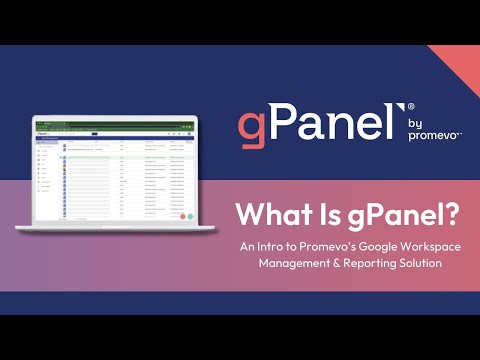
gPanel is a cloud-based management and reporting tool for Google Workspace (formerly G Suite), developed by Promevo. It provides administrators with a powerful, centralized console to manage users, security settings, data access, and more — giving more control and automation than the standard Google Admin console.

Pricing of gPanel

Standard

INR 19.00
INR 0.00

User

Buy Now
  • Centralized Google Workspace User Management
  • Gmail Signature Templates
  • Automated Onboarding and Decommissioning
  • Over 70 Reports
  • Google Workspace Bulk Operations
  • Advanced Reporting
  • Everything in gPanel Standard

Enterprise

INR 0.00
INR 0.00

Buy Now
  • gPanel APIs - Connect Google Workspace to Other Platforms

Awards & Badges Received

Get More Awards & Badges from Techimply
Badge-1
Badge-2
Badge-3

Key Features of gPanel

Key Features:
  • Attendance management
  • Workforce Management
  • Reporting
  • Email Integration
  • Taxation Management
  • Email Templates
  • Onboarding

Key Specification

Other Categories: HR Software Employee Onboarding Software
Deployment: Cloud Hosted
Customer Support: Phone,Email,Live Chat,Online (Ticket),Business Hours
Customization: No
Languages Support:

Who uses gPanel

Personal
Personal
StartUps
StartUps
SMEs
SMEs
Agencies
Agencies
Enterprises
Enterprises

Company Details

Company Name: Promevo
Headquarter: Cincinnati , Ohio United States
Social Media:

gPanel Description

Why Choose gPanel?

  • It offers much more granular control over Workspace than the default Admin console — including user provisioning, group/org-unit management, drive/email/calendar settings, and device management.

  • Automates repetitive admin tasks (onboarding/offboarding, license management, bulk user actions) — saving admin time and reducing manual errors.

  • Helps enforce security, compliance, and governance policies uniformly across all users and data.

  • Centralized reporting and analytics — admins get real-time visibility into file-sharing, user activity, license usage, and security events.

Benefits of gPanel

  • Simplifies user and permission management for organizations of any size — from small teams to large enterprises.

  • Reduces IT overhead by automating lifecycle tasks (onboarding, offboarding, license assignment, deprovisioning).

  • Improves data security and compliance by monitoring sharing, device access, and email / drive usage.

  • Offers audit logs and reporting to help with governance, audits, and internal compliance.

  • Enhances efficiency — admins can perform bulk operations, avoiding repetitive manual work.

How to Use gPanel

  1. Sign up / install gPanel for your Google Workspace domain.

  2. Import or sync your user directory / organizational structure (users, groups, org units).

  3. Use gPanel’s dashboard to manage user accounts: create, update, deactivate, bulk-modify permissions.

  4. Define access controls, sharing restrictions, device management, and licensing policies.

  5. Automate common workflows: e.g. onboarding (auto create account + assign license + set permissions), offboarding, license cleanup.

  6. Monitor usage, reports, and logs — track Drive/email sharing, device activity, compliance alerts.

  7. Use reporting and analytics to audit data sharing, activity trends, and user-access patterns for security and compliance.

Features of gPanel

  • User & directory management (bulk user creation, group/OU management, role-based access).

  • Google Workspace app management — Gmail, Drive, Calendar settings & permissions, sharing controls, email signatures, etc.

  • Drive & file management — global search, bulk permission updates, ownership transfer, monitoring shared files across domain.

  • Workspace automation — onboarding/offboarding workflows, license management, scheduled tasks, bulk actions.

  • Device & ChromeOS management — manage devices associated with Workspace users, enforce policies and security controls.

  • Reporting & analytics — usage reports, audit logs, activity tracking, security/compliance reporting across email, Drive, user accounts.

  • API / Integrations (in higher tiers) — supports integrations for automation with HRIS, CRM, or other systems for provisioning and deprovisioning.

gPanel Demo

If you want to explore gPanel’s full capabilities (user management, automation, reporting, security tools), you can schedule a demo via the official gPanel website.
Alternatively, you can contact Techimply (as per your template) to request a tailored demo and guidance.

gPanel Pricing

gPanel offers multiple plans depending on the size of your organization and the features needed (Starter, Standard, Enterprise).
According to public listings, the base pricing for Starter starts at around US $15 per user per year.
For accurate quotes, user-based cost, or enterprise licensing (with APIs & advanced tools), you should contact Techimply for customized pricing tailored to your needs.

Alternative

Keka HR Payroll Platform

Everything you need to build a great company

4.7
Rating out of 5 Based on 39 reviews

Spine HR and Payroll

Transforming HR, Empowering People

4.8
Rating out of 5 Based on 58 reviews

BambooHR

One Easy-to-Use Platform for Everything HR

4.8
Rating out of 5 Based on 34 reviews

gPanel Video/Screenshots

User Reviews

no-reviews
Share your experience! Be the very first reviewer. Write a Review

Frequently Asked Questions (FAQs)

The user group of gPanel are as follows :

  • Personals
  • Startups
  • SMEs
  • Agencies
  • Enterprises

gPanel has 2 plans,

  • Standard INR 19.00 User
  • Enterprise INR 0.00

gPanel is allowed 14 Days Free Trial.

The key featuers of gPanel are as follows :

  • Attendance management
  • Workforce Management
  • Reporting
  • Email Integration
  • Taxation Management
  • Email Templates
  • Onboarding

gPanel pricing model : Yearly,Monthly

gPanel is Online Software.

No

gPanel offers Phone,Email,Live Chat,Online (Ticket),Business Hours support.

gPanel provides Help Guides,Video Guides,Blogs,Webinars,Case Studies for the software training.