Zoom Meetings

By Zoom Video Communications

0.0
Rating out of 5 Based on 0 reviews

Zoom Meetings is a cloud-based video conferencing and online collaboration platform that allows individuals and businesses to conduct virtual meetings, webinars, and remote collaboration sessions. Developed by Zoom Video Communications, the software has gained immense popularity due to its user-friendly interface, high-quality video and audio, and extensive feature set that facilitates communication and teamwork across the globe.

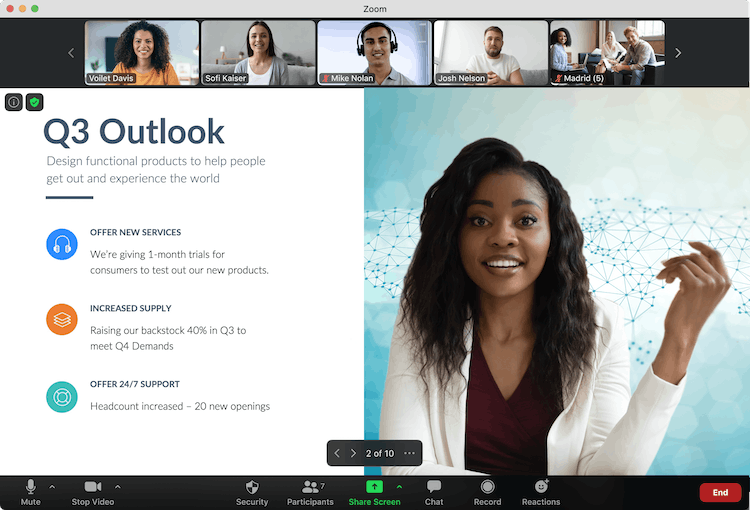
Zoom Meetings enables users to host virtual meetings, conduct webinars, share screens, chat in real time, record sessions, and integrate with various third-party applications. The platform supports HD video and audio conferencing, making it a preferred choice for businesses, educational institutions, healthcare professionals, and individual users.

One of Zoom's biggest advantages is its scalability. It caters to different types of users, from individuals using the free plan for personal meetings to large enterprises conducting webinars with thousands of participants. Zoom offers free and paid plans, allowing businesses to select features that best suit their needs.

The software is compatible with Windows, macOS, iOS, Android, and web browsers, ensuring accessibility from multiple devices. Users can join meetings via a direct link or meeting ID, making the platform extremely convenient for attendees.

Security is another key focus area for Zoom. It offers end-to-end encryption, password-protected meetings, waiting rooms, and role-based access control to ensure privacy and prevent unauthorized access. These features have been continuously enhanced to meet the growing demand for secure online communication.

In addition to video meetings, Zoom also provides screen sharing, breakout rooms, real-time chat, virtual backgrounds, cloud recording, and AI-powered meeting transcriptions, making it a powerful tool for remote collaboration. The platform also integrates with popular productivity tools like Microsoft Teams, Slack, Google Workspace, and many others, enhancing workplace efficiency.

Pricing of Zoom Meetings

Basic (1 user)

USD 0.00
USD 0.00

Free (Sign Up)

Buy Now
  • Meeting - up to 40 minutes per meeting
  • 100 Participants - per meeting
  • Team Chat
  • Clips Basic - 5 two-minute videos
  • Mail and Calendar - Client
  • Docs Basic - Share up to 10 docs
  • Notes
  • Whiteboard Basic - 3 editable boards

Pro (1-99 users)

USD 13.33
USD 0.00

month/user, billed annually

Buy Now
  • Meetings - up to 30 hours per meeting
  • 100 Participants - per meeting
  • AI Companion
  • Cloud Storage - 5GB
  • Docs - Unlimited
  • Clips Plus - Unlimited videos
  • Mail and Calendar - Client & Service
  • Essential Apps
  • Live Chat Support

Business (1-250 users)

USD 18.32
USD 0.00

month/user, billed annually

Buy Now
  • 300 Participants - per meeting
  • Whiteboard - Unlimited boards
  • Scheduler
  • Extras - SSO managed domains & more

Key Features of Zoom Meetings

Key Features:
  • Time Zone Tracking
  • Remote Access/Control
  • Live Chat
  • Collaboration Tools
  • Video Conferencing
  • Meeting Management
  • Video Chat
  • Remote Support

Who uses Zoom Meetings

StartUps
StartUps
SMEs
SMEs
Agencies
Agencies
Enterprises
Enterprises

Company Details

Company Name: Zoom Video Communications
Headquarter: United States
Social Media:

Zoom Meetings Description

Zoom Meetings is a leading video conferencing and virtual collaboration platform designed for seamless communication among individuals, businesses, and organizations worldwide. Launched in 2013 by Zoom Video Communications, the platform has revolutionized remote work, online learning, and digital collaboration by providing an intuitive and feature-rich virtual meeting experience.

Core Functionality & Use Cases

Zoom Meetings allows users to host and join virtual meetings with high-definition (HD) video and crystal-clear audio. The software supports up to 1,000 participants in a single meeting, making it suitable for both small team discussions and large-scale conferences.

Zoom is widely used in multiple sectors:

  • Businesses use it for remote work, client meetings, and global collaborations.
  • Educational institutions use it for online classes, virtual lectures, and remote learning.
  • Healthcare professionals utilize it for telemedicine and patient consultations.
  • Event organizers conduct large-scale virtual conferences and webinars.

User-Friendly Interface & Accessibility

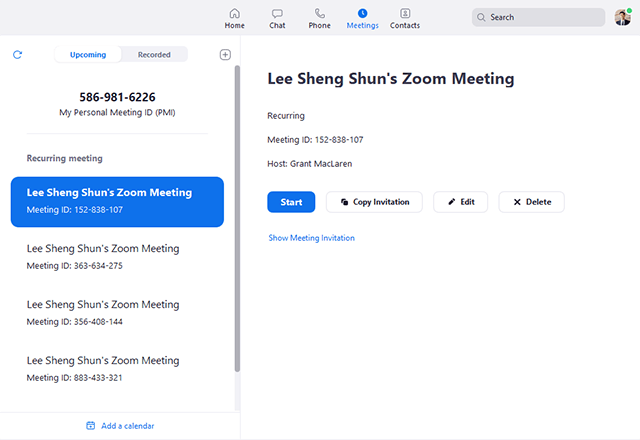
Zoom Meetings is designed for ease of use. Users can schedule, join, or host meetings with just a few clicks. The software works across multiple platforms, including Windows, macOS, iOS, Android, and web browsers, ensuring universal accessibility.

Meetings can be secured with passwords, waiting rooms, and participant controls, allowing hosts to manage who joins the meeting. Additionally, features like virtual backgrounds, touch-up filters, and customizable layouts enhance user experience.

Advanced Collaboration Features

Zoom Meetings is more than just a video conferencing tool—it includes several collaboration features:

  • Screen Sharing: Share presentations, documents, and applications in real time.
  • Breakout Rooms: Divide participants into smaller groups for focused discussions.
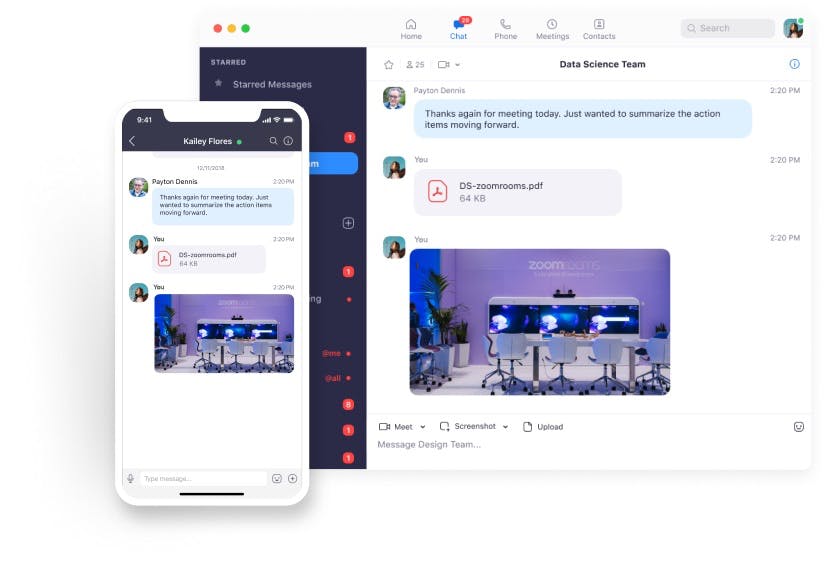
  • Chat & File Sharing: Exchange messages and share files instantly.
  • Cloud & Local Recording: Record meetings for later reference.
  • Live Transcriptions & Closed Captions: AI-generated transcriptions for accessibility.

Security & Privacy Enhancements

In response to increasing cybersecurity concerns, Zoom has implemented end-to-end encryption (E2EE), preventing unauthorized access to meetings. Other security features include two-factor authentication, role-based user access, and waiting rooms to screen attendees before allowing them to enter.

Integration with Productivity Tools

Zoom integrates seamlessly with third-party applications such as Microsoft Outlook, Google Calendar, Slack, Salesforce, Dropbox, and Trello, making it an essential part of many business workflows.

Scalability & Pricing Plans

Zoom offers a free plan that allows up to 100 participants with a 40-minute time limit per meeting, along with premium plans that provide extended durations, more participants, and advanced features for enterprises.

With its powerful features, security, and ease of use, Zoom Meetings continues to be a top choice for remote work, online education, and digital collaboration worldwide.


Key Features & Specifications

Key Features of Zoom Meetings:

  1. HD Video & Audio Conferencing – Crystal-clear video and sound quality for seamless communication.
  2. Screen Sharing – Share entire screens, applications, or files during meetings.
  3. Breakout Rooms – Create smaller groups within a meeting for discussions or workshops.
  4. Chat & File Sharing – Real-time messaging and document exchange.
  5. Meeting Recording – Save meetings locally or on the cloud for future reference.
  6. Virtual Backgrounds – Customize meeting backgrounds for a professional look.
  7. Live Transcriptions & Closed Captions – AI-generated captions for better accessibility.
  8. End-to-End Encryption (E2EE) – Secure communications with advanced encryption.
  9. Waiting Rooms & Password Protection – Control access to prevent unauthorized entry.
  10. Multi-Device Compatibility – Works on desktops, laptops, tablets, and mobile devices.
  11. Calendar Integration – Sync meetings with Google Calendar, Outlook, and more.
  12. Webinar & Large Meeting Support – Host large-scale events with up to 10,000 attendees.
  13. Whiteboard & Annotation Tools – Enhance presentations with live drawing and notes.
  14. Polling & Q&A – Engage participants during meetings with interactive features.
  15. Custom Meeting Layouts – Adjust video layouts to suit different meeting formats.

Alternative

AONMeetings

STAY TUNED WITH US

0.0
Rating out of 5 Based on 0 reviews

ClickMeeting

Webinar software with 5-star supportEnjoyed by 15 millions users each year

0.0
Rating out of 5 Based on 0 reviews

Livestrom

Where marketing teams run webinars

0.0
Rating out of 5 Based on 0 reviews

Zoom Meetings Video/Screenshots

Zoom Meetings Key Clients

User Reviews

no-reviews
Share your experience! Be the very first reviewer. Write a Review

Frequently Asked Questions (FAQs)

The user group of Zoom Meetings are as follows :

  • Startups
  • SMEs
  • Agencies
  • Enterprises

Zoom Meetings has 3 plans,

  • Basic (1 user) USD 0.00 Free (Sign Up)
  • Pro (1-99 users) USD 13.33 month/user, billed annually
  • Business (1-250 users) USD 18.32 month/user, billed annually

Zoom Meetings is not allowing Free Trial.

The key featuers of Zoom Meetings are as follows :

  • Time Zone Tracking
  • Remote Access/Control
  • Live Chat
  • Collaboration Tools
  • Video Conferencing
  • Meeting Management
  • Video Chat
  • Remote Support

Zoom Meetings pricing model : Yearly,Monthly,Onetime(Perpetual License)

Zoom Meetings is Cloud Hosted,Hybrid,On Premise,Any Software.

Zoom Meetings offers Phone,Email,Live Chat support.

Zoom Meetings provides Help Guides,Video Guides,Blogs,Webinars for the software training.