wokwi

Simulate with Wokwi Online

0.0
Rating out of 5 Based on 0 reviews

What is Wokwi ?
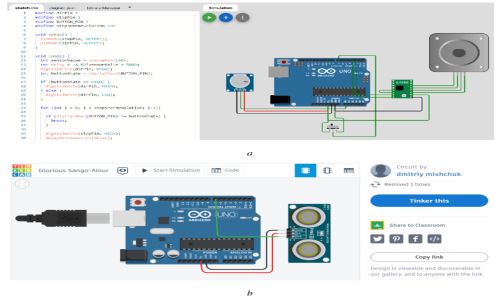
Wokwi is an online simulator for electronics and embedded systems projects, allowing users to build and test Arduino, ESP32, Raspberry Pi Pico, and other microcontroller-based circuits in a virtual environment. It provides a browser-based interface where users can write code, simulate hardware behavior, and debug projects without needing physical components. Ideal for prototyping, education, and hobbyist use, Wokwi supports real-time collaboration, various sensors, displays, and external modules, making it a powerful tool for learning and testing embedded systems efficiently.

Pricing of wokwi

no-pricing
For get detailed pricing as per your requirements.

Awards & Badges Received

Get More Awards & Badges from Techimply
Badge-1
Badge-2
Badge-3

Key Features of wokwi

Key Features:
  • Admission Receipt Generation
  • Admissions Management
  • Faculty Management
  • Fee Management
  • Lecture Management
  • Staff Management
  • Student Assessment Reports

Key Specification

Other Categories: University Management Software
Deployment: Cloud Hosted,Hybrid
Customer Support: Online (Ticket)
Customization: No
Languages Support: English

Who uses wokwi

Agencies
Agencies

Company Details

Company Name: wokwi
Headquarter: Ramat Gan, Israel
Social Media:

wokwi Description

What is Wokwi? 

  • Wokwi is an online simulation platform designed for electronics enthusiasts, students, and developers.

  • It allows users to create, test, and simulate Arduino, ESP32, Raspberry Pi Pico, and other microcontroller projects in a web browser.

  • No physical hardware is needed; users can write code, connect components, and see how everything works instantly.

  • It supports popular components like LEDs, sensors, motors, and displays.

  • Ideal for learning, prototyping, and teaching embedded systems.

  • Wokwi combines real-time simulation and easy drag-and-drop interface to streamline electronics design.

Why Choose Wokwi? 

  • Wokwi simplifies electronics learning by eliminating the need for physical components.

  • It offers instant feedback and real-time simulation, making it ideal for prototyping and debugging.

  • The platform supports many common microcontrollers and components.

  • No software installation is required—just open it in a browser and start building.

  • Excellent for beginners who want to experiment without worrying about wiring errors or damaged hardware.

  • Professional developers also appreciate its speed and convenience for rapid testing.

  • Wokwi’s integration with Arduino IDE makes it even easier for coders to transition between virtual and real-world hardware.

Benefits of Wokwi 

  • Reduces costs by eliminating the need for hardware during the early stages.

  • Speeds up development by allowing immediate testing and iteration.

  • Provides a safe environment to learn electronics without damaging components.

  • Helps educators demonstrate circuit behavior effectively in classrooms.

  • Offers community-built component libraries and open sharing of projects.

  • Allows saving and sharing simulations with just a link.

  • Great for remote learning and online collaboration in educational institutions.


How to Use Wokwi? 

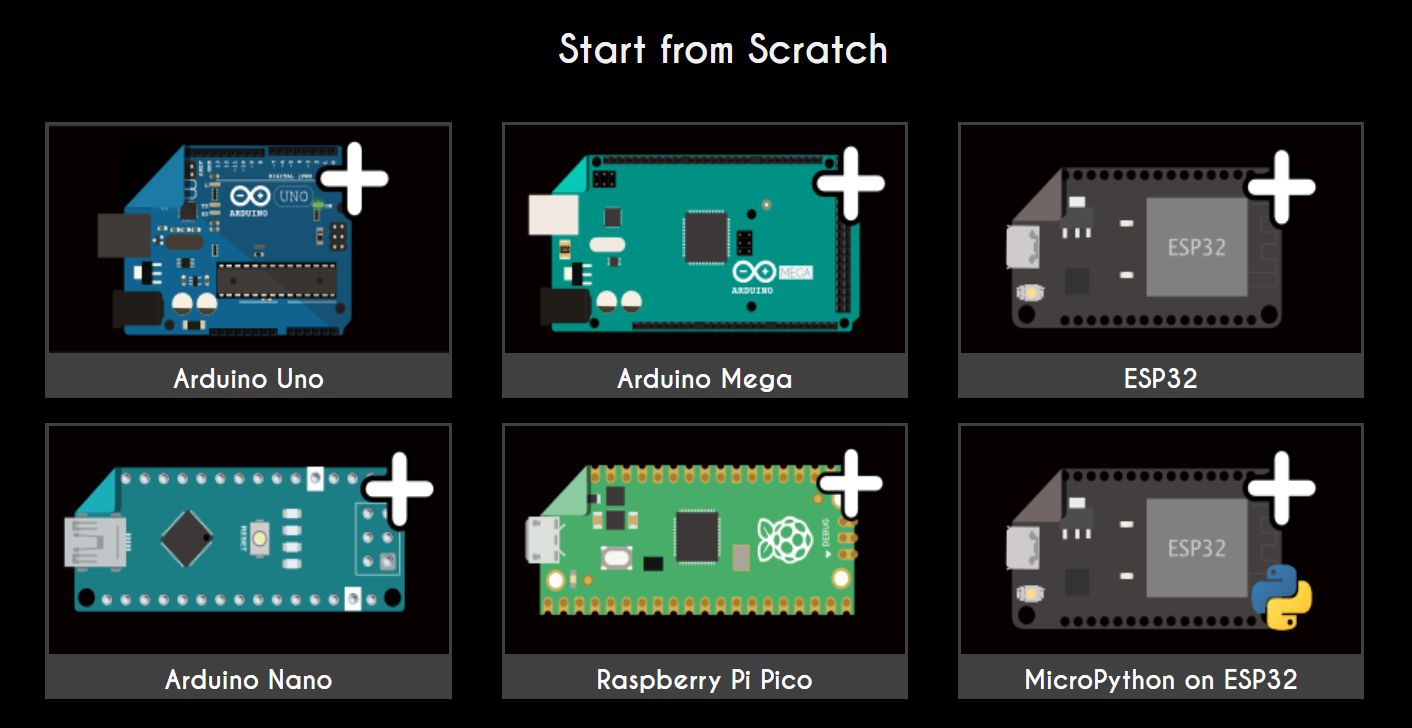
  •  Select a project template (like Arduino UNO or ESP32).
  • Drag and drop components from the side panel to the workspace.

  • Connect components using virtual wires by clicking connection points.

  • Write your code in the built-in editor or copy-paste from Arduino IDE.

  • Click the green “Play” button to run your simulation and see real-time output.

  • Debug using the serial monitor or visual indicators on components.

  • Save your project or share it via a public link for collaboration.

Features of Wokwi 

  • Real-time simulation of microcontrollers and sensors.

  • Drag-and-drop interface for circuit design.

  • Integrated code editor with syntax highlighting.

  • Supports Arduino UNO, Nano, Mega, ESP32, and Raspberry Pi Pico.

  • Includes common components like LEDs, buttons, LCDs, servos, and sensors.

  • Serial monitor and debugging tools included.

  • Project sharing via URL and version control.

  • No sign-up required for basic usage.

  • GitHub integration for professional workflows.

What Makes Wokwi Different? 

  • Fully browser-based with no need for installation or plug-ins.

  • Supports high-speed, real-time simulation with accurate behavior modeling.

  • Constantly updated with new components and features based on user feedback.

  • Community-driven platform with open-source component support.

  • Unlike traditional simulators, it provides a seamless coding + circuit design experience.

  • Enables integration with GitHub and external code editors.

  • Designed for both hobbyists and professionals—ideal for scalable use cases.

  • Its educational features make it a favorite among teachers and mentors globally.

Who Can Benefit from Wokwi? 

  • Students: Learn embedded systems without needing physical hardware.

  • Educators: Teach electronics remotely and conduct virtual labs.

  • Hobbyists/Makers: Test circuit ideas before buying components.

  • Developers: Rapidly prototype and debug firmware.

  • Startups: Design and simulate before investing in physical prototypes.

  • Online Learners: Access a portable, easy-to-use simulator from anywhere.

  • Tech Clubs: Run group projects with shared simulations.

 Is Wokwi Easy to Use? 

  • Yes, Wokwi is beginner-friendly and intuitive.

  • No installation or configuration is needed—just open a browser and start building.

  • The visual interface lets users connect components without real-world wiring knowledge.

  • Built-in code editor provides syntax highlighting and error notifications.

  • Real-time feedback helps users understand errors and fix them quickly.

  • Tutorials, examples, and tooltips guide new users step-by-step.

  • Even non-coders can learn the basics of electronics through visual interaction.

 What Support Does Wokwi Offer? 

  • Offers a detailed documentation and tutorial section on its website.

  • Active community forum for discussions, tips, and problem-solving.

  • GitHub repository for issue reporting and developer collaboration.

  • In-app examples for different types of simulations and code templates.

  • Responsive support via email and community platforms like Discord.

  • Regular blog updates and how-to guides for new features.

  • Community-driven project templates make it easy to get started.

Alternative

Entab

Popular all-in-one School Management Software

0.0
Rating out of 5 Based on 0 reviews

Campus 365

Cloud-based School Management Platform

0.0
Rating out of 5 Based on 0 reviews

Academia ERP

A leading education management software

0.0
Rating out of 5 Based on 0 reviews

wokwi Video/Screenshots

wokwi Key Clients

User Reviews

no-reviews
Share your experience! Be the very first reviewer. Write a Review

Frequently Asked Questions (FAQs)

The user group of wokwi are as follows :

  • Agencies

wokwi has 0 plans.

wokwi is not allowing Free Trial.

wokwi is Cloud Hosted,Hybrid Software.

No

wokwi offers Online (Ticket) support.