WebinarNinja

Webinar Software That’s Delightfully Easy

0.0
Rating out of 5 Based on 0 reviews

What is WebinarNinja?


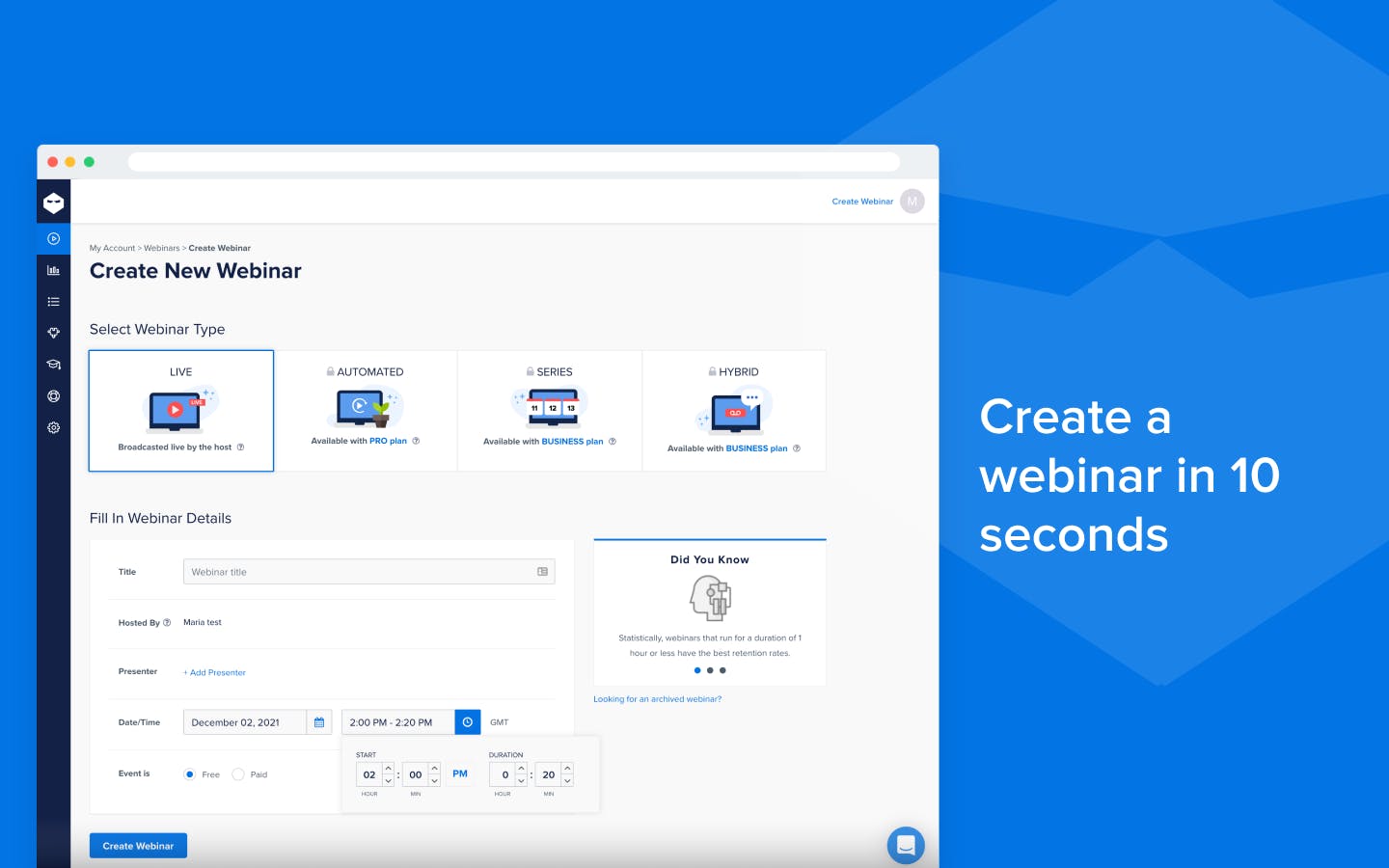
WebinarNinja is an easy-to-use webinar tool that lets you quickly create and host live webinars. It includes features for marketing, presentations, team collaboration, and integrates with services like Google and Yahoo.

Pricing of WebinarNinja

no-pricing
For get detailed pricing as per your requirements.

Key Features of WebinarNinja

Key Features:
  • Event Management
  • Live Chat
  • Screen Sharing
  • Alerts/Notifications
  • Customizable Branding
  • Multi hosts
  • On-Demand Webinars
  • Polls/Voting
  • Q&A Management
  • Reporting/Analytics
  • Social Promotion

Key Specification

Other Categories: Webinar Software
Deployment: Cloud Hosted,Hybrid,On Premise,Any
Customer Support: Email,Live Chat
Languages Support: English

Who uses WebinarNinja

StartUps
StartUps
SMEs
SMEs
Agencies
Agencies
Enterprises
Enterprises

Company Details

Company Name: WebinarNinja
Headquarter: San Diego, Australia
Social Media:

WebinarNinja Description

Why Choose WebinarNinja?

Choose WebinarNinja for its easy-to-use interface, automation, and smooth webinar hosting experience. It’s ideal for businesses and creators who need reliable tools for marketing, live sessions, and audience engagement. WebinarNinja helps you manage webinars efficiently while reducing manual effort.

Benefits of WebinarNinja

  • Automates webinar setup and email reminders.
  • Enables quick and professional webinar creation.
  • Provides real-time analytics and audience insights.
  • Integrates with marketing tools and email platforms.
  • Supports live, automated, and hybrid webinars.
  • Affordable and flexible pricing plans.
  • Helps boost engagement and conversions.

How to Use WebinarNinja

  • Sign up and create your account.
  • Set up your webinar details (topic, date, time).
  • Upload presentations or prepare live content.
  • Customize registration and email notifications.
  • Go live or schedule automated webinars.
  • Track performance with built-in analytics.

Features of WebinarNinja

  • Seamless integration with popular tools.
  • Live, automated, and hybrid webinar options.
  • Easy presentation and screen sharing.
  • Analytics dashboard for performance tracking.
  • Flexible pricing plans based on needs.
  • Multi-device access (desktop and mobile).

WebinarNinja Demo

Want to see how WebinarNinja works? Request a demo to explore its intuitive dashboard, automation features, and live webinar capabilities. Discover how it can simplify your webinar workflow.

WebinarNinja Pricing

Looking for WebinarNinja pricing? Plans vary depending on features and usage. Compare options to find the best plan that fits your needs and budget.

Alternative

Zoho Webinar

A comprehensive tool for all of your online webinar needs

0.0
Rating out of 5 Based on 0 reviews

AONMeetings

STAY TUNED WITH US

0.0
Rating out of 5 Based on 0 reviews

ClickMeeting

Webinar software with 5-star supportEnjoyed by 15 millions users each year

0.0
Rating out of 5 Based on 0 reviews

WebinarNinja Video/Screenshots

User Reviews

no-reviews
Share your experience! Be the very first reviewer. Write a Review

Frequently Asked Questions (FAQs)

The user group of WebinarNinja are as follows :

  • Startups
  • SMEs
  • Agencies
  • Enterprises

WebinarNinja has 0 plans.

WebinarNinja is allowed 7 Days Free Trial.

WebinarNinja pricing model : Yearly,Monthly,Onetime(Perpetual License)

WebinarNinja is Cloud Hosted,Hybrid,On Premise,Any Software.

WebinarNinja offers Email,Live Chat support.

WebinarNinja provides Help Guides,Video Guides,Blogs,Webinars for the software training.