vidiq

All-in-One Platform for YouTube Growth

0.0
Rating out of 5 Based on 0 reviews

What is vidIQ?

vidIQ is an internet platform and browser extension designed to assist YouTube creators in optimizing their channels and films for growth. It offers a set of tools and analytics to apprehend YouTube's set of rules, research keywords, examine competitors, and enhance video performance, in the long run aiming to grow views and subscribers.

Pricing of vidiq

Boost

INR 416.58
INR 0.00

/month

Buy Now
  • Unlimited Inspiration & Ideation
  • Optimize Your Videos for Peak Visibility
  • Masterclasses from Top Creators
  • Instant Channel Audit & AI Coaching

Key Features of vidiq

Key Features:
  • Content Management
  • Multi-Account Management
  • Automated Publishing
  • Post Scheduling
  • Reporting/Analytics
  • Conversion Tracking
  • Customer Segmentation
  • Contact Management
  • Keyword Filtering
  • Brand Tracking
  • Collaboration Tools
  • Content Management
  • Multi-Account Management
  • Reporting/Analytics
  • Social Media Monitoring
  • Automated Publishing
  • Post Scheduling
  • Customer Engagement
  • Activity/News Feed
  • Advertising Management
  • Blogs
  • Social Media Integration
  • Social Promotion
  • Event Management
  • Group Management
  • Media Library
  • Real-Time Chat
  • Data Security

Key Specification

Other Categories: Social Media Marketing Tools & Software Social Media Management Software Social Networking Software Social Media Advertising Tools Social Media Analytics Tools
Deployment: Cloud Hosted,Hybrid
Customer Support: Email
Customization: Yes
Languages Support: English

Who uses vidiq

StartUps
StartUps
SMEs
SMEs
Agencies
Agencies
Enterprises
Enterprises

Company Details

Company Name: vidiq
Headquarter: Canada
Social Media:

vidiq Description

Benefits of vidIQ

The benefits of using vidIQ for YouTube creators encompass:

  • Increased Views & Subscribers: By optimizing videos with data-pushed insights, creators can rank better in search and guidelines, leading to more visibility.
  • Improved Content Strategy: vidIQ helps in discovering trending topics, identifying what content performs great, and producing new video ideas.
  • Time-Saving Optimization: Features like AI-powered identification, description, and tag era streamline the optimization process, saving creators treasured time.
  • Competitive Analysis: It permits creators to spy on competition, understand their strategies, and pick out opportunities in their area of interest.
  • Better Understanding of Analytics: vidIQ provides complex YouTube analytics in an easy-to-recognize layout, assisting creators in making knowledgeable decisions.
  • Enhanced SEO: Tools for keyword studies and optimization checklists assist in improving the seo (search engine marketing) of videos, making them more discoverable.
  • Audience Engagement: Features like remark management and social engagement monitoring assist in fostering a stronger connection with the target market.

How to Use vidIQ

Using vidIQ usually entails installing its browser extension (available for Chrome and Firefox) and connecting it to your YouTube channel. Here's a preferred guide:

  1. Install the vidIQ Extension: Go to the Chrome Web Store or Firefox Add-ons and search for "vidIQ Vision for YouTube." Install the extension.
  2. Connect Your YouTube Channel: After setting up, open YouTube. VidIQ will prompt you to attach your Google account to your YouTube channel. This permits vidIQ to get access to your channel's information.
  3. Explore the Dashboard: Once connected, you may see the vidIQ dashboard while you log in to YouTube. This dashboard presents a top-level view of your channel's performance, every day video thoughts, and get admission to to diverse gear.
  4. Analyze Videos: When watching any video on YouTube (such as your personal or competition'), the vidIQ sidebar will appear, displaying designated analytics for that video, along with its SEO score, tags, perspectives consistent with your hour, and more.
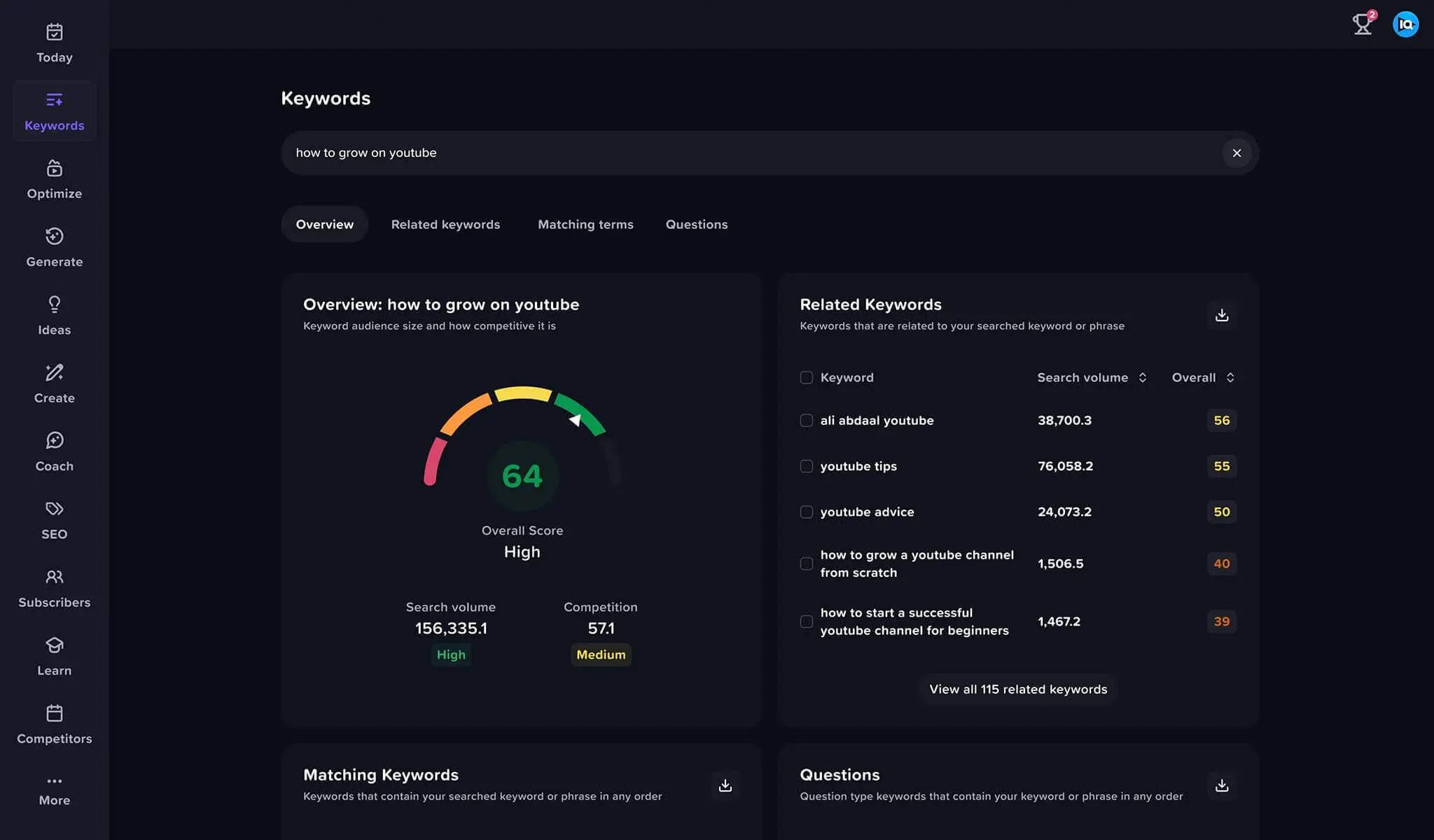
  5. Perform Keyword Research: Use vidIQ's keyword studies tool to locate applicable key phrases for your motion pictures. It indicates search volume, competition, and associated terms.
  6. Optimize Your Videos: When importing or modifying a video, vidIQ gives real-time feedback and pointers to your name, description, and tags to improve its search engine optimization score.
  7. Utilize AI Tools: Leverage AI functions for generating video thoughts, titles, descriptions, and even scripts.

Features of vidIQ

vidIQ offers a complete suite of capabilities, catering to numerous aspects of a YouTube channel:

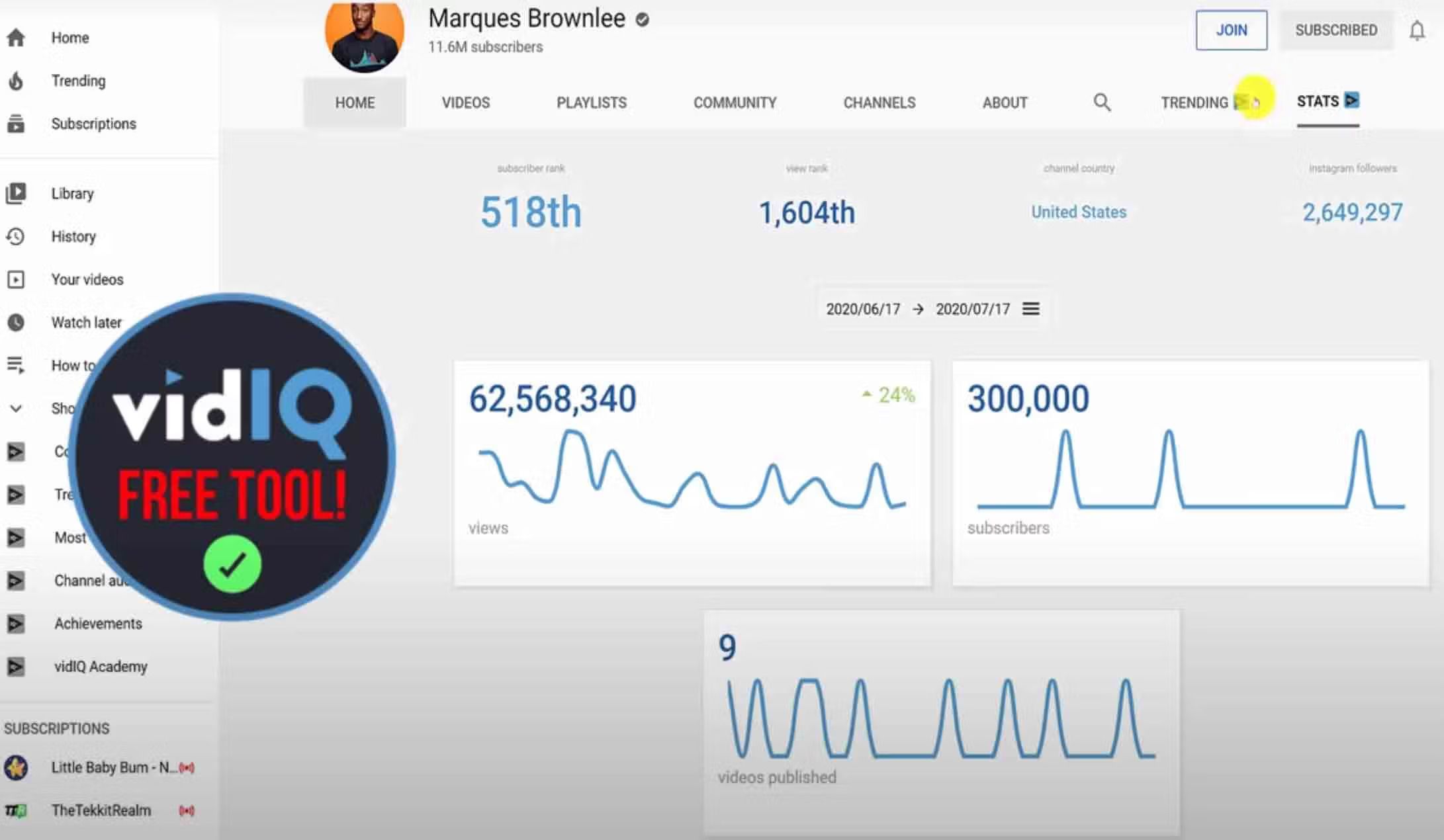
  • YouTube Analytics Scorecard: Provides real-time insights into video performance, search engine marketing scores, engagement metrics, and historical records for any YouTube video.
  • Keyword Research Tool: Helps discover highly appearing keywords with statistics on search volume, competition, and related queries.
  • Daily Ideas: An AI-powered tool that generates customized video thoughts each day based on your channel's area of interest and trending subjects.
  • Competitor Tracking: Allows you to display the overall performance of competitor channels and motion pictures.
  • Channel Audit: Automatically evaluates your channel's overall performance, identifying strengths and areas for development.
  • Video Optimization Checklist: A 15-factor tick list to make sure your motion pictures are optimized for maximum overall performance.
  • Title and Description Generator: AI-powered tools to create engaging and SEO-pleasant titles and outlines.
  • Tag Management: Helps find and organize relevant tags in your videos.
  • Thumbnail Editor: Tools to create catchy thumbnails.
  • Best Time to Post: Recommends the most advantageous publishing instances based on your audience's activity.
  • Comment Management: Assists in figuring out and responding to valuable feedback to enhance engagement.
  • Trend Alerts: Notifies you about trending subjects in your area of interest.
  • Video Boost: (Premium feature) Helps with deeper optimization and content advertising.
  • YouTube Coaching: (Higher-tier plans) Provides personalized guidance for channel growth.

vidIQ Demo

VidIQ does not offer a traditional "demo" button like some software programs. Instead, its unfastened plan acts as a complete demonstration of its core talents. You can sign up for a free VidIQ account and deploy the browser extension to at once get right of entry to many essential capabilities, including the YouTube Analytics Scorecard, fundamental keyword research, every day video thoughts, and the optimization checklist. This allows you to enjoy how vidIQ works without delay on YouTube.

vidiq Pricing

Contact Techimply for pricing. 

Alternative

Zoho Social

The easiest way to manage your brands on social media

0.0
Rating out of 5 Based on 0 reviews

Semrush

Get measurable results from online marketing

0.0
Rating out of 5 Based on 0 reviews

HubSpot

A smarter way to manage your database.

0.0
Rating out of 5 Based on 0 reviews

vidiq Video/Screenshots

User Reviews

no-reviews
Share your experience! Be the very first reviewer. Write a Review

Frequently Asked Questions (FAQs)

The user group of vidiq are as follows :

  • Startups
  • SMEs
  • Agencies
  • Enterprises

vidiq has 1 plans,

  • Boost INR 416.58 /month

vidiq is not allowing Free Trial.

The key featuers of vidiq are as follows :

  • Content Management
  • Multi-Account Management
  • Automated Publishing
  • Post Scheduling
  • Reporting/Analytics
  • Conversion Tracking
  • Customer Segmentation
  • Contact Management
  • Keyword Filtering
  • Brand Tracking
  • Collaboration Tools
  • Content Management
  • Multi-Account Management
  • Reporting/Analytics
  • Social Media Monitoring
  • Automated Publishing
  • Post Scheduling
  • Customer Engagement
  • Activity/News Feed
  • Advertising Management
  • Blogs
  • Social Media Integration
  • Social Promotion
  • Event Management
  • Group Management
  • Media Library
  • Real-Time Chat
  • Data Security

vidiq pricing model : Yearly,Monthly

vidiq is Cloud Hosted,Hybrid Software.

Yes

vidiq offers Email support.

vidiq provides Help Guides,Blogs for the software training.