Useberry

By Useberry

0.0
Rating out of 5 Based on 0 reviews

What is Useberry?

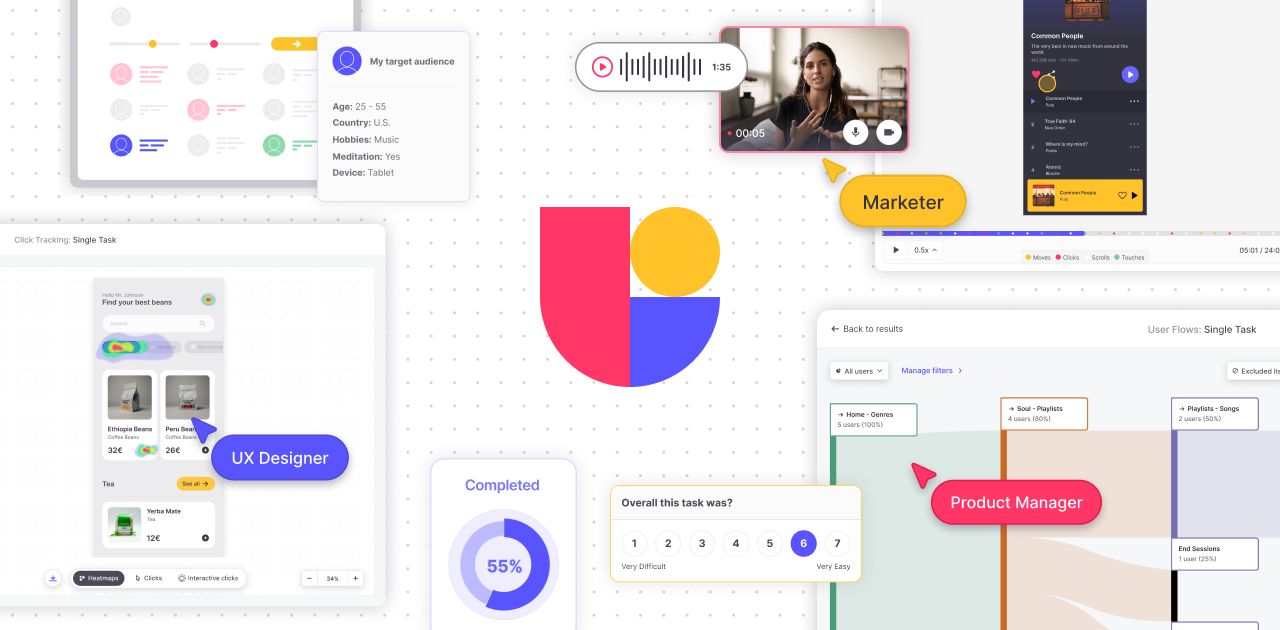
Useberry is a user experience (UX) research platform that enables teams to test prototypes, gather feedback, and understand user behavior. It supports remote usability tests, surveys, and information architecture studies. Seamlessly integrating with design tools like Figma, Sketch, and Adobe XD, Useberry lets users validate their designs early in the development process. With features like heatmaps and user flows, teams gain actionable insights into how real users interact with their designs. This helps improve usability, reduce development time, and ensure that final products meet user needs effectively and efficiently.

Pricing of Useberry

Free

INR 0.00
INR 0.00

Buy Now
  • 10 responses/month
  • 1 seat (add up to 20)
  • 1 project
  • 3 versions / project

Growth

INR 5721.00
INR 0.00

Month/Customize plan

Buy Now
  • Growth includes:
  • 300 responses / month (buy up to 2
  • 000)
  • 1 seat (buy up to 20)
  • Unlimited projects & versions
  • Randomization
  • Logic Jumps
  • Custom Templates
  • Comments
  • Screening Questions
  • Legal Screen
  • SAML-based SSO

Enterprise/Custom

INR 0.00
INR 0.00

Billed yearly

Buy Now
  • All Growth features
  • plus:
  • From 50
  • 000 responses / year
  • From 5 seats
  • AI features add-on
  • Customization
  • Enhanced Support
  • Custom legal terms
  • Enterprise Security

Key Features of Useberry

Key Features:
  • User Research
  • User Journeys
  • Usability Testing
  • Prototyping
  • For Websites
  • For Mobile
  • Animation
  • Unmoderated Testing
  • Screen Activity Recording
  • Heatmaps

Key Specification

Other Categories: UX Software
Deployment: Cloud Hosted
Customer Support: Live Chat,Online (Ticket)
Customization: No
Languages Support: English

Who uses Useberry

Personal
Personal
SMEs
SMEs

Company Details

Company Name: Useberry
Headquarter: Greece
Social Media:

Useberry Description

Why Choose Useberry?

Useberry is a powerful tool for teams aiming to create user-centered digital products. Its intuitive interface and direct integration with design tools make it easy to test prototypes without writing a single line of code. Whether you’re running a quick preference test or conducting detailed usability research, this UX software provides the flexibility and depth required for informed decision-making. With remote testing capabilities and built-in analytics, it reduces reliance on guesswork and manual processes. The platform delivers fast, visual insights through heatmaps, task completions, and user paths. Teams can improve design quality, shorten development cycles, and build products that truly resonate with users.

Benefits of Useberry

  • Faster Design Decisions: Collect real-time feedback to validate ideas quickly.
  • Enhanced User Experience: Identify and fix usability issues before launching.
  • Insightful Analytics: Leverage heatmaps, click paths, and completion data.
  • Cost-Efficient Testing: Reduce late-stage rework and development costs.
  • Remote Access: Test with users across the globe from a single dashboard.
  • Better Collaboration: Share results with team members for aligned decisions.

How to Use Useberry

Start by creating a project and connecting your prototype from tools like Figma or Adobe XD. Choose your test type—usability test, card sorting, or preference test—and define the tasks or questions for your users. Share the test via a public link or recruit participants from Useberry’s global pool. Once responses are collected, Useberry presents the results in a visual format with heatmaps, success rates, and task paths. These insights help you identify friction points and improve design. You can then share feedback with your team and iterate based on real user behavior—all within a streamlined, easy-to-use platform.

Features of Useberry

  • Design Tool Integration: Works with Figma, Sketch, and Adobe XD.
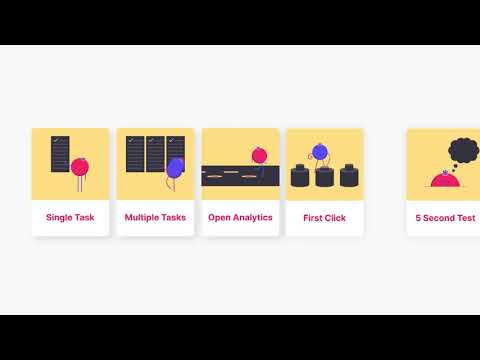
  • Versatile Testing Methods: Usability testing, 5-second tests, first-click tests, and more.
  • Interactive Heatmaps: Visualize where users click, scroll, and focus.
  • Session Replays: Watch how users navigate your prototype.
  • Custom Task Metrics: Measure time taken, success rates, and drop-off points.
  • Participant Options: Use your own users or tap into a diverse tester pool.
  • Team Collaboration: Share dashboards and results for feedback and alignment.

What Makes Useberry Different?

Useberry stands out by offering a no-code, design-friendly platform that integrates directly with the tools teams already use. Unlike many traditional UX testing tools, Useberry combines multiple research methods—usability tests, surveys, preference testing—in one clean interface. It simplifies research for both technical and non-technical users. Real-time, visual analytics like heatmaps and session paths eliminate the need for complex data interpretation. It also emphasizes privacy and GDPR compliance, ensuring responsible data handling. Whether you're a startup or an enterprise team, Useberry provides unmatched flexibility, fast insights, and a user-first approach to digital product design and validation.

Who Can Benefit from Useberry?

Useberry caters to a wide range of professionals in product development and design. UX/UI designers use it to validate user flows and layout decisions. Product managers rely on it to prioritize features based on actual user behavior. UX researchers conduct in-depth studies to support design strategies. Startups benefit from early-stage feedback, helping them avoid costly mistakes. Large enterprises use it to maintain consistent, data-backed design quality across teams. Even marketers and content creators can leverage Useberry to test landing pages and visual content. Anyone looking to make user-driven decisions will find value in Useberry’s testing and analytics tools.

Is Useberry Easy to Use?

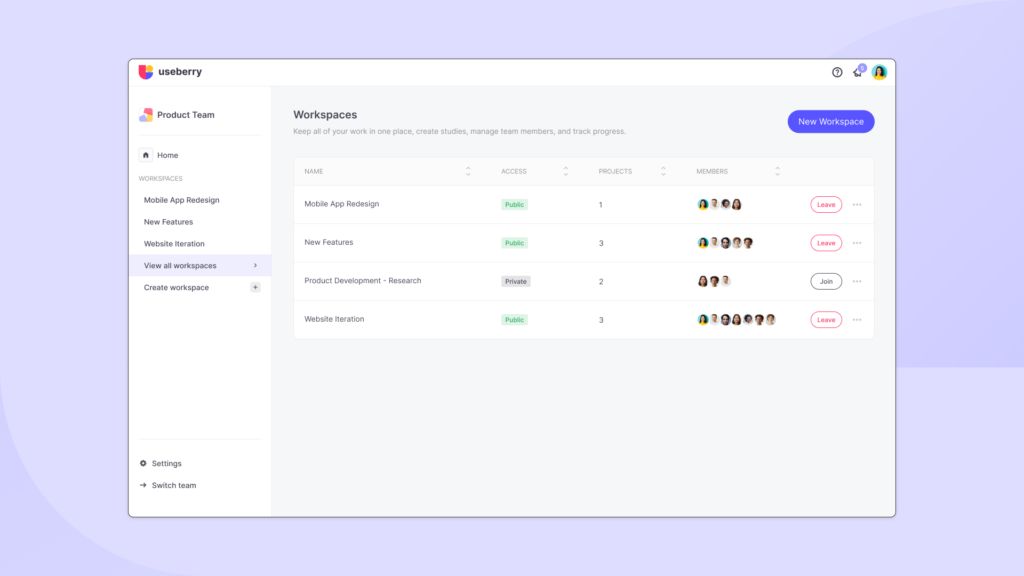
Useberry is designed to be intuitive and accessible, even for first-time users. The dashboard is clean, well-organized, and requires no technical expertise to navigate. You can import prototypes, build tests, and launch them in minutes without writing code. Built-in templates and drag-and-drop functionality simplify the testing process. The analytics are presented visually, making it easy to understand user behavior at a glance. Collaboration tools allow teams to share findings and comment on results seamlessly. Whether you’re running a simple click test or an advanced usability study, Useberry’s user-friendly design makes testing fast, efficient, and approachable.

What Support Does Useberry Offer?

Useberry offers a comprehensive support system to assist users throughout their experience. The Help Center includes detailed documentation, how-to guides, and FAQs covering all core features. For new users, the onboarding process includes tutorials and step-by-step walkthroughs. Video resources are also available for those who prefer visual learning. Support is accessible via email for personalized assistance, and the platform regularly updates based on user feedback. In addition, Useberry provides community support channels where users can share experiences, tips, and feature suggestions. This commitment to customer success ensures that users can maximize the value of their testing and research.

Alternative

Figma

Nothing great is made alone

0.0
Rating out of 5 Based on 0 reviews

Sketch

Everything you need to design

0.0
Rating out of 5 Based on 0 reviews

Balsamiq

Life's too short for bad software!

0.0
Rating out of 5 Based on 0 reviews

Useberry Video/Screenshots

User Reviews

no-reviews
Share your experience! Be the very first reviewer. Write a Review

Frequently Asked Questions (FAQs)

The user group of Useberry are as follows :

  • Personals
  • SMEs

Useberry has 3 plans,

  • Free INR 0.00
  • Growth INR 5721.00 Month/Customize plan
  • Enterprise/Custom INR 0.00 Billed yearly

Useberry is not allowing Free Trial.

The key featuers of Useberry are as follows :

  • User Research
  • User Journeys
  • Usability Testing
  • Prototyping
  • For Websites
  • For Mobile
  • Animation
  • Unmoderated Testing
  • Screen Activity Recording
  • Heatmaps

Useberry pricing model : Yearly,Monthly

Useberry is Online Software.

No

Useberry offers Live Chat,Online (Ticket) support.

Useberry provides Help Guides,Video Guides,Blogs for the software training.