Tinkercad

All you need is a ‘what if...’

0.0
Rating out of 5 Based on 0 reviews

What is Tinkercad

Tinkercad is a free, web-based 3D design and modeling tool developed by Autodesk. It allows users to create 3D models, circuits, and code blocks in an easy-to-use interface, making it ideal for beginners, students, and hobbyists. Tinkercad Reviews frequently highlight its educational value and simplicity, while the Tinkercad Demo helps users quickly grasp its intuitive design features.

Pricing of Tinkercad

no-pricing
For get detailed pricing as per your requirements.

Key Features of Tinkercad

Key Features:
  • 3D Animation
  • Social Network Sharing
  • Digital Library (3D)
  • 3D Rendering
  • 3D Printing
  • Real-time Collaboration
  • 3D Camera
  • 3D Sculpting
  • 3D Animation
  • 3D Camera
  • Digital Library (3D)
  • 3D Sculpting
  • 3D Printing
  • Real-time Collaboration
  • Social Network Sharing

Key Specification

Other Categories: 3D Modeling Software For Free Free 3D Modeling Software 3D Modeling Software BIM Software
Deployment: Cloud Hosted
Customer Support: Email
Customization: Yes
Languages Support: English, German, Portuguese

Who uses Tinkercad

Personal
Personal
StartUps
StartUps
SMEs
SMEs

Company Details

Company Name: Autodesk Inc.
Headquarter: San Rafael, California United States
Social Media:

Tinkercad Description

Why Choose Tinkercad

Tinkercad is a top choice for individuals and educators exploring 3D design, electronics, or coding. It requires no installation and works directly from the browser, making access effortless. Tinkercad Reviews often praise its user-friendly layout and educational applications. With Tinkercad Pricing being completely free, it offers exceptional value, especially for schools and first-time designers looking to build digital creativity skills.

Benefits of Tinkercad

  1. Accessible directly from a browser without downloads

  2. Encourages creativity in 3D design, coding, and electronics

  3. Ideal for students, educators, and beginners

  4. Supports export for 3D printing and CAD software

  5. Provides guided lessons and tutorials for learning
    Tinkercad Features empower users to develop STEM skills, while Tinkercad Reviews underline its role in simplifying complex concepts. With no Tinkercad Pricing barrier, it’s perfect for exploring digital making at any age.

How to Use Tinkercad

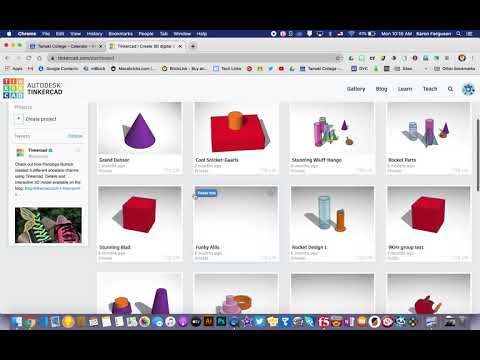
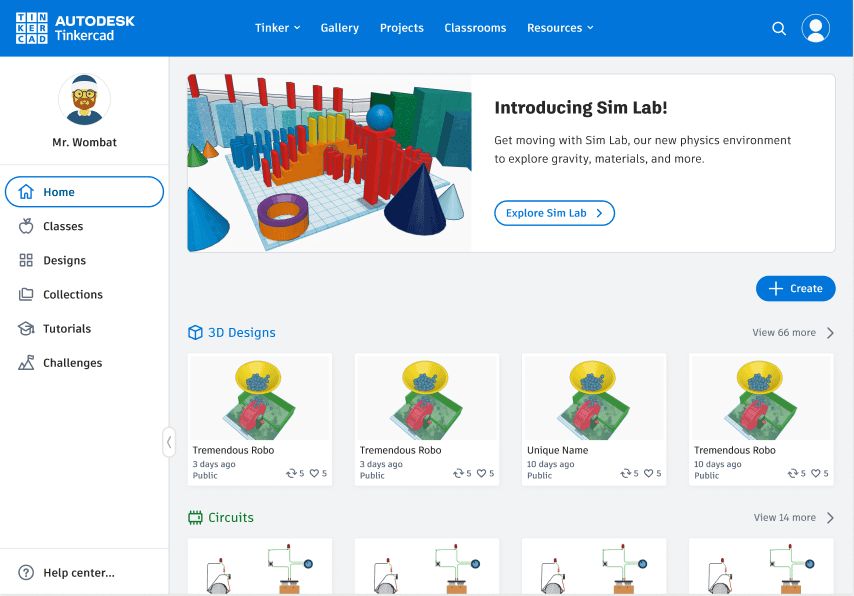
To use Tinkercad, sign up for a free account, choose a design space—3D design, circuits, or code blocks—and begin creating. The drag-and-drop interface lets users build shapes, wire circuits, or code interactions easily. You can export files for printing or share projects online. The Tinkercad Demo is a great way to get started and see its workflow in action without prior design experience. It pairs well with graphic design tools that support digital prototyping and 3D visualization for creative and educational projects.

Features of Tinkercad

  1. 3D modeling with basic shapes and alignment tools

  2. Electronic circuit design with real-time simulation

  3. Code blocks using visual programming

  4. STL file export for 3D printing

  5. Collaborative project sharing and classroom tools

  6. Library of community-generated models and components
    Tinkercad Features are designed to teach and enable digital making. Tinkercad Pricing is free, and according to Tinkercad Reviews, the tool is highly praised for its educational resources and accessibility for all skill levels.

Alternative

SelfCAD

By SelfCAD

0.0
Rating out of 5 Based on 0 reviews

SkyCiv

By SkyCiv

0.0
Rating out of 5 Based on 0 reviews

Vectary

By Vectary

0.0
Rating out of 5 Based on 0 reviews

Tinkercad Video/Screenshots

User Reviews

no-reviews
Share your experience! Be the very first reviewer. Write a Review

Frequently Asked Questions (FAQs)

The user group of Tinkercad are as follows :

  • Personals
  • Startups
  • SMEs

Tinkercad has 0 plans.

Tinkercad is not allowing Free Trial.

Tinkercad pricing model : Yearly,Monthly

Tinkercad is Online Software.

Yes

Tinkercad offers Email support.

Tinkercad provides Video Guides for the software training.