TaskTime

By TaskTime

0.0
Rating out of 5 Based on 0 reviews

What is TaskTime?

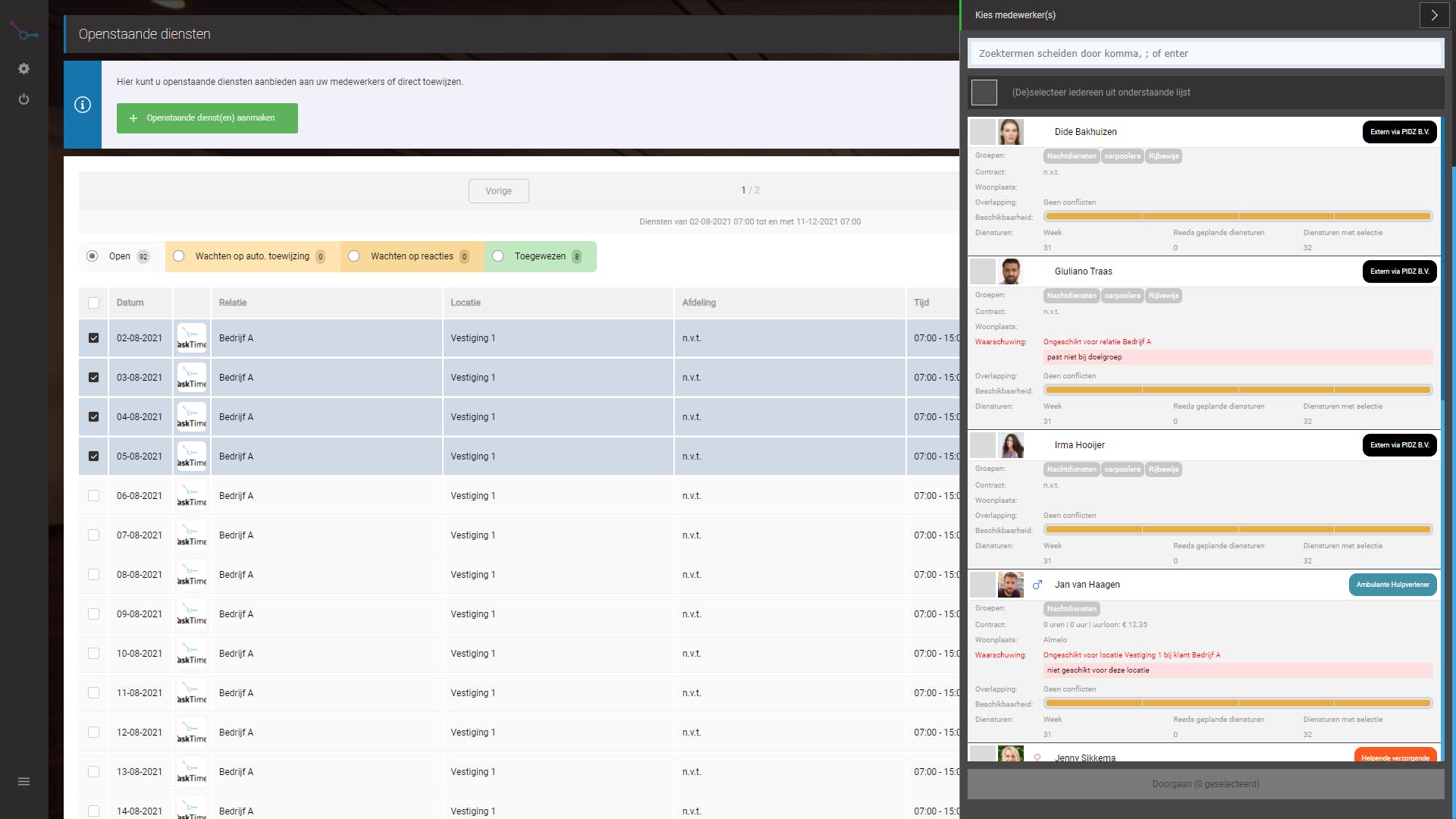
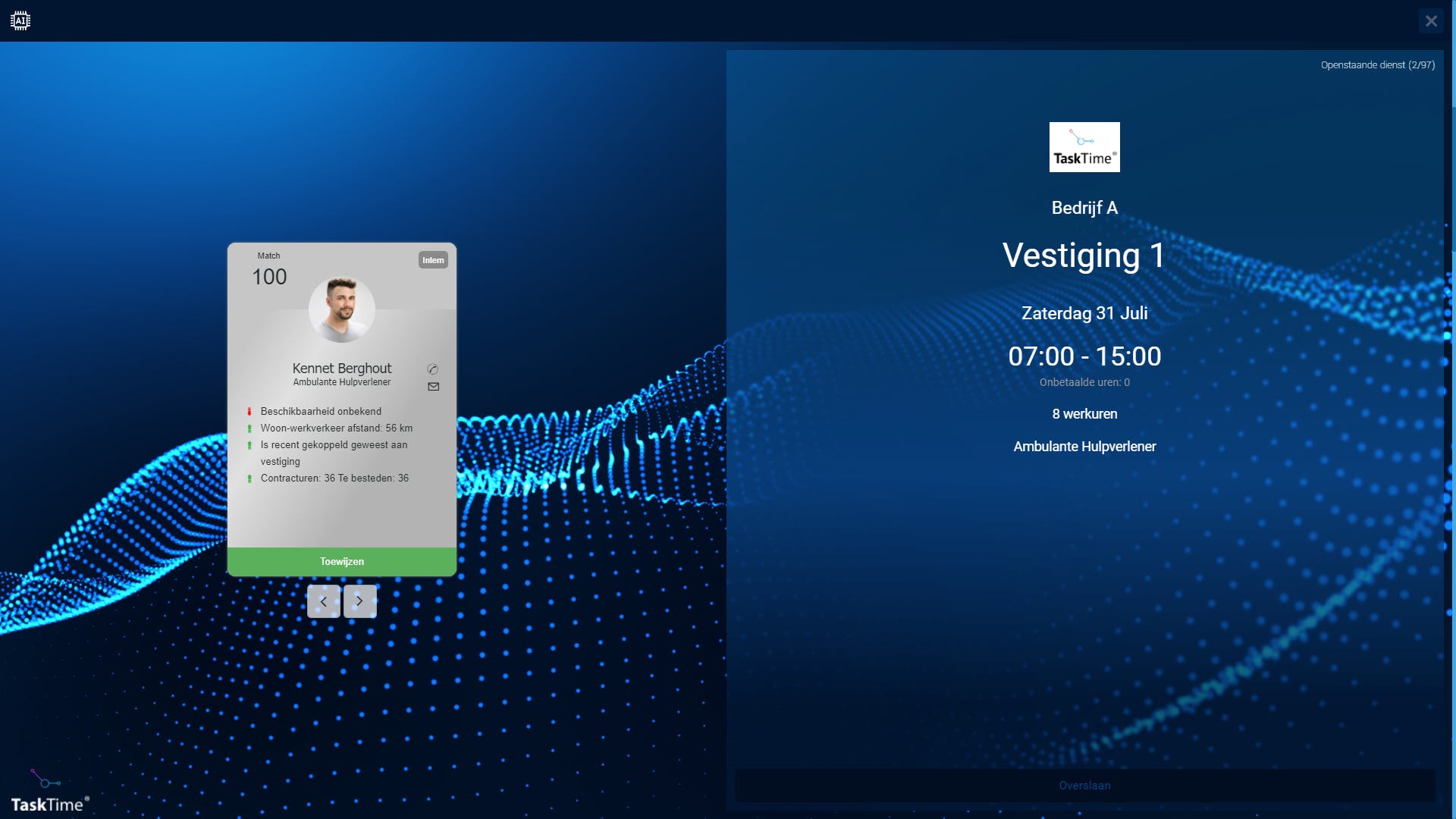
TaskTime is a cloud-based task management and time-tracking software designed to streamline workforce operations. It combines task assignment, time logging, and payroll calculation into a unified platform. Supervisors can create projects and assign tasks, while employees can log in to view their assignments and track time spent on each task. The system automatically records work durations, facilitating accurate payroll processing. With features like text-to-speech for accessibility and real-time reporting, TaskTime enhances productivity and ensures compliance across various industries.

Pricing of TaskTime

no-pricing
For get detailed pricing as per your requirements.

Key Features of TaskTime

Key Features:
  • Employee Scheduling
  • Resource Management
  • Employee Database
  • Reporting/Analytics
  • Automated Scheduling
  • Schedule Distribution
  • Payroll Management
  • Messaging

Key Specification

Other Categories: Employee Scheduling Software
Deployment: Cloud Hosted,Hybrid,On Premise,Any
Customer Support: Phone,Email,Live Chat
Languages Support: English

Who uses TaskTime

StartUps
StartUps
SMEs
SMEs
Agencies
Agencies
Enterprises
Enterprises

Company Details

Company Name: TaskTime
Headquarter: Netherlands
Social Media:

TaskTime Description

Why Choose TaskTime? 

TaskTime stands out as an intuitive Employee Management Software solution for managing tasks and tracking employee time efficiently. Its dual-interface design caters to both supervisors and employees, ensuring seamless communication and task delegation. The platform's accessibility features, such as text-to-speech, make it inclusive for all users. By automating time tracking and integrating it with task management, TaskTime reduces administrative overhead and minimizes errors in payroll processing. Its cloud-based nature ensures scalability, allowing organizations to adapt as they grow. Whether managing a small team or a large workforce, TaskTime provides the tools necessary for effective time management and operational efficiency.

Benefits of TaskTime 

Implementing TaskTime offers numerous advantages:

  • Enhanced Productivity: Automated task assignments and time tracking streamline workflows.

  • Accurate Payroll: Precise time logs ensure fair and accurate compensation.

  • Accessibility: Features like text-to-speech support users with varying needs.

  • Scalability: Cloud-based infrastructure accommodates organizational growth.

  • Compliance: Detailed records aid in meeting labor regulations and audits.

By centralizing task and time management, TaskTime reduces administrative burdens and fosters a more organized work environment.

How to Use TaskTime

Using TaskTime involves a few straightforward steps:

  1. Supervisor Setup: Log in to create projects and define associated tasks.

  2. Employee Access: Employees log in via a tablet or computer to view assigned tasks.

  3. Time Tracking: As tasks are initiated, the system automatically starts tracking time.

  4. Break Management: Employees can pause the timer for breaks and resume as needed.

  5. Completion and Logging: Upon task completion, time is logged, and data is available for supervisor review.

This process ensures accurate timekeeping and simplifies task management for both supervisors and employees.

Features of TaskTime 

  • Dual-Interface Design: Separate dashboards for supervisors and employees.

  • Automated Time Tracking: Real-time tracking of task durations.

  • Task Assignment: Supervisors can create and assign tasks with ease.

  • Accessibility Options: Includes text-to-speech functionality.

  • Cloud-Based: Accessible from various devices, ensuring flexibility.

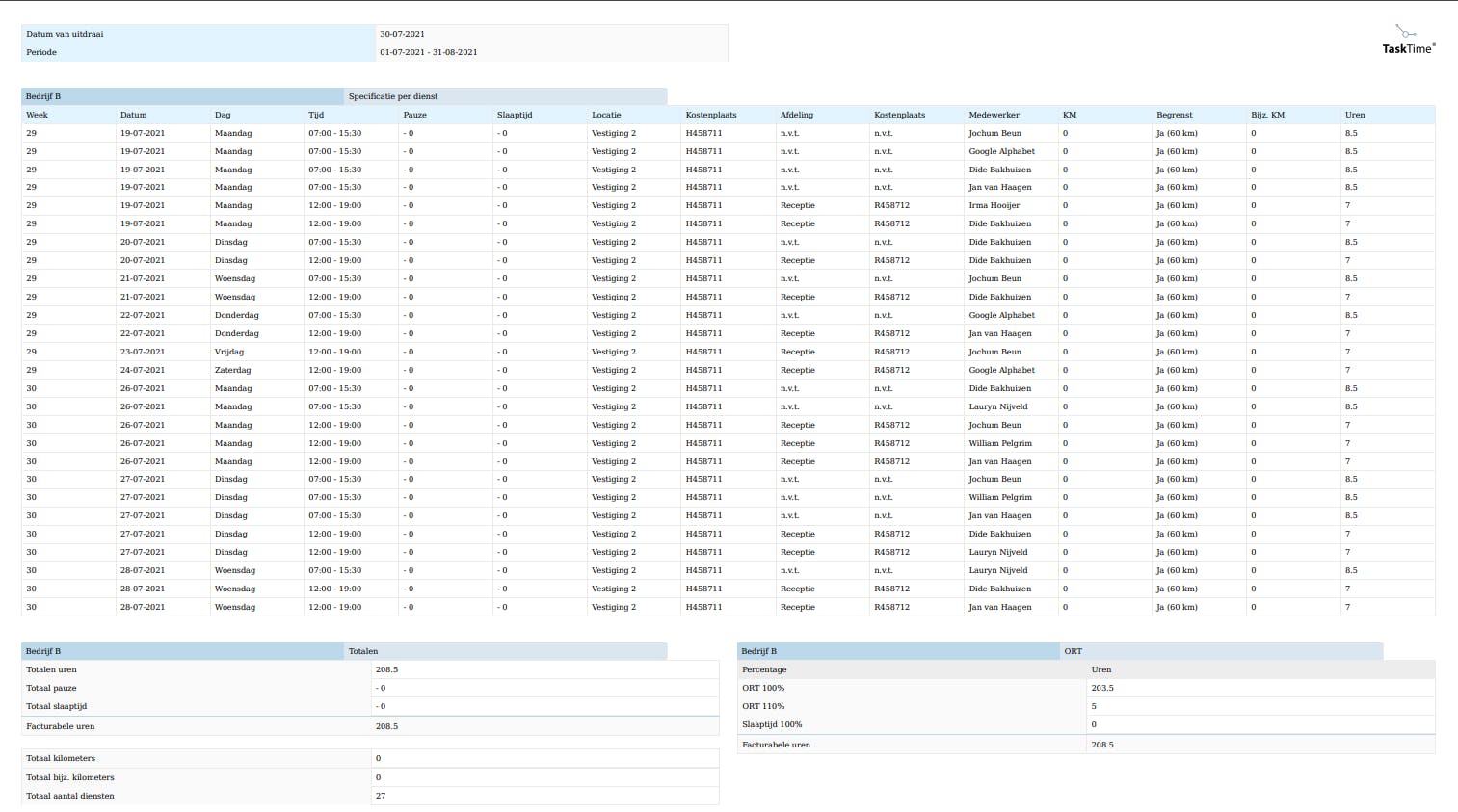
  • Reporting Tools: Generate reports for payroll and productivity analysis.

These features collectively enhance operational efficiency and employee accountability.

What Makes TaskTime Different? 

TaskTime differentiates itself through its user-centric design and comprehensive feature set. Unlike traditional time-tracking tools, it integrates task management with real-time time logging, providing a holistic view of employee productivity. Its accessibility features ensure inclusivity, catering to a diverse workforce. The cloud-based platform allows for seamless scalability, accommodating businesses of varying sizes. By automating routine administrative tasks, TaskTime frees up valuable time for strategic planning and decision-making. This combination of functionality and user-friendliness sets TaskTime apart in the realm of workforce management solutions.

Who Can Benefit from TaskTime?

TaskTime is ideal for organizations seeking to optimize task management and time tracking. Industries such as manufacturing, healthcare, retail, and services can leverage its features to enhance operational efficiency. Small businesses benefit from its scalability and ease of use, while larger enterprises appreciate its robust reporting and compliance tools. Remote teams can utilize TaskTime to maintain accountability and streamline workflows. Additionally, its accessibility features make it suitable for inclusive workplaces aiming to support employees with diverse needs.

Is TaskTime Easy to Use? 

Yes, TaskTime is designed with user-friendliness in mind. Its intuitive interface allows supervisors to set up projects and assign tasks effortlessly. Employees can easily log in to view their tasks and track time without extensive training. The platform's straightforward navigation and clear instructions minimize the learning curve, enabling quick adoption across the organization. Accessibility features further enhance usability, ensuring that all employees can interact with the system effectively.

What Support Does TaskTime Offer?

TaskTime provides comprehensive support to ensure seamless user experience. This includes detailed documentation and tutorials to guide users through setup and daily operations. A dedicated support team is available to address technical issues and answer queries. Regular updates and maintenance ensure the platform remains secure and up-to-date. Additionally, feedback channels are open for users to suggest improvements, reflecting TaskTime's commitment to continuous enhancement and customer satisfaction.

Alternative

TCP Humanity Scheduling

Dynamic employee scheduling software that works for everyone

0.0
Rating out of 5 Based on 0 reviews

Connecteam

Powerful Hubs, Flexible Pricing

0.0
Rating out of 5 Based on 0 reviews

Buddy Punch

Employee Time Clock Software

0.0
Rating out of 5 Based on 0 reviews

TaskTime Video/Screenshots

TaskTime Key Clients

User Reviews

no-reviews
Share your experience! Be the very first reviewer. Write a Review

Frequently Asked Questions (FAQs)

The user group of TaskTime are as follows :

  • Startups
  • SMEs
  • Agencies
  • Enterprises

TaskTime has 0 plans.

TaskTime is not allowing Free Trial.

TaskTime pricing model : Yearly,Monthly,Onetime(Perpetual License)

TaskTime is Cloud Hosted,Hybrid,On Premise,Any Software.

TaskTime offers Phone,Email,Live Chat support.

TaskTime provides Help Guides,On-Site Training for the software training.