Sharenote

By Therapy Brands

0.0
Rating out of 5 Based on 0 reviews

What is Sharenote?

Sharenote is a behavioral health and human services management software designed to help organizations streamline clinical documentation, billing, scheduling, and compliance. With its unified system, Sharenote (also searched as sharenotes) provides providers with the tools they need to manage patient data, track progress notes, and automate administrative workflows.

Pricing of Sharenote

Basic

USD 35.00
USD 0.00

null

Buy Now

Key Features of Sharenote

Key Features:
  • Billing & Invoicing
  • Document Management
  • HIPAA Compliant
  • Treatment Planning
  • Appointment Management

Key Specification

Other Categories: Patient Case Management Software
Deployment: Cloud Hosted,Hybrid,On Premise,Any
Customer Support: Phone,Email,Live Chat
Languages Support: English

Who uses Sharenote

StartUps
StartUps
SMEs
SMEs
Agencies
Agencies
Enterprises
Enterprises

Company Details

Company Name: Therapy Brands
Headquarter: United States
Social Media:

Sharenote Description

Who Uses Sharenote?

Sharenote is primarily used by:

  • Behavioral health practitioners

  • Therapy centers

  • Mental health agencies

  • Human services organizations

  • Case managers and clinical teams

These users frequently access their daily tasks through the sharenotes login portal for quick and secure access to client data.

Why Choose Sharenote?

Organizations choose Sharenote because it simplifies clinical recordkeeping and reduces administrative burden. Its integrated approach supports everything from documentation to billing, helping teams stay compliant and efficient. The intuitive sharenote com dashboard makes it easy to view schedules, notes, and billing statuses in one place. Many users also appreciate that it integrates well with other practice tools, much like how company management software improves overall workflow.

Benefits of Sharenote

  • Reduces time spent on paperwork

  • Streamlines service documentation

  • Ensures compliance with industry standards

  • Supports accurate billing and claims submission

  • Enhances communication between clinical staff

  • Provides real-time insights through the sharenote com dashboard

  • Secure HIPAA-compliant data management

Features of Sharenote

  • Client Management: Organize client profiles, treatment plans, and history

  • Clinical Documentation: SOAP notes, progress notes, and assessments

  • Scheduling: Appointment and staff scheduling with reminders

  • Billing & Claims: Automated billing, claims support, and payment tracking

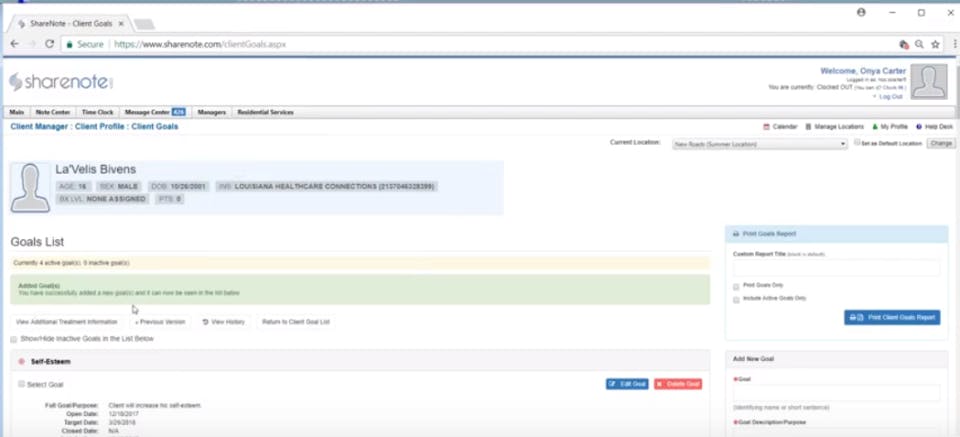
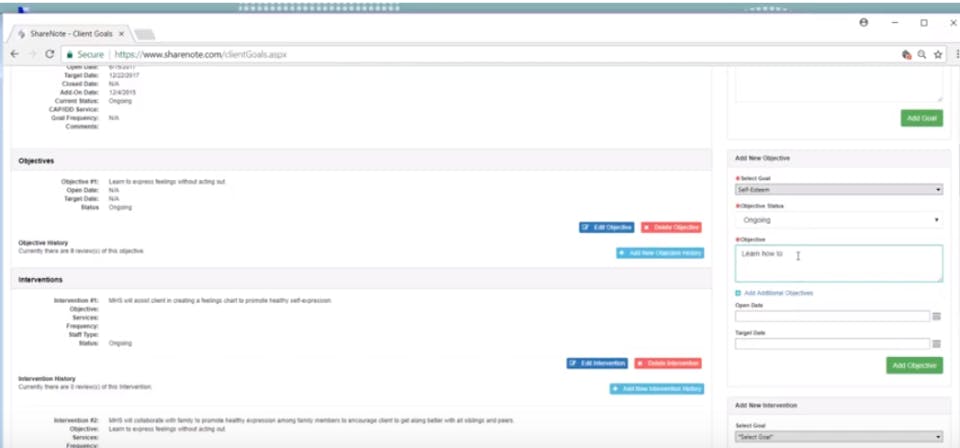
  • Case Management Tools: Track goals, outcomes, and interventions

  • Compliance Tools: Supports HIPAA and regulatory standards

  • Reporting: Insights into performance, caseloads, and billing

  • Access Control: Secure data access via sharenotes login

How to Use Sharenote?

Using Sharenote involves a few simple steps:

  1. Sign in through the sharenotes login portal.

  2. Access the sharenote com dashboard to view appointments, tasks, and client updates.

  3. Document sessions using the built-in note templates.

  4. Manage billing and claims from the billing center.

  5. Review analytics and reports to track progress and compliance.

  6. Coordinate with staff and assign tasks through the scheduling system.

Sharenote Demo

The Sharenote demo typically walks users through how to manage clients, complete documentation, submit claims, and use the scheduling module. The demo highlights efficiency improvements and showcases how clinicians can quickly navigate the sharenote com dashboard.

Sharenote Pricing

Pricing depends on:

  • Number of users

  • Practice size

  • Required modules (billing, scheduling, documentation, etc.)

  • Add-on features for advanced reporting or case management

The pricing model is flexible and designed to scale as organizations grow.

Sharenote Review

Many Sharenote reviews mention the platform’s ability to streamline clinical workflows and reduce administrative workload. Users appreciate the clarity of the sharenote com dashboard and the reliability of its billing and documentation tools. Some reviews suggest improvements in customization options, but overall, Sharenote is well received for its ease of use, compliance support, and strong clinical documentation features.

Alternative

Carepatron

By Carepatron

0.0
Rating out of 5 Based on 0 reviews

WebMD PracticePro

By WebMD

0.0
Rating out of 5 Based on 0 reviews

Clinicianapp

clinic management software in India

0.0
Rating out of 5 Based on 0 reviews

Sharenote Video/Screenshots

User Reviews

no-reviews
Share your experience! Be the very first reviewer. Write a Review

Frequently Asked Questions (FAQs)

The user group of Sharenote are as follows :

  • Startups
  • SMEs
  • Agencies
  • Enterprises

Sharenote has 1 plans,

  • Basic USD 35.00 null

Sharenote is not allowing Free Trial.

The key featuers of Sharenote are as follows :

  • Billing & Invoicing
  • Document Management
  • HIPAA Compliant
  • Treatment Planning
  • Appointment Management

Sharenote pricing model : Yearly,Monthly,Onetime(Perpetual License)

Sharenote is Cloud Hosted,Hybrid,On Premise,Any Software.

Sharenote offers Phone,Email,Live Chat support.

Sharenote provides Help Guides,Webinars,On-Site Training for the software training.