


Resource Tuner
Edit and customize Windows executables — icons, dialogs, strings, and more — without source code
 0.0
0.0
Resource Tuner gives you full control over EXE and DLL files: view, edit, extract, and replace icons, bitmaps, menus, strings, and more. Easily customize apps with your branding, translations, or updated visuals — no source code required. Perfect for developers, translators, and power users who want programs to look their way.
Key Features of Resource Tuner
Key Features:
Key Specification
| Other Categories: | Application Development Software Software Development Analytics Tools |
|---|---|
| Deployment: | On Premise |
| Customer Support: | Email,Online (Ticket),Business Hours |
| Customization: | No |
| Languages Support: | Chinese, English, Finnish, French, German, Italian, Japanese, Korean, Polish, Portuguese, Spanish, Turkish |
Who uses Resource Tuner

Personal

StartUps

SMEs

Agencies

Enterprises
Company Details
| Company Name: | Heaventools Software |
|---|---|
| Headquarter: | Vancouver, British Columbia Canada |
| Social Media: |
Resource Tuner Description
Most Popular Software

Emergent
Emergent handles every aspect of software development so you can focus on what matters most
0.0





Alternative
Emergent
Emergent handles every aspect of software development so you can focus on what matters most
0.0
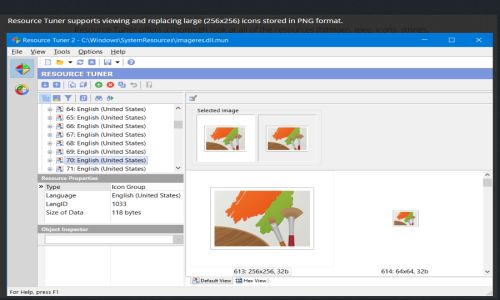
Resource Tuner Video/Screenshots
User Reviews

Frequently Asked Questions (FAQs)
The user group of Resource Tuner are as follows :
- Personals
- Startups
- SMEs
- Agencies
- Enterprises
Resource Tuner has 2 plans,
- Personal license
- Business license
Resource Tuner is allowed 30 Days Free Trial.
The key featuers of Resource Tuner are as follows :
- Natural Language Coding
- Smart Code Rewrites
- AI-Powered Code Completion
- Contextual Codebase Understanding
- Built-in Chat Assistant
Resource Tuner pricing model : Onetime(Perpetual License)
Resource Tuner is Offline Software.
No
Resource Tuner offers Email,Online (Ticket),Business Hours support.
Resource Tuner provides Help Guides,Whitepapers for the software training.


