QuillJS

Your powerful rich text editor.

0.0
Rating out of 5 Based on 0 reviews

What is Quill?

Quill is a powerful, open-source rich text editor designed for modern web applications. It provides a flexible and extensible way to integrate a WYSIWYG (What You See Is What You Get) editing experience into websites and web apps. Developers widely use the Quill editor because it is lightweight, easy to customize, and supports clean, semantic HTML output.

Pricing of QuillJS

no-pricing
For get detailed pricing as per your requirements.

Key Features of QuillJS

Key Features:
  • Rich Formatting Options
  • Modular Architecture
  • Themes
  • Delta Format
  • Real-time Collaboration
  • Embeds and Custom Content
  • Cross-platform, supporting all modern browsers

Key Specification

Other Categories: Open Source Tool
Deployment: Cloud Hosted,Hybrid
Customer Support: Email
Customization: Yes
Languages Support: English

Who uses QuillJS

Personal
Personal
StartUps
StartUps
SMEs
SMEs

Company Details

Company Name: QuillJS
Headquarter:
Social Media:

QuillJS Description

Benefits of using Quill

  • Customization: Quill is built with a modular structure and expressive API, enabling builders to create custom codecs, modules, and issues to suit their precise desires.
  • Ease of Use: Quill gives a consumer-friendly interface that is simple to integrate and use, even for those acquainted with markup.
  • API-Driven Design: Unlike a few conventional editors, Quill's API operates on heritable textual content-centric units, imparting granular get admission to to content, adjustments, and occasions through a simple API.
  • Cross-Platform Compatibility: Quill supports all contemporary browsers on computers, tablets, and telephones, ensuring regular conduct and producing HTML throughout structures.
  • Free and Open-Source: Quill is free and open-source, with a vibrant network contributing to its development.
  • Delta Format: Quill uses a unique, human and gadget-readable format known as Delta to describe content and modifications, simplifying content control and storage.

How to Use Quill

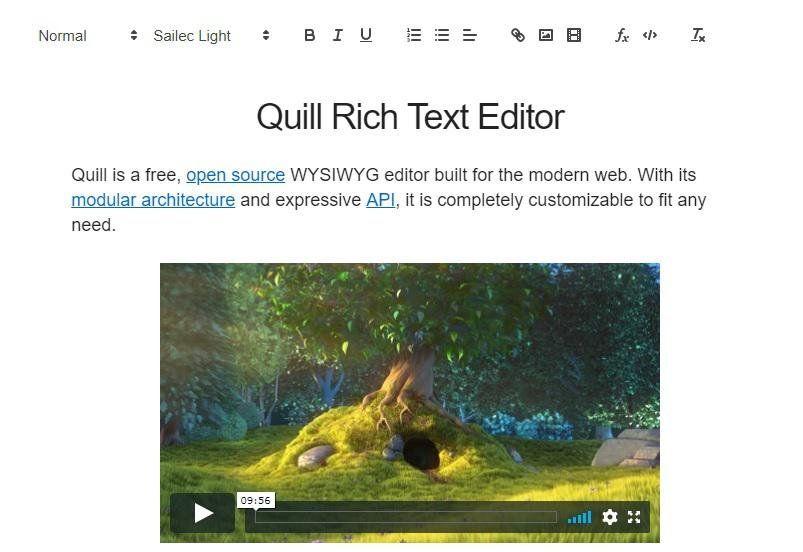
To use Quill, start by adding the Quill library to your web project either via a CDN or by installing it through npm. Once included, create a container element in your HTML where the editor will appear—typically div with an ID. Next, initialize Quill in your JavaScript by selecting that container and specifying a theme like "snow" or "bubble." You can also customize the toolbar and configure options like placeholder text, read-only mode, or specific formatting tools. Once set up, the editor is ready for rich text input and can be further extended using Quill’s modular API

Features of Quill

Quill offers a whole lot of capabilities that enable wealthy textual content editing: 

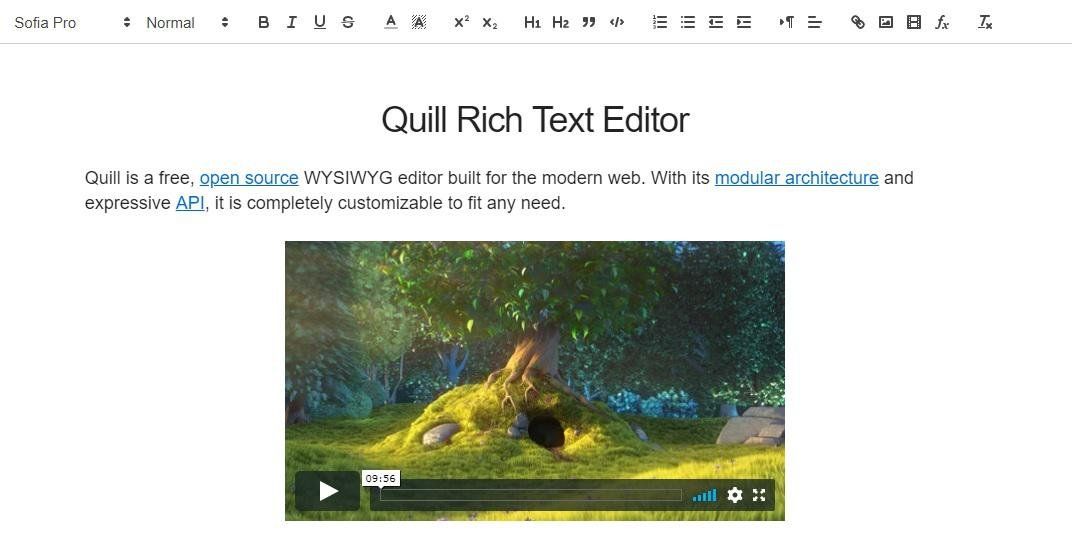
  • Toolbar: Customizable toolbar to provide customers with formatting options, which includes bold, italic, underline, lists, fonts, textual content length, coloration, and historical past colour.
  • Embedding Media: Support for embedding photos and motion pictures inside the editor.
  • Customization: Deeply customizable through its modular architecture and expressive API, bearing in mind custom codecs, issues, and extensions.
  • Delta Format: Content is saved in a JSON-like format referred to as Delta, providing a powerful and flexible way to symbolize document adjustments.
  • Modules: Quill's modular layout lets builders increase its capability with various modules, which include records (undo/redo), keyboard bindings, clipboard management, and more.
  • Real-time Collaboration: Quill may be used as a basis to build collaborative, enhanced reviews. 

Quill Demo

To try Quill online:

  1. Visit the reputable website: quilljs.com
  2. Navigate to the Demo phase.
  3. Use the interactive editor to check formatting, insert media, or reproduce the output HTML.
  4. Download the supply code or reproduce the CDN to embed it in your task.

Quill Pricing

Contact Techimply for pricing.

Alternative

LibreOffice

By LibreOffice

0.0
Rating out of 5 Based on 0 reviews

Pirate Bay Proxy

Pirate Bay Proxy

0.0
Rating out of 5 Based on 0 reviews

AutoClicker

By AutoClicker

0.0
Rating out of 5 Based on 0 reviews

QuillJS Video/Screenshots

User Reviews

no-reviews
Share your experience! Be the very first reviewer. Write a Review

Frequently Asked Questions (FAQs)

The user group of QuillJS are as follows :

  • Personals
  • Startups
  • SMEs

QuillJS has 0 plans.

QuillJS is allowed 0 Days Free Trial.

QuillJS is Cloud Hosted,Hybrid Software.

Yes

QuillJS offers Email support.

QuillJS provides Help Guides for the software training.