Photopea

Free Online Photo Editor

0.0
Rating out of 5 Based on 0 reviews

What is Photopea?

Photopea is a free, web-based image editor that offers advanced photo editing and graphic design capabilities directly in your browser. It supports a wide range of file formats including PSD, XCF, Sketch, XD, and CDR, making it compatible with Adobe Photoshop and other popular tools. With Photopea, users can perform tasks such as photo retouching, image composition, vector editing, and UI design without installing any software. It features a Photoshop-like interface, making it intuitive for users already familiar with traditional desktop tools. Whether you're a designer, student, or casual user, Photopea delivers professional-grade editing tools for free, accessible from any device with internet access.

Pricing of Photopea

no-pricing
For get detailed pricing as per your requirements.

Key Features of Photopea

Key Features:
  • Client Management
  • Calendar Management
  • Appointment Scheduling
  • Customer Database
  • Billing & Invoicing
  • Electronic Payments
  • Marketing Automation
  • Contract/License Management
  • Digital Signature
  • Lead Management
  • Proposal Management
  • Quotes/Estimates
  • Email Marketing

Key Specification

Other Categories: Photography Studio Software Graphic Design Software Photo Editing Software For Free Photo Editing Software
Deployment: Cloud Hosted,Hybrid
Customer Support: Email
Customization: Yes
Languages Support: English

Who uses Photopea

Personal
Personal
StartUps
StartUps
SMEs
SMEs
Agencies
Agencies

Company Details

Company Name: Photopea
Headquarter: Europe
Social Media:

Photopea Description

Why Choose Photopea?

Photopea is a go-to choice for users who need powerful image editing tools without the cost or installation. Its browser-based platform is accessible on any device, which is ideal for students, freelancers, or remote teams. It offers a wide range of professional-grade features such as layer styles, filters, text tools, and vector editing—all without downloading any software. Photopea also supports PSD and Sketch formats, making it a convenient alternative or companion to Adobe Photoshop. Its responsive performance, regular updates, and zero installation make it an excellent choice for quick edits or full-scale design projects alike.

Benefits of Photopea

  • Free to Use: No subscriptions or purchases required.
  • No Installation Needed: Runs directly in your browser.
  • Multi-Format Support: Works with PSD, XCF, Sketch, XD, and more.
  • Cross-Platform: Accessible on Windows, Mac, Linux, and Chromebooks.
  • Photoshop-Like Interface: Easy for existing Adobe users to adapt.
  • Advanced Tools: Offers layers, masks, filters, vector editing, and more.
  • Regular Updates: Continuously improved by the developer.
  • Fast Performance: Lightweight and optimized for quick loading.
  • Ideal for Quick Edits: Open and edit files on the go.
  • Great for Learning: A free tool for students to practice design skills.

How to Use Photopea

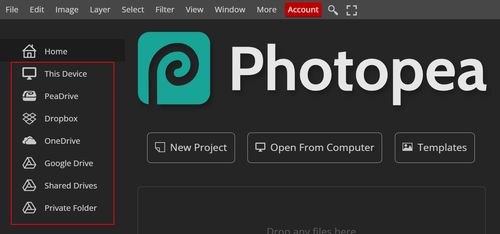
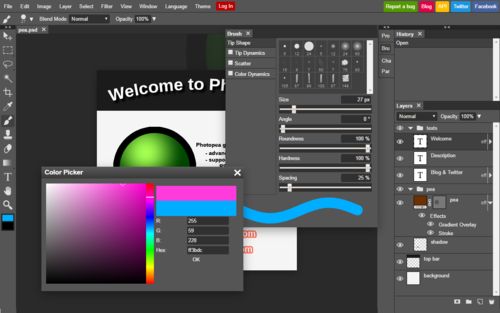
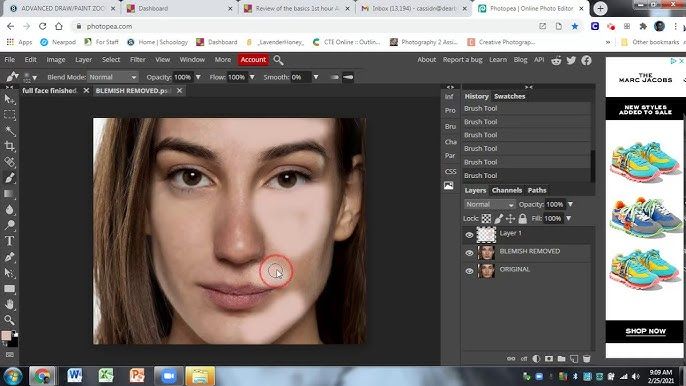
Using Photopea is simple. The editor opens instantly—no login required. You can start by creating a new project or opening existing files from your device or cloud storage. The interface closely resembles Adobe Photoshop, with familiar tools like move, crop, brush, text, layers, and history panels. Use layers and masks for complex edits, apply filters and adjustments, and export your project in multiple formats (PNG, JPG, PSD, etc.). Keyboard shortcuts are supported, and you can customize workspace panels. Whether making quick changes or full-scale designs, Photopea offers a professional editing experience right in your browser.

Features of Photopea

  • Layer Support: Edit with full control over layers and blending modes.
  • Masking Tools: Add layer masks and clipping masks.
  • Filters and Adjustments: Includes blur, sharpen, levels, curves, and more.
  • Text Tool: Create styled text with fonts, size, color, and effects.
  • Vector Tools: Use shapes, paths, and pen tools for vector design.
  • Smart Object Support: Work with embedded elements like in Photoshop.
  • History Panel: Easily undo/redo steps.
  • Multi-File Format Compatibility: PSD, XD, Sketch, PDF, SVG, and more.
  • Export Options: Save your work in multiple image and design formats.
  • Customizable Interface: Arrange panels and tools to suit your workflow.

What Makes Photopea Different?

What sets Photopea apart is its ability to deliver a Photoshop-like photo editing software experience entirely in your browser—for free. Unlike most online editors, it supports PSD, Sketch, and XD files with full layer functionality, making it highly compatible for professionals. It combines raster and vector editing in one place, a rare feature in browser-based tools. Additionally, it’s updated regularly by a single developer, which is remarkable considering its robust feature set. There’s no need to download or register, making it one of the most accessible and convenient Best Photo Editing Software options for on-the-go edits. Whether you’re a designer or student, its all-in-one solution is unmatched.

Who Can Benefit from Photopea?

Photopea is beneficial for a wide audience. Graphic designers can use it as a free alternative to Photoshop. Students benefit from its accessibility and professional features for learning. Freelancers and small business owners can create and edit visuals without paying for expensive software. Developers and UI/UX designers appreciate its compatibility with Sketch and XD files. Social media managers can quickly design posts and banners. Even casual users who want to crop photos or add text can do so with ease. Essentially, anyone who needs reliable image editing—whether for work, school, or personal use—can benefit from using Photopea.

Is Photopea Easy to Use?

Yes, Photopea is user-friendly, especially for those familiar with design software like Photoshop. Its interface mimics traditional desktop editors with a familiar toolbar, panels, and menu system. New users can access tutorials, tooltips, and an official guide to get started. There’s no installation, and loading is fast—just open the website and start editing. Beginners can do simple tasks like cropping, adding text, or adjusting brightness, while advanced users can explore layer masks, smart objects, and vector paths. Overall, Photopea balances professional functionality with ease of use, making it accessible for both beginners and experienced designers.

What Support Does Photopea Offer?

Photopea offers basic but helpful support options. The website includes a Help section with guides, tutorials, and FAQs that cover core features and common issues. Users can also visit the official blog for updates, feature explanations, and tips. For direct help, Photopea accepts feedback and bug reports via email or GitHub. While it doesn’t offer live chat or customer service like paid platforms, the documentation and community forums provide valuable assistance. Many video tutorials and third-party guides are also available online. As a free tool maintained by a solo developer, Photopea’s support is streamlined but effective for most user needs.

Alternative

Capture One

By Capture One

0.0
Rating out of 5 Based on 0 reviews

Simplient

By Simplient

0.0
Rating out of 5 Based on 0 reviews

Luminar Neo

Effortlessly enhance your photo editing with Generative & AI capabilities

0.0
Rating out of 5 Based on 0 reviews

Photopea Video/Screenshots

User Reviews

no-reviews
Share your experience! Be the very first reviewer. Write a Review

Frequently Asked Questions (FAQs)

The user group of Photopea are as follows :

  • Personals
  • Startups
  • SMEs
  • Agencies

Photopea has 0 plans.

Photopea is not allowing Free Trial.

Photopea pricing model : Monthly

Photopea is Cloud Hosted,Hybrid Software.

Yes

Photopea offers Email support.

Photopea provides Help Guides,Blogs for the software training.