PaintTool SAI

Easy Paint Tool SAI

0.0
Rating out of 5 Based on 0 reviews

What is PaintTool SAI?


PaintTool SAI is a lightweight and user-friendly digital painting software designed for artists who want powerful tools without the complexity of larger programs. Developed by Systemax, SAI offers a smooth, responsive drawing experience with features like customizable brushes, pressure-sensitive support, layer tools, and vector capabilities. It’s especially popular among illustrators, manga artists, and digital painters for its clean interface and efficient performance, even on low-end computers. While it lacks some advanced features like text tools or photo editing, its simplicity and focus on painting make it a favorite for creatives looking for precision and speed in their digital artwork.

Pricing of PaintTool SAI

no-pricing
For get detailed pricing as per your requirements.

Key Features of PaintTool SAI

Key Features:
  • Image Management
  • Image Exporting
  • Color Coding
  • 3D Imagery
  • Image Editor
  • Image Editor
  • Built-in Templates
  • Premium Icons
  • Image Editor

Key Specification

Other Categories: Graphic Design Software Graphic Design Software For Free Graphic Design Software For Mac Graphic Design Software For PC Geographic Information System Software Free Graphic Design Software Logo Design Software
Deployment: Cloud Hosted,Hybrid,On Premise,Any
Customer Support: Email
Customization: No
Languages Support: English, Japanese

Who uses PaintTool SAI

Personal
Personal
StartUps
StartUps
SMEs
SMEs
Agencies
Agencies
Enterprises
Enterprises

Company Details

Company Name: Systemax Software Development
Headquarter: Tokyo, Japan
Social Media:

PaintTool SAI Description

What is PaintTool SAI?

  • Lightweight yet powerful digital painting software.

  • Developed by Systemax (Japan), mainly for Windows.

  • Popular among anime/manga artists, illustrators, and beginners.

  • Offers precision, smooth brush strokes, and tablet pressure sensitivity.

  • Minimal interface and low system requirements.

  • Supports layers, colors, vector tools, and detailed brush control.

  • Trusted for its stability, speed, and professional-quality output.

 Why Choose PaintTool SAI?

  • Designed specifically for illustrators and digital painters.

  • Clean, intuitive interface—no unnecessary features.

  • Offers responsive brush performance and accurate pen pressure.

  • Ideal for sketching, line art, manga, and comics.

  • Runs smoothly even on low-end PCs or laptops.

  • Affordable and efficient alternative to bulkier programs.

 Benefits of PaintTool SAI

  • Exceptional tablet response with low lag.

  • Customizable brushes for fine detailing.

  • Easy for beginners yet robust for pros.

  • Supports vector layers—perfect for clean, scalable line art.

  • Low CPU usage and small install size.

  • Improves workflow with fast and fluid performance.

  How to Use PaintTool SAI

  • Open the program: Interface includes a canvas, tools, and layer panel.

  • Select brush or pen and customize size, pressure, and opacity.

  • Use a tablet to draw naturally and fluidly.

  • Create multiple layers for sketching, inking, and coloring.

  • Save in .SAI or export as PSD for use in Photoshop, Clip Studio Paint, etc.

 Features of PaintTool SAI

  • Custom brushes, airbrushes, pencils, and erasers.

  • Excellent pen pressure support.

  • Vector layers for scalable, editable line work.

  • Multiple layers with blending modes and opacity control.

  • Color wheel, selection tools, and a navigation panel.

  • Lightweight design ensures smooth usage.

 What Makes PaintTool SAI Different?

  • Focuses on drawing essentials—no unnecessary features.

  • Ultra-responsive brush engine ideal for inking and line art.

  • Minimal and distraction-free user interface.

  • Fast performance, even on older computers.

  • Trusted by manga, anime, and comic artists worldwide.

  • Reliable, simple, and performance-driven.

 Who Can Benefit from PaintTool SAI?

  • Hobbyists, students, and professional illustrators.

  • Especially great for manga, anime, concept art, and character design.

  • Ideal for users with low-end systems or older tablets.

  • Teachers, freelancers, and digital art beginners.

  • Suitable for all skill levels—simple to learn, powerful to use.

 Is PaintTool SAI Easy to Use?

  • Beginner-friendly interface.

  • Easy access to brushes, layers, and essential tools.

  • Simple vector tools with minimal learning curve.

  • Responsive to drawing tablets for a natural feel.

  • No complex menus or shortcuts required.

  • Users typically become comfortable within a few sessions.

     What Support Does PaintTool SAI Offer?

  • Official website provides product updates and licensing.

  • Includes user manual and FAQ section.

  • No live chat or phone support—but stable software reduces the need.

  • Strong online community with tutorials and custom tools.

  • Issues often resolved through forums and YouTube guides.

  • Reliable enough for most users without major technical assistance.

Alternative

Logome

Design your stunning brand logo with AI

0.0
Rating out of 5 Based on 0 reviews

Fiverr Workspace

Scale your professional workforce with freelancers

0.0
Rating out of 5 Based on 0 reviews

Canva

What will you design today?

0.0
Rating out of 5 Based on 0 reviews

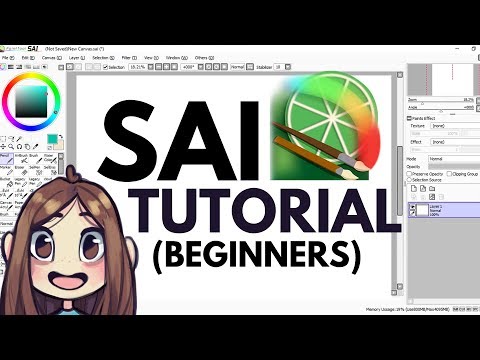
PaintTool SAI Video/Screenshots

User Reviews

no-reviews
Share your experience! Be the very first reviewer. Write a Review

Frequently Asked Questions (FAQs)

The user group of PaintTool SAI are as follows :

  • Personals
  • Startups
  • SMEs
  • Agencies
  • Enterprises

PaintTool SAI has 0 plans.

PaintTool SAI is not allowing Free Trial.

PaintTool SAI pricing model : Yearly,Monthly

PaintTool SAI is Cloud Hosted,Hybrid,On Premise,Any Software.

No

PaintTool SAI offers Email support.